'%20d='M0%208a8%208%200%200%201%208-8h24a8%208%200%200%201%208%208v24a8%208%200%200%201-8%208H8a8%208%200%200%201-8-8V8Z'/%3e%3cpath%20fill='%23fff'%20d='M10.41%206v3.779h15.048v19.537h4.132V6H10.41Z'/%3e%3cpath%20fill='%23fff'%20d='M20.967%2034V13.837L10.41%209.78v20.166L20.967%2034Z'/%3e%3cdefs%3e%3clinearGradient%20id='reapit-sales__a'%20x1='20.702'%20x2='20.702'%20y1='.351'%20y2='31.228'%20gradientUnits='userSpaceOnUse'%3e%3cstop%20stop-color='%235573FD'/%3e%3cstop%20offset='.575'%20stop-color='%234E56EA'/%3e%3c/linearGradient%3e%3c/defs%3e%3c/svg%3e)
Bulk Updating Contacts and Permissions
This article covers updating contact records in bulk in Reapit Sales.
The processes in this article include:
- Bulk Update Contacts – Add Contact Classes
- Bulk Update Contacts - Permissions
Bulk Updating Contacts
The following contact areas can be updated in bulk:
- Contacts – Advanced Search
- Property – Buyer Match
- Property – Prospective Buyer – Follow up
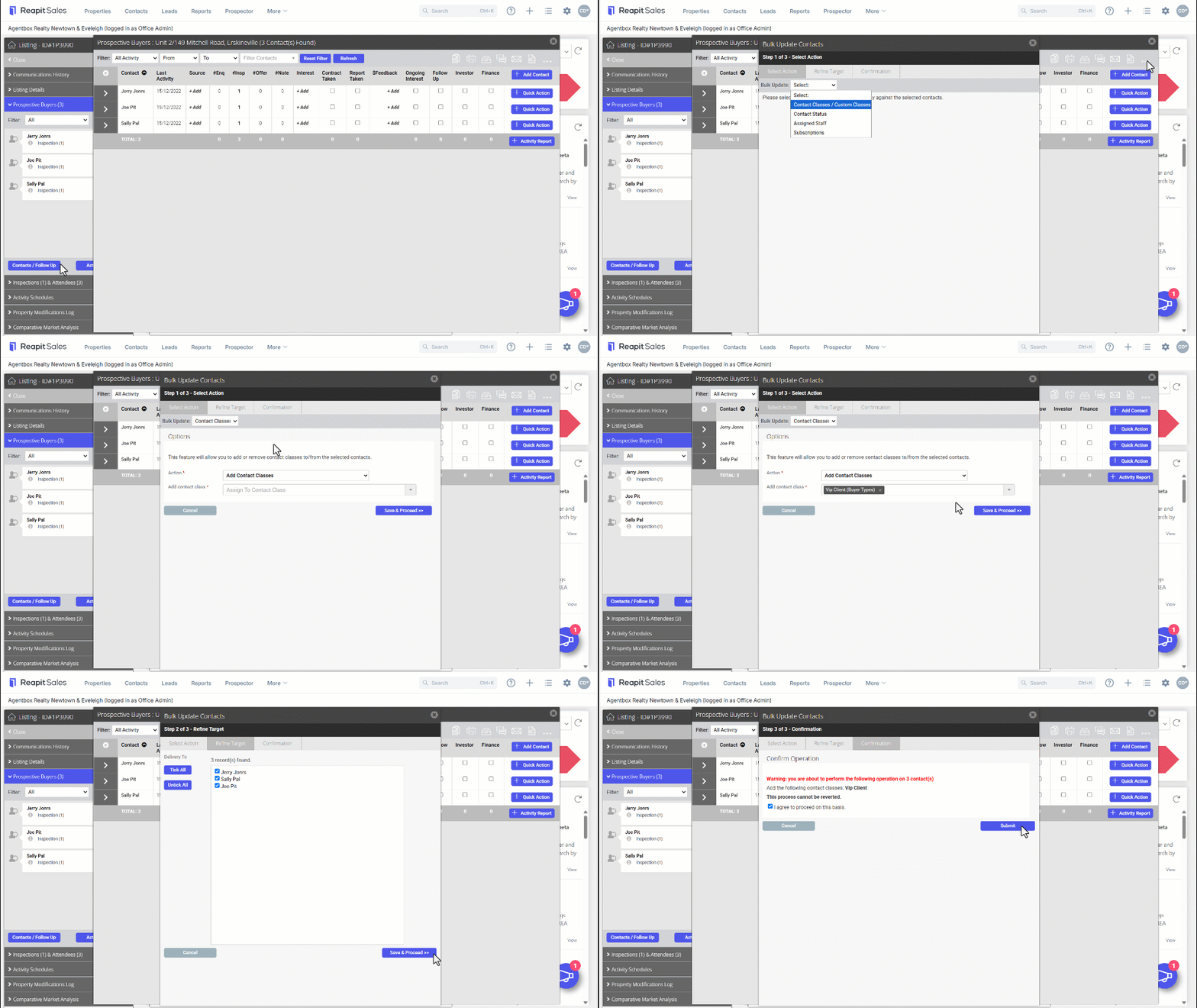
1. Navigate to the desired contact area (in this example, we will use the Prospective Buyers screen).
2. Click the three dots.
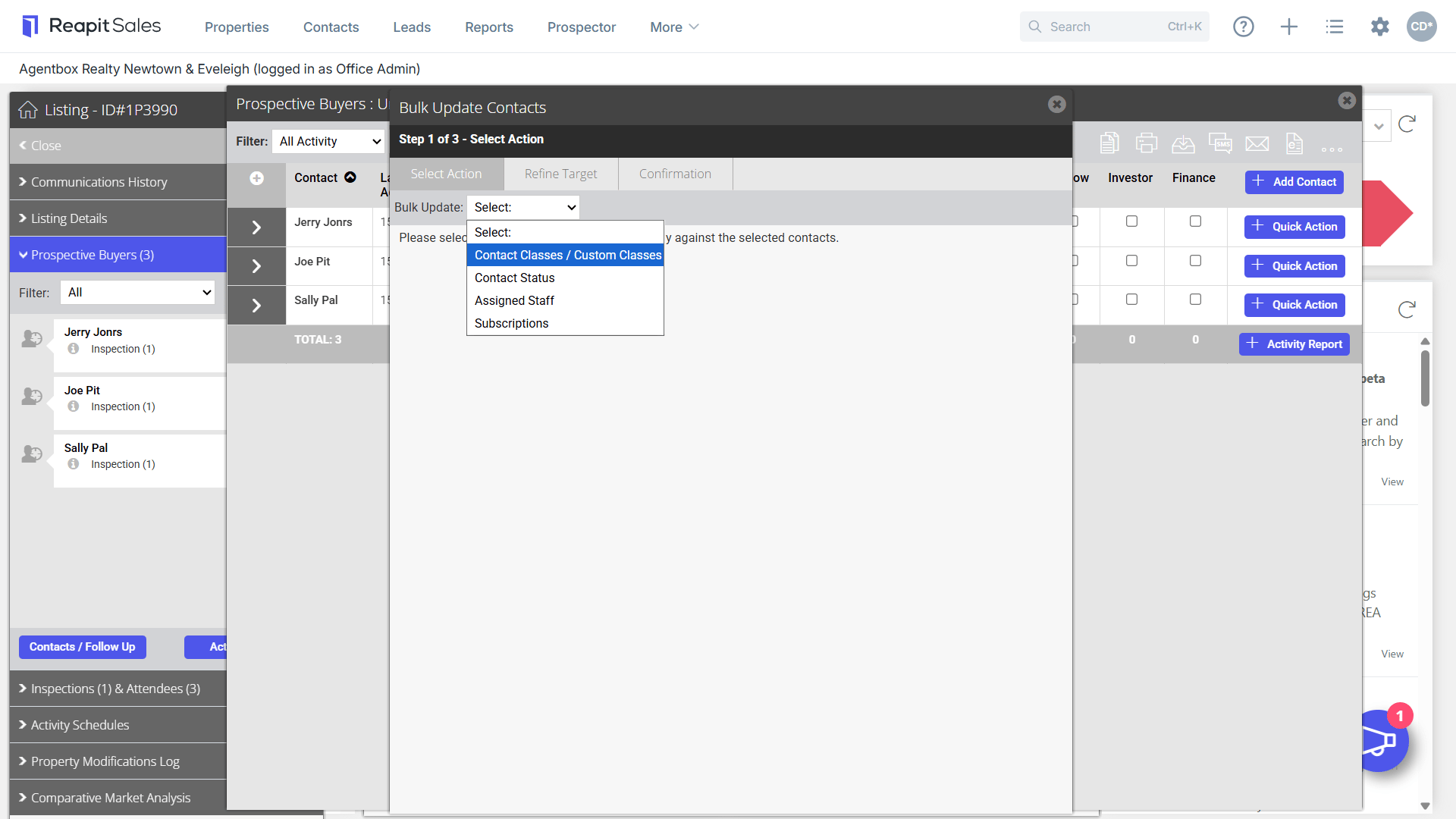
3. From the Bulk Update Contacts screen, proceed to the Bulk Update drop-down and click Contact Classes / Custom Classes.
4. From the Action dropdown, click Add Contact Classes.
5. Select the desired contact classes to bulk add. Click Save & Proceed.
6. Select your desired contacts to update classes on. The system will allow you to only update the contacts you have permission to edit and the classes you have permission to assign.
7. Click Save & Proceed.
8. A confirmation prompt will appear to perform the action on the selected contacts. Click Submit.
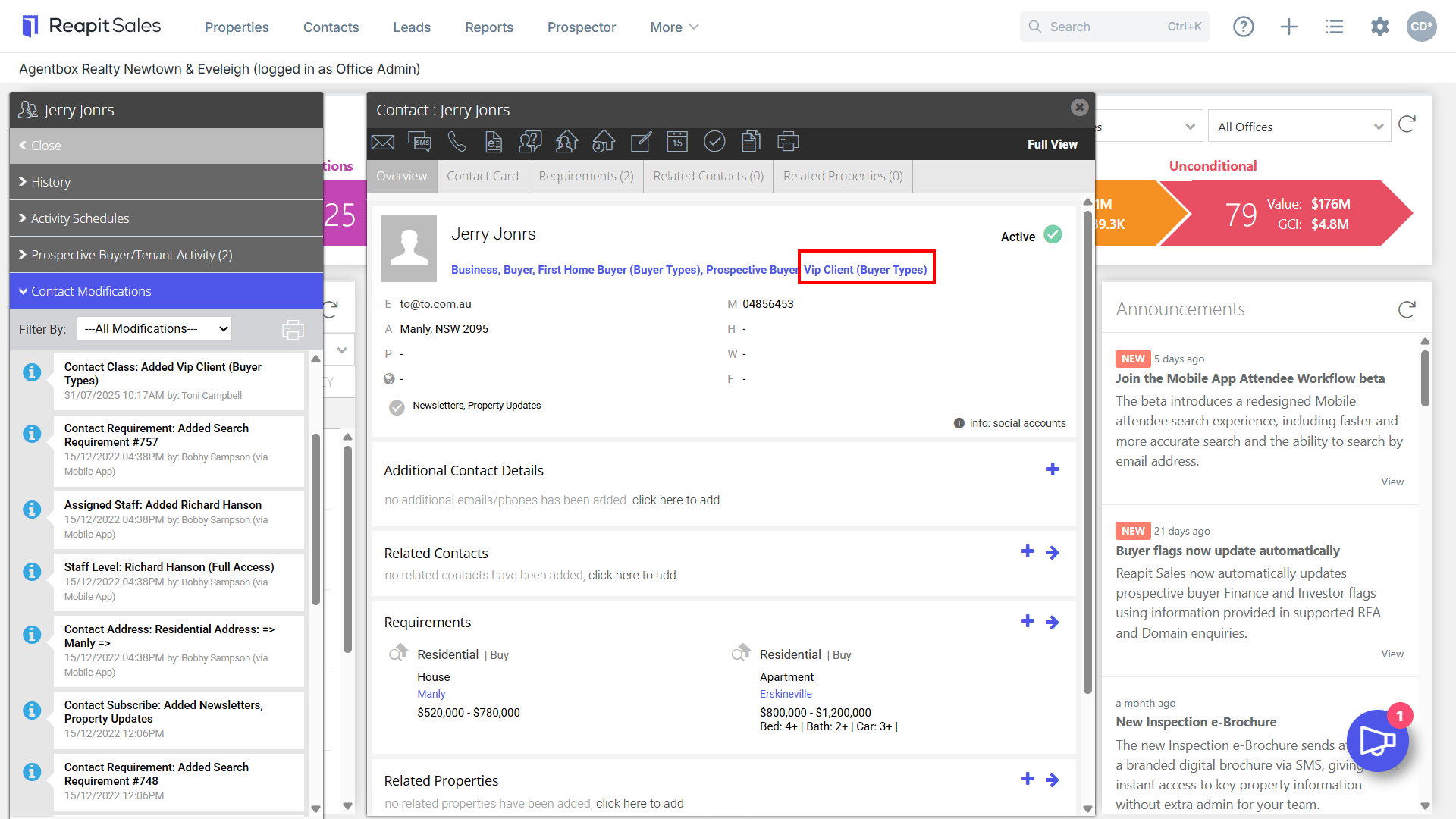
9. The classes will be added to the contact and will appear on the contact card along with the contact modifications log.
Bulk Update Contacts - Permissions
For users (both non master and master) who have the permission Bulk Update Contacts, they will have permission to bulk update across Advanced Search and Buyer Match (as per existing behaviour for master users), and they will also now be able to bulk update contact records in bulk from within the Property – Prospective Buyer – Follow up area.