'%20d='M0%208a8%208%200%200%201%208-8h24a8%208%200%200%201%208%208v24a8%208%200%200%201-8%208H8a8%208%200%200%201-8-8V8Z'/%3e%3cpath%20fill='%23fff'%20d='M10.41%206v3.779h15.048v19.537h4.132V6H10.41Z'/%3e%3cpath%20fill='%23fff'%20d='M20.967%2034V13.837L10.41%209.78v20.166L20.967%2034Z'/%3e%3cdefs%3e%3clinearGradient%20id='reapit-sales__a'%20x1='20.702'%20x2='20.702'%20y1='.351'%20y2='31.228'%20gradientUnits='userSpaceOnUse'%3e%3cstop%20stop-color='%235573FD'/%3e%3cstop%20offset='.575'%20stop-color='%234E56EA'/%3e%3c/linearGradient%3e%3c/defs%3e%3c/svg%3e)
Mobile App: Clear Cache
This article shows how clear Sales Mobile App Cache on iOS and Android devices.
The processes in this article include:
- Clear iPhone Cache
- Clear Android Cache
Clear iPhone Cache
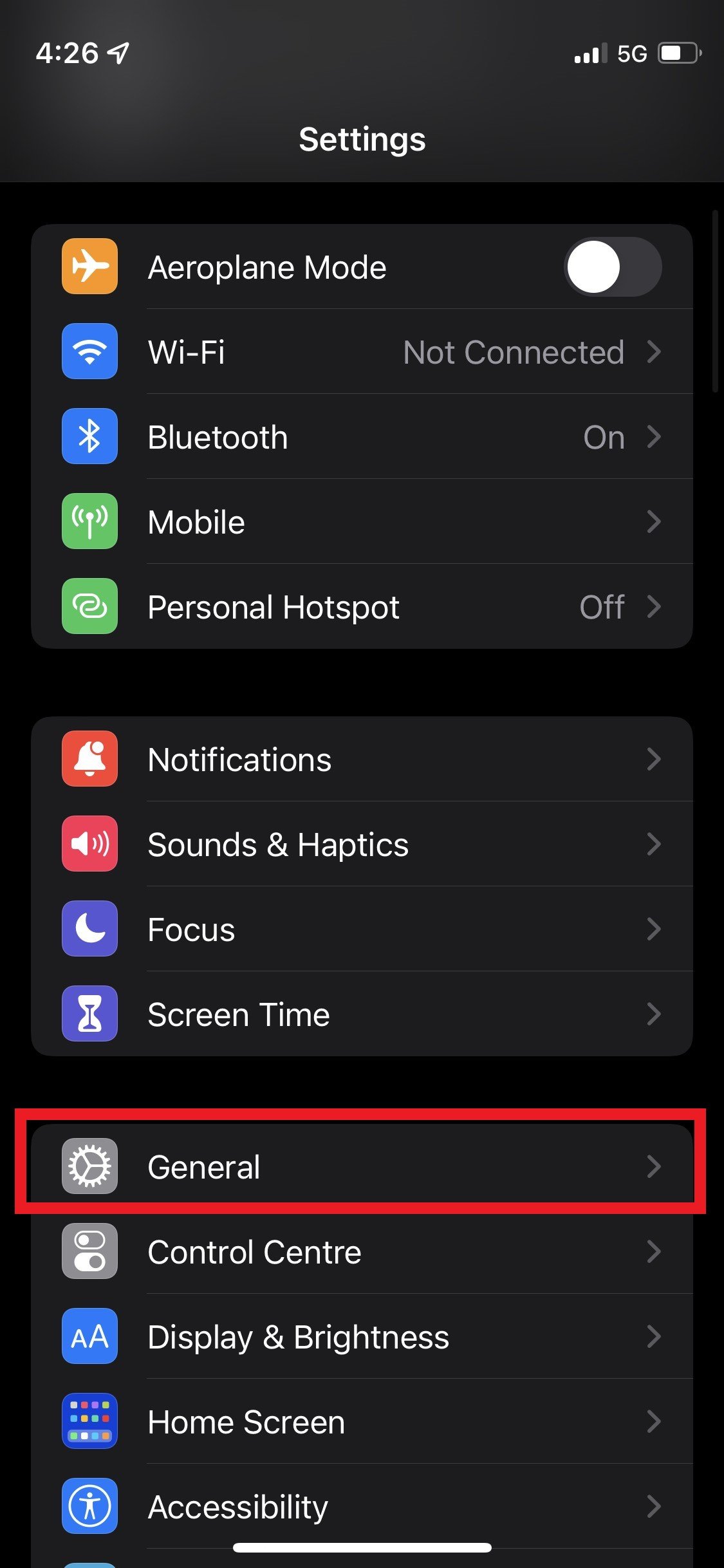
1. Navigate to Settings > General
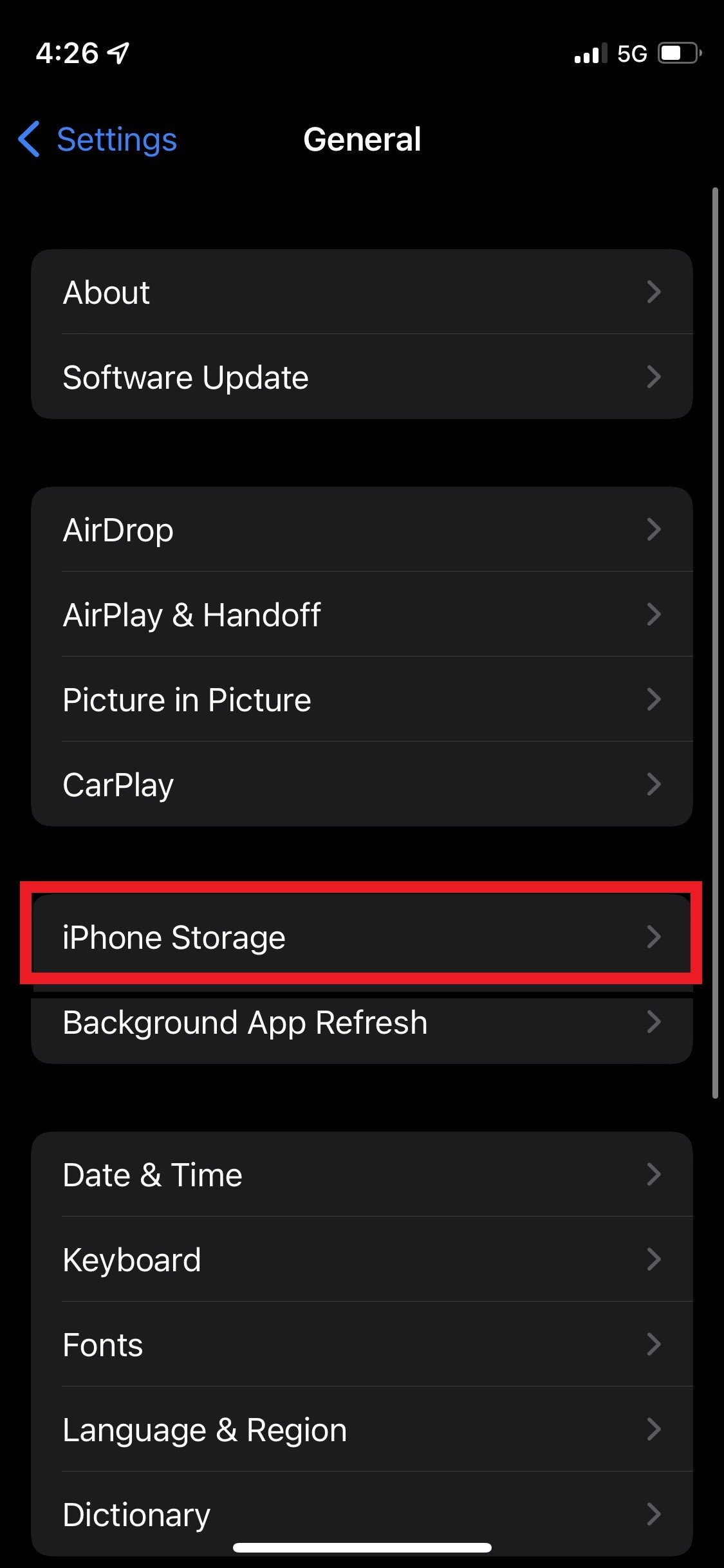
2. iPhone Storage
3. Select App
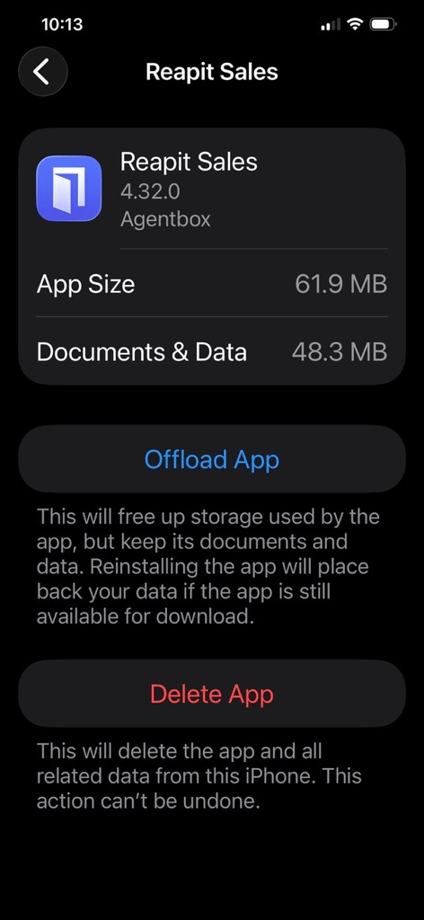
4. Offload then reinstall
Clear Android Cache
1. Open the Settings application on your device.
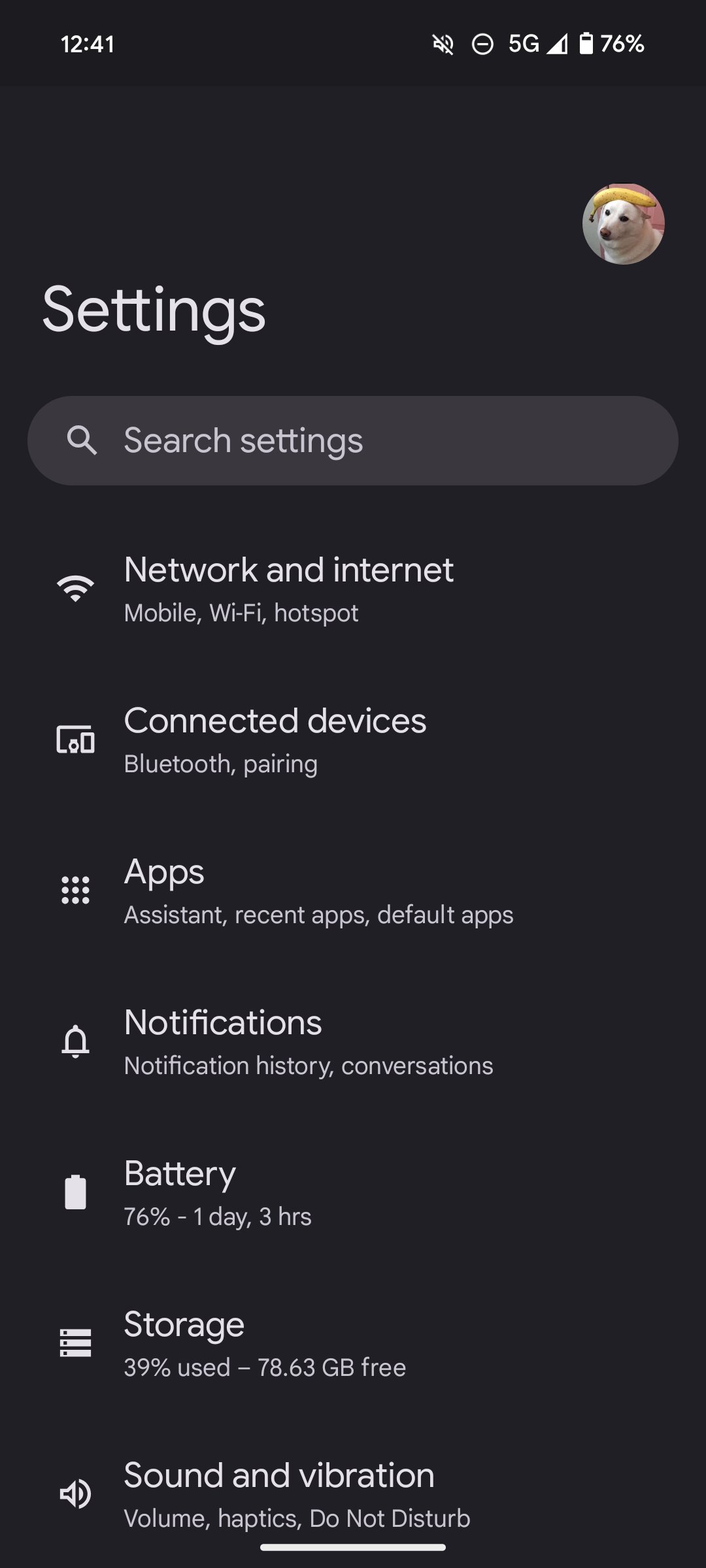
2. Head over to the Apps Menu
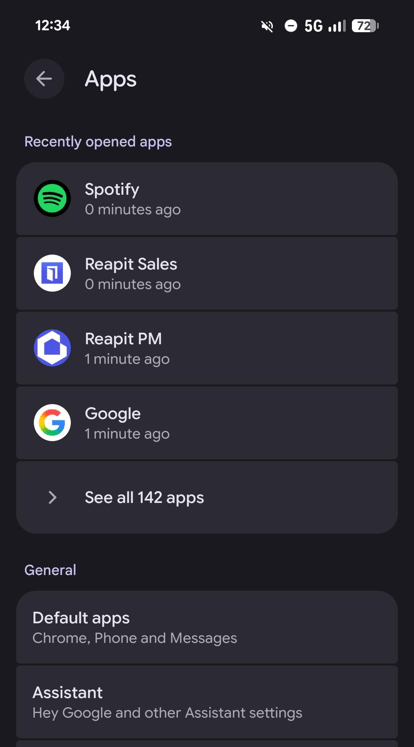
3. Choose Installed Applications
4. Find the Application you want to Clear the App Data for.
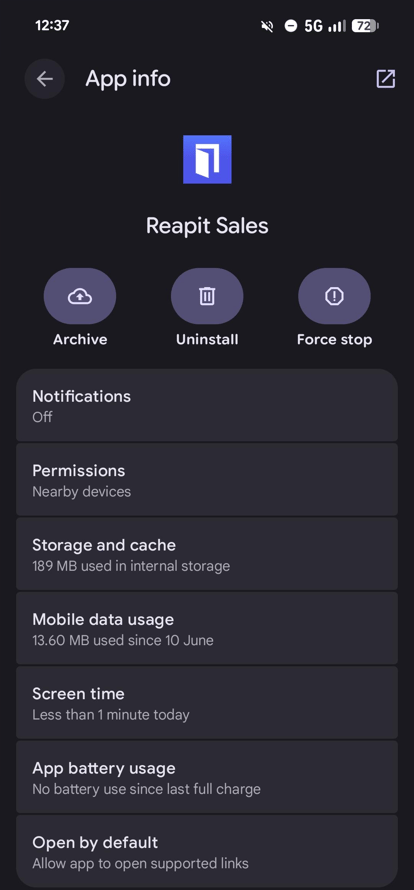
5. Select it, Move to the Storage Tab
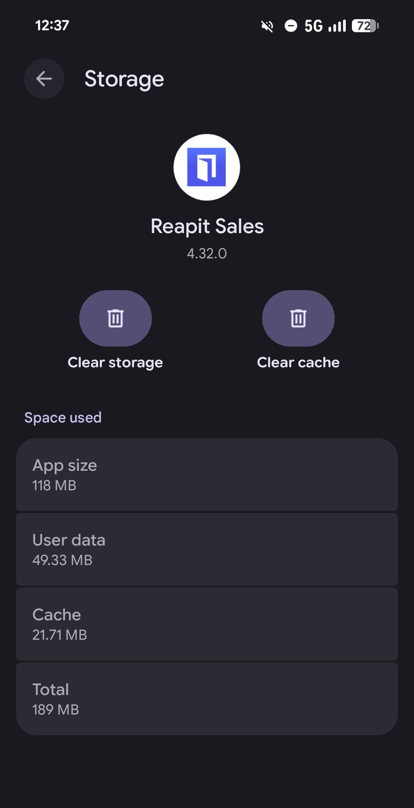
6. Tap Clear Cache/Clear App Data (specific to your phone or operating platform)