'%20d='M0%208a8%208%200%200%201%208-8h24a8%208%200%200%201%208%208v24a8%208%200%200%201-8%208H8a8%208%200%200%201-8-8V8Z'/%3e%3cpath%20fill='%23fff'%20d='M10.41%206v3.779h15.048v19.537h4.132V6H10.41Z'/%3e%3cpath%20fill='%23fff'%20d='M20.967%2034V13.837L10.41%209.78v20.166L20.967%2034Z'/%3e%3cdefs%3e%3clinearGradient%20id='reapit-sales__a'%20x1='20.702'%20x2='20.702'%20y1='.351'%20y2='31.228'%20gradientUnits='userSpaceOnUse'%3e%3cstop%20stop-color='%235573FD'/%3e%3cstop%20offset='.575'%20stop-color='%234E56EA'/%3e%3c/linearGradient%3e%3c/defs%3e%3c/svg%3e)
View Applied Activity Schedules
This article runs through how to view Applied Activity Schedules to a contact in Reapit Sales.
1. Search for your Contact open their Contact Card.
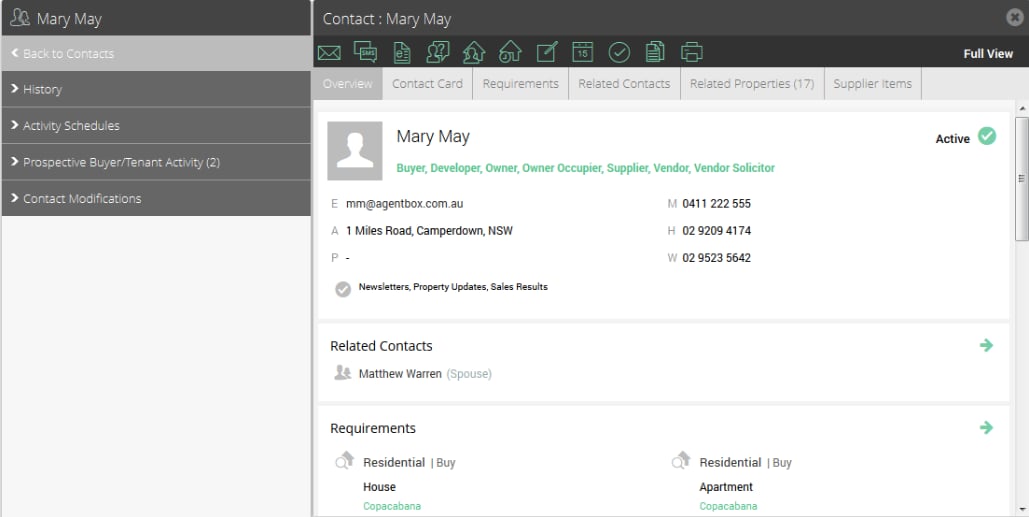
2. On the left panel click Activity Schedules (If the matching left panel is not visible, click Full View in the top right hand corner of the contact card)

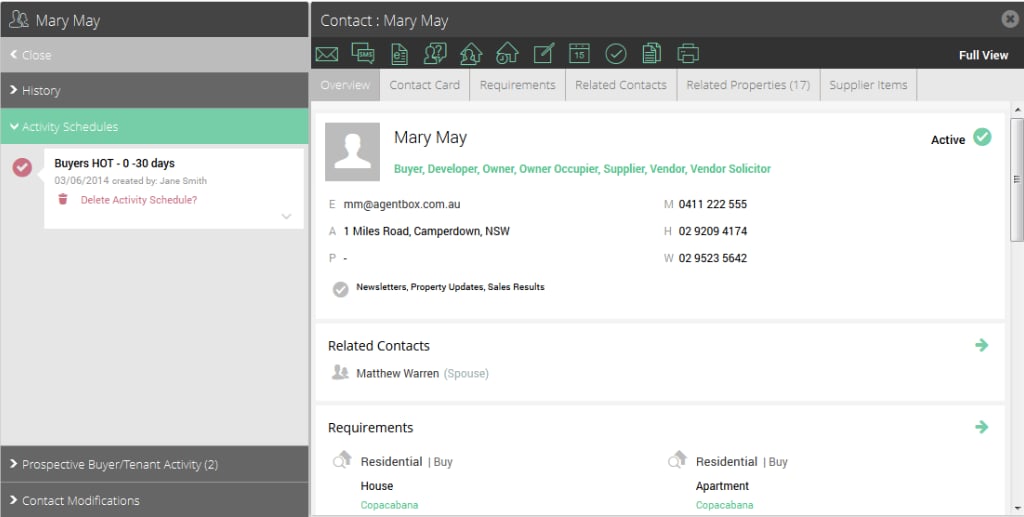
3. You will see a list of Activity Schedules that have been applied to the contact. Click the Expand icon  to view the tasks relating to the schedule

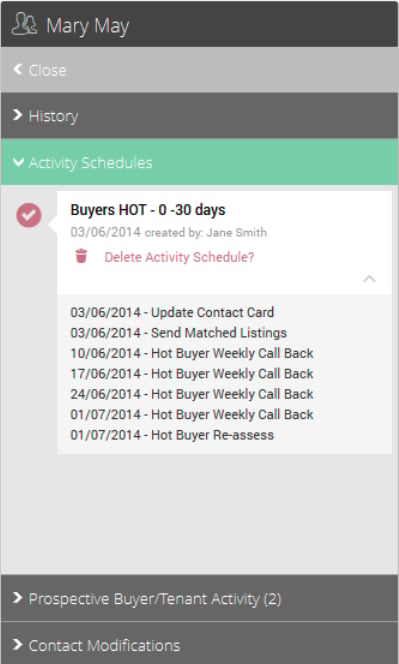
Note: If you click Delete Activity Schedule it will permanently delete all outstanding tasks in the schedule. All previously completed tasks will remain in your task history.