'%20d='M0%208a8%208%200%200%201%208-8h24a8%208%200%200%201%208%208v24a8%208%200%200%201-8%208H8a8%208%200%200%201-8-8V8Z'/%3e%3cpath%20fill='%23fff'%20d='M10.41%206v3.779h15.048v19.537h4.132V6H10.41Z'/%3e%3cpath%20fill='%23fff'%20d='M20.967%2034V13.837L10.41%209.78v20.166L20.967%2034Z'/%3e%3cdefs%3e%3clinearGradient%20id='reapit-sales__a'%20x1='20.702'%20x2='20.702'%20y1='.351'%20y2='31.228'%20gradientUnits='userSpaceOnUse'%3e%3cstop%20stop-color='%235573FD'/%3e%3cstop%20offset='.575'%20stop-color='%234E56EA'/%3e%3c/linearGradient%3e%3c/defs%3e%3c/svg%3e)
View Contact Modifications
This article runs through how to view contact modifications in Reapit Sales.
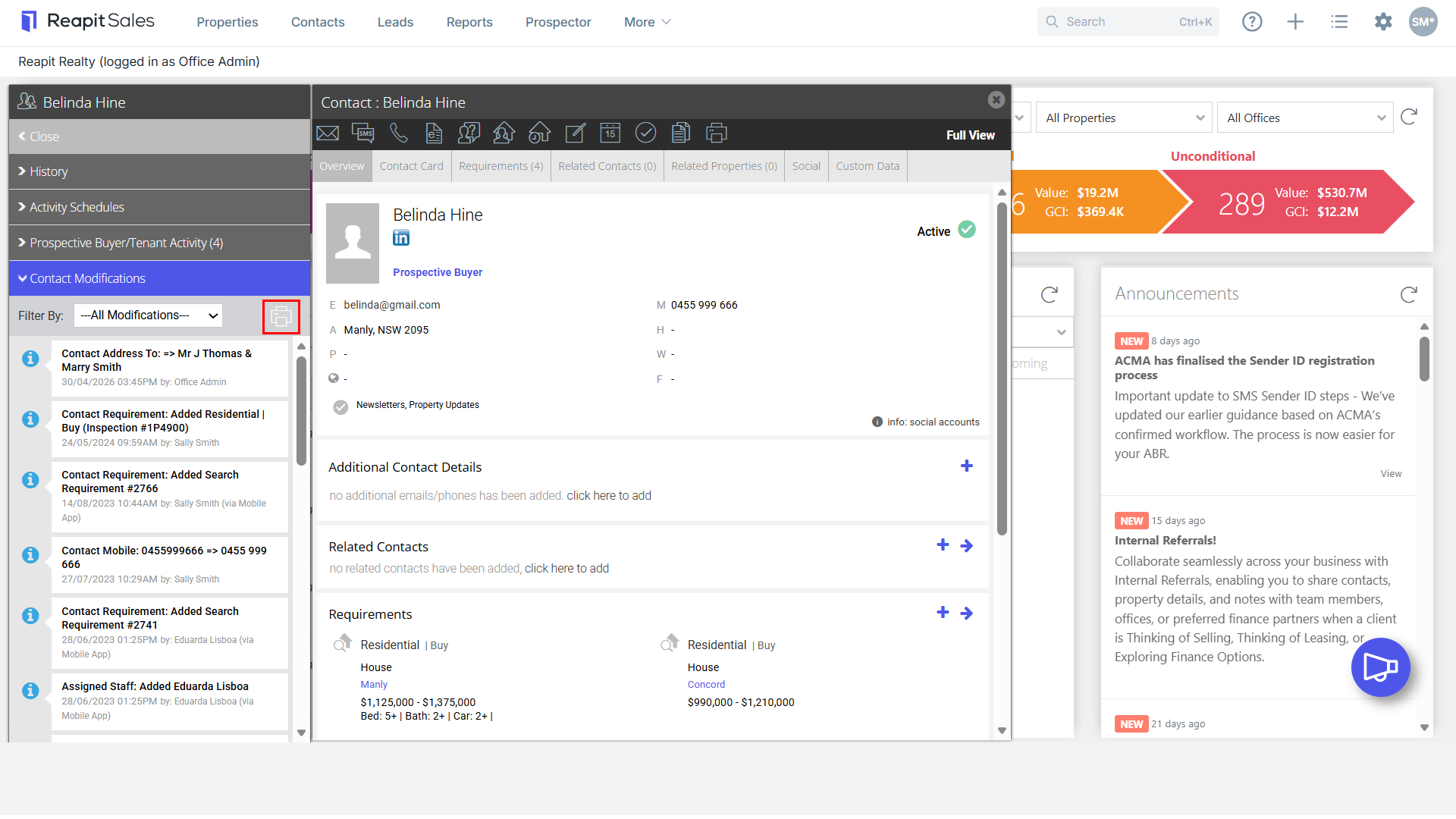
1. Search for your Contact to open their Contact Card.
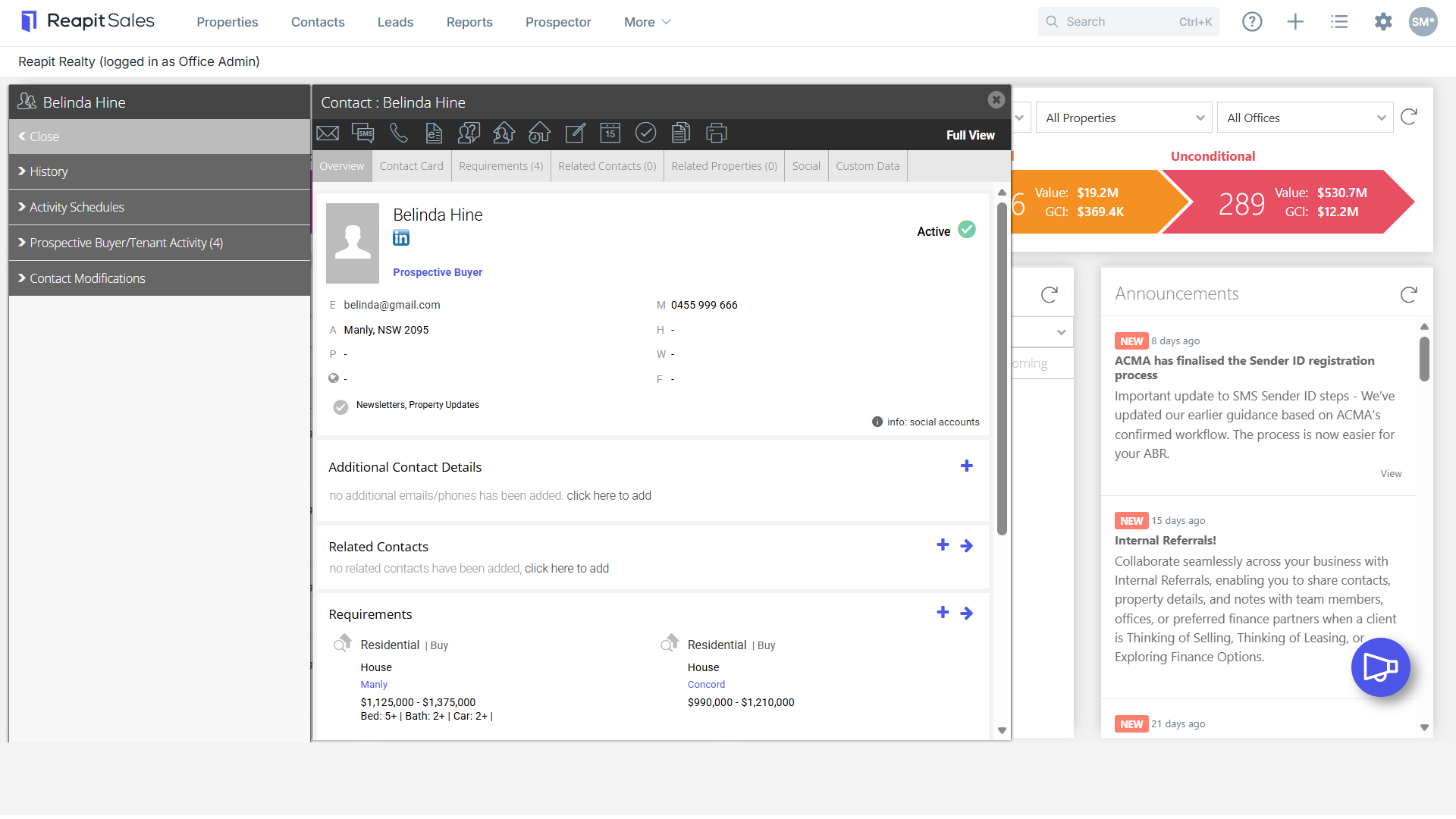
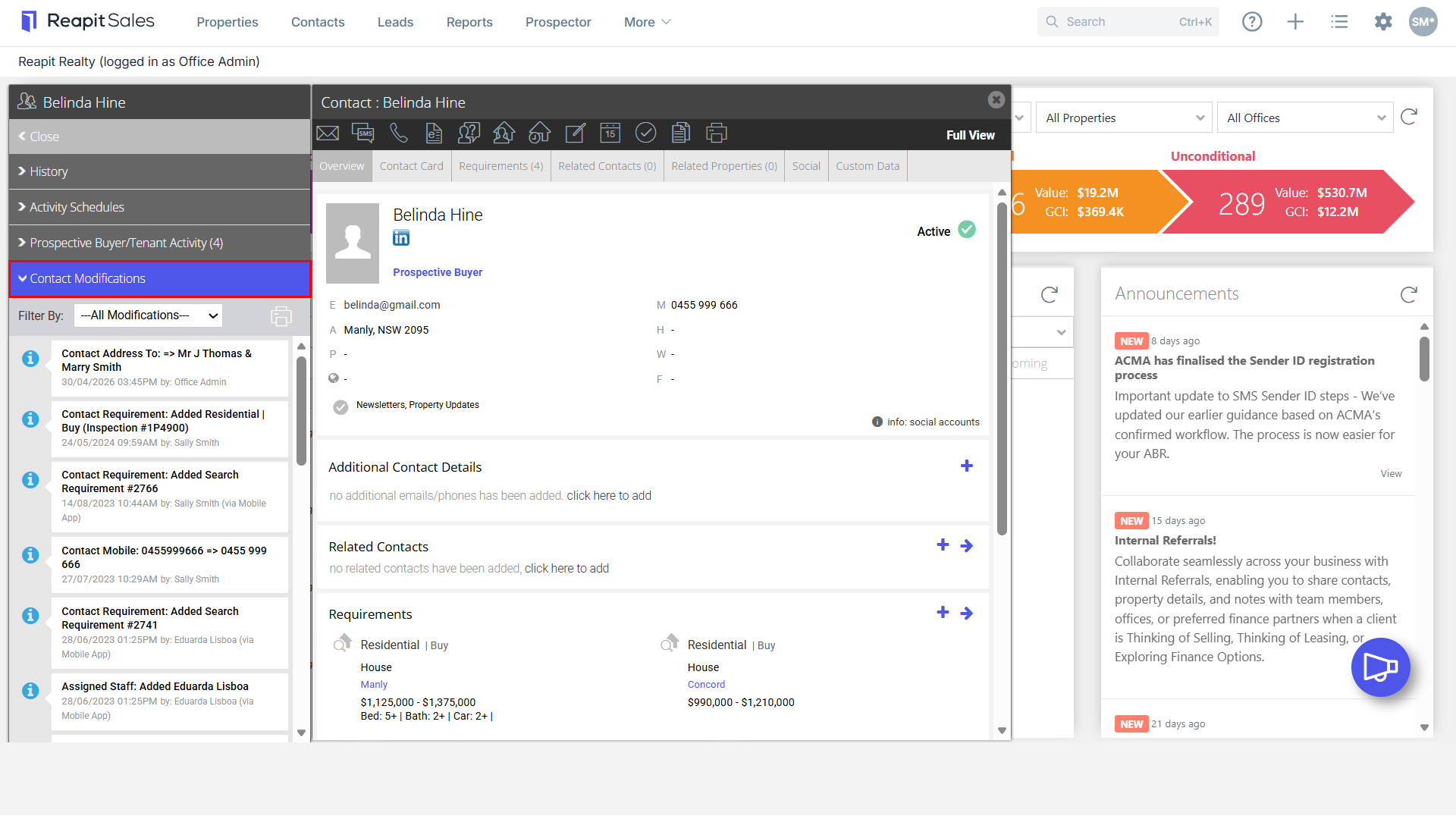
2. On the left panel click Contact Modifications
(If the matching left panel is not visible, click Full View in the top right-hand corner of the contact card)
You will see a list of changes to the contact.
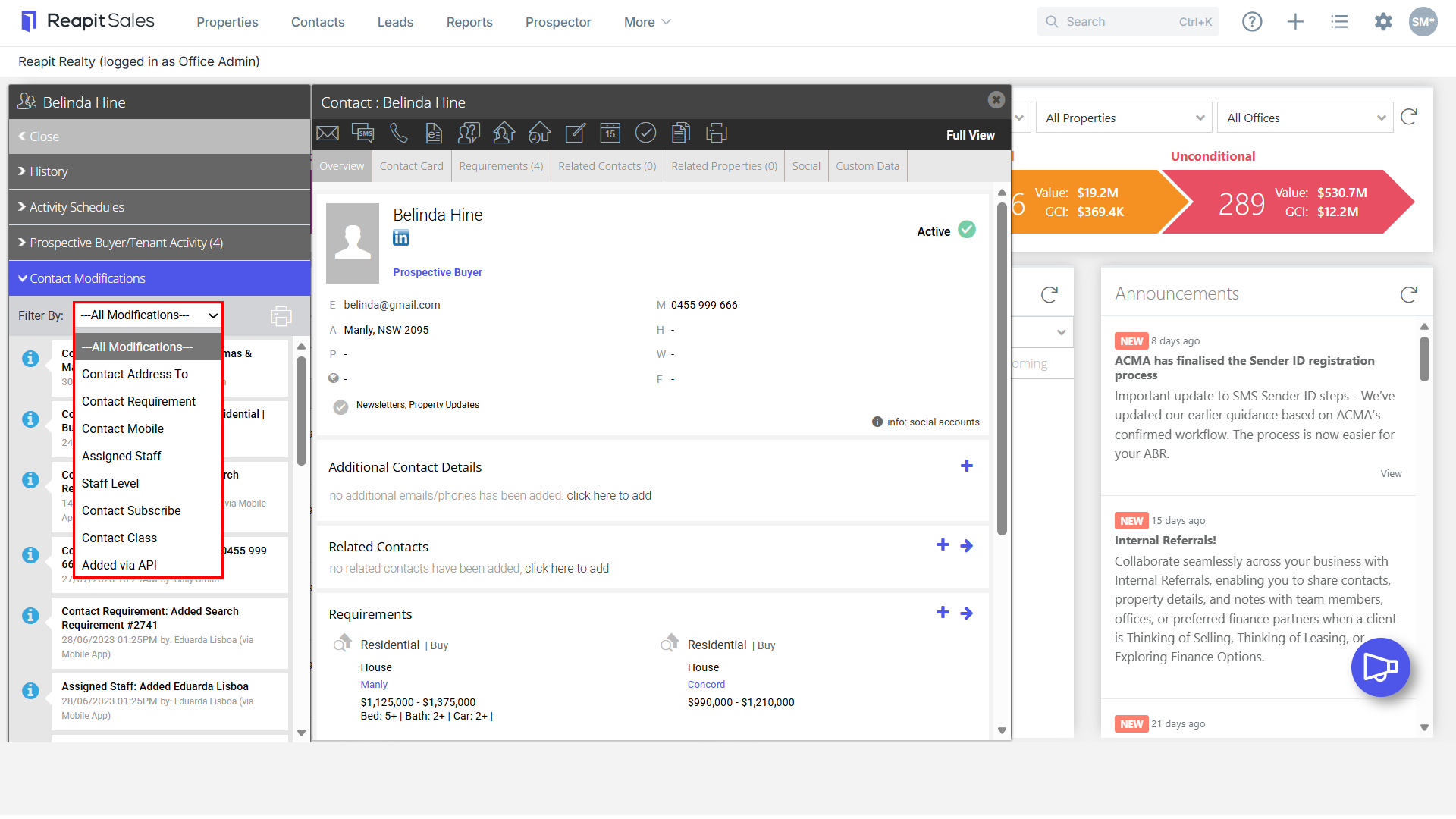
3. You can filter the changes using the drop-down menu.
Filter options:
Contact Address To
Contact Requirement
Contact Mobile
Assigned Staff
Staff Level
Contact Subscribe
Contact Class
Added via API
4. You can also print the Modifications history by pressing the Printer Icon on the Contact Modifications panel.
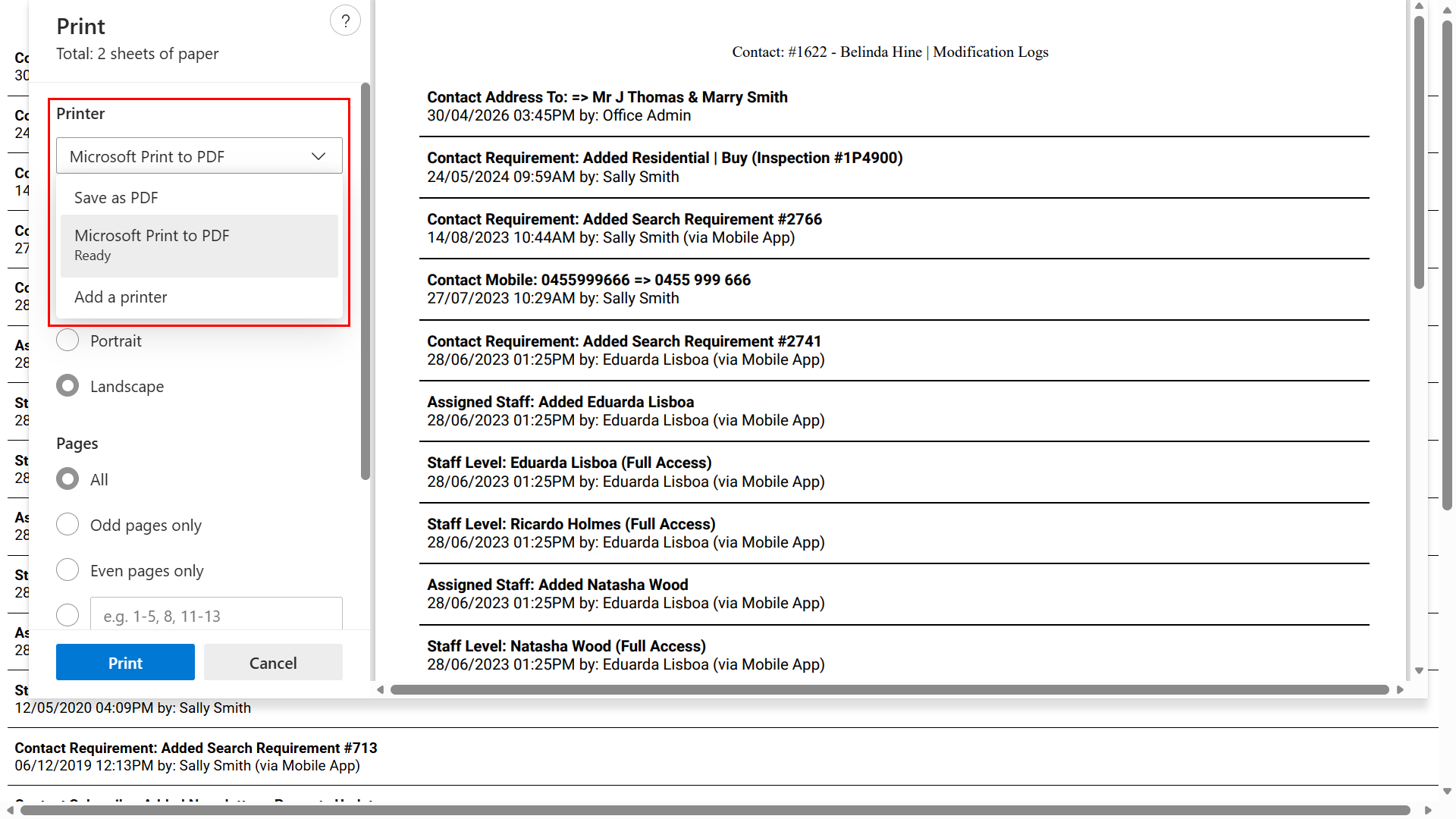
5. A Print preview screen will appear with the communications history in a printable version.
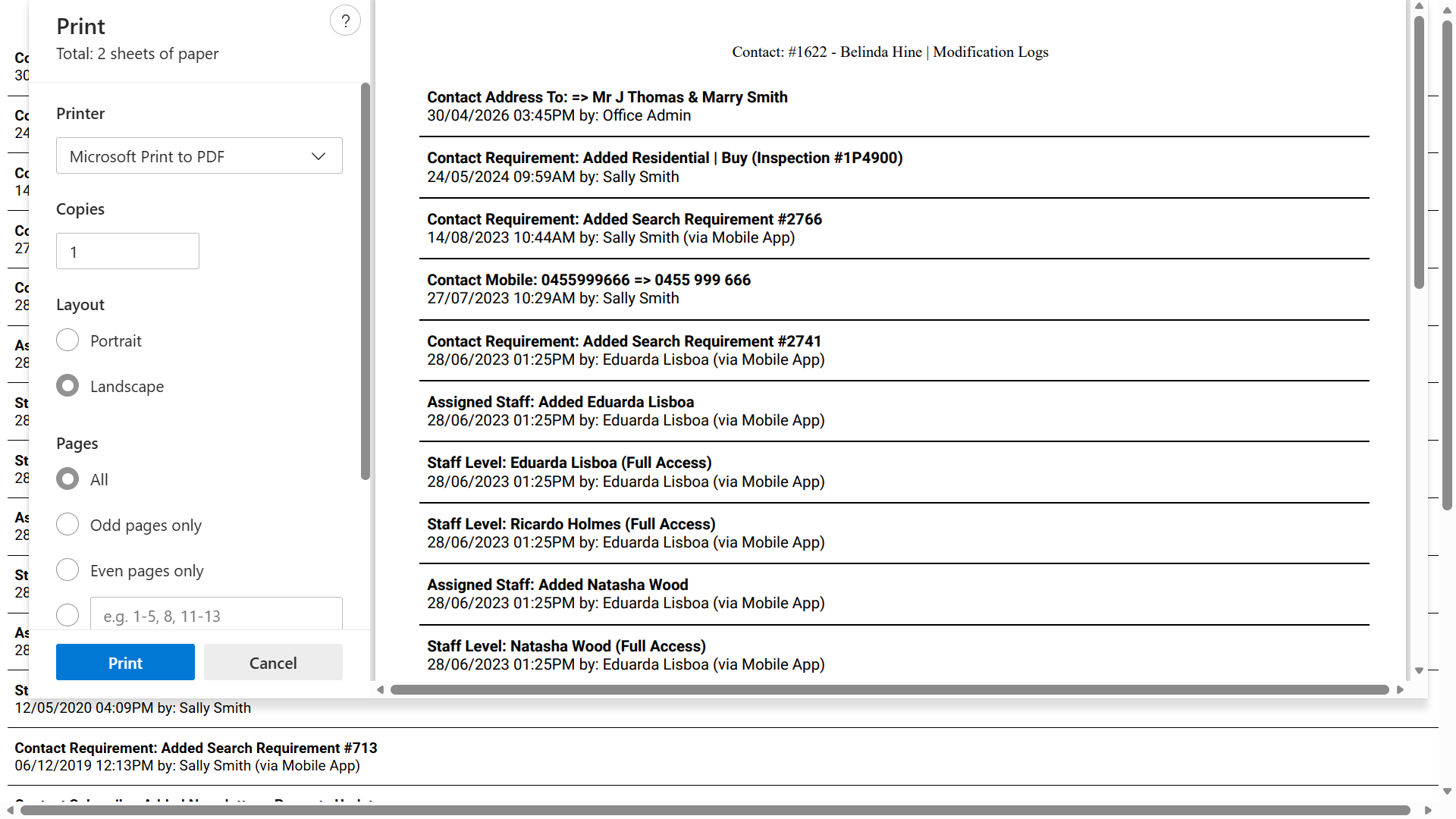
6. Press Print.
Note: Depending on your computer settings, you may also be able to save the document as a PDF by changing the print destination setting.