'%20d='M0%208a8%208%200%200%201%208-8h24a8%208%200%200%201%208%208v24a8%208%200%200%201-8%208H8a8%208%200%200%201-8-8V8Z'/%3e%3cpath%20fill='%23fff'%20d='M10.41%206v3.779h15.048v19.537h4.132V6H10.41Z'/%3e%3cpath%20fill='%23fff'%20d='M20.967%2034V13.837L10.41%209.78v20.166L20.967%2034Z'/%3e%3cdefs%3e%3clinearGradient%20id='reapit-sales__a'%20x1='20.702'%20x2='20.702'%20y1='.351'%20y2='31.228'%20gradientUnits='userSpaceOnUse'%3e%3cstop%20stop-color='%235573FD'/%3e%3cstop%20offset='.575'%20stop-color='%234E56EA'/%3e%3c/linearGradient%3e%3c/defs%3e%3c/svg%3e)
Add Staff to a Team
This article runs through how to add Staff to a Team in Reapit Sales. Note: Permissions may apply
This article runs through how to add Staff to a Team in Reapit Sales.
Note: Permissions may apply
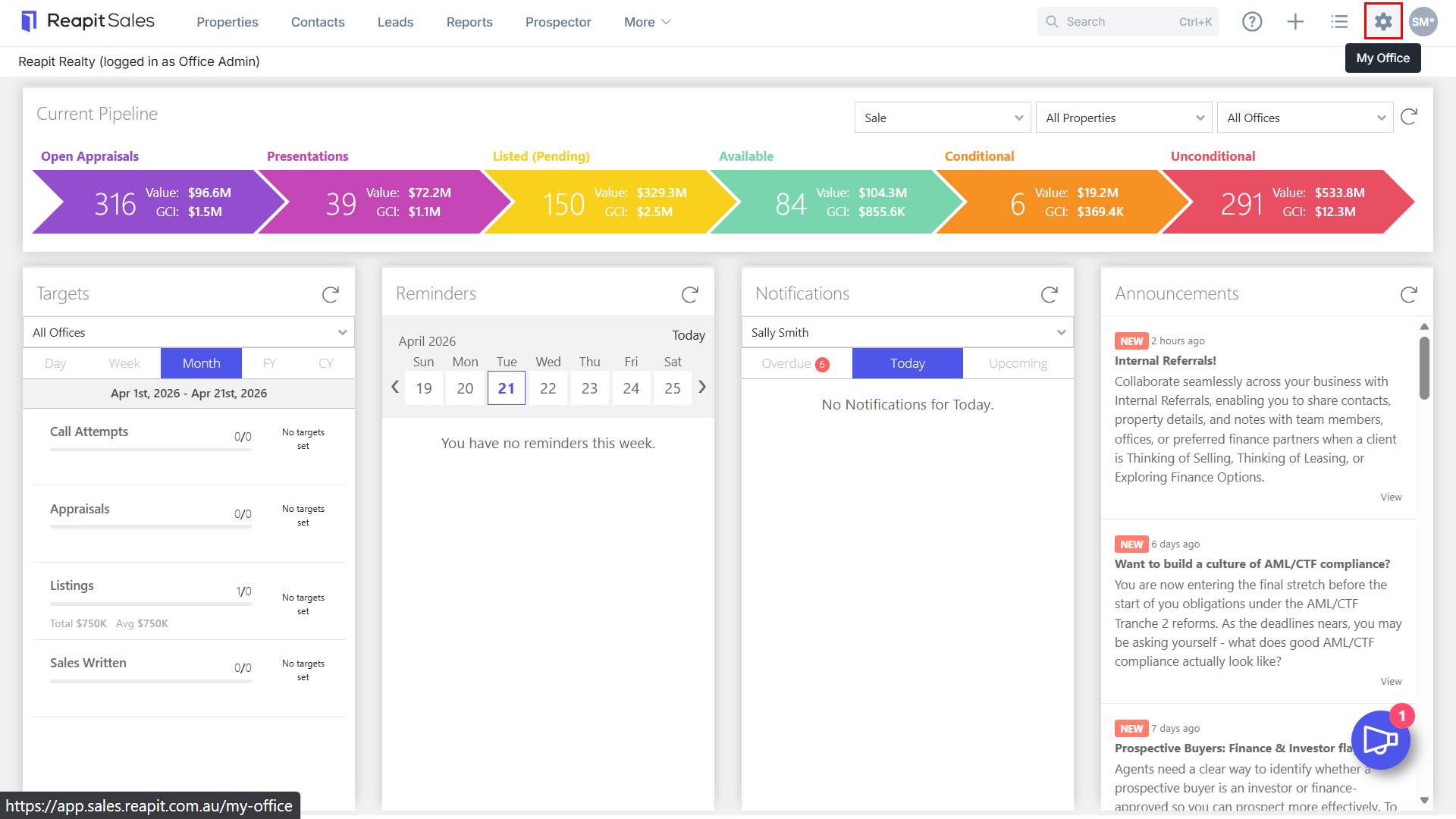
1. Click My Office from the main menu.
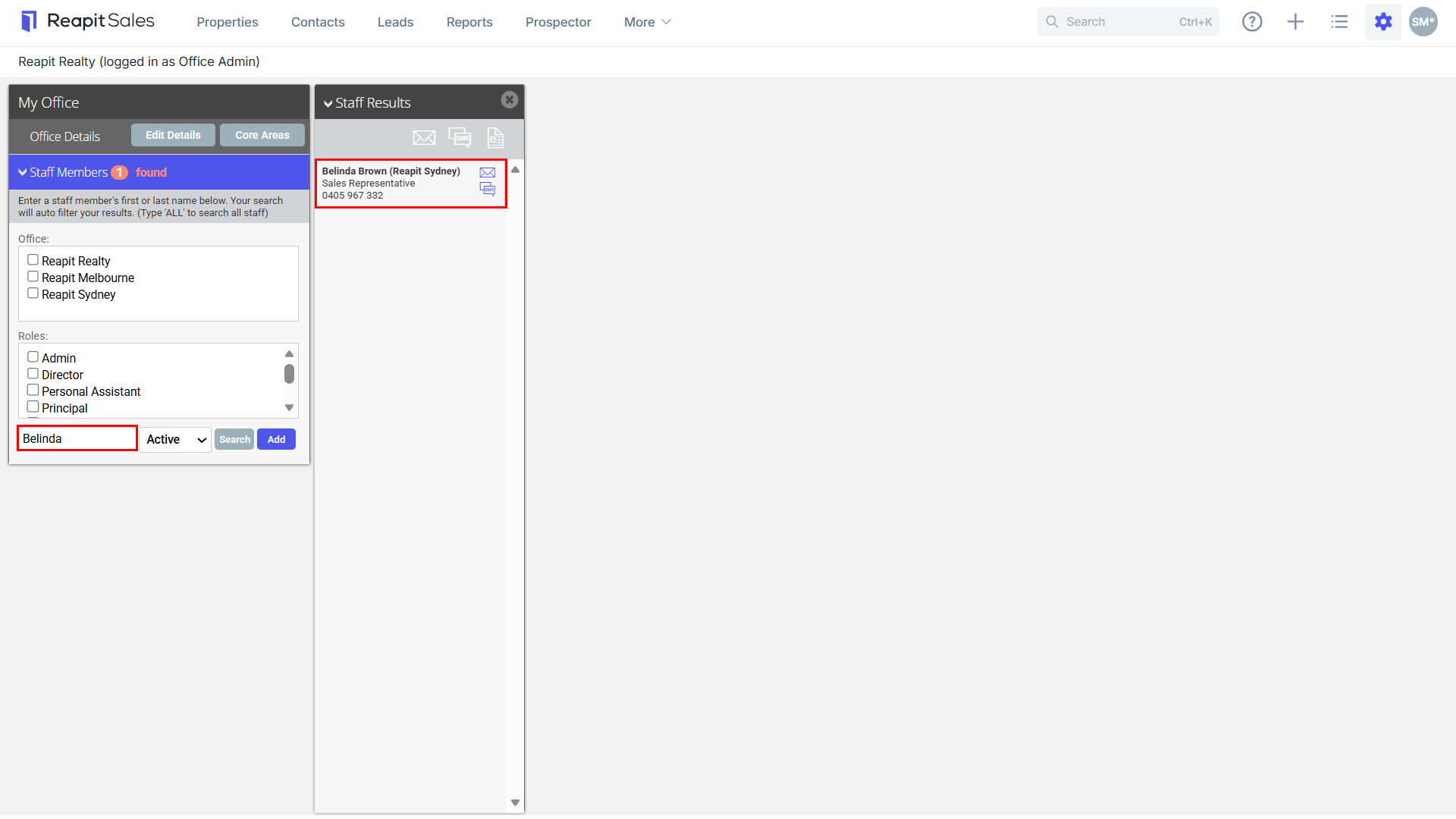
2. Type the staff member's name on the Left Panel and the staff member will appear on the staff results panel.
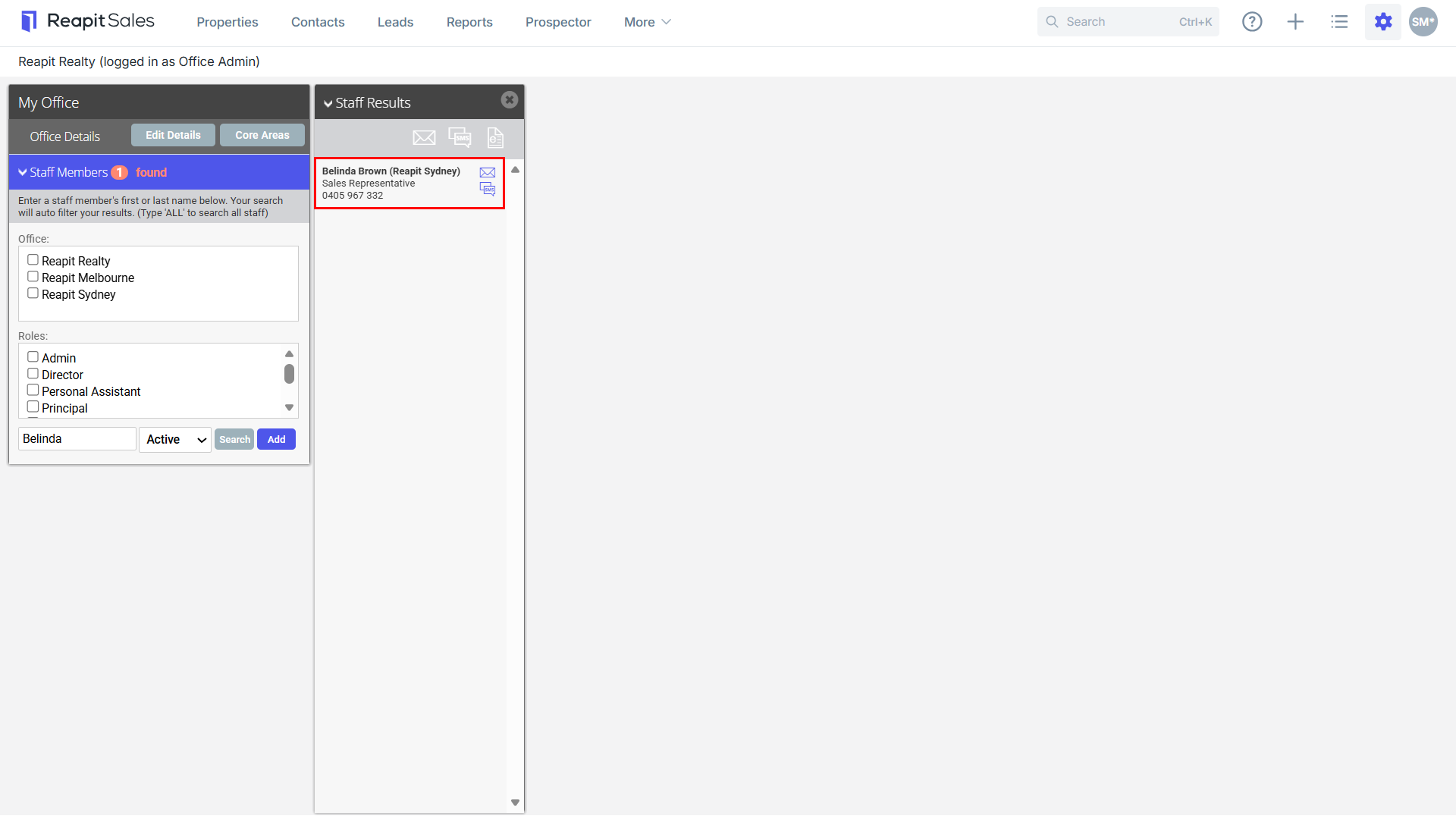
3. Click the staff members name to open their staff card.
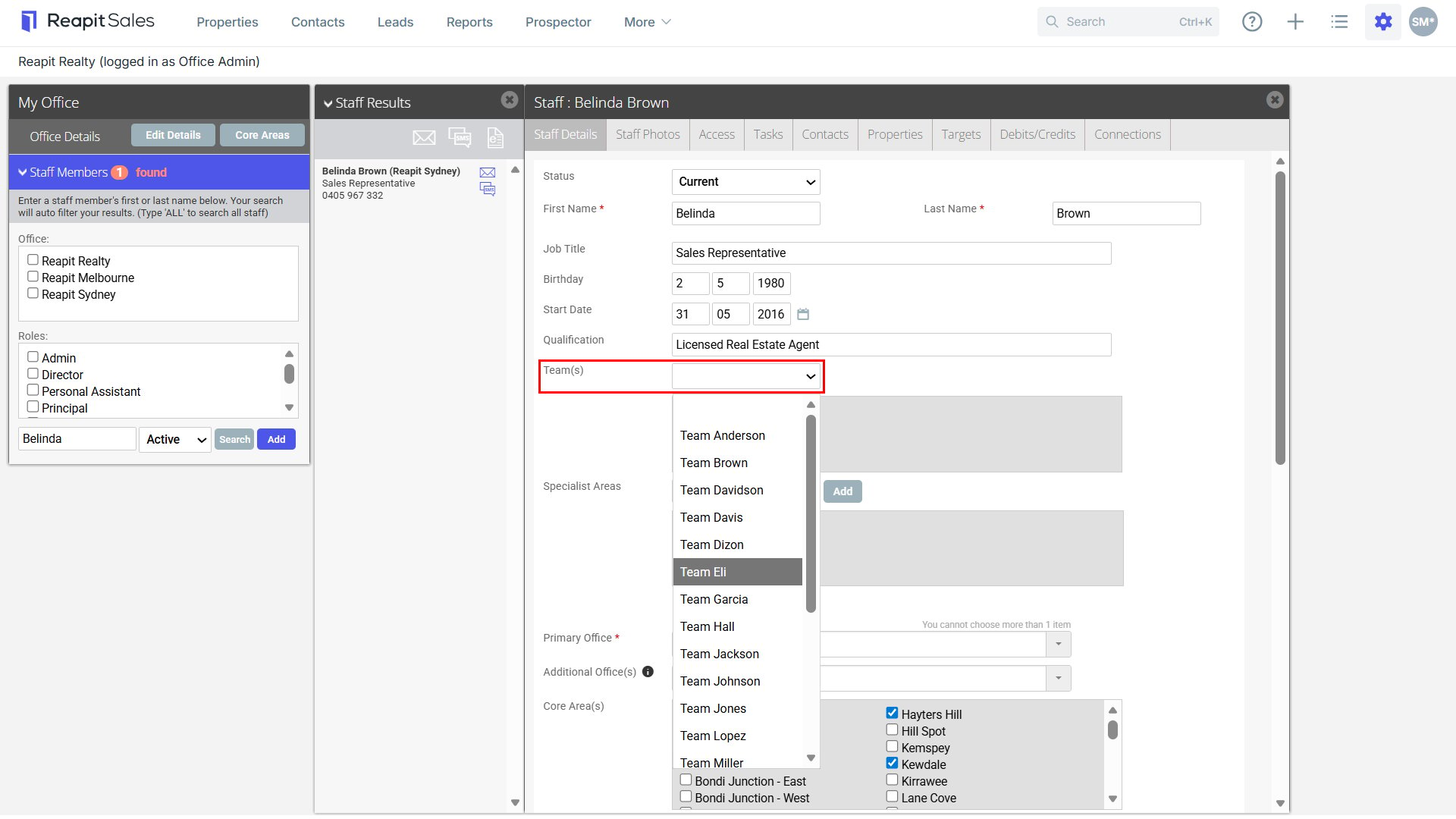
4. From the Team(s) drop-down select the Team Name from the drop-down and click Add.
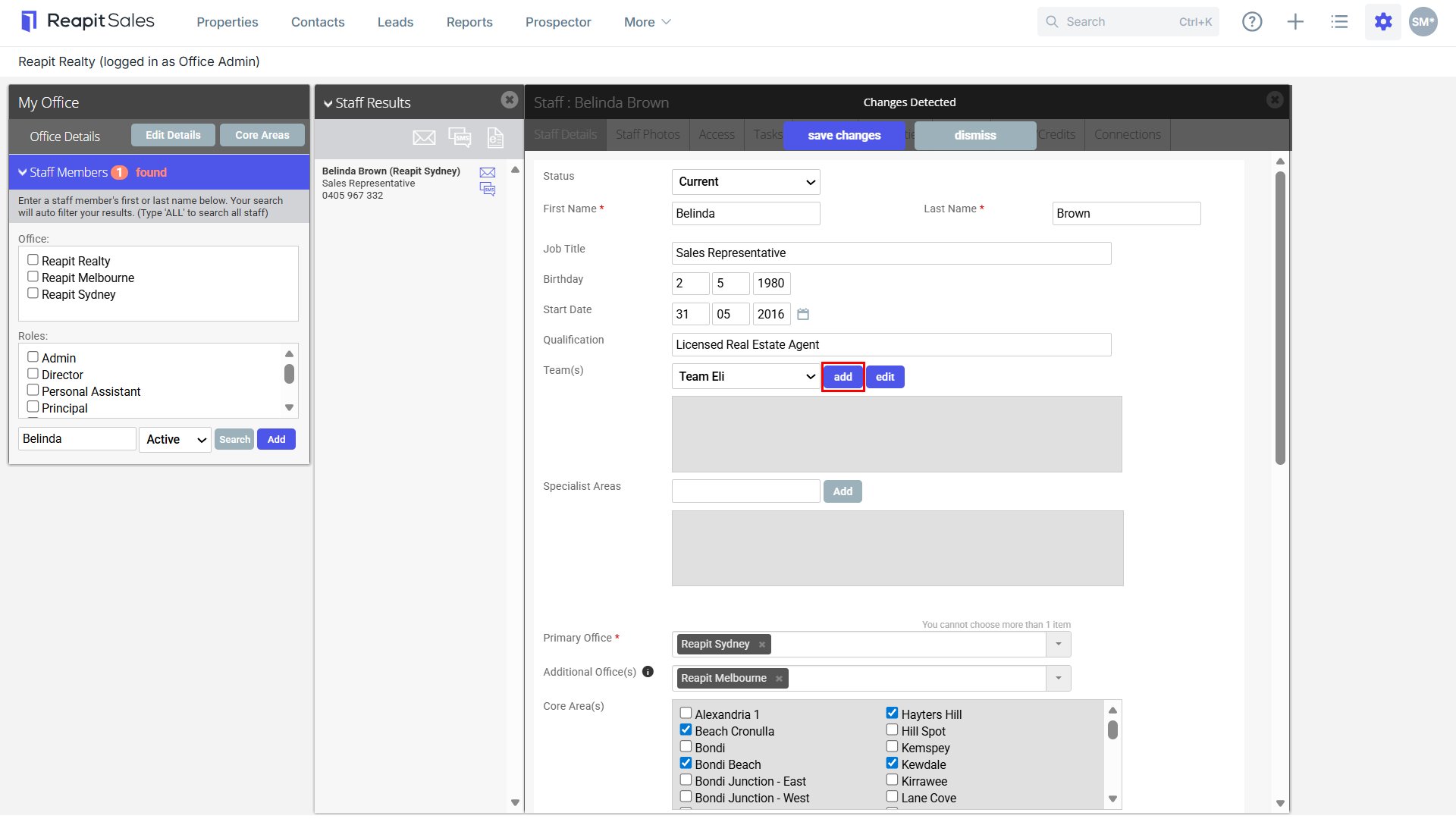
5. Click Save to finish.