'%20d='M0%208a8%208%200%200%201%208-8h24a8%208%200%200%201%208%208v24a8%208%200%200%201-8%208H8a8%208%200%200%201-8-8V8Z'/%3e%3cpath%20fill='%23fff'%20d='M10.41%206v3.779h15.048v19.537h4.132V6H10.41Z'/%3e%3cpath%20fill='%23fff'%20d='M20.967%2034V13.837L10.41%209.78v20.166L20.967%2034Z'/%3e%3cdefs%3e%3clinearGradient%20id='reapit-sales__a'%20x1='20.702'%20x2='20.702'%20y1='.351'%20y2='31.228'%20gradientUnits='userSpaceOnUse'%3e%3cstop%20stop-color='%235573FD'/%3e%3cstop%20offset='.575'%20stop-color='%234E56EA'/%3e%3c/linearGradient%3e%3c/defs%3e%3c/svg%3e)
Change Offer Status in the Reapit Sales App
This article outlines how to change the offer status using the Reapit Sales App.
Transition Offers to Accepted, Rejected or Withdrawn in the Agentbox App.
*Note: The ability to delete an offer is restricted to a Master User or those with the relevant permissions.
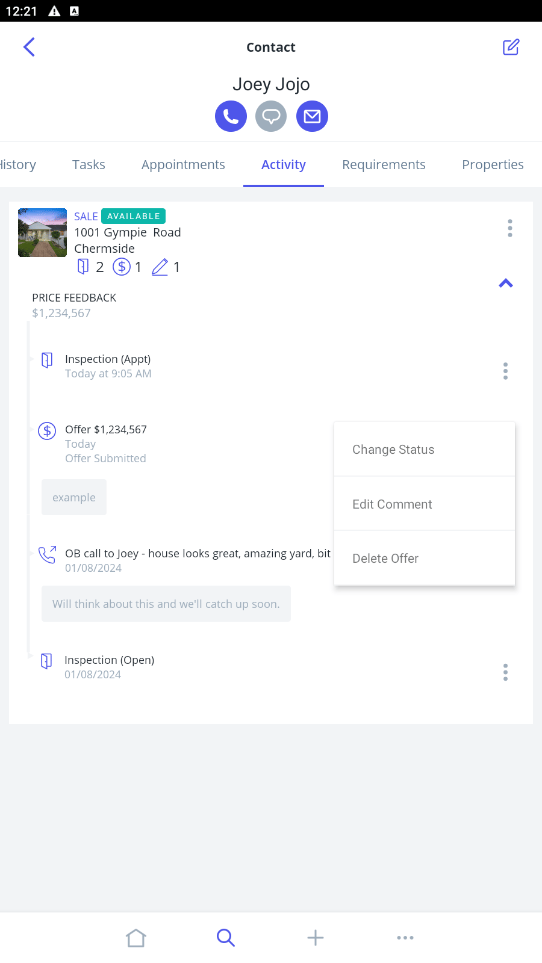
1. Navigate to the Contact which has made the offer and then to the Activity tab.
2. Click the drop-down against the related Listing to see the offer details.
3. Click on the 3 dots on the right-hand side of the offer. From here you can Change Status, Edit Comment, or Delete Offer.
4. Click on Change Status.
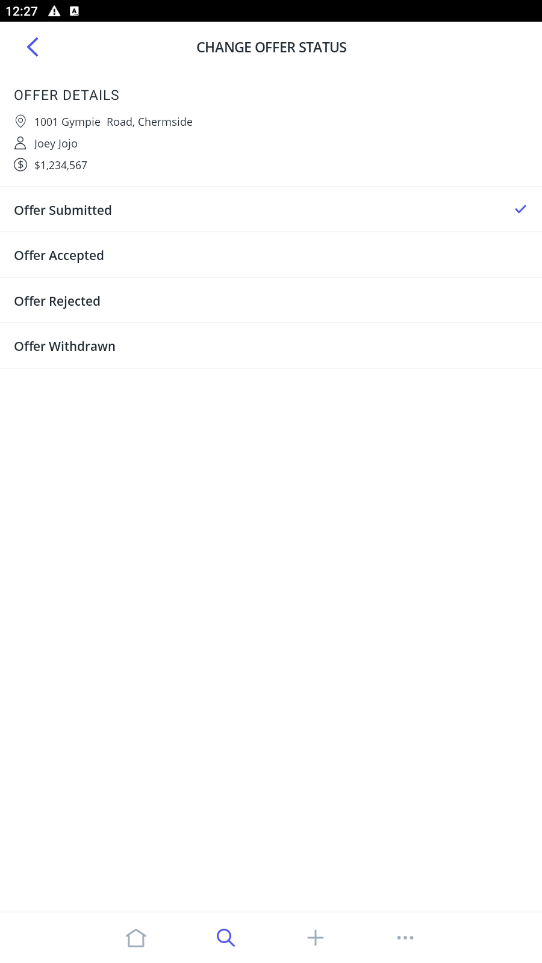
5. Select the relevant option - Offer Accepted, Offer Rejected or Offer Withdrawn
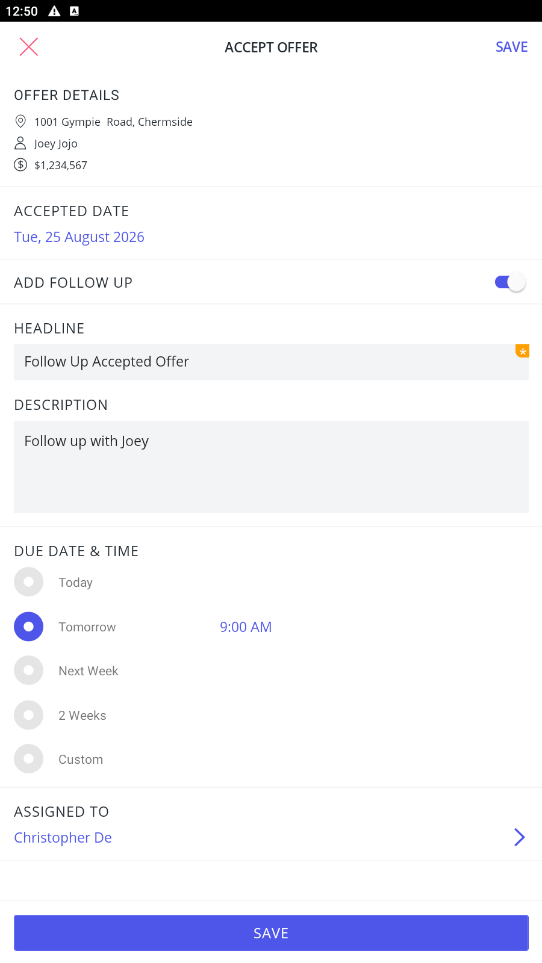
6. Update the relevant Date and select to Add Follow Up