'%20d='M0%208a8%208%200%200%201%208-8h24a8%208%200%200%201%208%208v24a8%208%200%200%201-8%208H8a8%208%200%200%201-8-8V8Z'/%3e%3cpath%20fill='%23fff'%20d='M10.41%206v3.779h15.048v19.537h4.132V6H10.41Z'/%3e%3cpath%20fill='%23fff'%20d='M20.967%2034V13.837L10.41%209.78v20.166L20.967%2034Z'/%3e%3cdefs%3e%3clinearGradient%20id='reapit-sales__a'%20x1='20.702'%20x2='20.702'%20y1='.351'%20y2='31.228'%20gradientUnits='userSpaceOnUse'%3e%3cstop%20stop-color='%235573FD'/%3e%3cstop%20offset='.575'%20stop-color='%234E56EA'/%3e%3c/linearGradient%3e%3c/defs%3e%3c/svg%3e)
How to Import Custom EDM/Brochures into E-Newsletter
This guide will walk you through the process of importing custom EDM/Brochures into an E-Newsletter within Reapit Sales.
1. To search for a specific contact, property, or listing within the Dashboard, use the Universal Search Bar.
- Enter the name of the contact, property address, or listing accordingly.
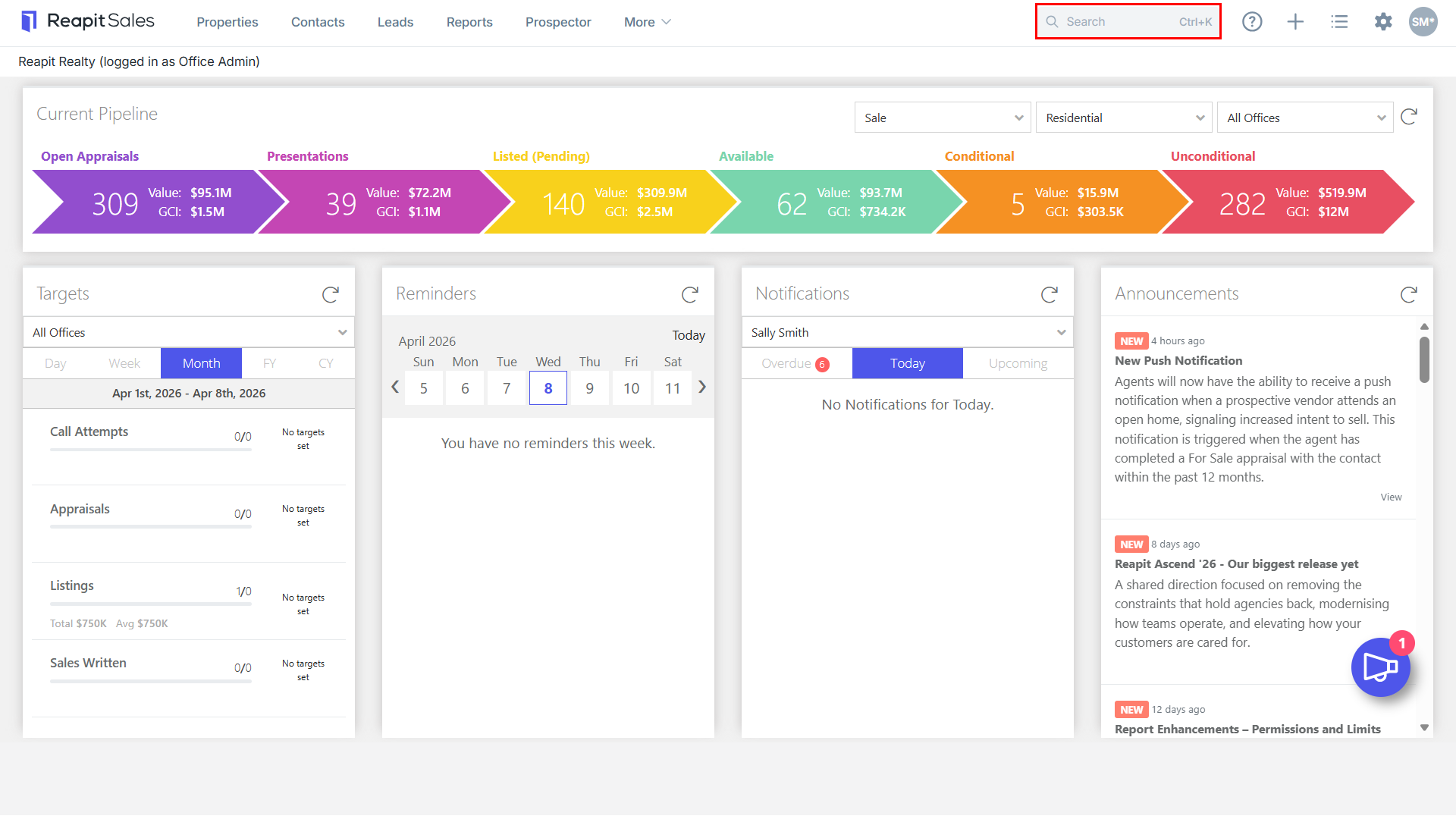
Note: Alternatively, you can access either the Property Icon or Contact Icon as designated and conduct an Advanced Search.
2. Click the Send an E-Newsletter Icon.
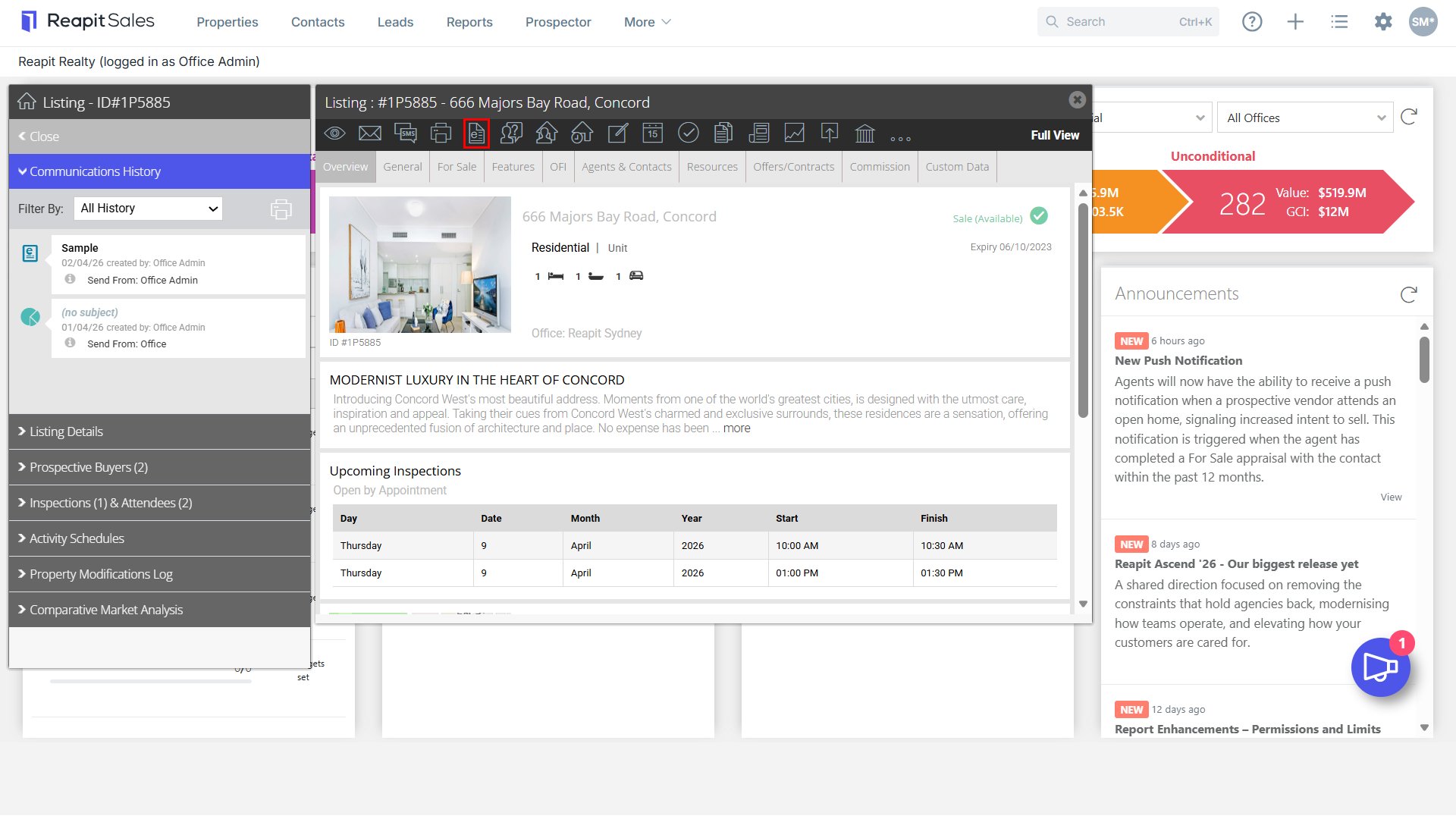
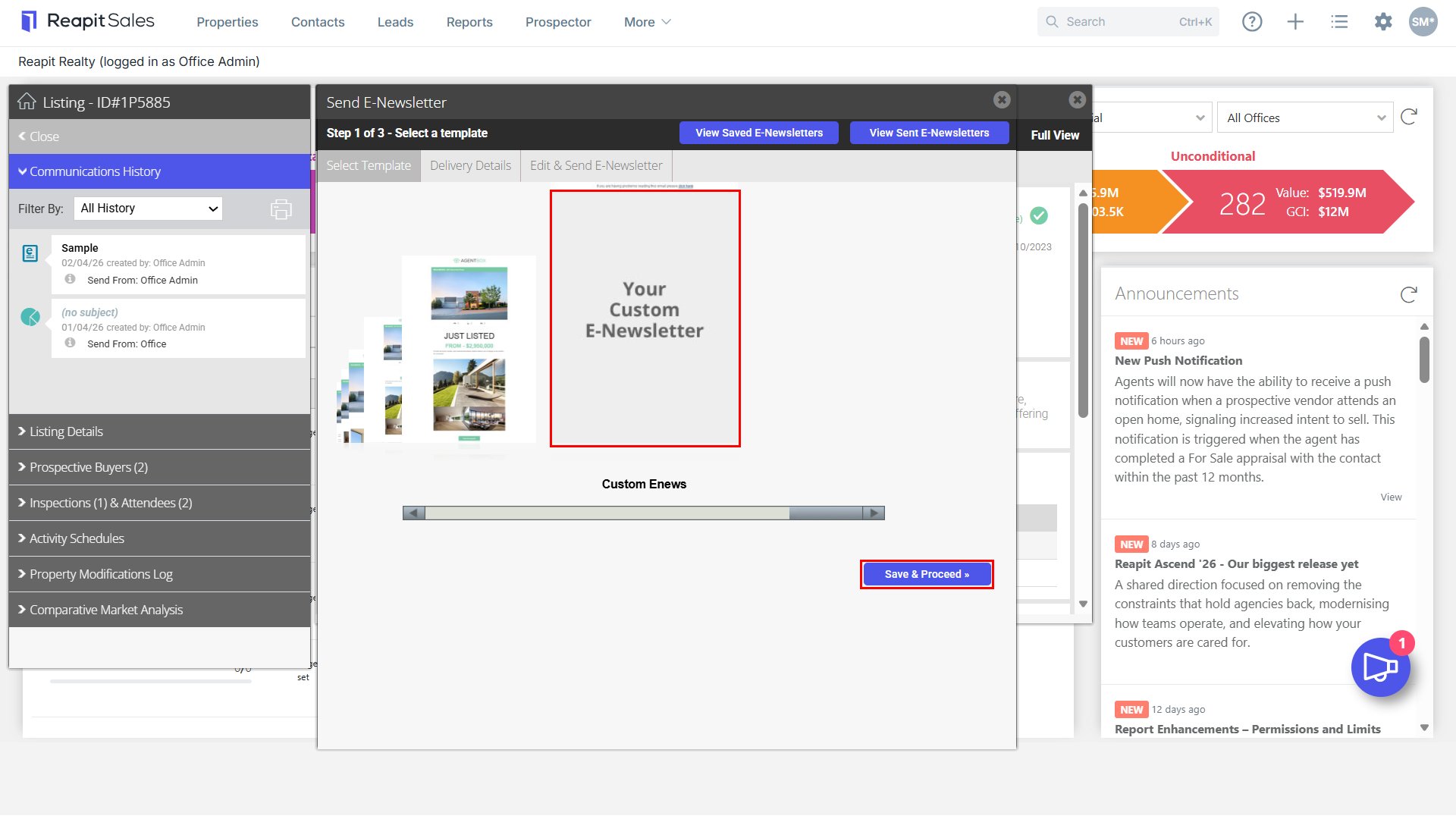
3. In the Select Template tab, scroll to the right until you find Custom E-Newsletter.
- Click Your Custom E-Newsletter.
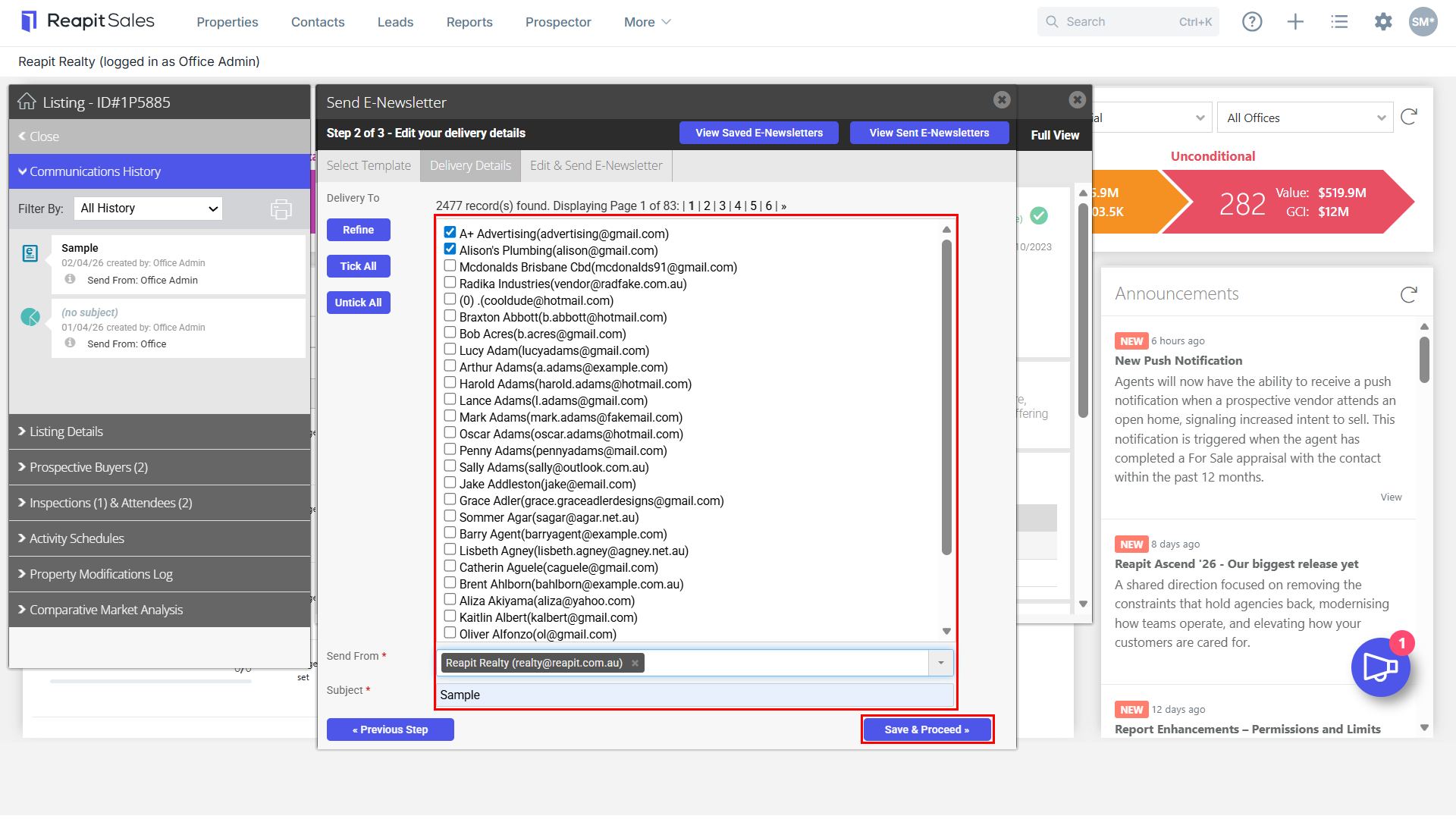
4. To send the e-Newsletter, select the checkboxes for the recipients, enter a subject in the designated field, and click Save & Proceed.
5. Within the Edit & Send E-Newsletter tab, click where designated to commence building your customer e-Newsletter.
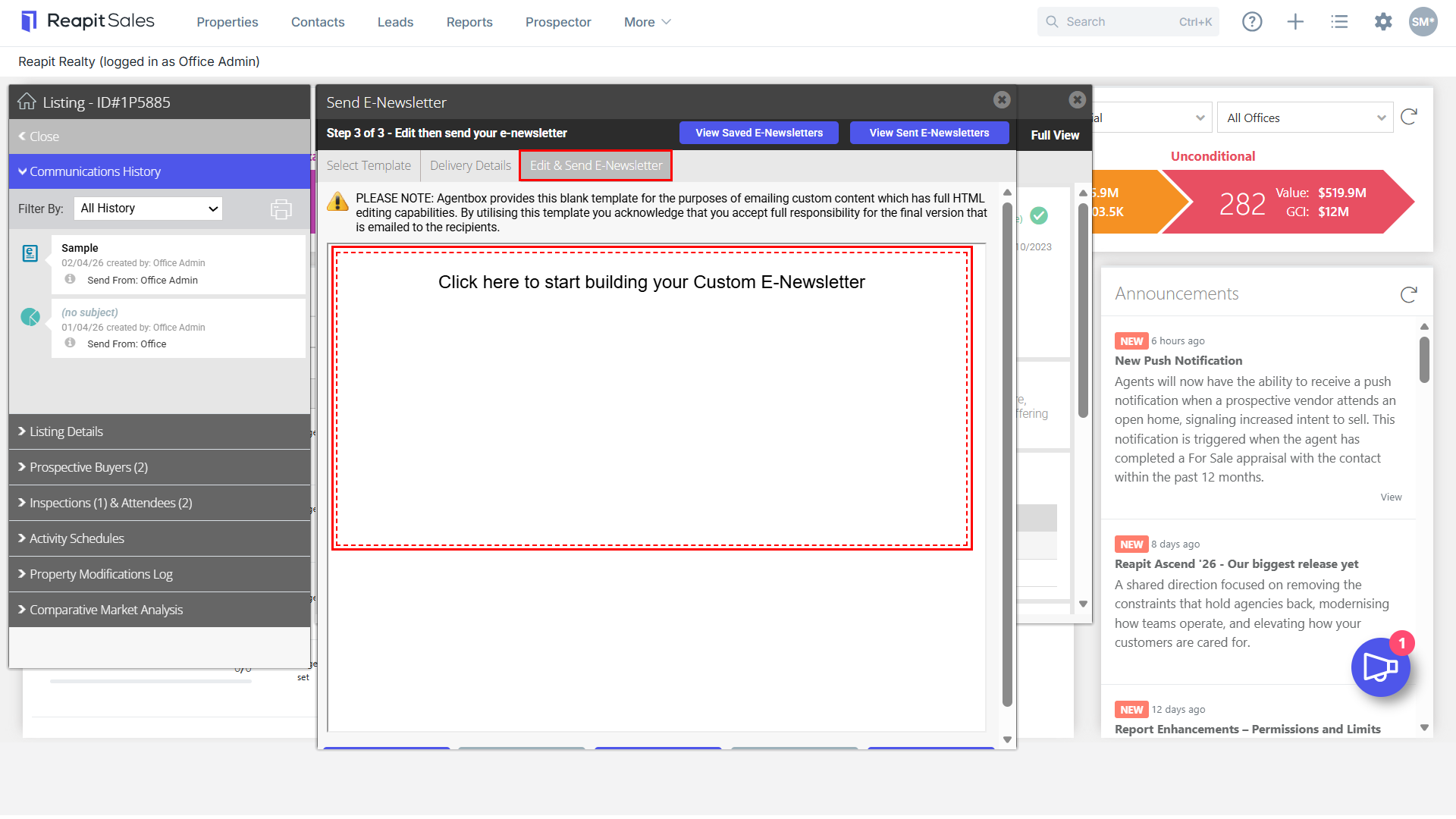
6. The relevant business stakeholder will then be required to enter the desired HTML code within the HTML Table.
- If you wish to enter your own code,select the appropriate option; Use My Own Code.
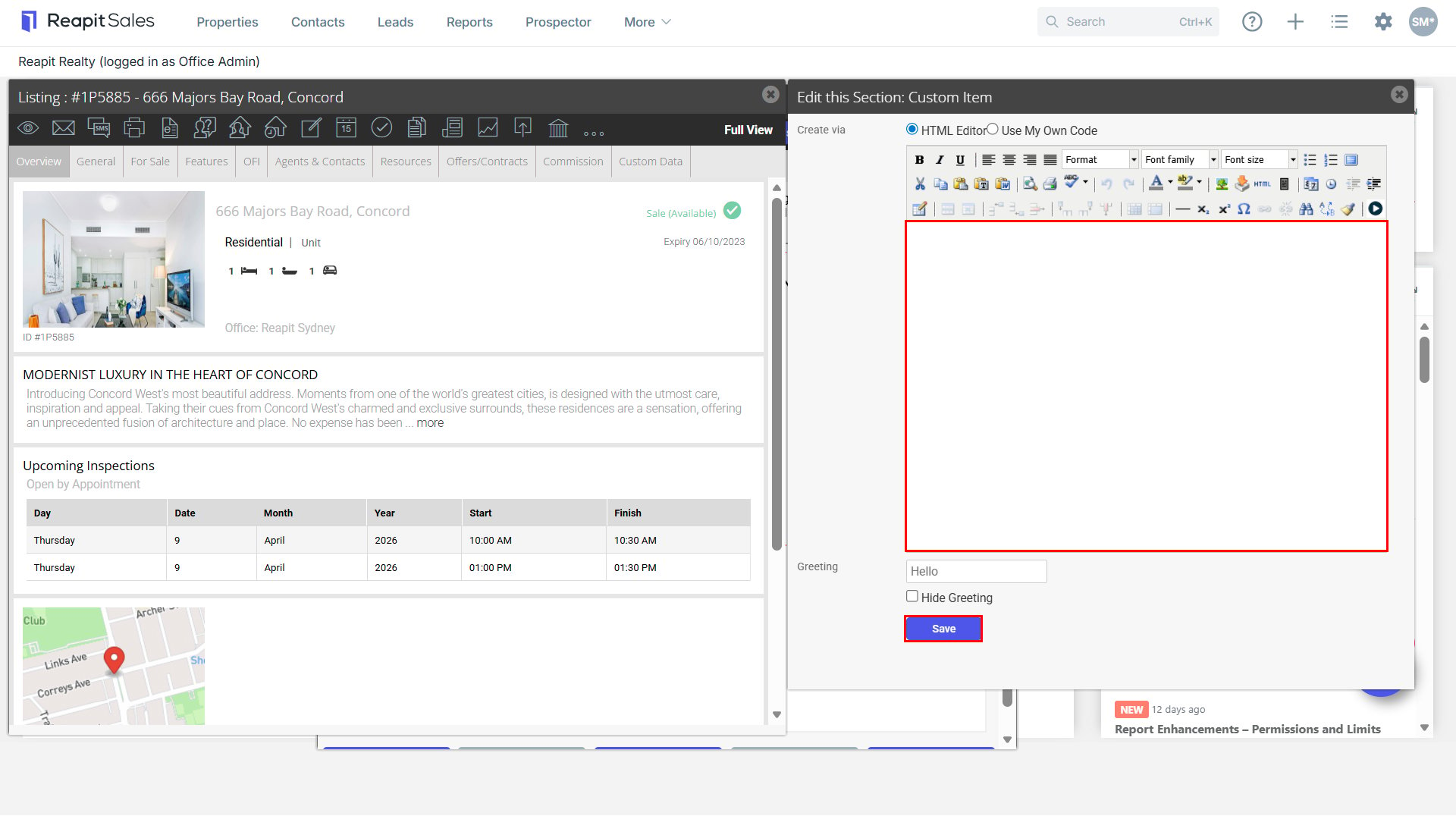
Note: It is your responsibility to ensure that the chosen source allows for HTML code export.
7. Here is an example completed for your reference.
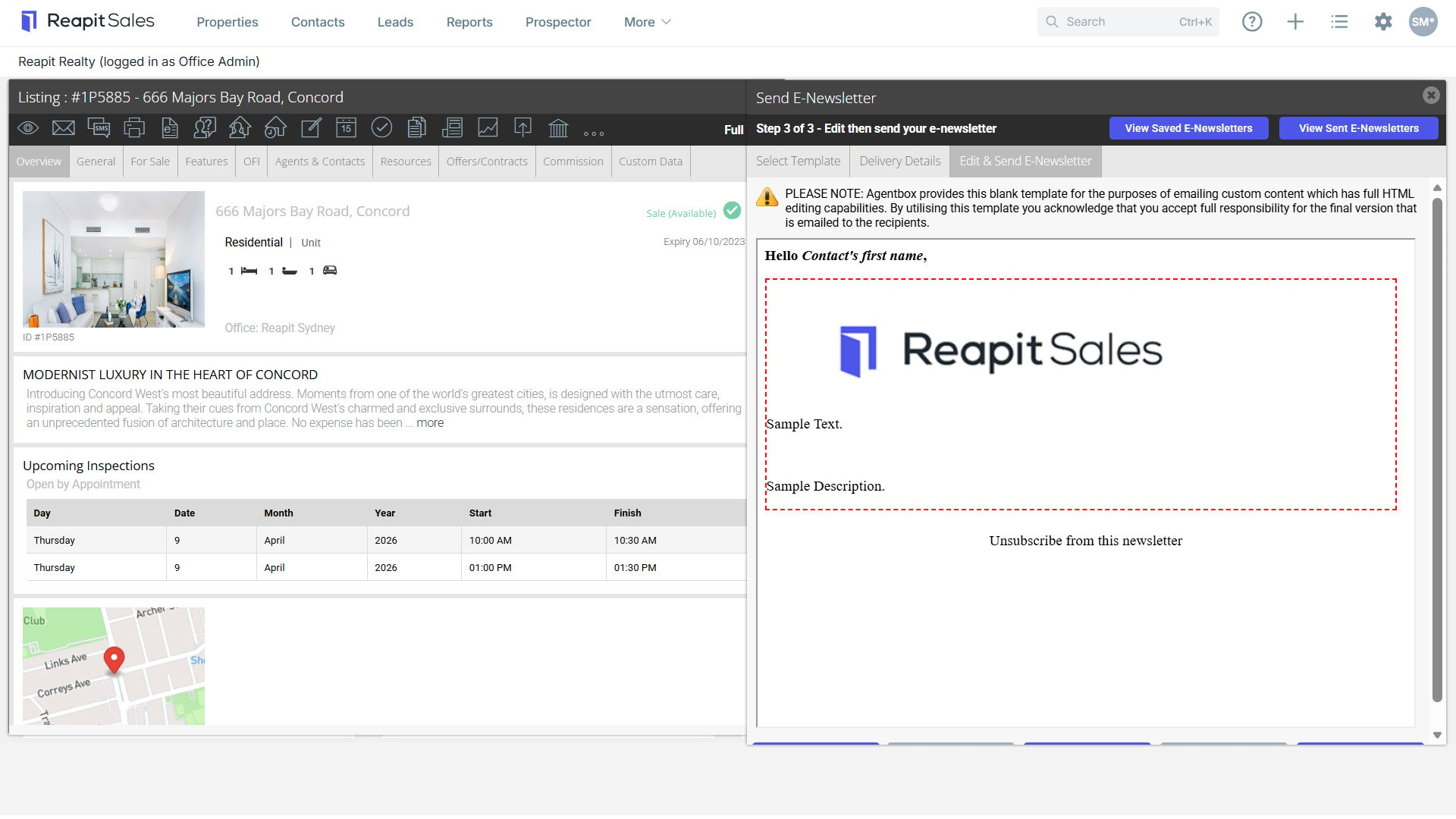
Note: For legal compliance, the text under Unsubscribe from this newsletter cannot be removed as it is hardcoded.