'%20d='M0%208a8%208%200%200%201%208-8h24a8%208%200%200%201%208%208v24a8%208%200%200%201-8%208H8a8%208%200%200%201-8-8V8Z'/%3e%3cpath%20fill='%23fff'%20d='M10.41%206v3.779h15.048v19.537h4.132V6H10.41Z'/%3e%3cpath%20fill='%23fff'%20d='M20.967%2034V13.837L10.41%209.78v20.166L20.967%2034Z'/%3e%3cdefs%3e%3clinearGradient%20id='reapit-sales__a'%20x1='20.702'%20x2='20.702'%20y1='.351'%20y2='31.228'%20gradientUnits='userSpaceOnUse'%3e%3cstop%20stop-color='%235573FD'/%3e%3cstop%20offset='.575'%20stop-color='%234E56EA'/%3e%3c/linearGradient%3e%3c/defs%3e%3c/svg%3e)
Print Detailed Property Report
This article shows how access and print a Details Property Report in Reapit Sales.
1. Complete an Advanced Property Search to open your target list of properties
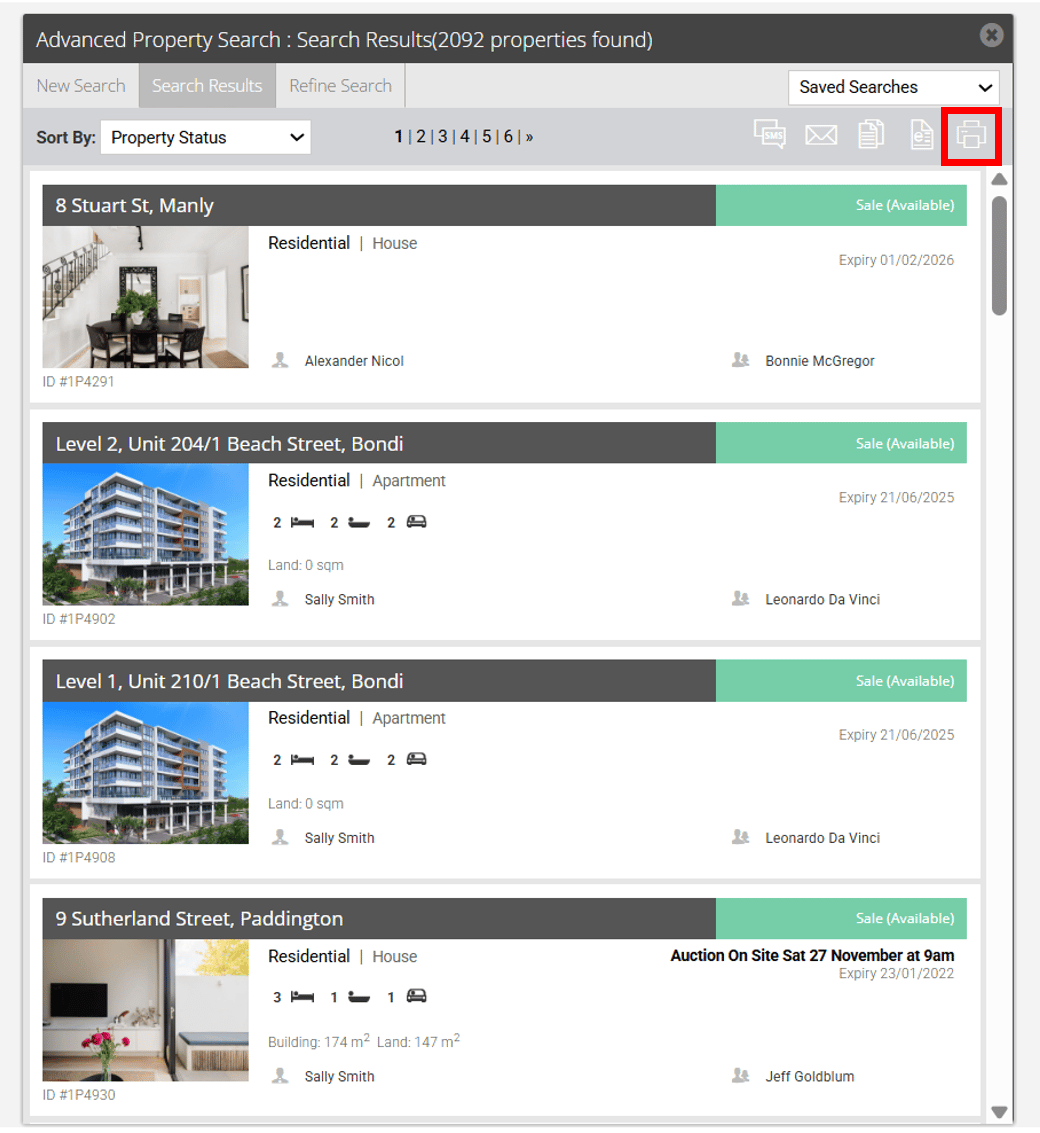
2. Click the Print Icon at the top of the search results

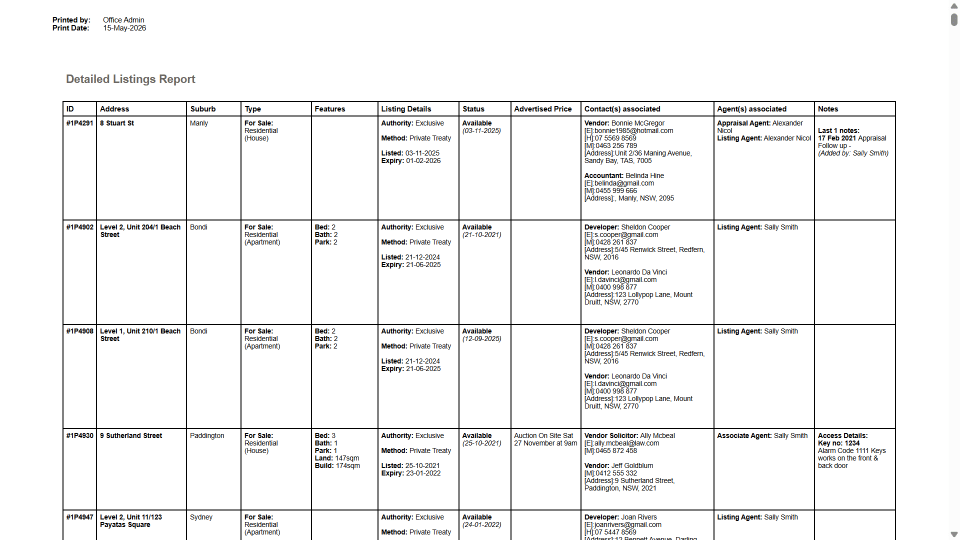
 3. Your detailed listings report will open in a new tab or window and contains the Property ID, Address Suburb, Type, Features, Listing Details, Status, Advertised (Display) Price, Related Contacts, Agents, Last 3 Notes.