'%20d='M0%208a8%208%200%200%201%208-8h24a8%208%200%200%201%208%208v24a8%208%200%200%201-8%208H8a8%208%200%200%201-8-8V8Z'/%3e%3cpath%20fill='%23fff'%20d='M10.41%206v3.779h15.048v19.537h4.132V6H10.41Z'/%3e%3cpath%20fill='%23fff'%20d='M20.967%2034V13.837L10.41%209.78v20.166L20.967%2034Z'/%3e%3cdefs%3e%3clinearGradient%20id='reapit-sales__a'%20x1='20.702'%20x2='20.702'%20y1='.351'%20y2='31.228'%20gradientUnits='userSpaceOnUse'%3e%3cstop%20stop-color='%235573FD'/%3e%3cstop%20offset='.575'%20stop-color='%234E56EA'/%3e%3c/linearGradient%3e%3c/defs%3e%3c/svg%3e)
Mobile App Caller ID Configuration for IOS
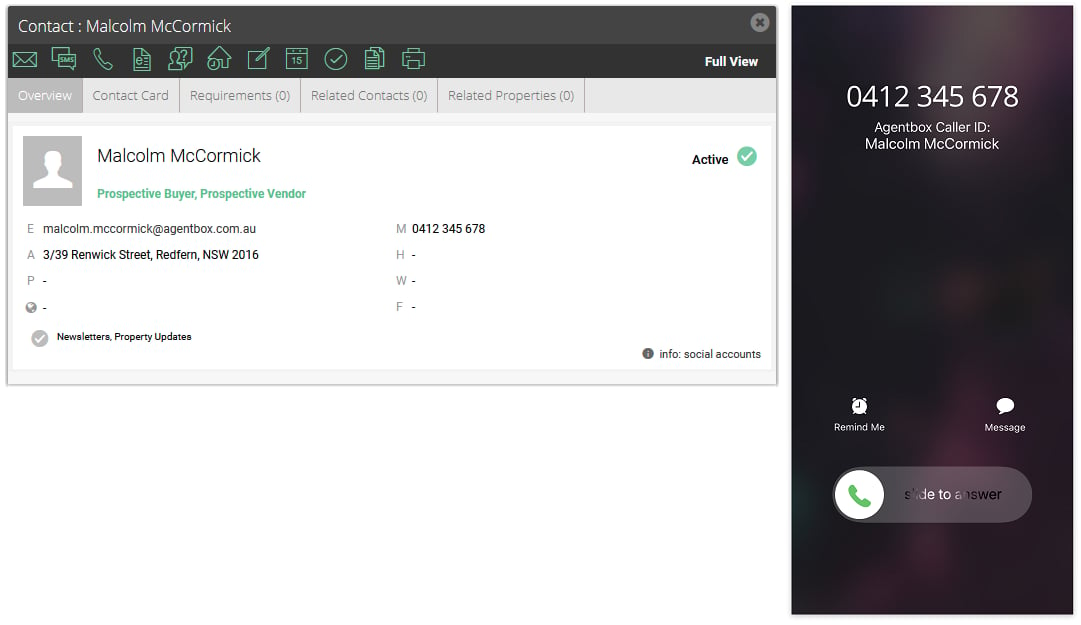
This article shows how to setup called ID for iOS devices from the Sales Mobile App.
*Note: Only contacts that the agent is assigned/associated with will show as a suggestion (Primary owner, full access, view only).
Please ensure that your mobile devices are updated to the latest iOS version.
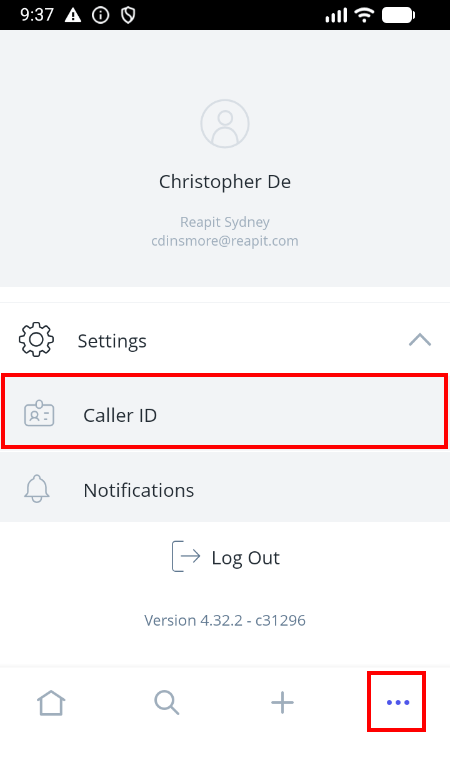
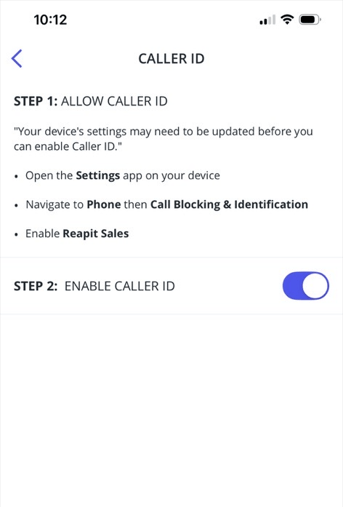
- Open the App and go to the 3 dots in the main menu. Tap on Settings > Caller ID.
- Follow the instructions in Step 1 to configure your device.
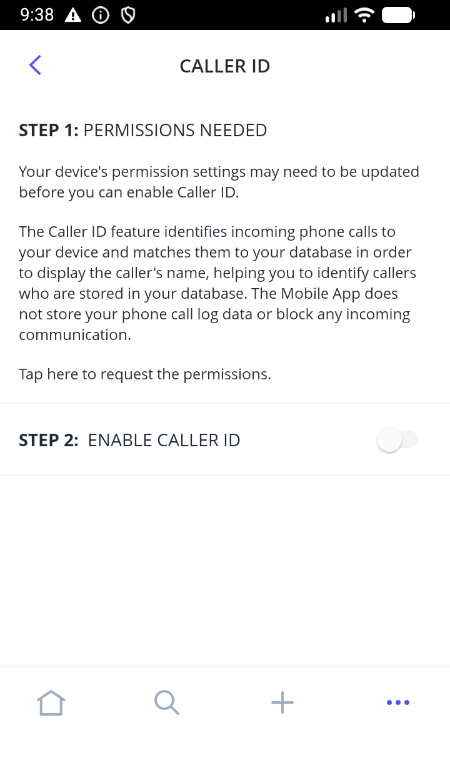
iOS Setup:
- Toggle on the setting in the Call Blocking & Identification settings.
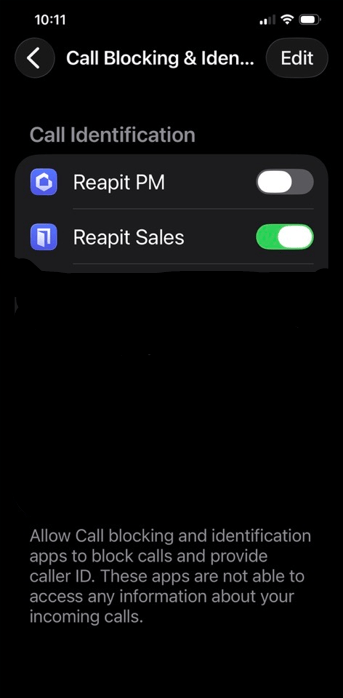
- After updating your device settings go back to the App and enable the Caller ID
- Once the above steps have been completed contact names from Reapit Sales will be displayed on incoming calls