'%20d='M0%208a8%208%200%200%201%208-8h24a8%208%200%200%201%208%208v24a8%208%200%200%201-8%208H8a8%208%200%200%201-8-8V8Z'/%3e%3cpath%20fill='%23fff'%20d='M10.41%206v3.779h15.048v19.537h4.132V6H10.41Z'/%3e%3cpath%20fill='%23fff'%20d='M20.967%2034V13.837L10.41%209.78v20.166L20.967%2034Z'/%3e%3cdefs%3e%3clinearGradient%20id='reapit-sales__a'%20x1='20.702'%20x2='20.702'%20y1='.351'%20y2='31.228'%20gradientUnits='userSpaceOnUse'%3e%3cstop%20stop-color='%235573FD'/%3e%3cstop%20offset='.575'%20stop-color='%234E56EA'/%3e%3c/linearGradient%3e%3c/defs%3e%3c/svg%3e)
Insert Quick Links/Call to Action into E-Newsletter
This article explains how to insert quick links/call to action into E-Newsletter in Reapit Sales.
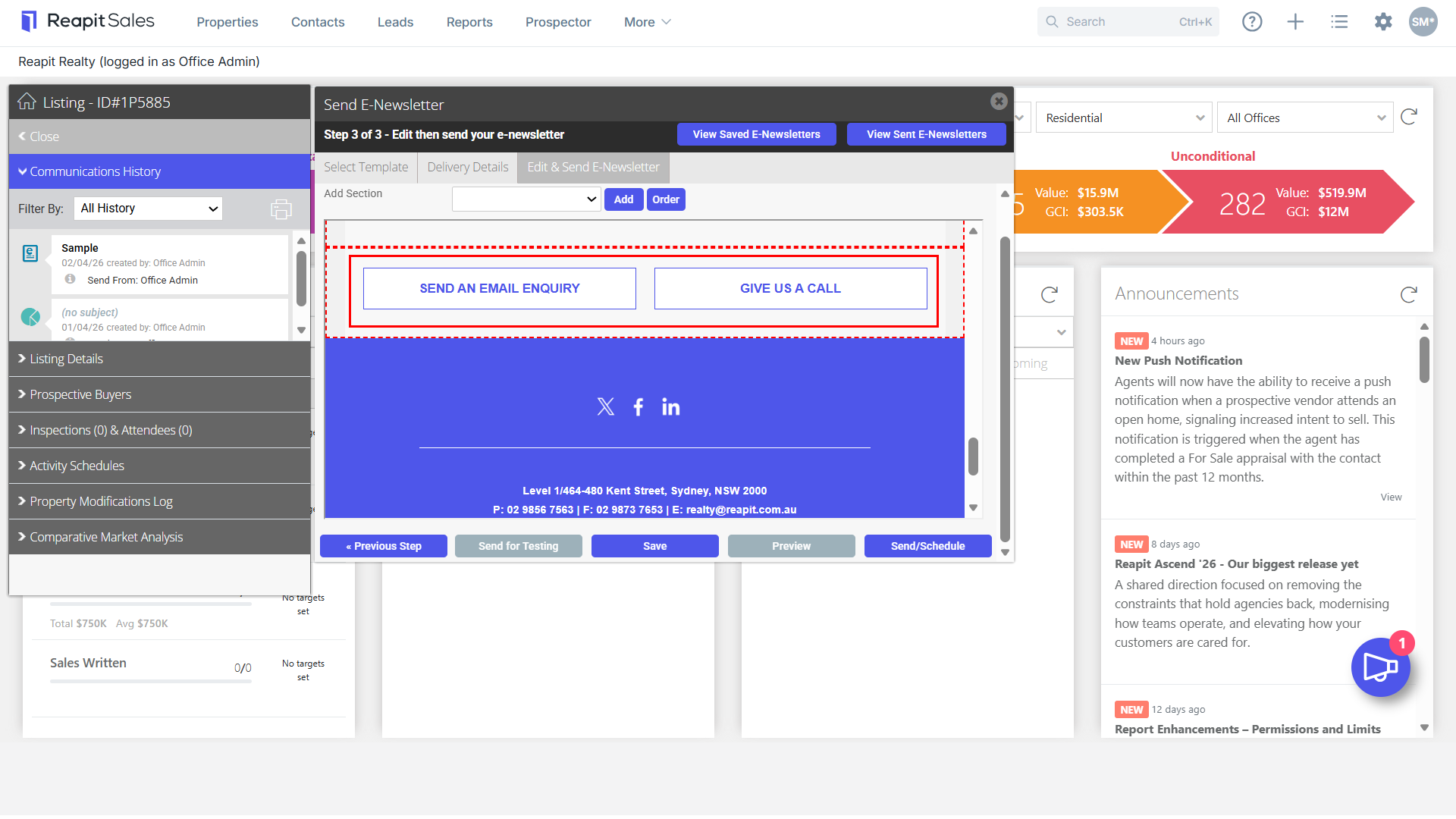
The “Quick Links/ Call to Action” section in our General e-Newsletter templates allows you to invite potential clients to access particular websites, register for appraisals, contact us etc.
1. Open a General E-Newsletter Template.
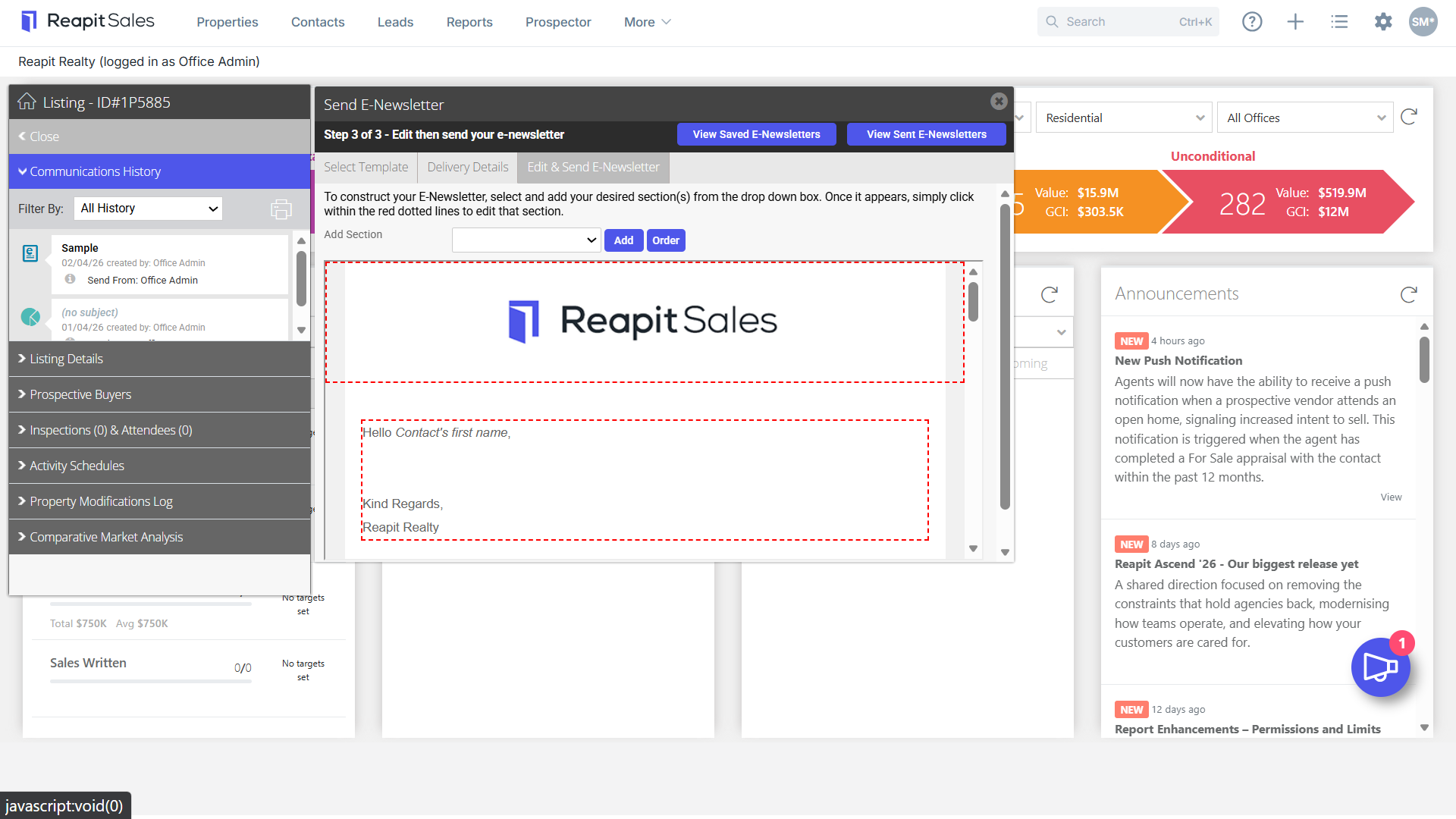
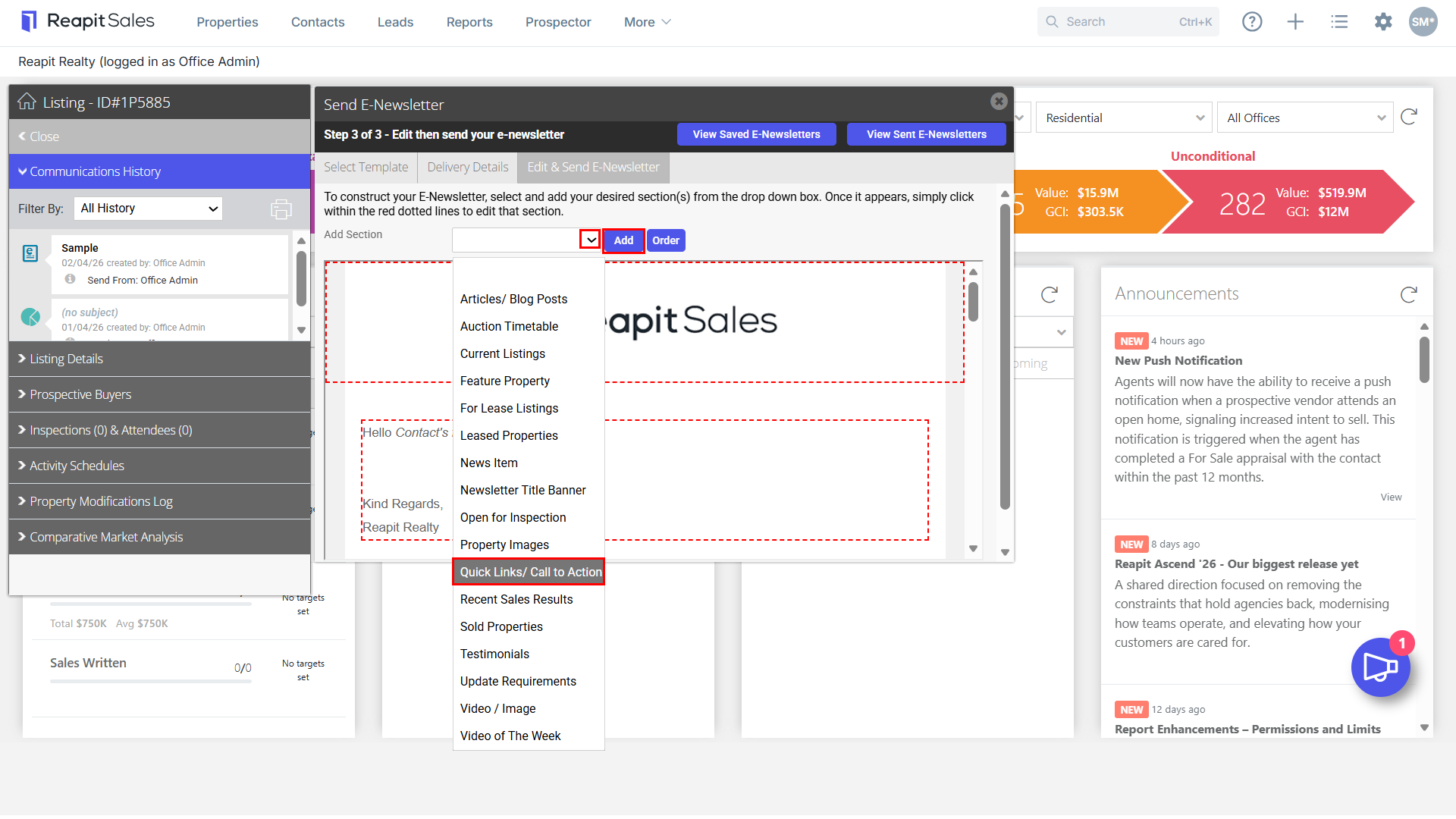
2. Click within the red dashed box to Edit an Existing Section or Add a Quick Links/Call to Action from the Add Section drop-down.
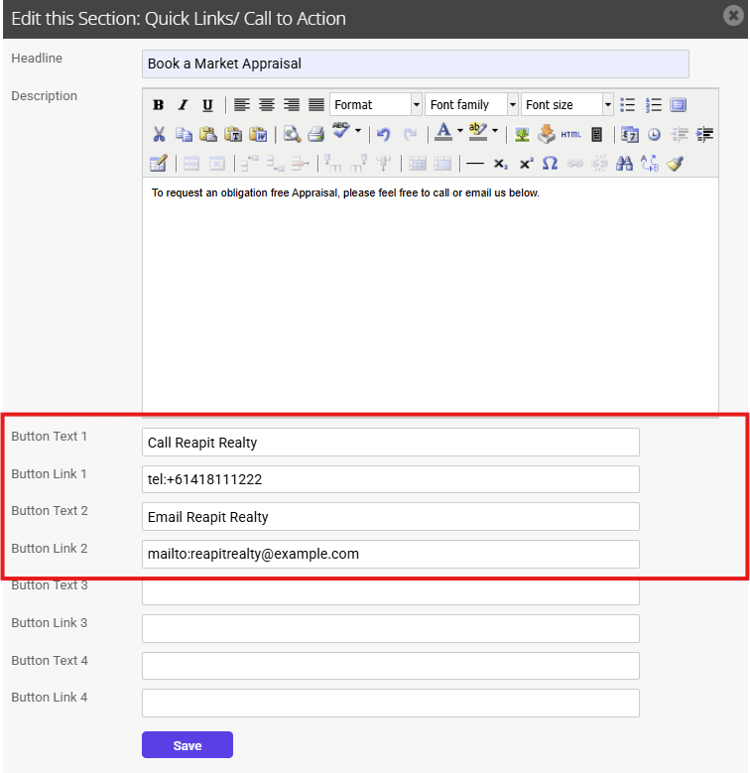
3. Enter the Headline and Description, then enter Button Text and Button Link.
To create a direct click-to-call or click-to-email button in a newsletter, you use specific link protocols instead of standard website URLs.
When a subscriber clicks these buttons, their device will automatically open their phone app or default email client.
What to Put in the Link Field
- For a Phone Call: Type tel: followed immediately by your full phone number, including the country code, with no dashes or spaces.
- Example: tel:+61487111222
- For an Email: Type mailto: followed immediately by your email address.
- Example: mailto:hello@yourcompany.com
4. Save the section.