'%20d='M0%208a8%208%200%200%201%208-8h24a8%208%200%200%201%208%208v24a8%208%200%200%201-8%208H8a8%208%200%200%201-8-8V8Z'/%3e%3cpath%20fill='%23fff'%20d='M10.41%206v3.779h15.048v19.537h4.132V6H10.41Z'/%3e%3cpath%20fill='%23fff'%20d='M20.967%2034V13.837L10.41%209.78v20.166L20.967%2034Z'/%3e%3cdefs%3e%3clinearGradient%20id='reapit-sales__a'%20x1='20.702'%20x2='20.702'%20y1='.351'%20y2='31.228'%20gradientUnits='userSpaceOnUse'%3e%3cstop%20stop-color='%235573FD'/%3e%3cstop%20offset='.575'%20stop-color='%234E56EA'/%3e%3c/linearGradient%3e%3c/defs%3e%3c/svg%3e)
Resolve Bank Adjustments
This article will run through how to resolve bank adjustments in Reapit Sales.
- When performing a reconciliation, All Outstanding Bank Adjustments with a date prior to the closing date of your bank reconciliation will be included unless first marked as 'resolved'
- Once marked resolved, the bank adjustment will remain editable until the next successful reconciliation. Upon the next successful reconciliation all adjustments with a status of resolved will be archived.
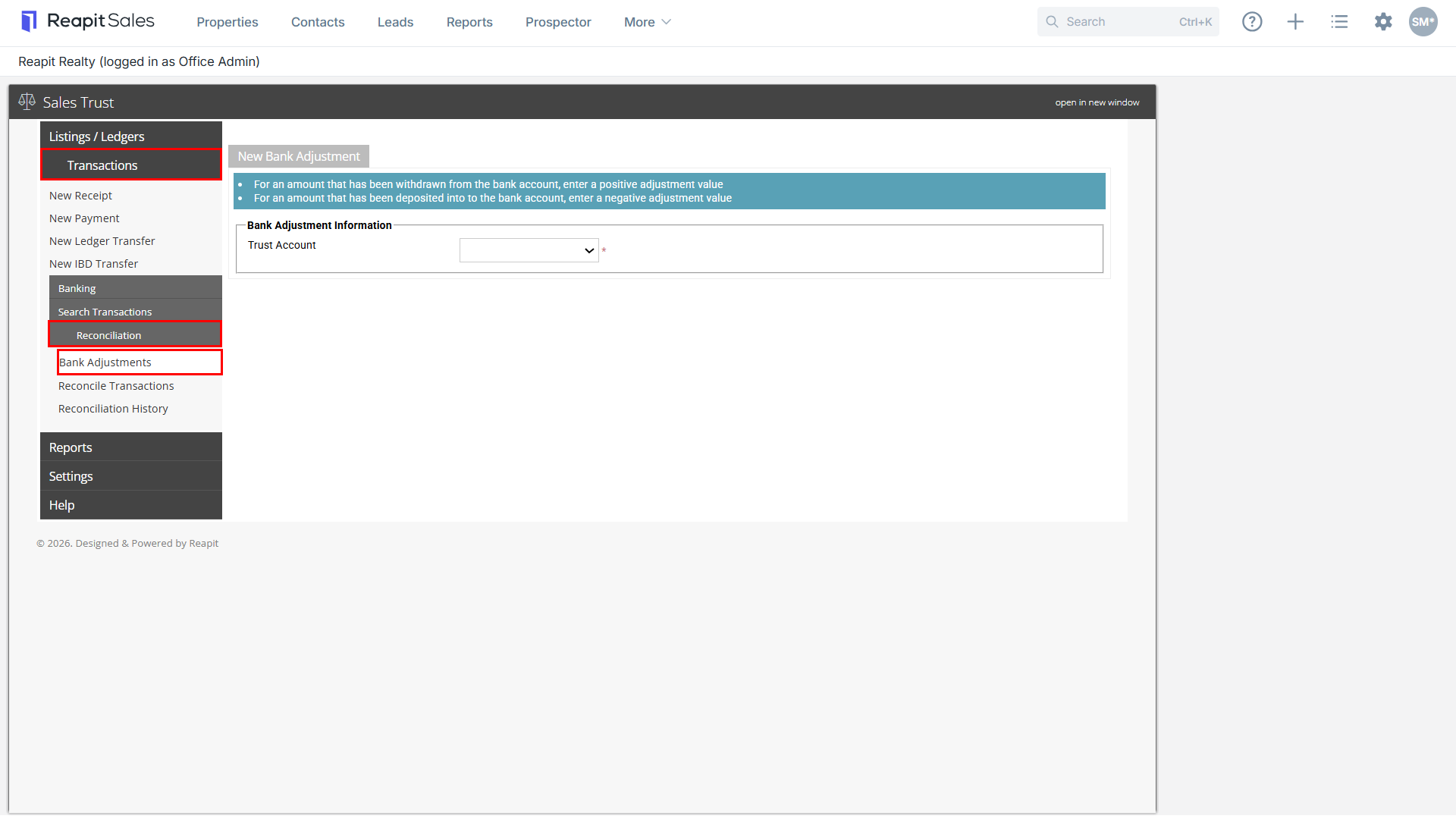
1. Select Transactions, Reconciliation and then Bank Adjustments.
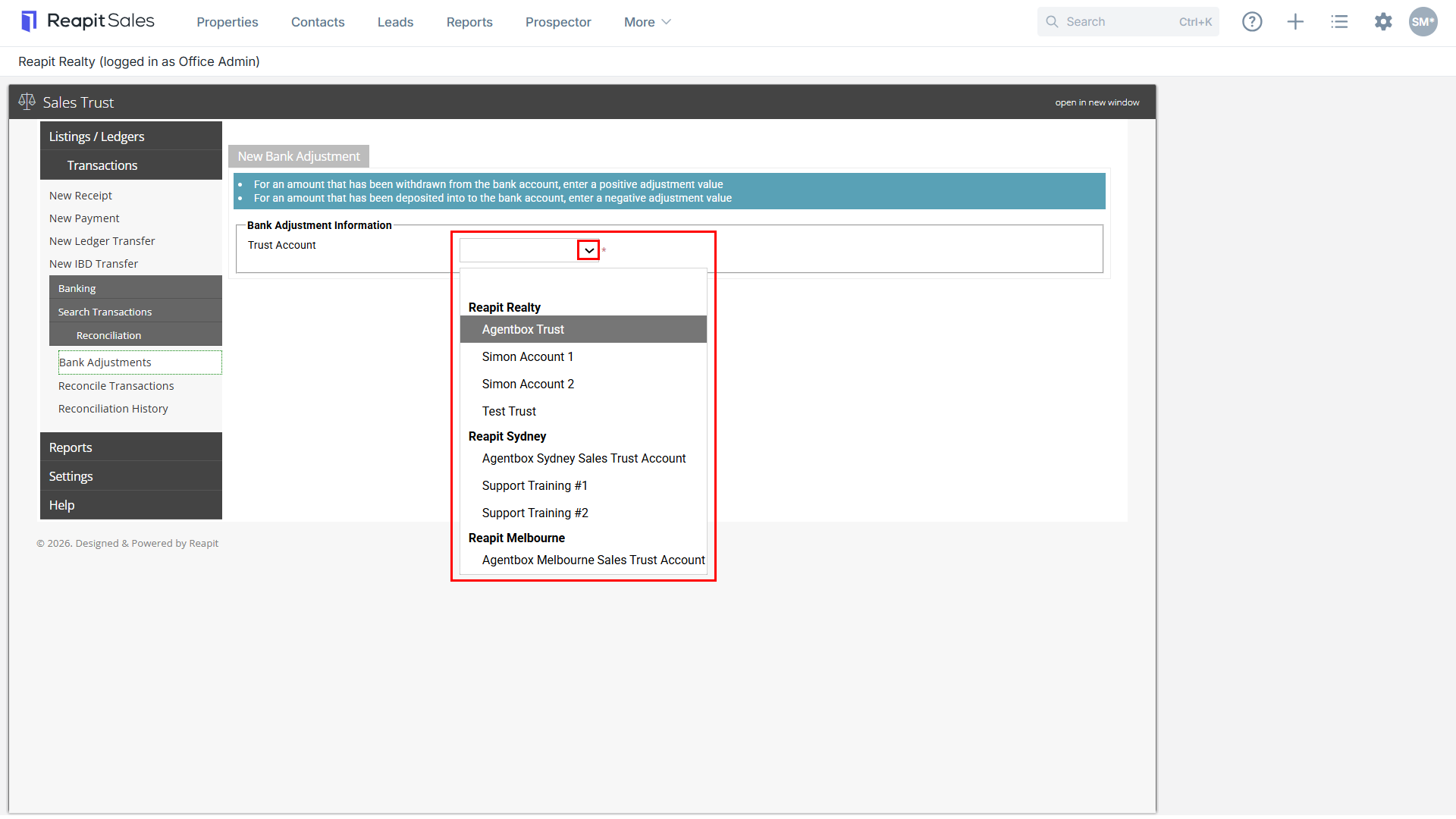
2. Select the Trust Account from the Trust Account drop-down.
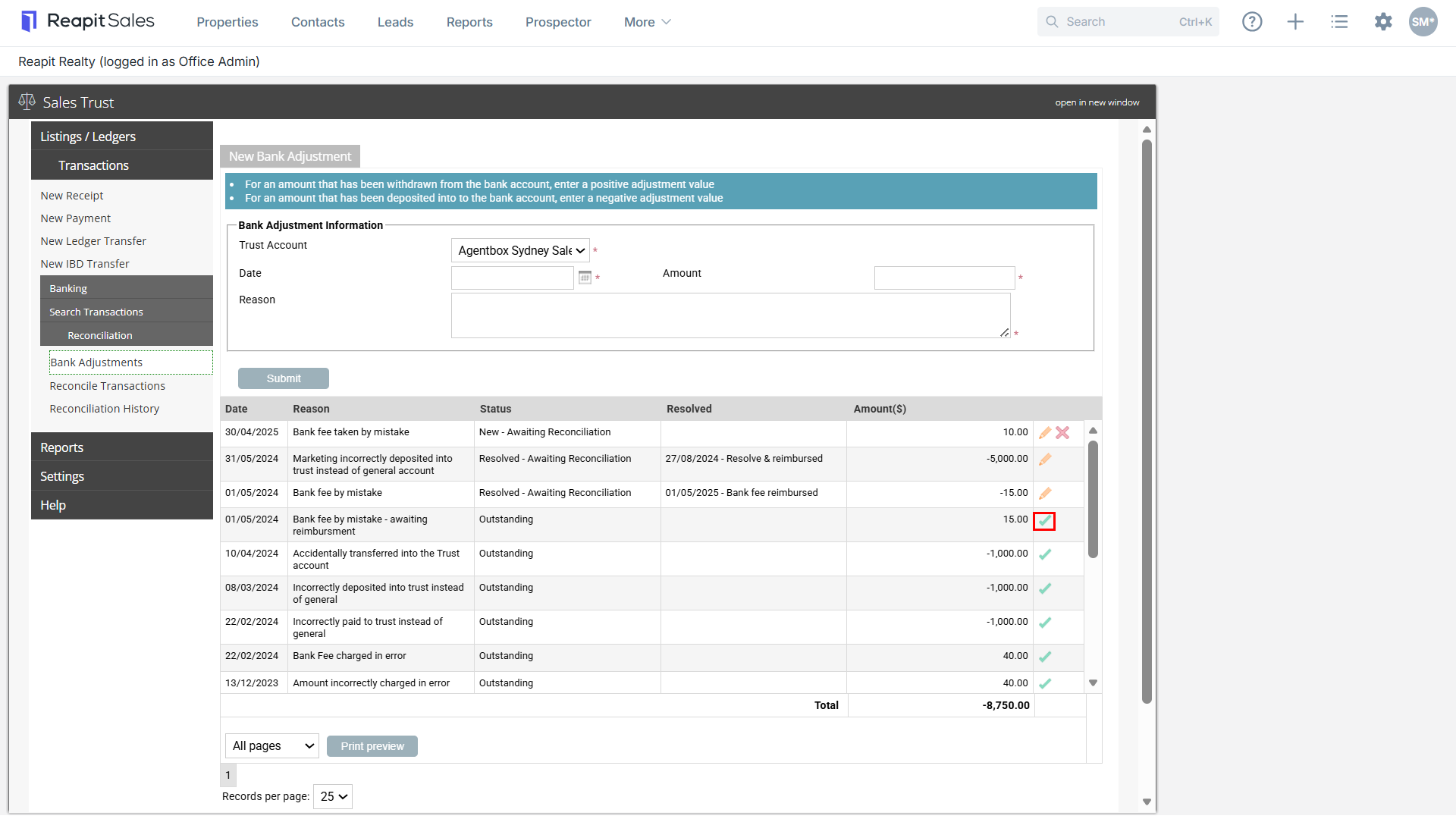
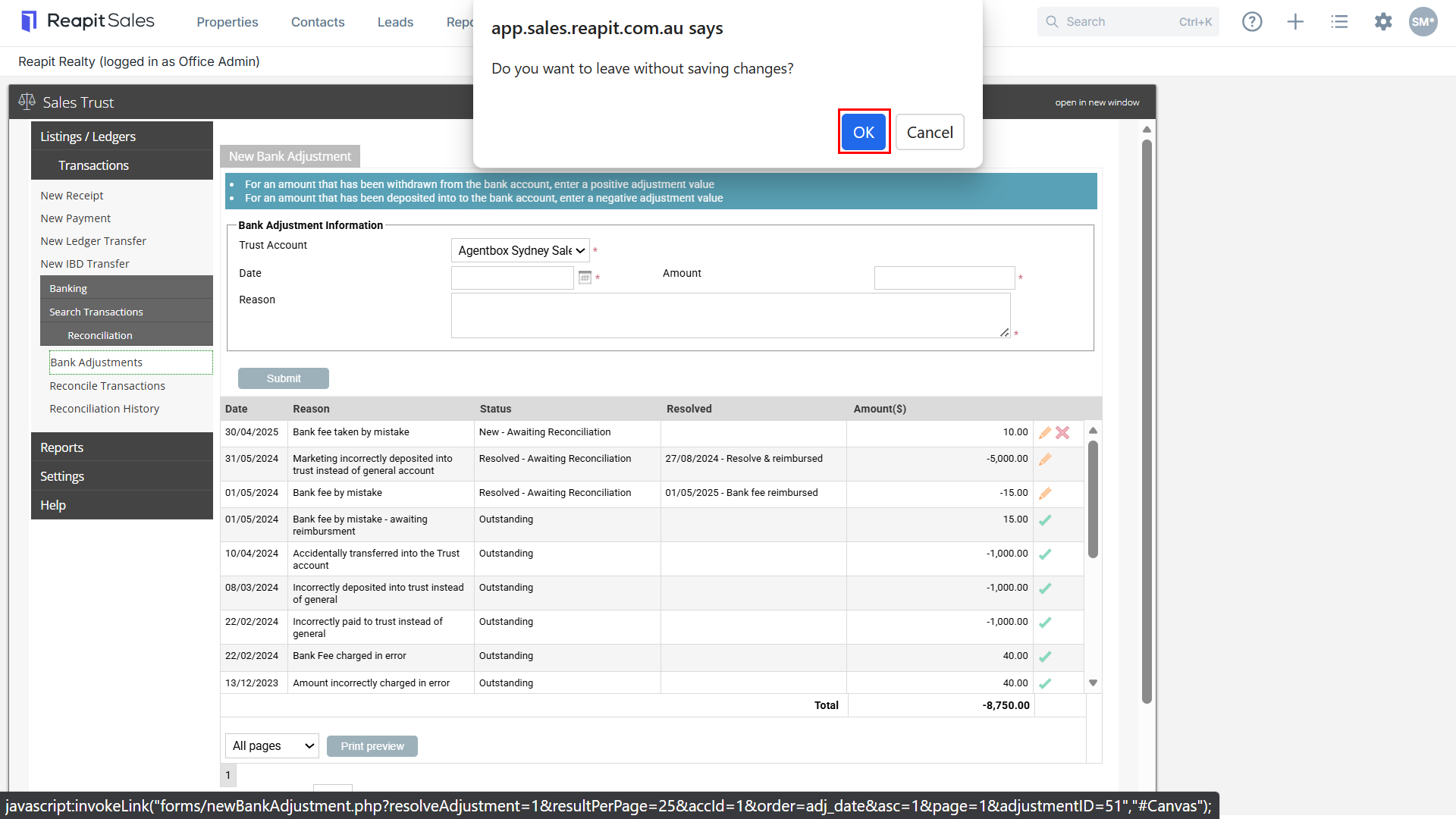
3. Click the Resolve  icon, then click Ok.
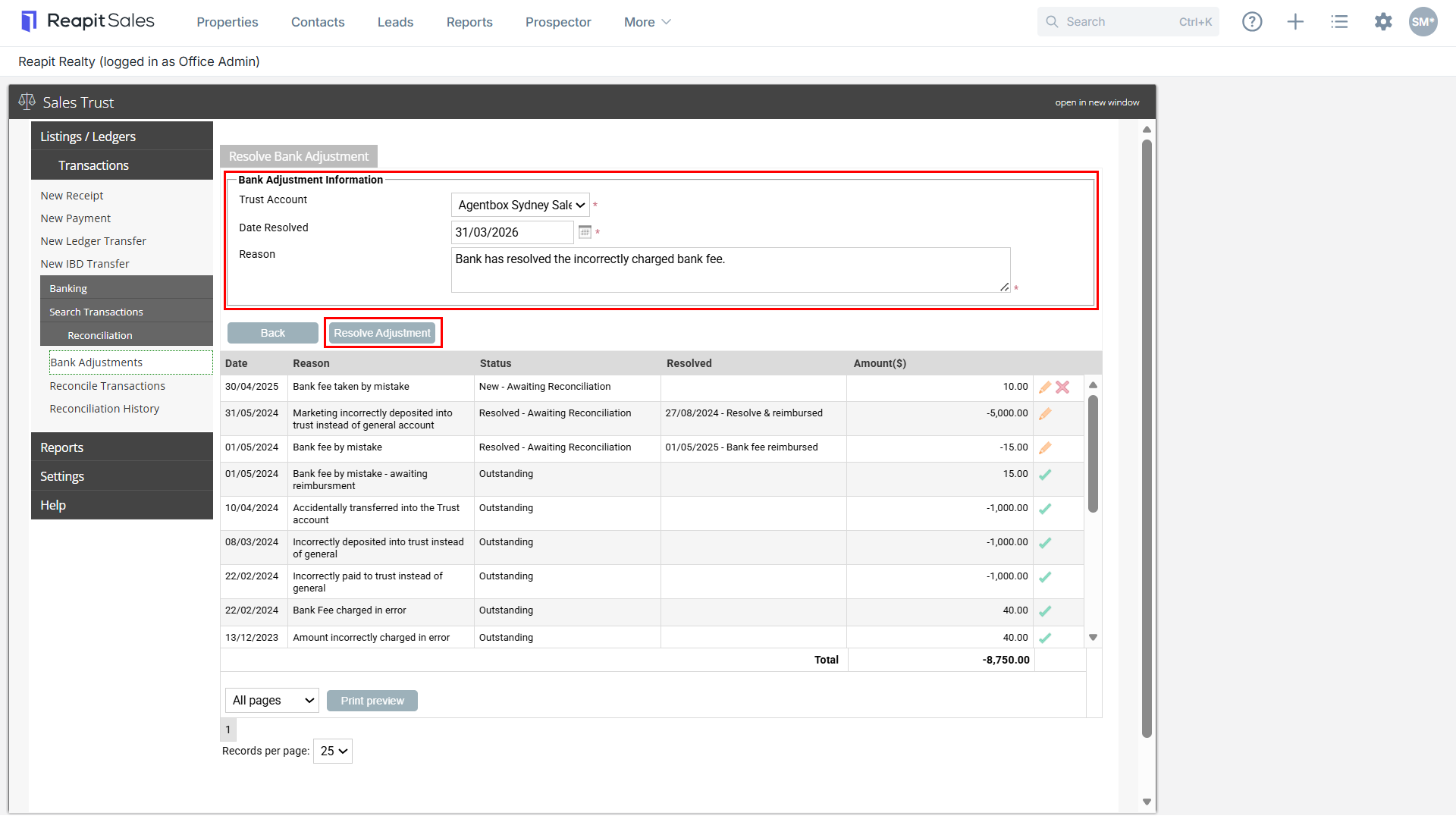
4. Enter the Resolved Date per your bank statement, Reason and select Resolve Adjustment.