'%20d='M0%208a8%208%200%200%201%208-8h24a8%208%200%200%201%208%208v24a8%208%200%200%201-8%208H8a8%208%200%200%201-8-8V8Z'/%3e%3cpath%20fill='%23fff'%20d='M10.41%206v3.779h15.048v19.537h4.132V6H10.41Z'/%3e%3cpath%20fill='%23fff'%20d='M20.967%2034V13.837L10.41%209.78v20.166L20.967%2034Z'/%3e%3cdefs%3e%3clinearGradient%20id='reapit-sales__a'%20x1='20.702'%20x2='20.702'%20y1='.351'%20y2='31.228'%20gradientUnits='userSpaceOnUse'%3e%3cstop%20stop-color='%235573FD'/%3e%3cstop%20offset='.575'%20stop-color='%234E56EA'/%3e%3c/linearGradient%3e%3c/defs%3e%3c/svg%3e)
Re-email Receipt
Transactions - Receipts This article shows how to re-email receipt in Reapit Sales.
Transactions - Receipts
This article shows how to re-email receipt in Reapit Sales.
If you would like to re-email a sales trust receipt you can do so by editing the transaction record.
1. Click on the Trust icon from the dashboard.

2. Select Transactions.
3. Click Search Transactions.
4. Click Receipts.
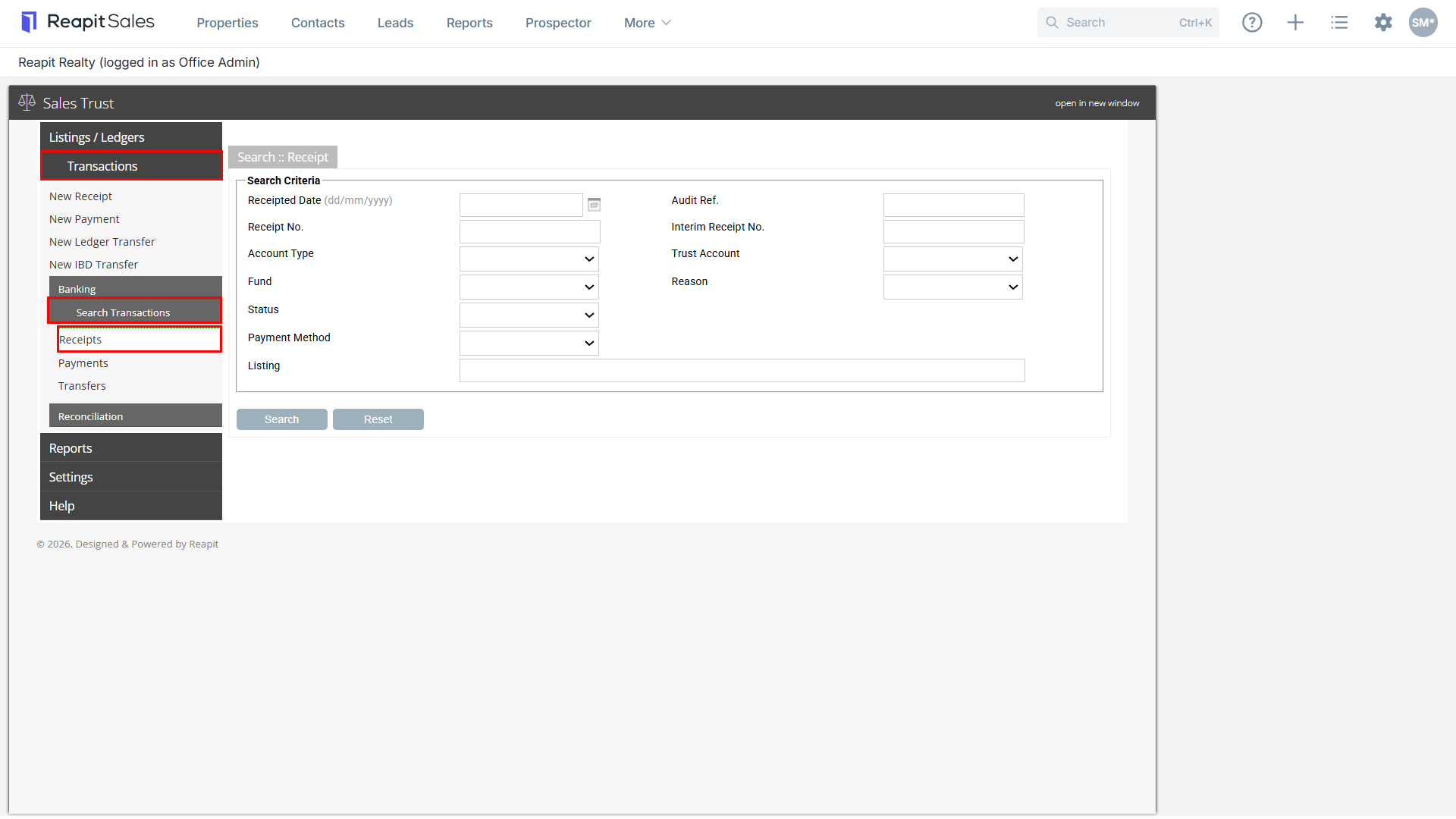
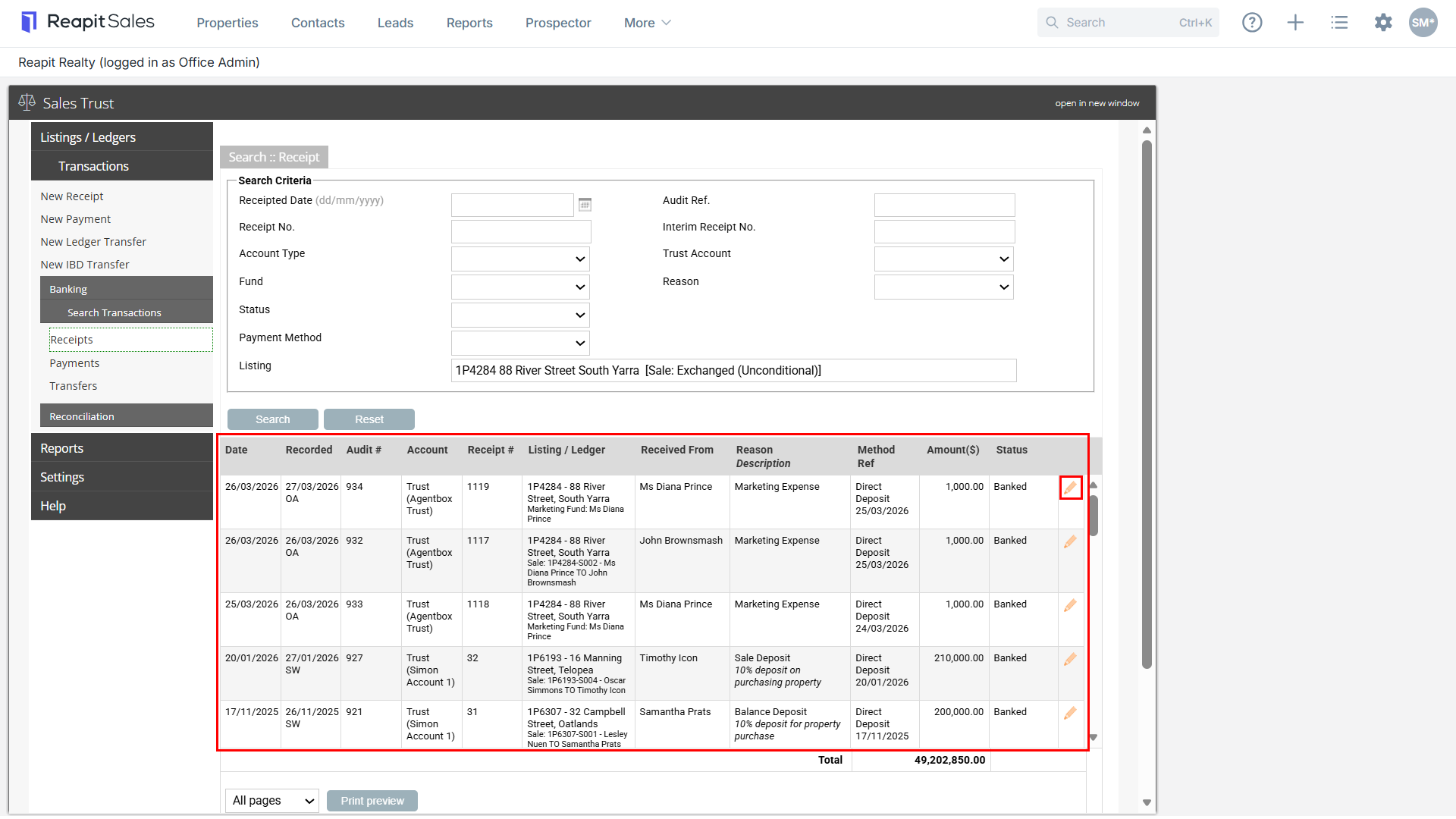
5. Enter your Search Criteria and select Search: If you select search without any criteria entered, it will show all receipts entered (most recent at the top)
- Receipted Date
- Audit Ref.
- Receipt No.
- Interim Receipt No.
- Account Type
- Trust Account
- Fund
- Reason
- Status
- Payment method
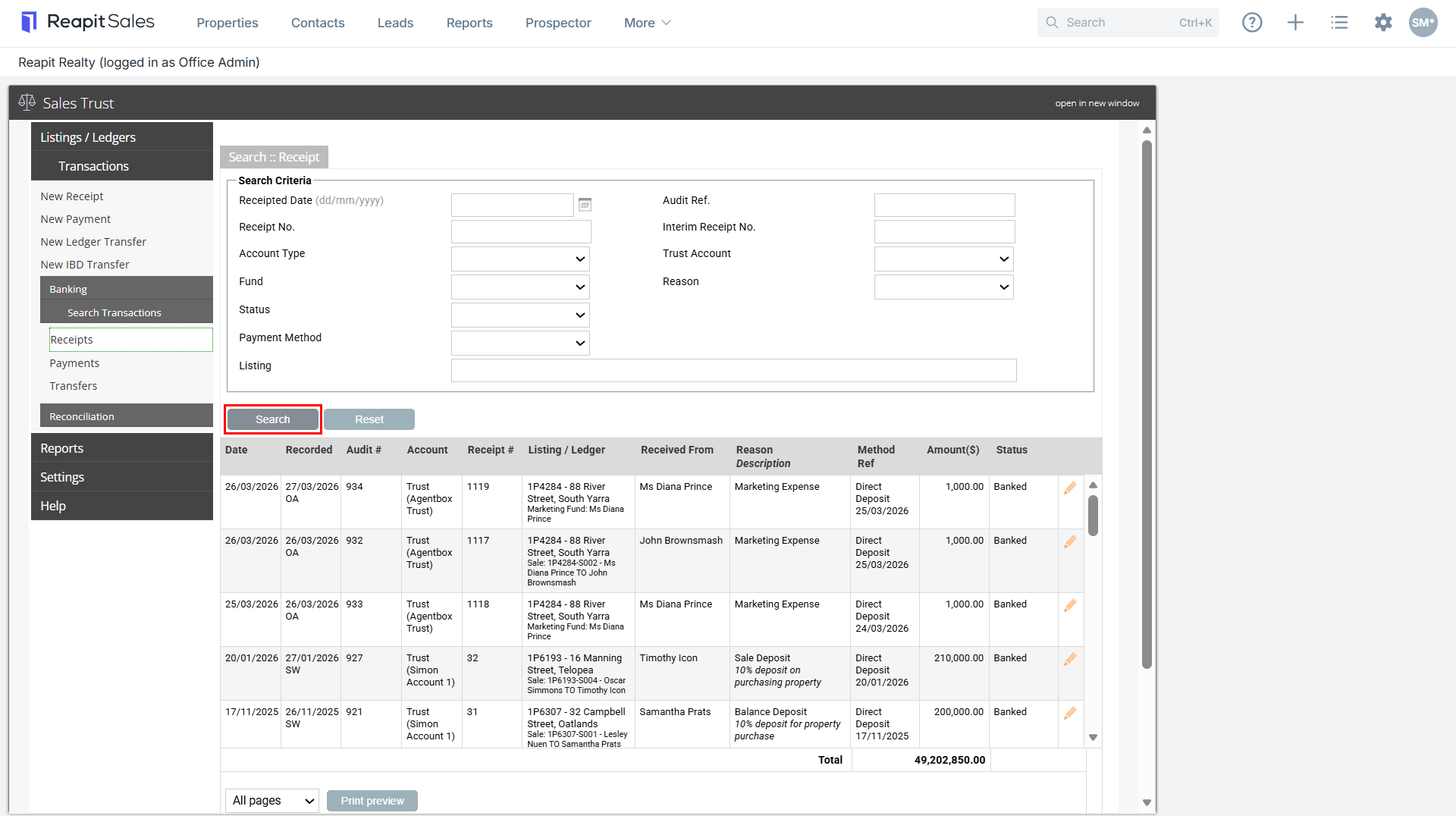
6. Alternatively, begin typing the listing address or ID number into the Listing field and select the listing from the drop-down
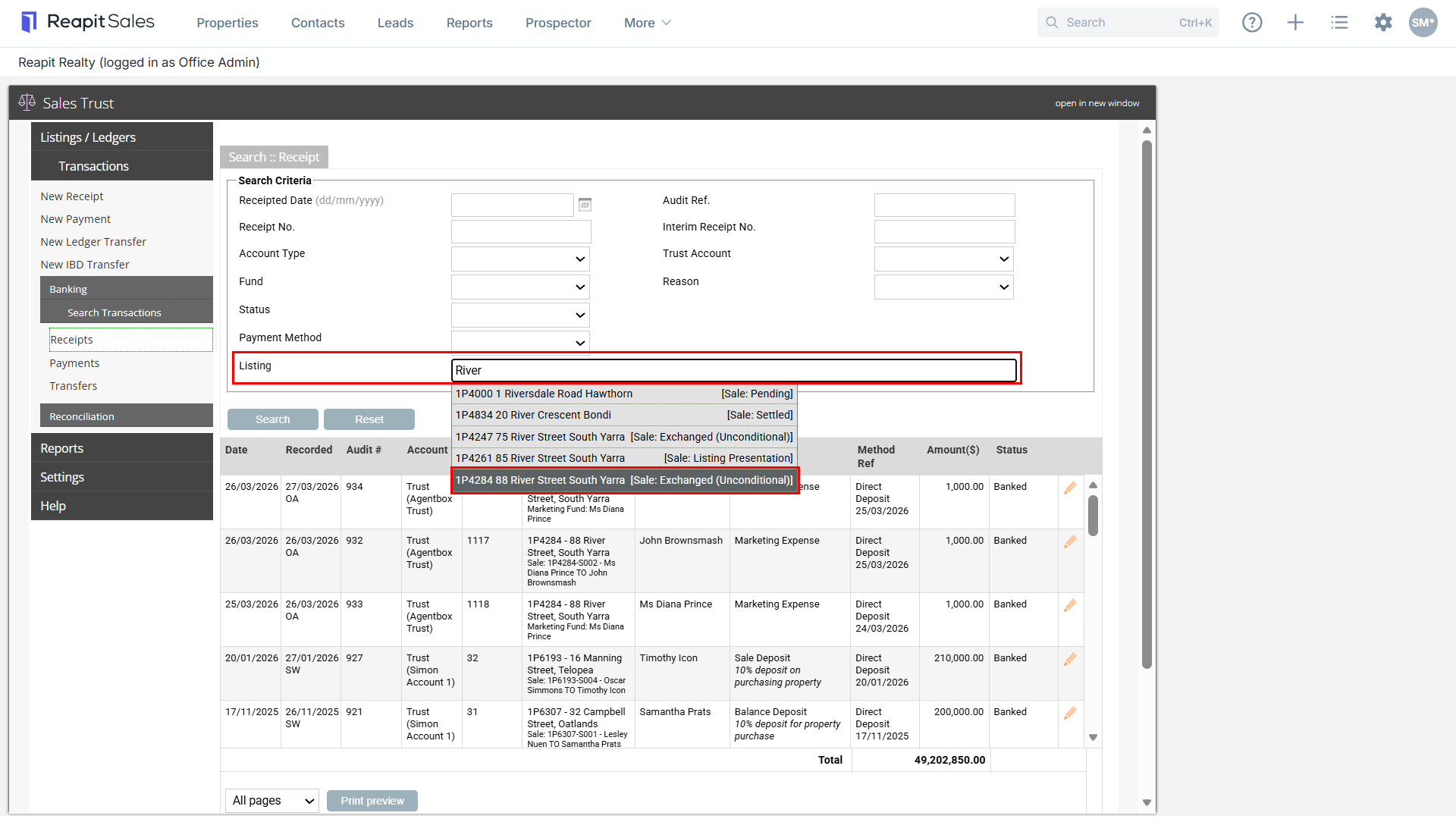
7. This will show you all receipts entered against this listing. Select the pencil edit Icon to open the transaction record.
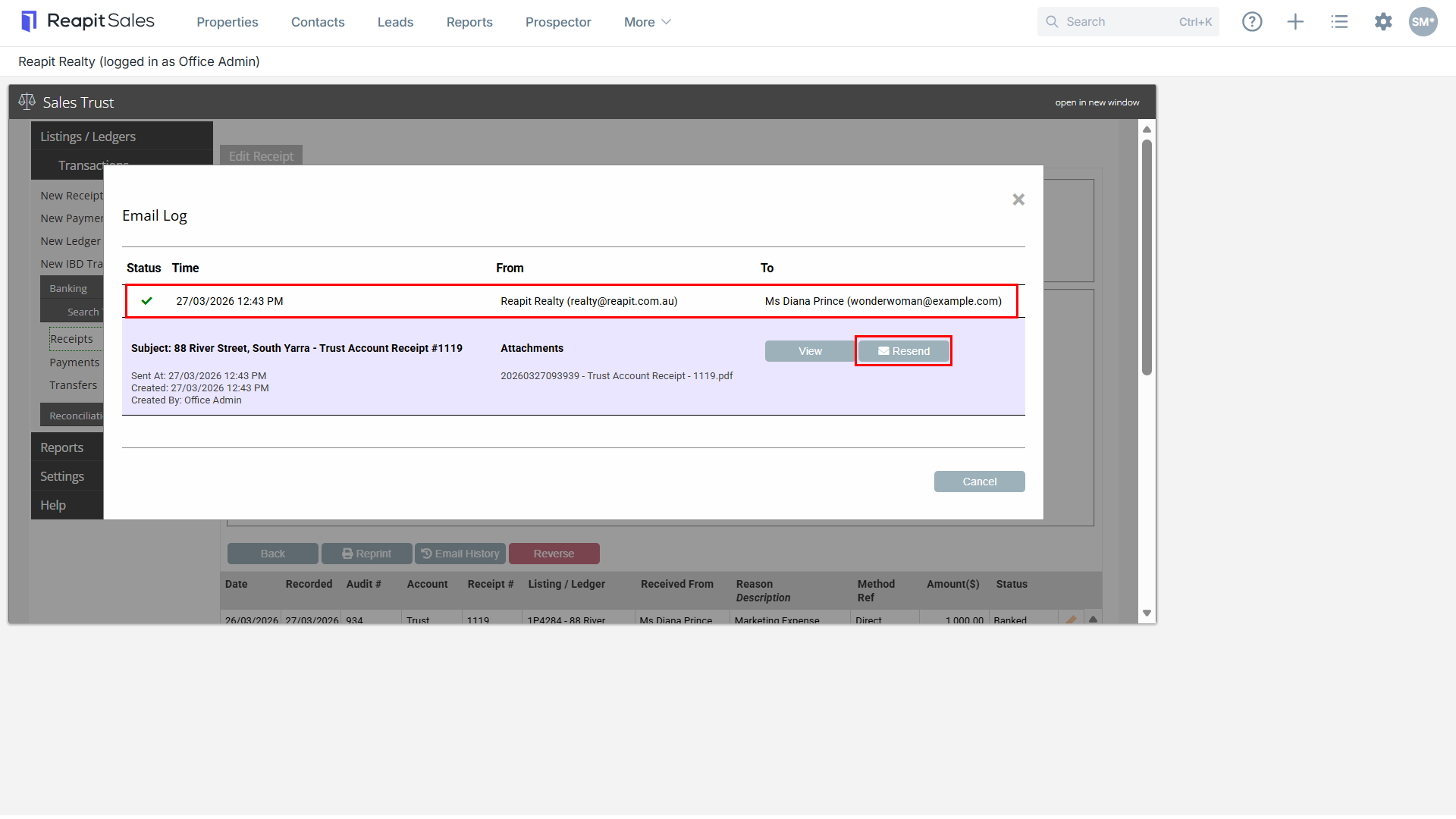
8. Select Email History button, this will show if an email has ever been sent for this receipt with a log showing the details and ability to resend.
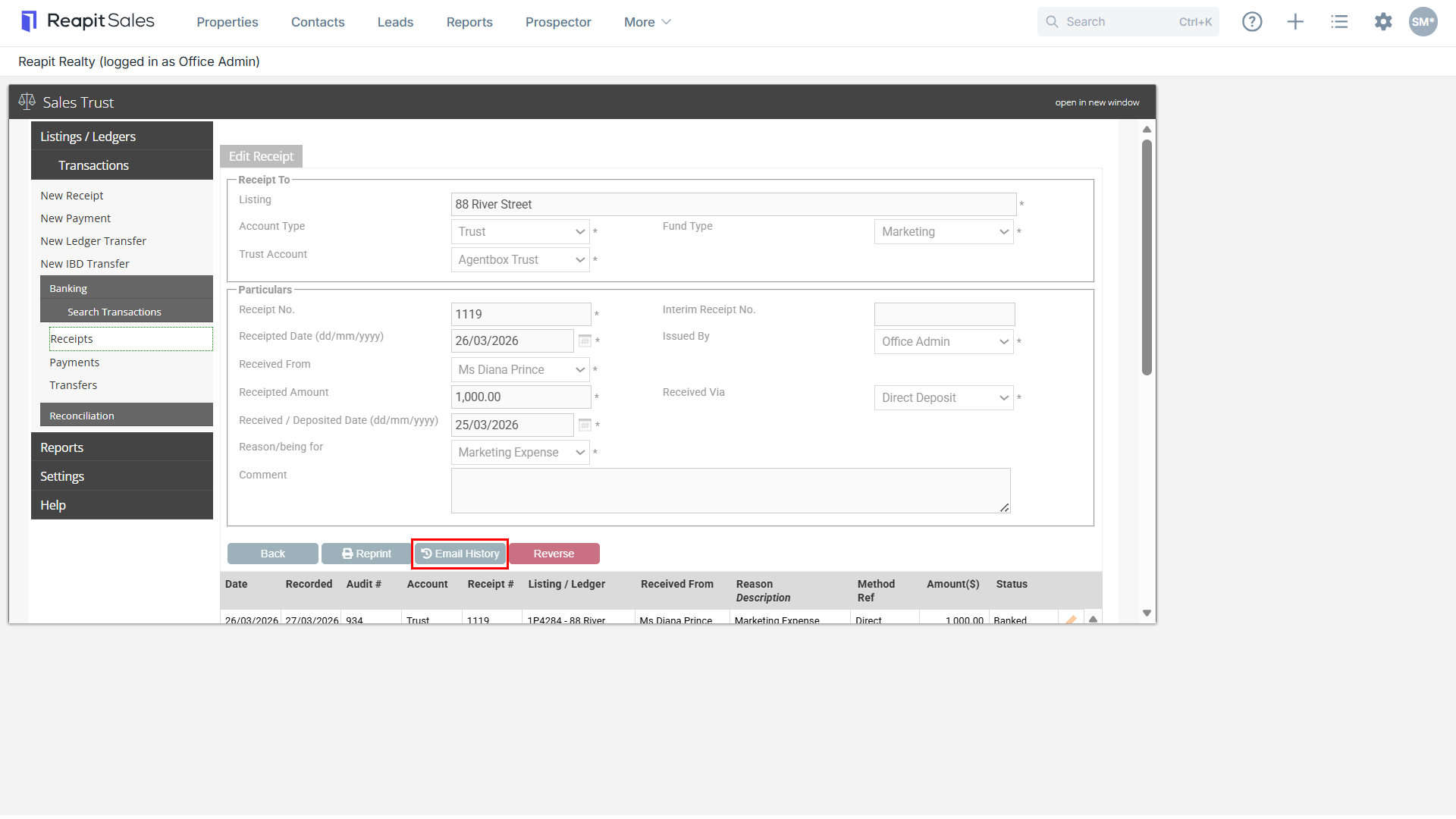
9. Click Resend to generate a new email.