'%20d='M0%208a8%208%200%200%201%208-8h24a8%208%200%200%201%208%208v24a8%208%200%200%201-8%208H8a8%208%200%200%201-8-8V8Z'/%3e%3cpath%20fill='%23fff'%20d='M10.41%206v3.779h15.048v19.537h4.132V6H10.41Z'/%3e%3cpath%20fill='%23fff'%20d='M20.967%2034V13.837L10.41%209.78v20.166L20.967%2034Z'/%3e%3cdefs%3e%3clinearGradient%20id='reapit-sales__a'%20x1='20.702'%20x2='20.702'%20y1='.351'%20y2='31.228'%20gradientUnits='userSpaceOnUse'%3e%3cstop%20stop-color='%235573FD'/%3e%3cstop%20offset='.575'%20stop-color='%234E56EA'/%3e%3c/linearGradient%3e%3c/defs%3e%3c/svg%3e)
Contacts List
The Contacts List allows you to add new contacts as well as view, filter and interact with existing contacts that you have access to. The topics in this article include: At a Glance Filters Searching the Contact List Filters Interacting with Contacts
The Contacts List allows you to add new contacts as well as view, filter and interact with existing contacts that you have access to.
The topics in this article include:
- At a Glance Filters
- Searching the Contact List
- Filters
- Interacting with Contacts
The Contacts List is access by selecting the Contacts tab at the top of the page.

At a Glance Filters
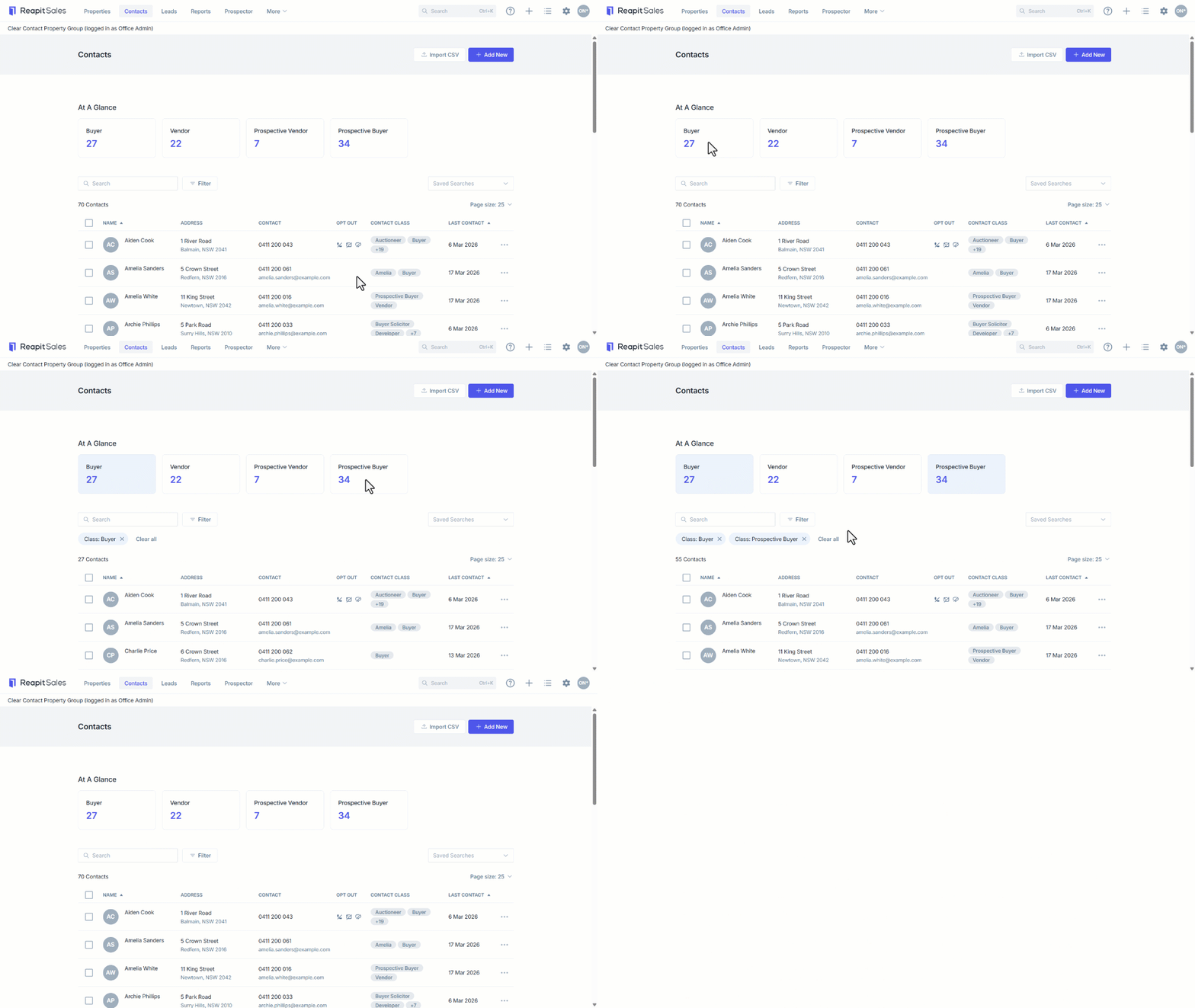
The At a Glance filters display the number of contacts under each filter.
- Select Buyer, Vendor, Prospective Vendor or Perspective Buyer to filter the contacts list.
- You can also display combine results by selecting multiple filters.
- Clear the filters by clicking on the x or Clear All.
Searching the Contact List
To find contacts, use the search bar by entering a:
- Name
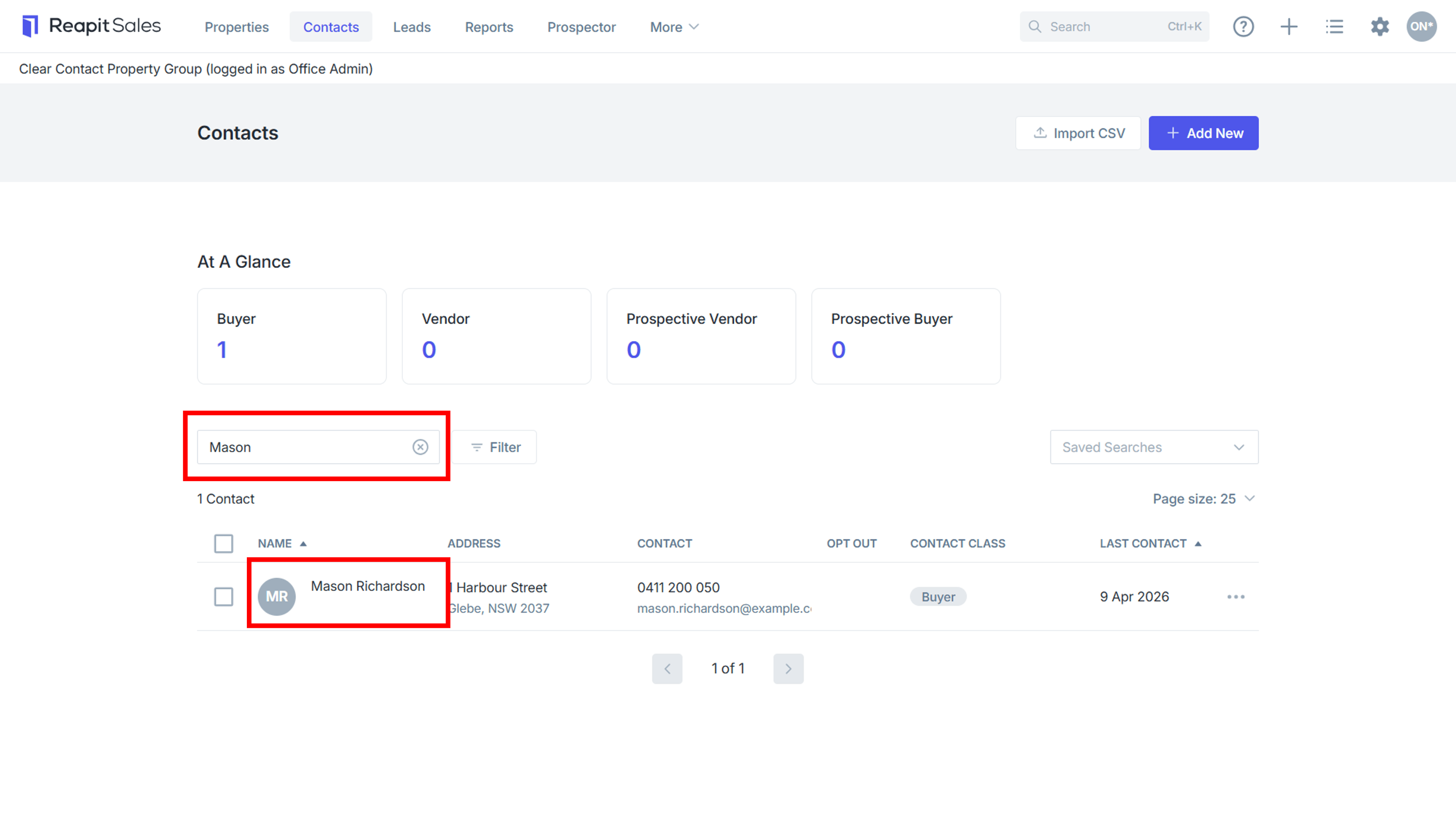
- Address

- Mobile number, or

- Email Address

Filters
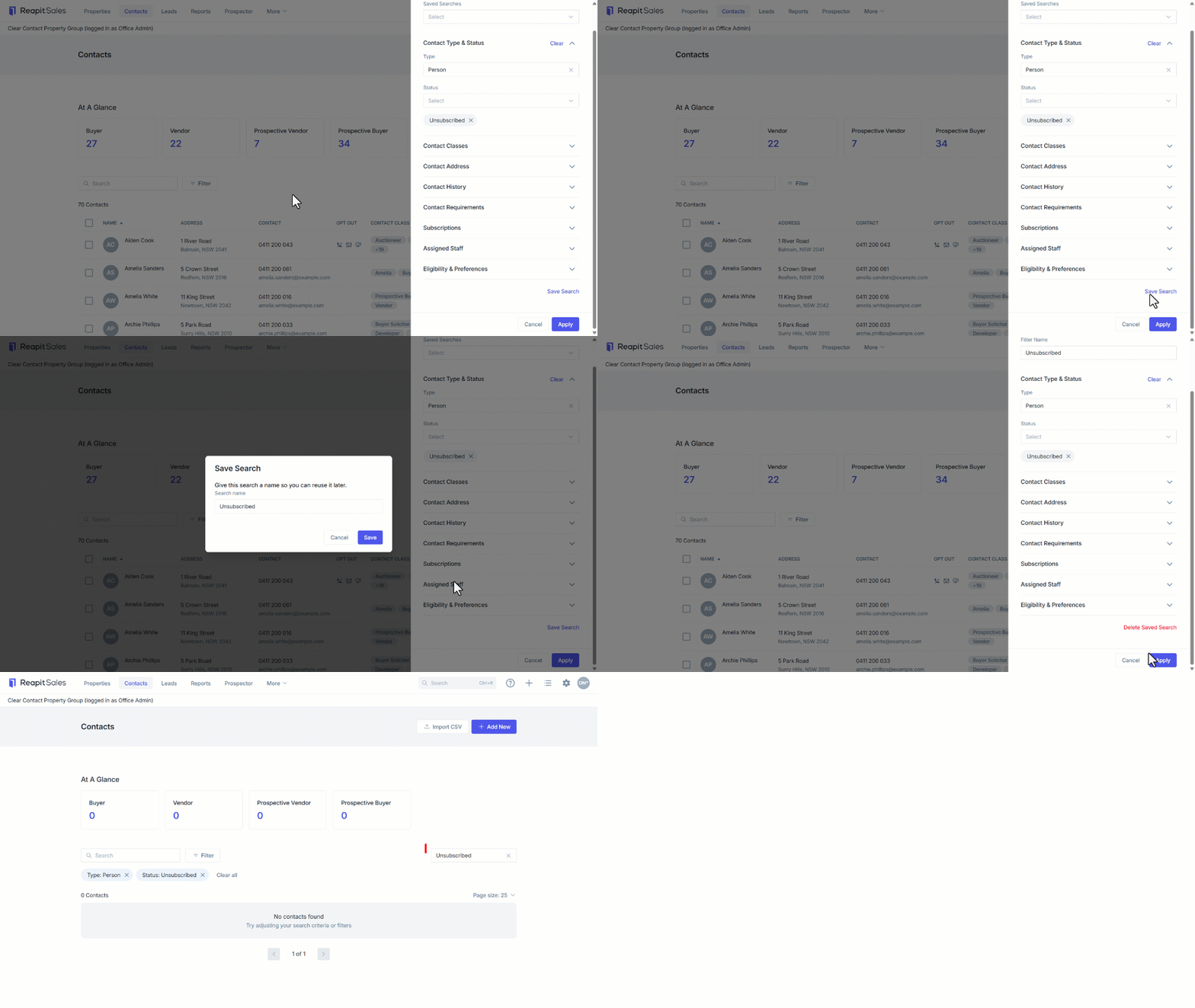
- Click on the Filter button to open the Filter Contacts drawer.
- Click on each filter type to expand and apply. You can apply multiple filters to each search.
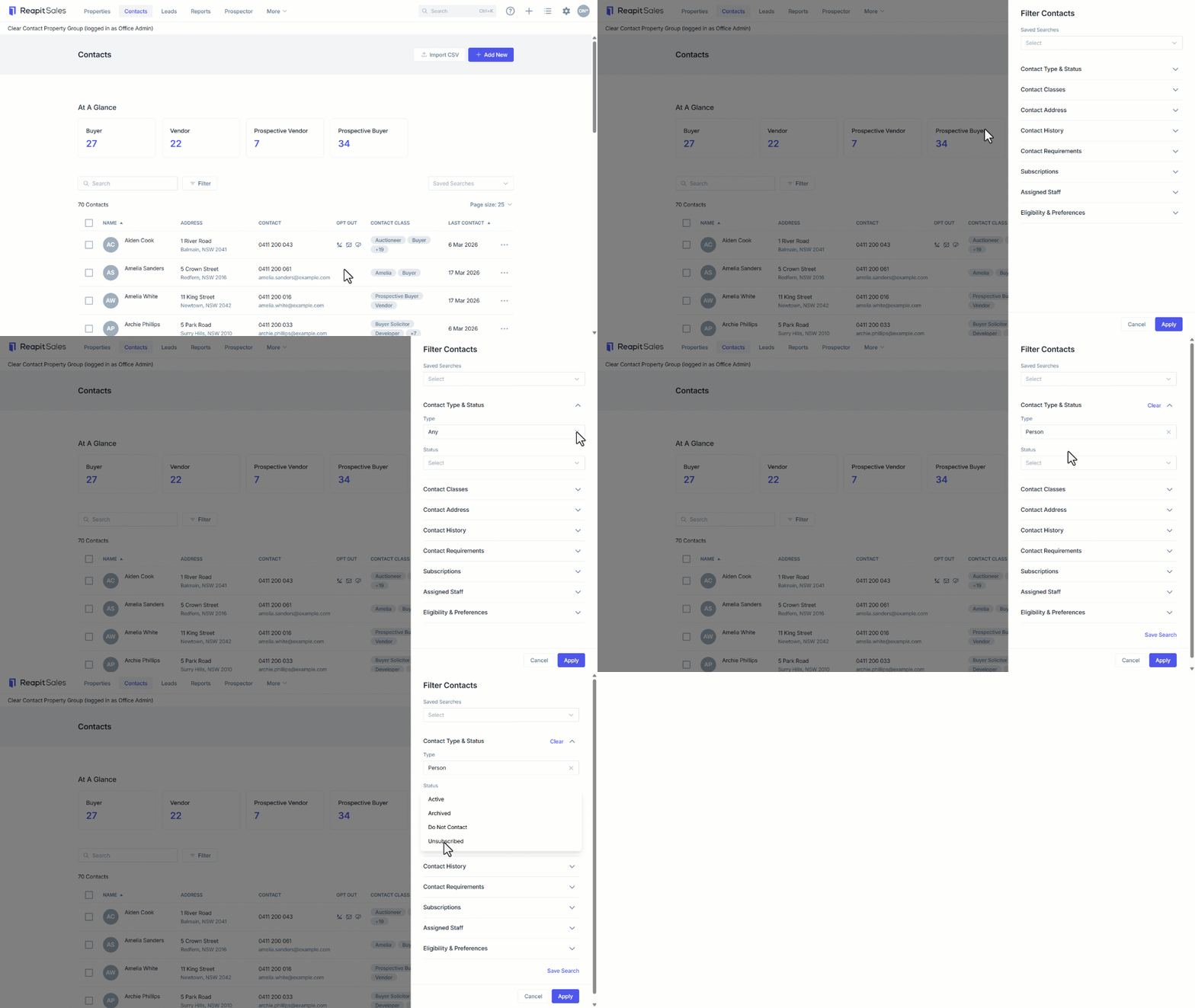
- To save the search, click on Save Search below the list of filters.
- Enter a name for the saved search
- Click on Save.
- Click on Apply to view the filtered results.
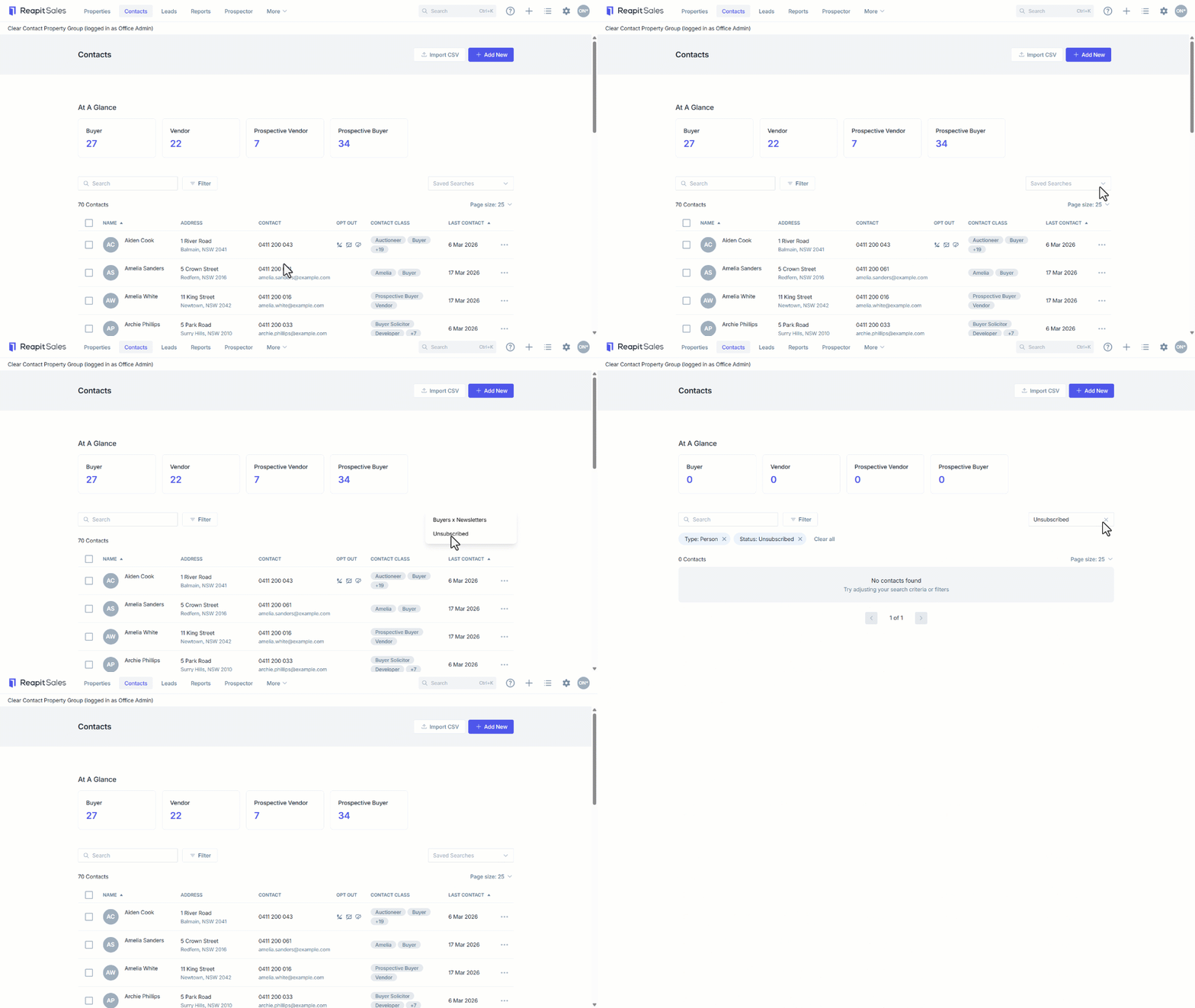
- To view a saved search, from the contacts list:
- Click on the Saved Searches dropdown.
- Select the saved search from the list.
- To remove the saved search filters from the contact list, Click on the X next to the Saved Search.
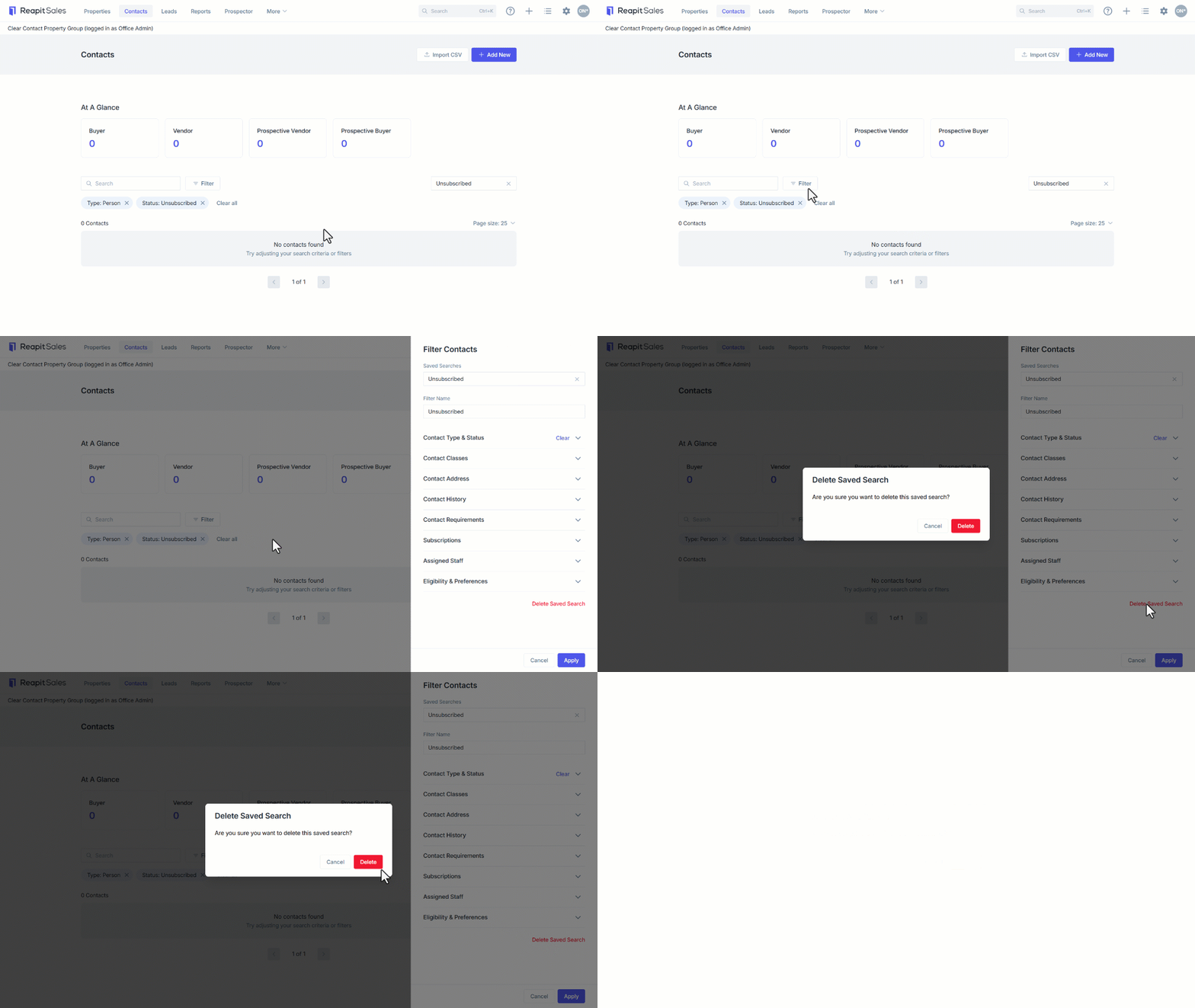
- To delete a saved search, when the search is applied:
- Click on the Filters button.
- Click on Delete Saved Search
- Confirm by clicking on Delete.
Interacting with Contacts
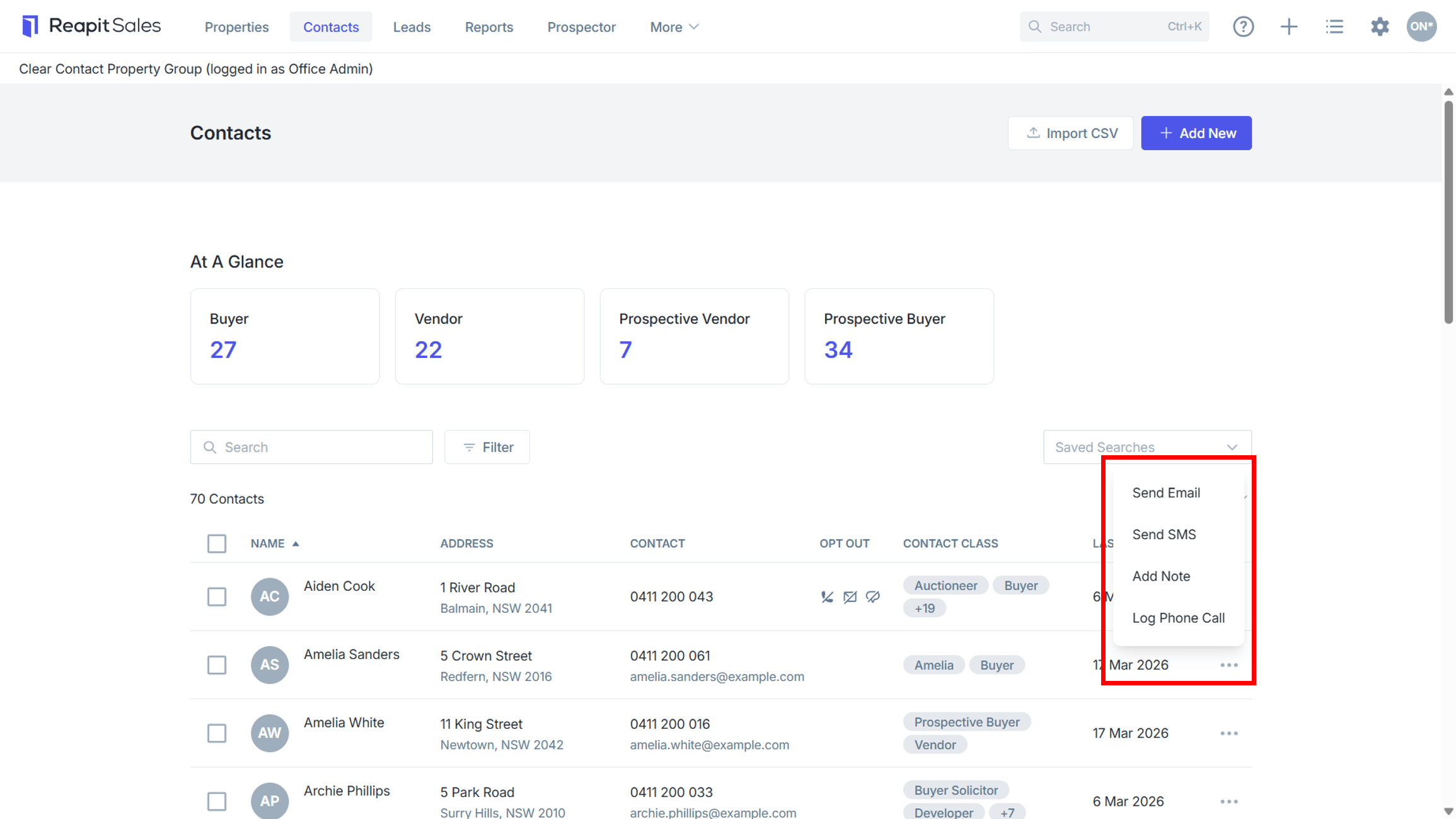
- Click on the contact to open their contact card.
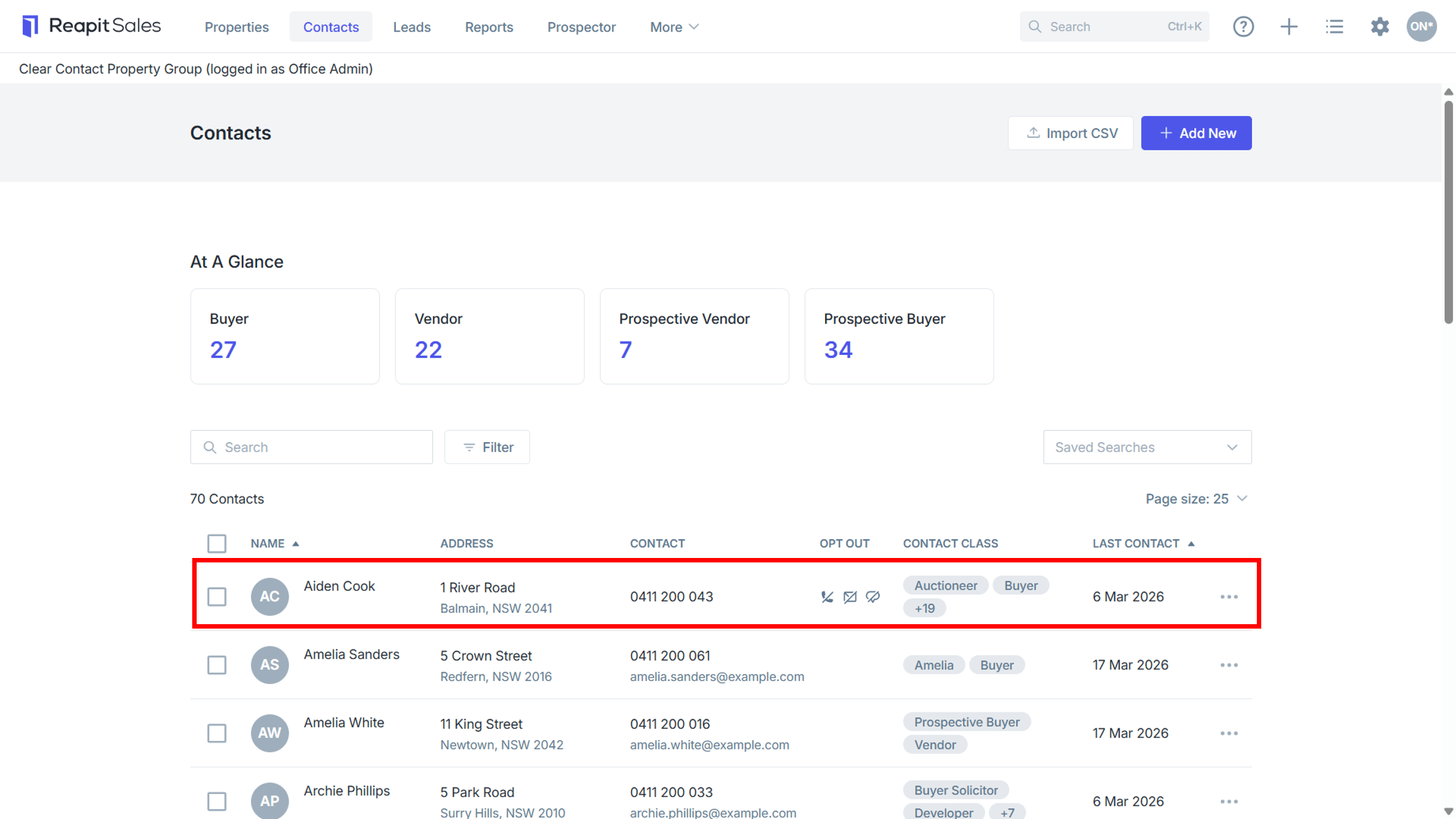
- Click on the 3-dots to:
- Send an Email
- Send an SMS
- Add a Note or
- Log a Phone Call
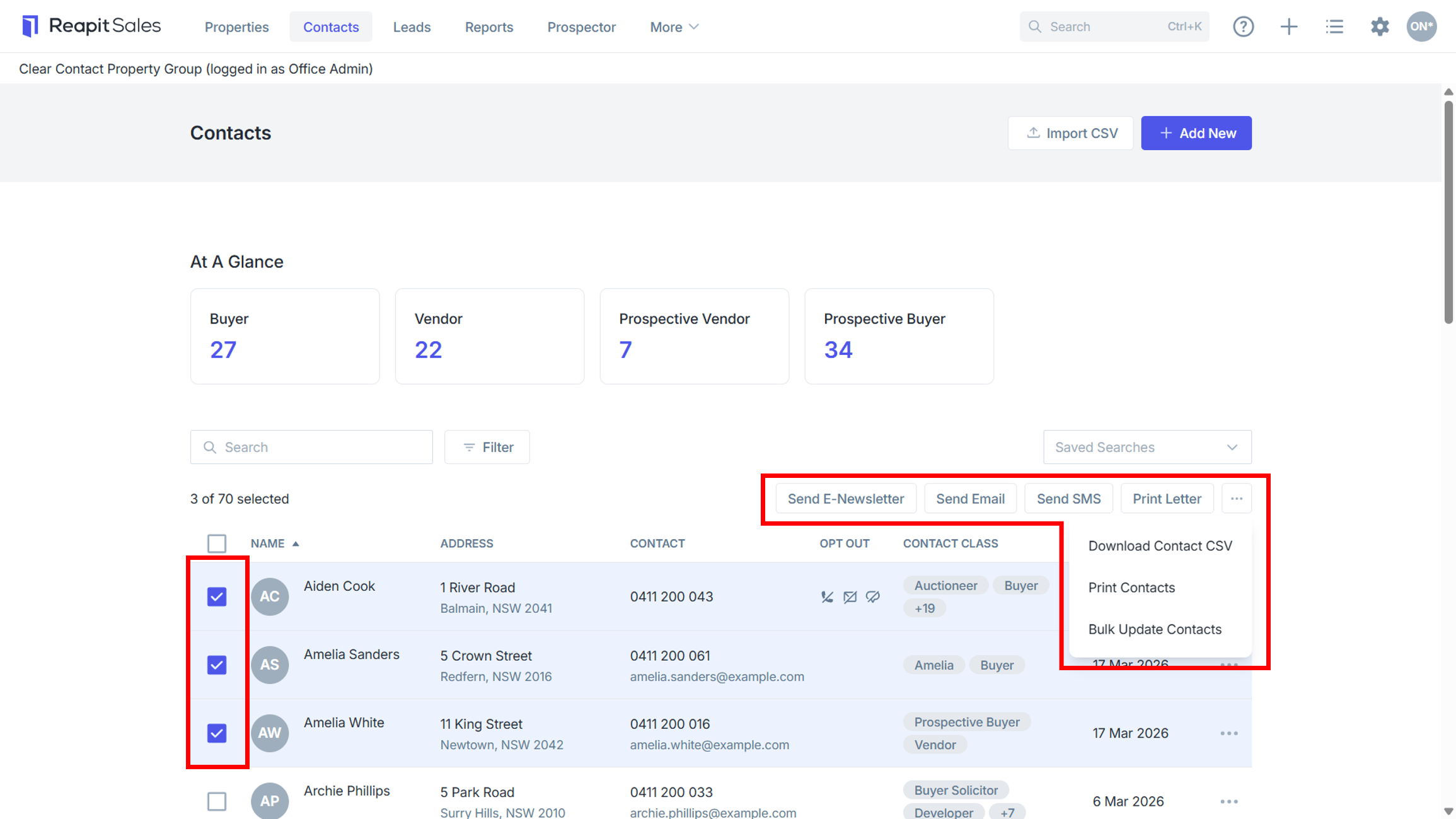
- Select 1 or multiple contacts to:
- Bulk Send an E-Newsletter, Email or SMS
- Print Letters
- Download CSV
- Print Contacts or
- Bulk Update Contacts.