'%20d='M0%208a8%208%200%200%201%208-8h24a8%208%200%200%201%208%208v24a8%208%200%200%201-8%208H8a8%208%200%200%201-8-8V8Z'/%3e%3cpath%20fill='%23fff'%20d='M10.41%206v3.779h15.048v19.537h4.132V6H10.41Z'/%3e%3cpath%20fill='%23fff'%20d='M20.967%2034V13.837L10.41%209.78v20.166L20.967%2034Z'/%3e%3cdefs%3e%3clinearGradient%20id='reapit-sales__a'%20x1='20.702'%20x2='20.702'%20y1='.351'%20y2='31.228'%20gradientUnits='userSpaceOnUse'%3e%3cstop%20stop-color='%235573FD'/%3e%3cstop%20offset='.575'%20stop-color='%234E56EA'/%3e%3c/linearGradient%3e%3c/defs%3e%3c/svg%3e)
Print Settings - CHROME
This article explains how to remove URL details and the footer from the Property Stocklist – CHROME in Reapit Sales.
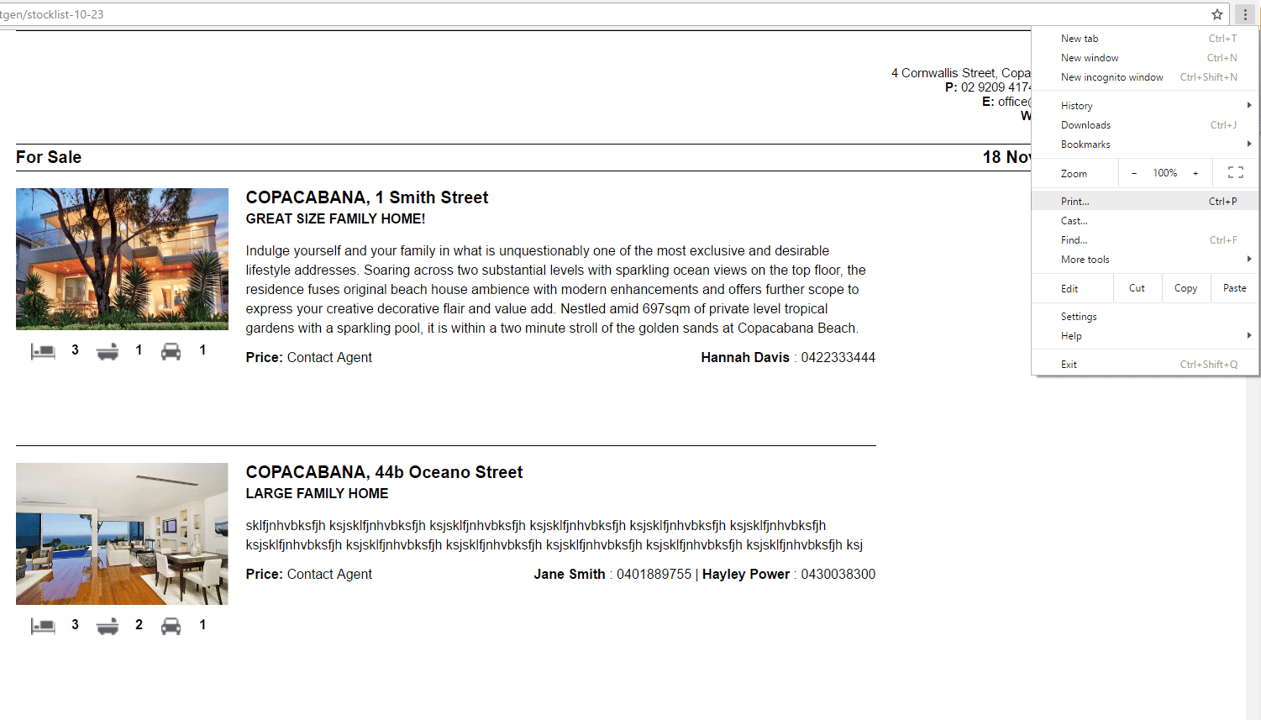
1. Click the Three Dot Icon on the top right corner of your Good Chrome browser or Right click on page
2. Select Print.
3. The Print box will appear on the left hand side
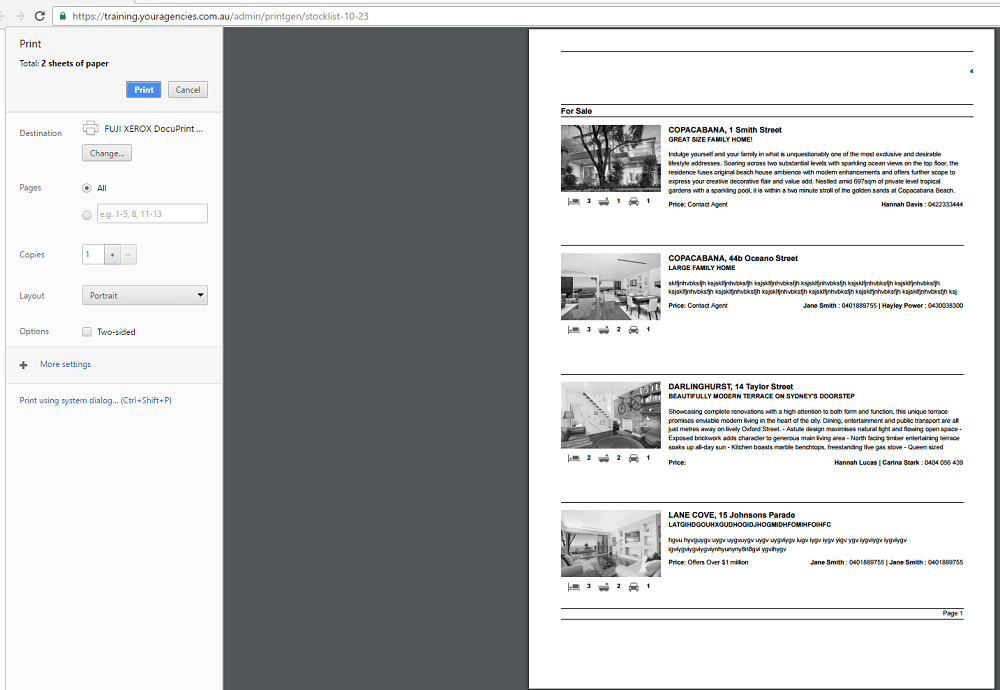
4. Click More Settings 
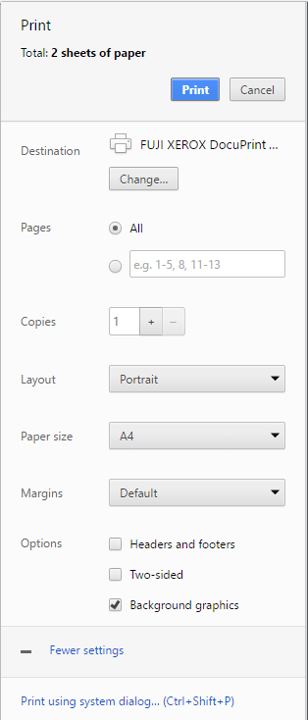
5. Set the Print Settings as follows;
- Layout: Portrait
- Paper Size: A4
- Margins: None
Options
- Ensure Headers & Footers is unticked
- Tick Two - sided if you are printing double sided
- Tick Background Graphics

6. Select Print  to finish.