'%20d='M0%208a8%208%200%200%201%208-8h24a8%208%200%200%201%208%208v24a8%208%200%200%201-8%208H8a8%208%200%200%201-8-8V8Z'/%3e%3cpath%20fill='%23fff'%20d='M10.41%206v3.779h15.048v19.537h4.132V6H10.41Z'/%3e%3cpath%20fill='%23fff'%20d='M20.967%2034V13.837L10.41%209.78v20.166L20.967%2034Z'/%3e%3cdefs%3e%3clinearGradient%20id='reapit-sales__a'%20x1='20.702'%20x2='20.702'%20y1='.351'%20y2='31.228'%20gradientUnits='userSpaceOnUse'%3e%3cstop%20stop-color='%235573FD'/%3e%3cstop%20offset='.575'%20stop-color='%234E56EA'/%3e%3c/linearGradient%3e%3c/defs%3e%3c/svg%3e)
Contact Property Enquirers
This article runs through how to communicate to a list of property enquirers in Reapit Sales.
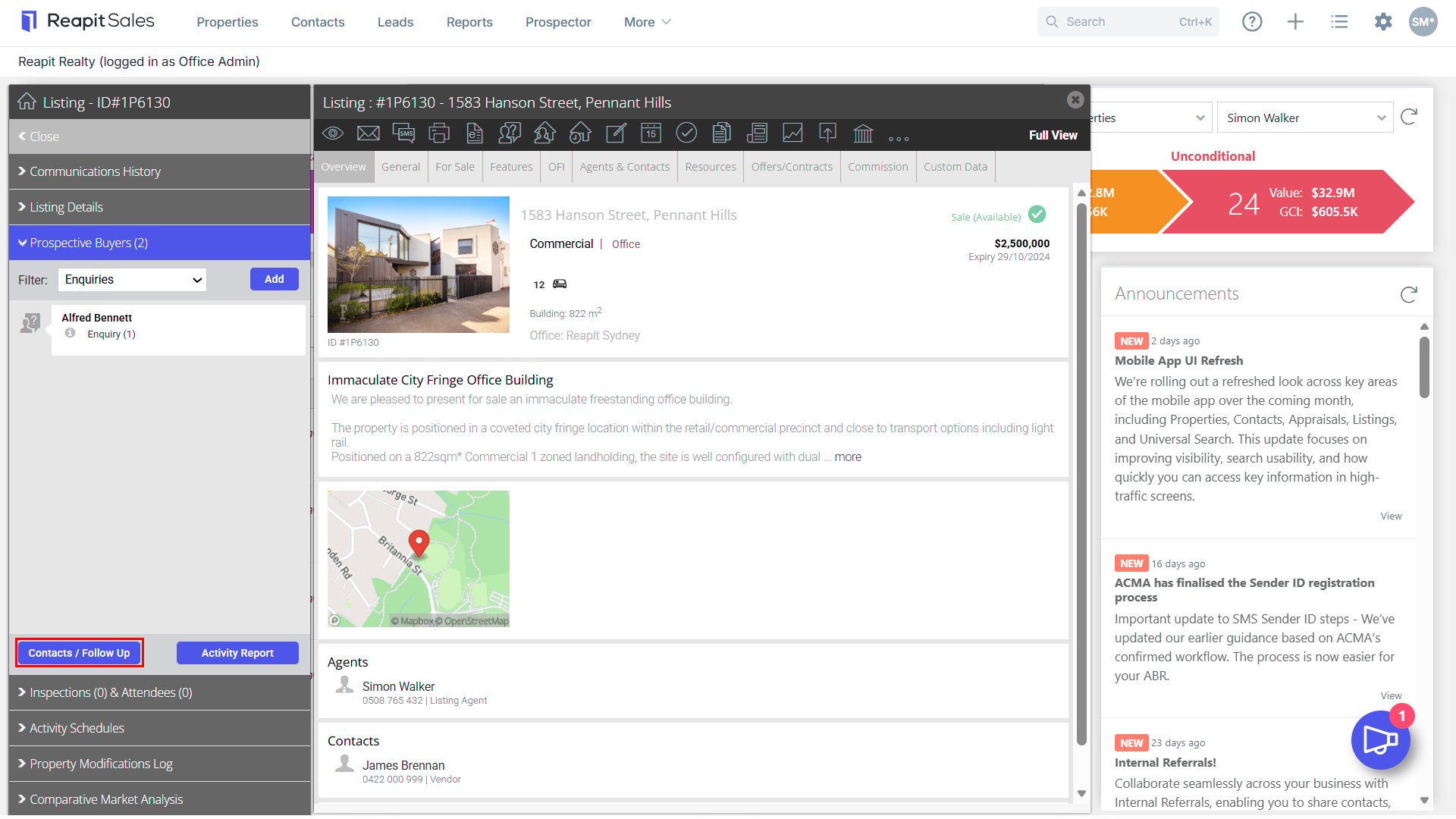
1. Search for your Property and open the property card.
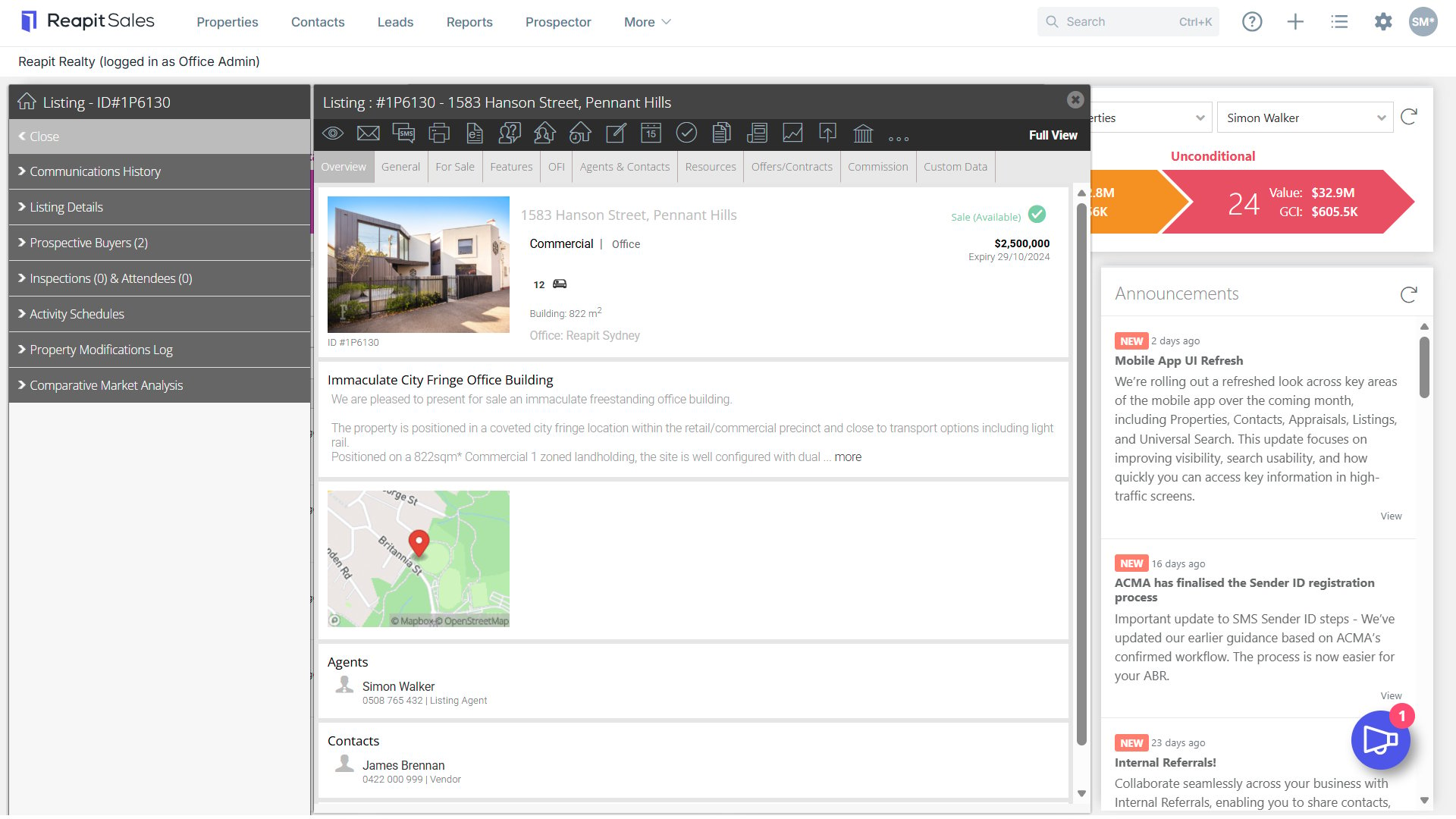
2. Click Prospective Buyers on the left property panel.
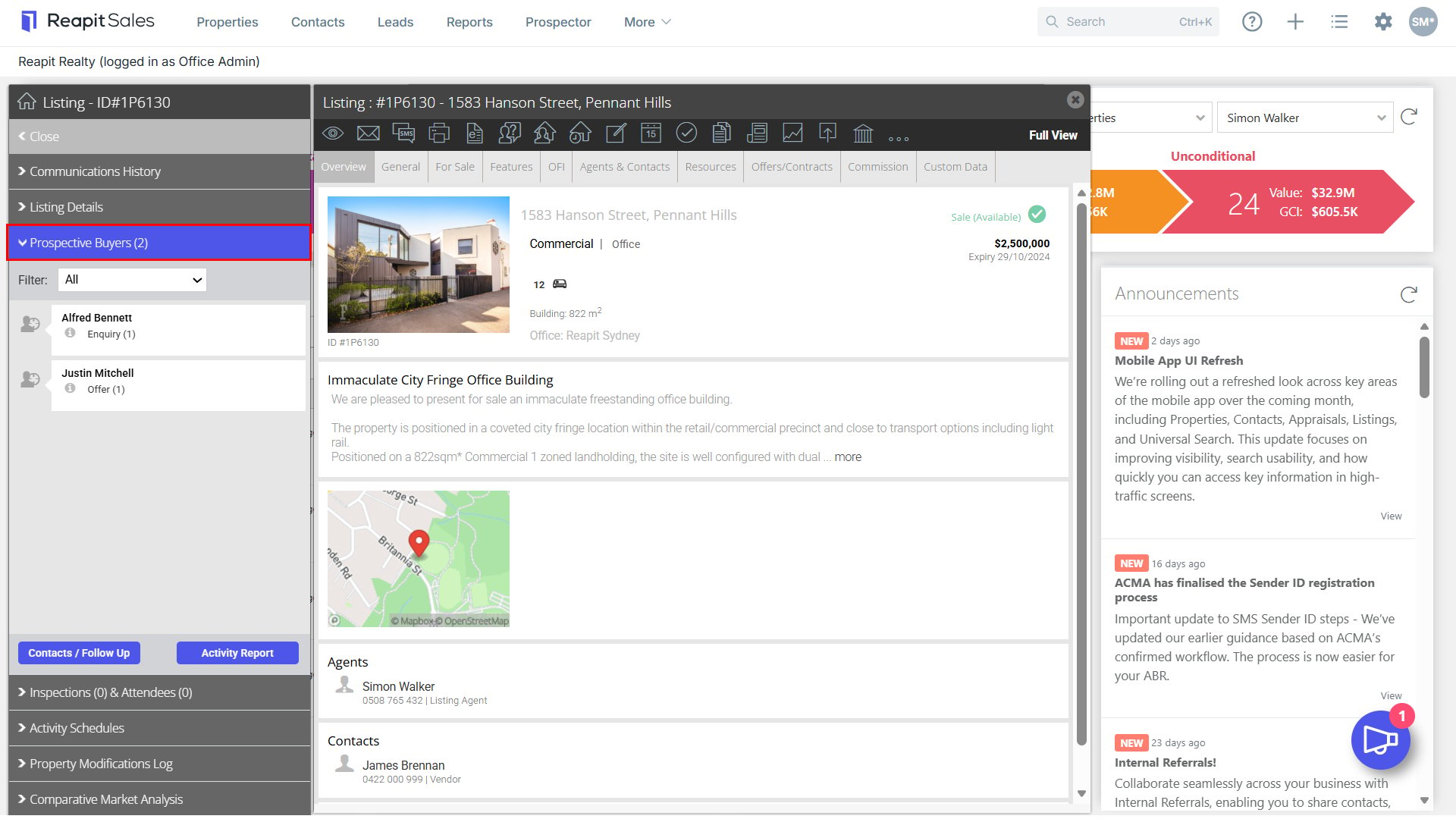
3. Sort by Enquiries by selecting Enquiries in the drop-down menu.
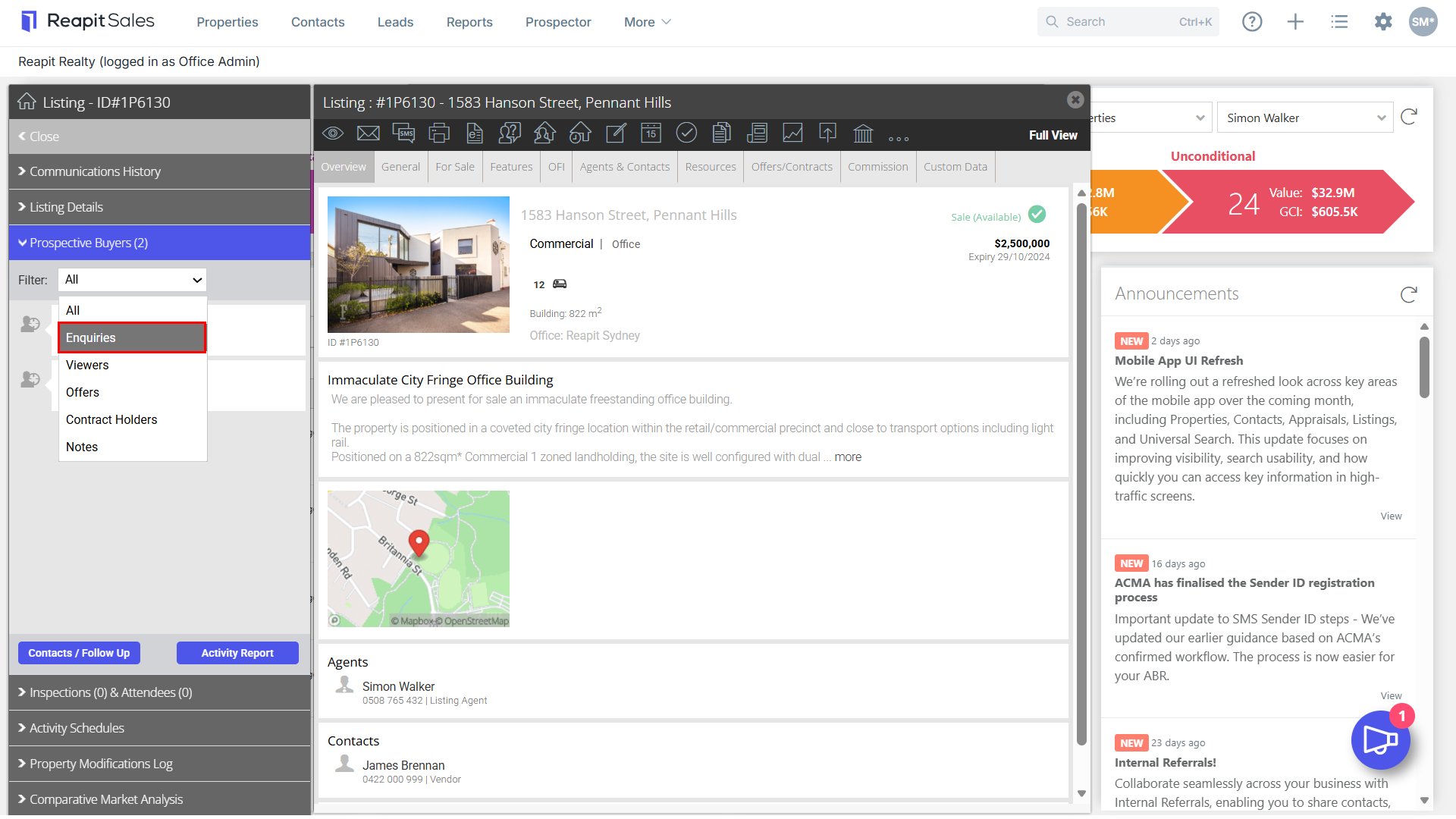
4. Click the Contacts/Follow Up button.
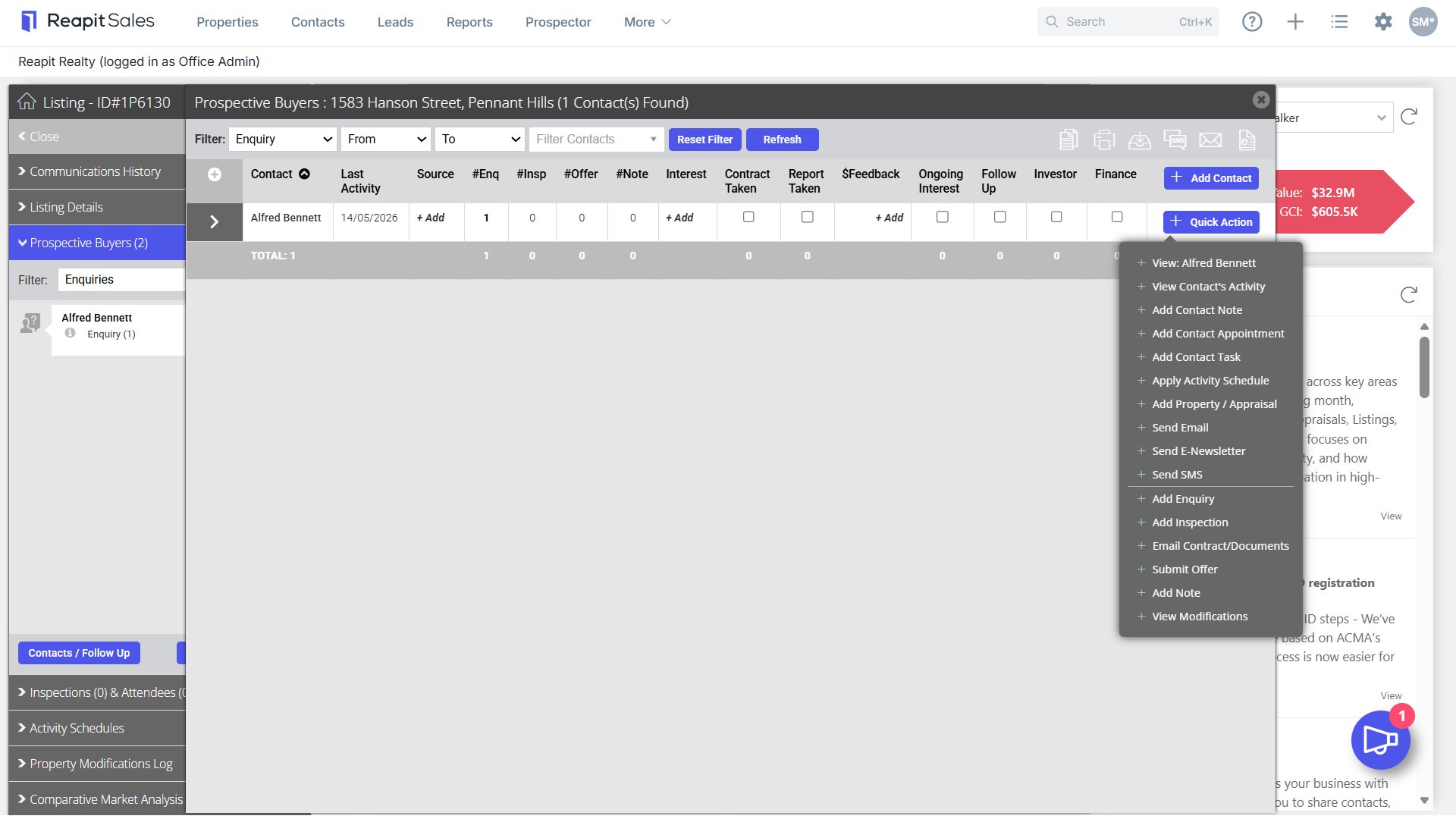
5. The list of contact will open. Use the Action Icons  to bulk communicate to these contacts via a Mail Merge, SMS, E-Newsletter or Print or Export your target list.

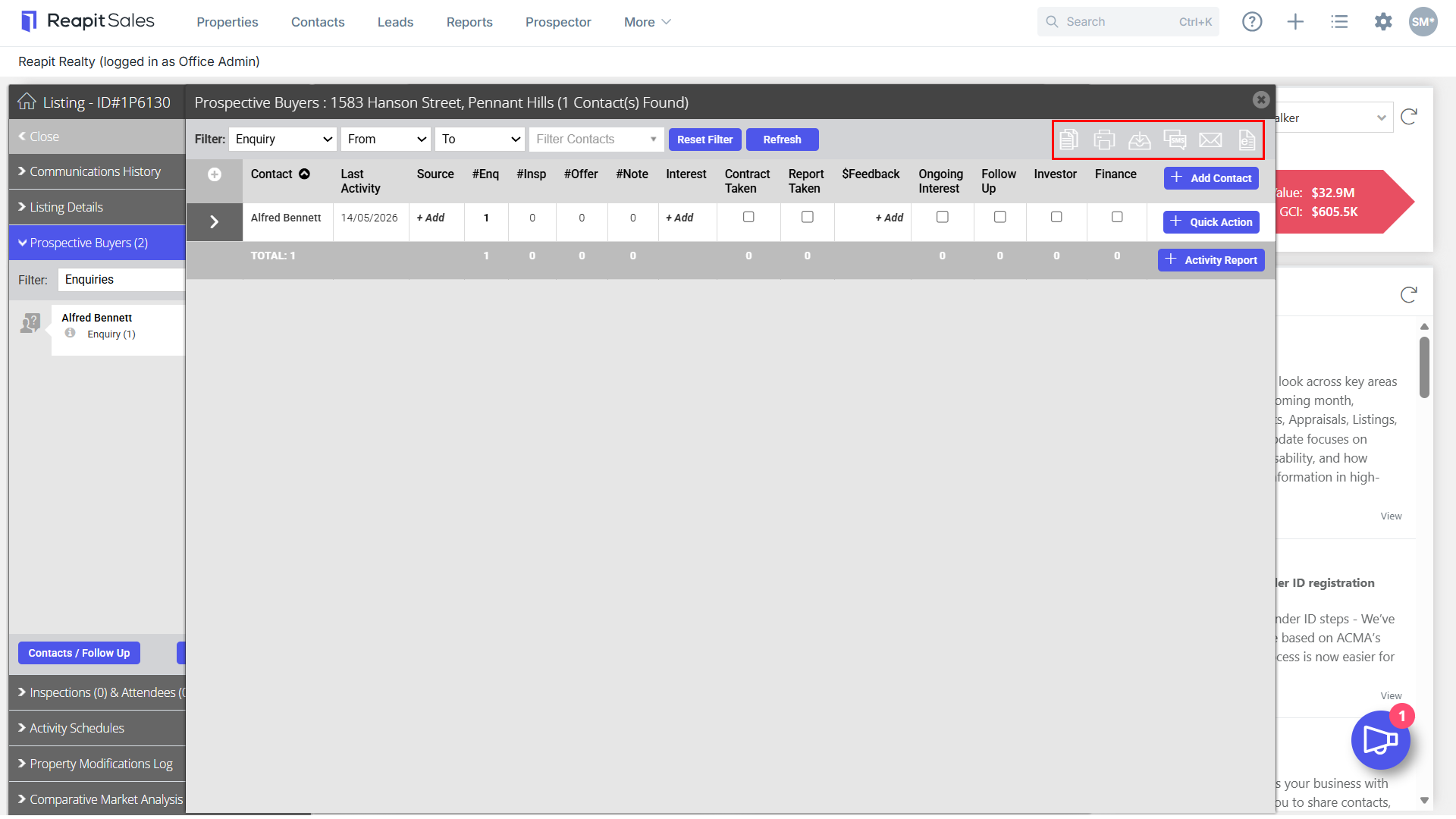
6. Click the +Quick Action button next to each contact to send an individual email, SMS or E-newsletter to the contact or email property documents.
Note: Add Note - When adding notes, choose whether to include this note in Vendor / Landlord Activity Report(s) with the new ‘Display to Vendor’ checkbox.