'%20d='M0%208a8%208%200%200%201%208-8h24a8%208%200%200%201%208%208v24a8%208%200%200%201-8%208H8a8%208%200%200%201-8-8V8Z'/%3e%3cpath%20fill='%23fff'%20d='M10.41%206v3.779h15.048v19.537h4.132V6H10.41Z'/%3e%3cpath%20fill='%23fff'%20d='M20.967%2034V13.837L10.41%209.78v20.166L20.967%2034Z'/%3e%3cdefs%3e%3clinearGradient%20id='reapit-sales__a'%20x1='20.702'%20x2='20.702'%20y1='.351'%20y2='31.228'%20gradientUnits='userSpaceOnUse'%3e%3cstop%20stop-color='%235573FD'/%3e%3cstop%20offset='.575'%20stop-color='%234E56EA'/%3e%3c/linearGradient%3e%3c/defs%3e%3c/svg%3e)
Marketing Packages
This article covers the marketing package settings in Reapit Sales.
*Note: Master Users or those with the permission 'Manage Office Configuration' can access this configuration location.
Offices can create pre-defined Marketing Packages for greater efficiency when adding marketing/expense items to a Listing.
A Marketing Package is made up of a collection of 'Supplier Items' allowing Users to apply multiple Items to a Listing's Campaign in one action.
*Note: Supplier items must be entered into the system to be able to create a package
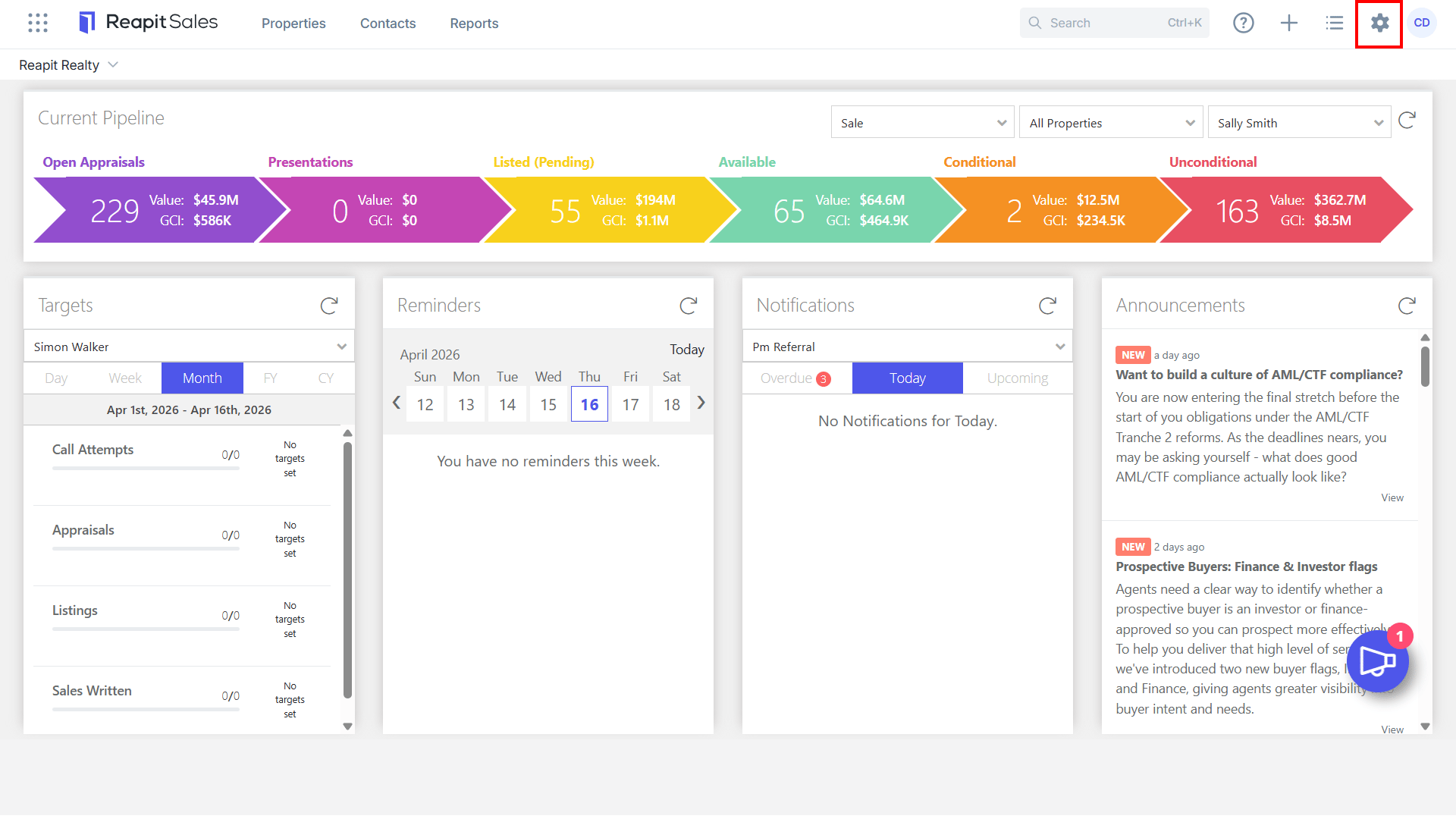
1. Click My Office on the main menu.
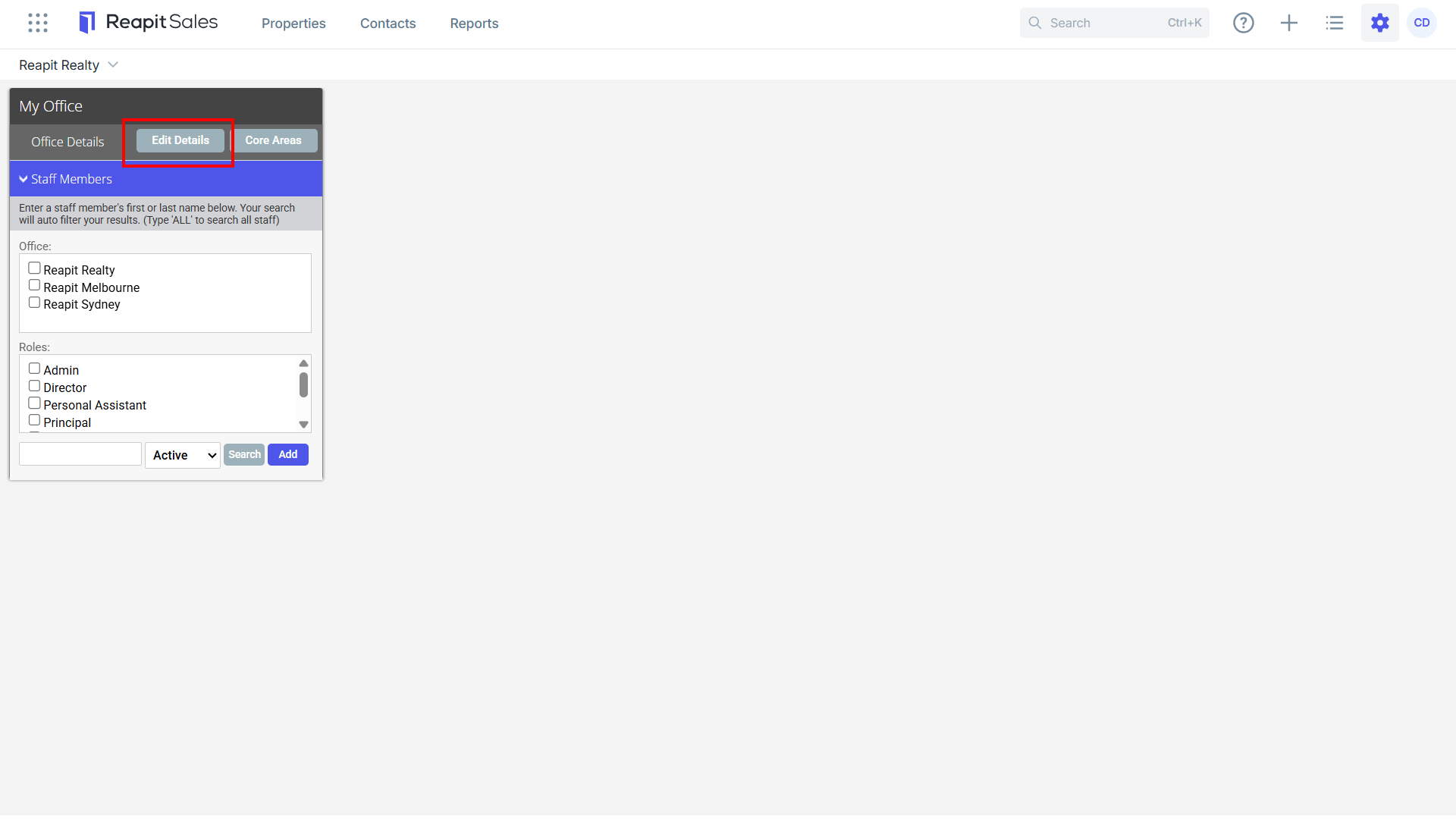
2. Click Edit Details on the left panel.
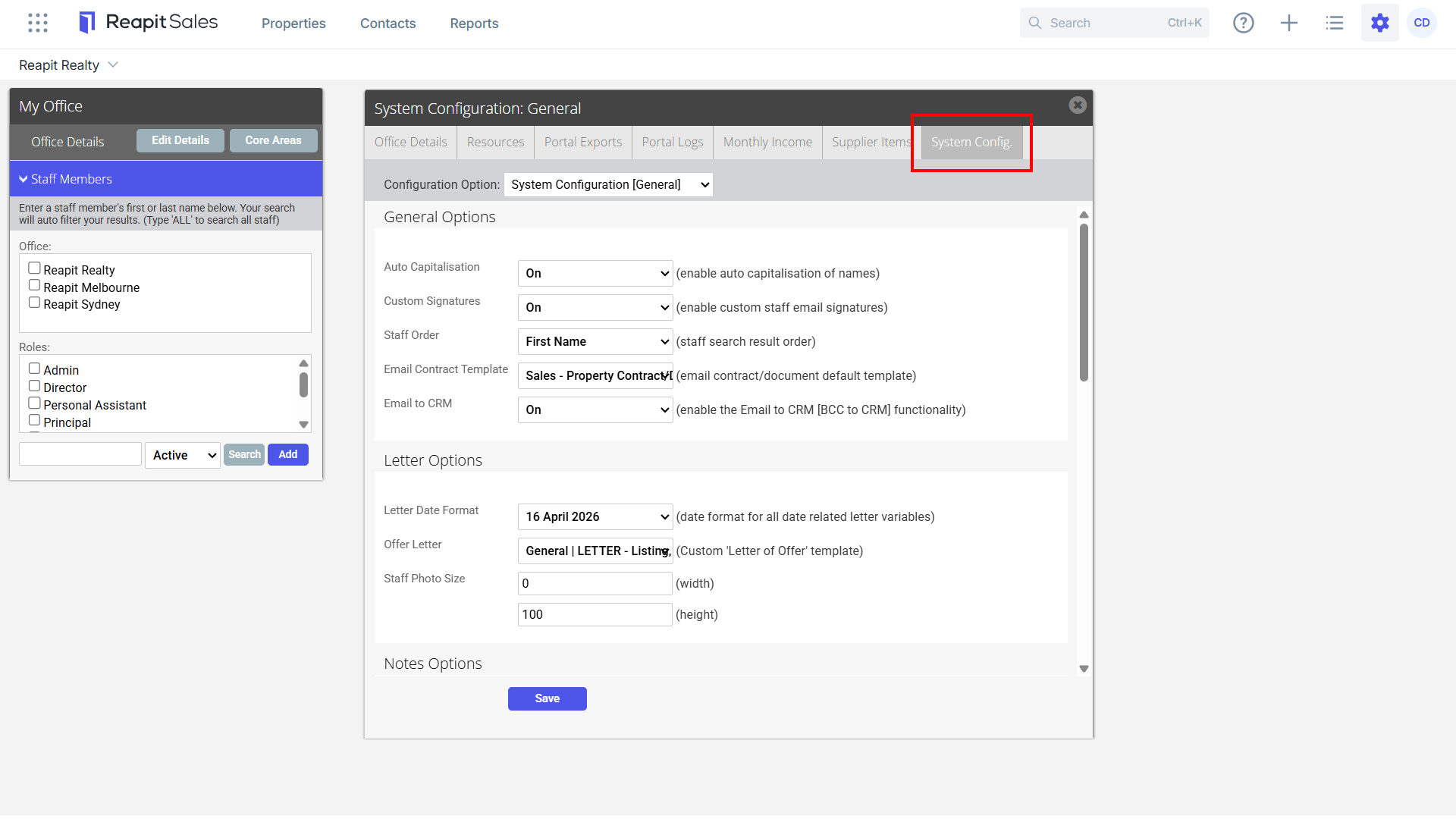
3. Click the System Configuration tab.
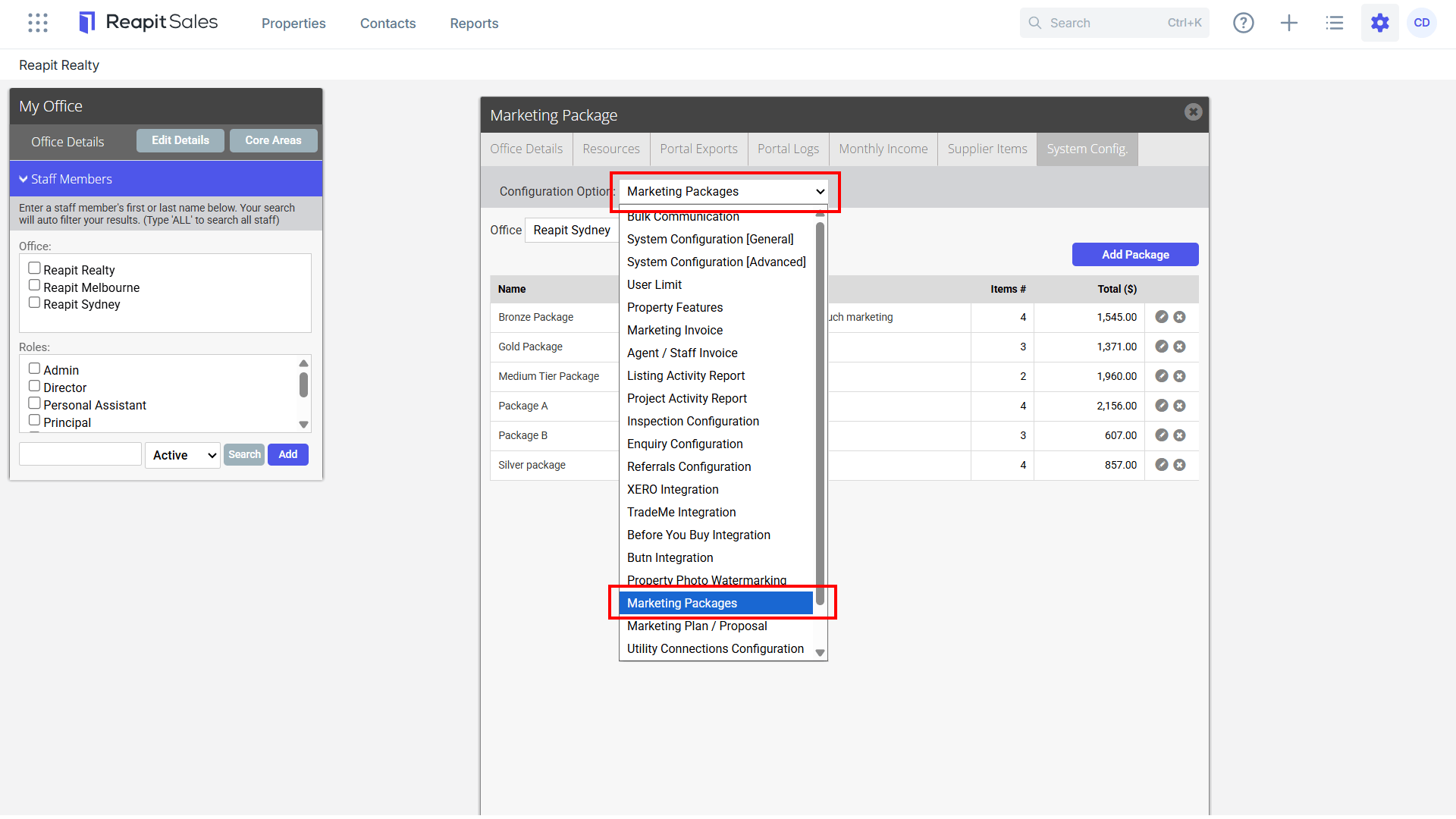
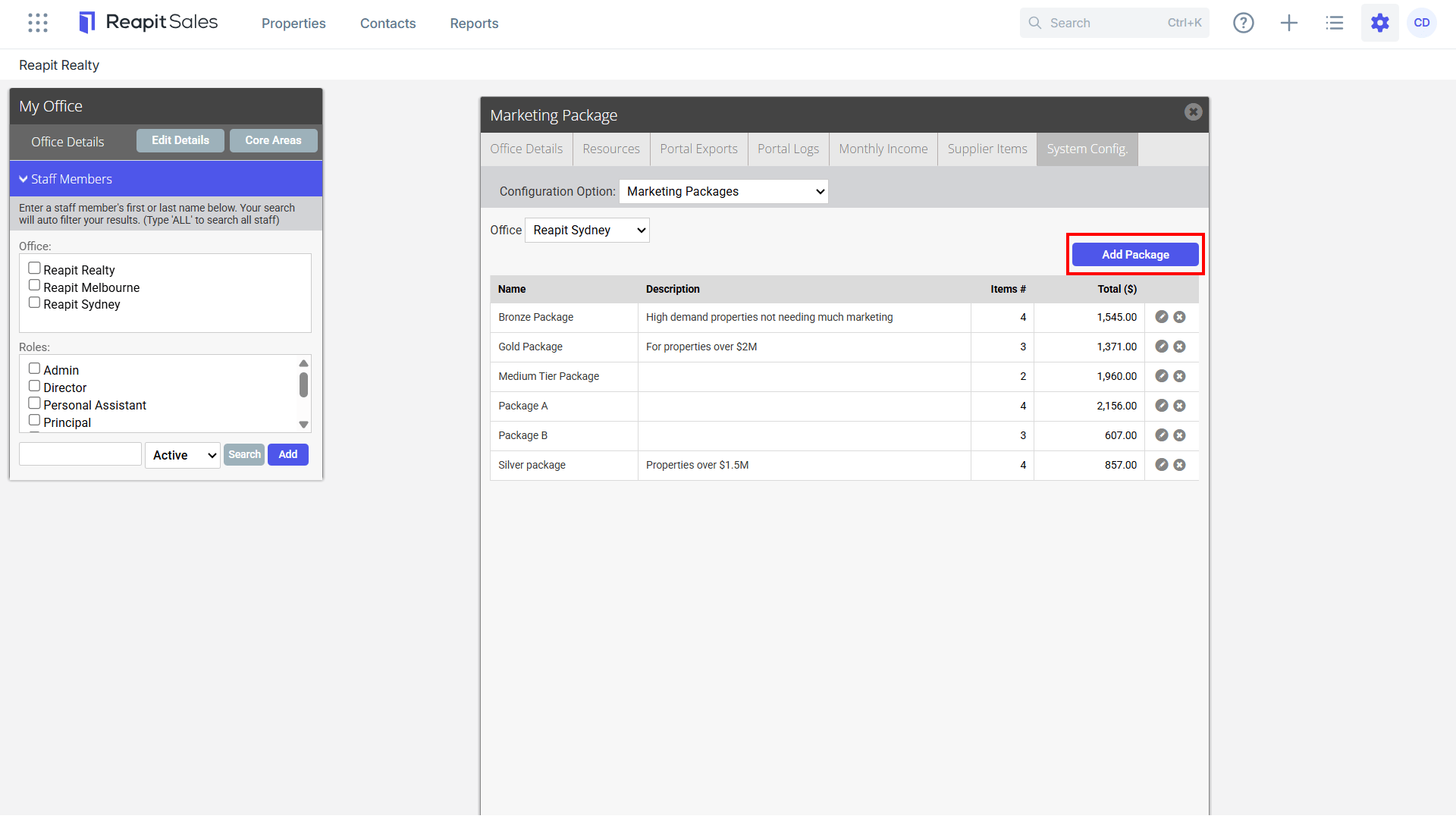
4. Select Marketing Packages from the Configuration Option drop-down.
5. Click Add Package to create a new Package Template.
6. Select an Office (only applicable in a branch system), Complete Package Name and Description.
7. Add Package Items.
*Note: supplier items must be entered into the system to be able to create a package. Please refer to How to add a supplierand How to add supplier items
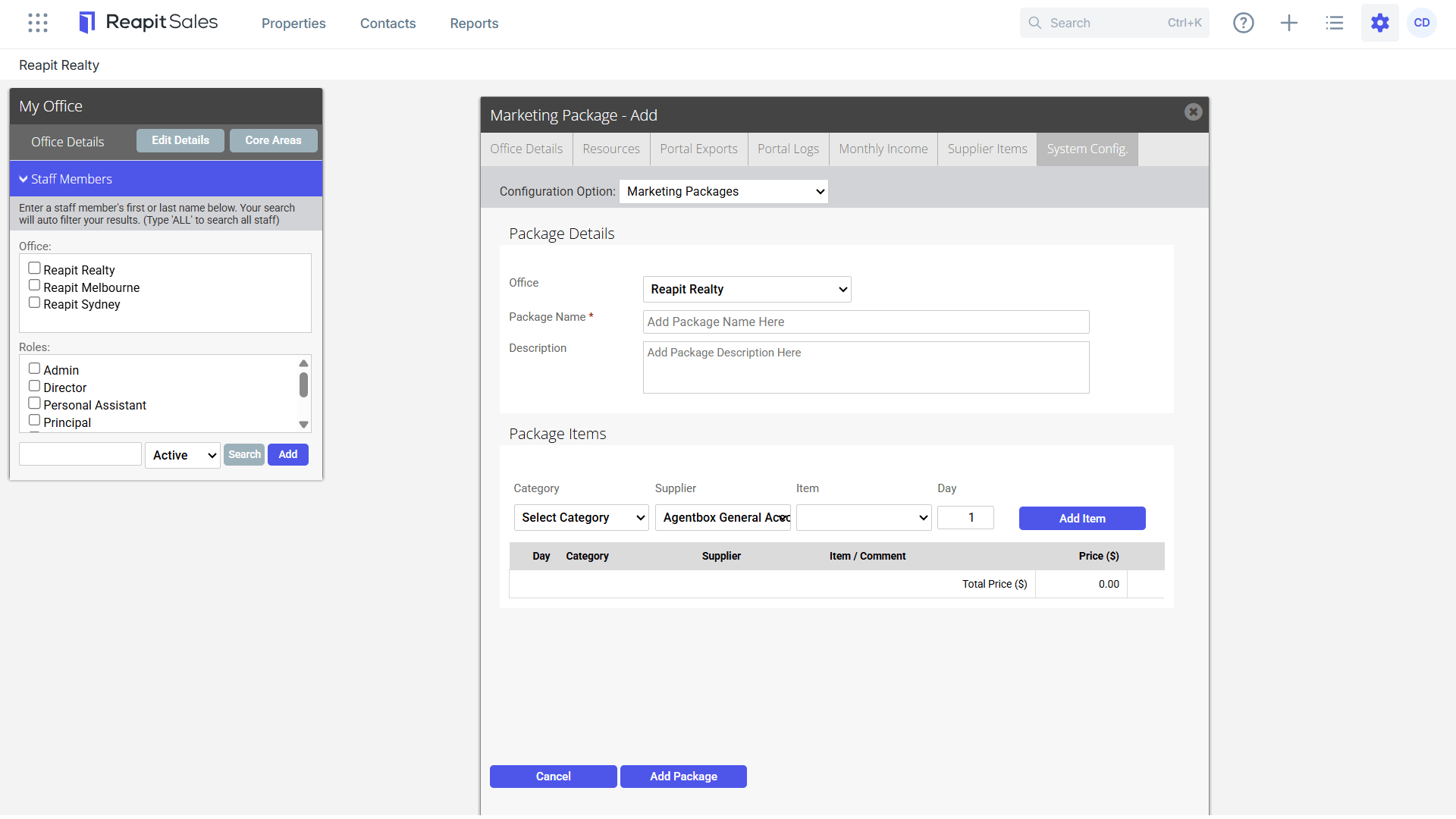
8. Once all Items have been added, click Add Package to save the Package template.