'%20d='M0%208a8%208%200%200%201%208-8h24a8%208%200%200%201%208%208v24a8%208%200%200%201-8%208H8a8%208%200%200%201-8-8V8Z'/%3e%3cpath%20fill='%23fff'%20d='M10.41%206v3.779h15.048v19.537h4.132V6H10.41Z'/%3e%3cpath%20fill='%23fff'%20d='M20.967%2034V13.837L10.41%209.78v20.166L20.967%2034Z'/%3e%3cdefs%3e%3clinearGradient%20id='reapit-sales__a'%20x1='20.702'%20x2='20.702'%20y1='.351'%20y2='31.228'%20gradientUnits='userSpaceOnUse'%3e%3cstop%20stop-color='%235573FD'/%3e%3cstop%20offset='.575'%20stop-color='%234E56EA'/%3e%3c/linearGradient%3e%3c/defs%3e%3c/svg%3e)
Bulk Update
This article runs through how to bulk update contacts in Reapit Sales.
Note: Permissions may apply.
Master Users are able to perform updates to contact records in bulk. The following actions can now be performed against multiple contact records in a single mass operation:
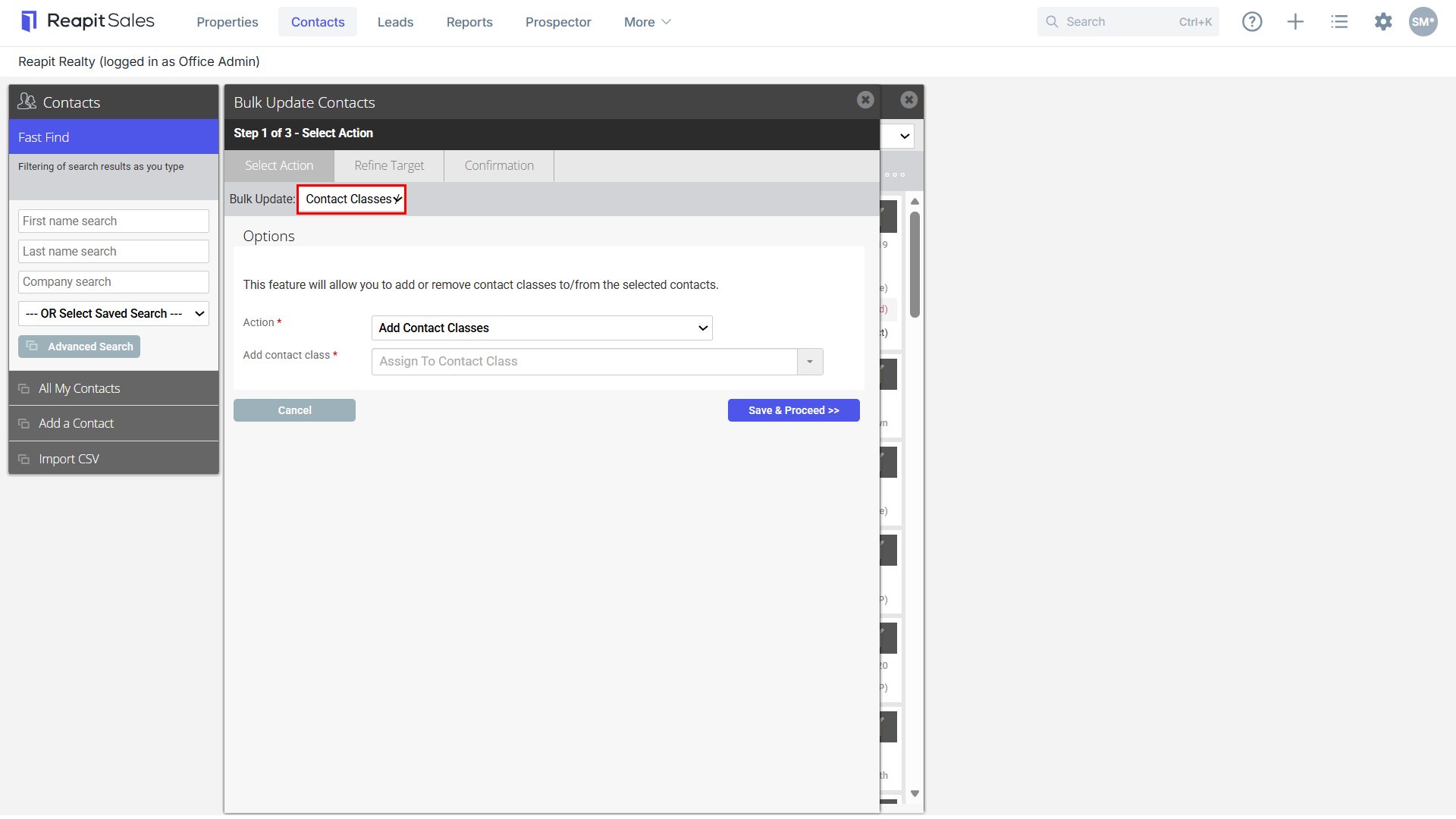
- Add/Remove Contact Classes/Custom Classes
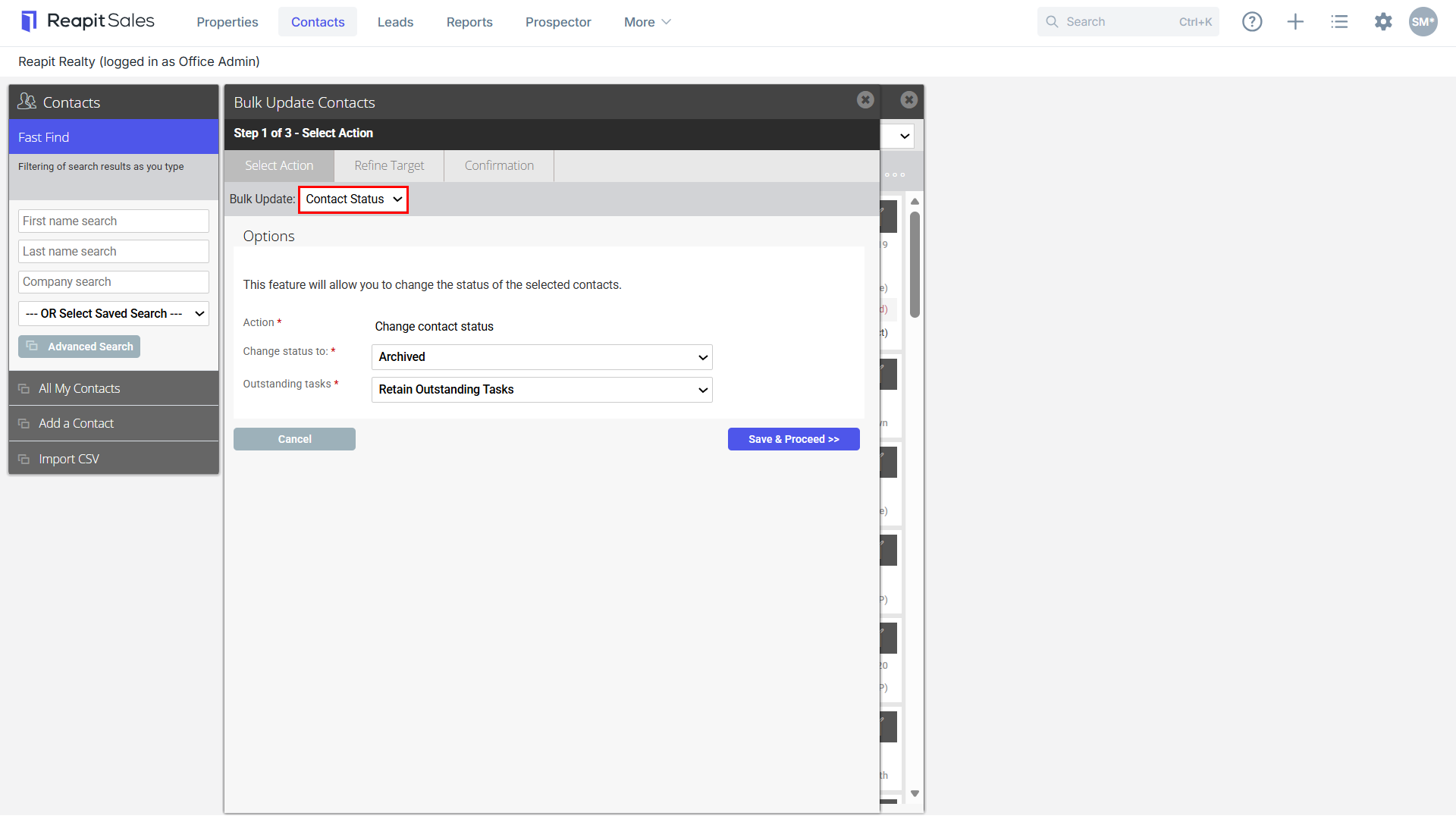
- Change Contact Status to Unsubscribed, Do Not Contact or Archived
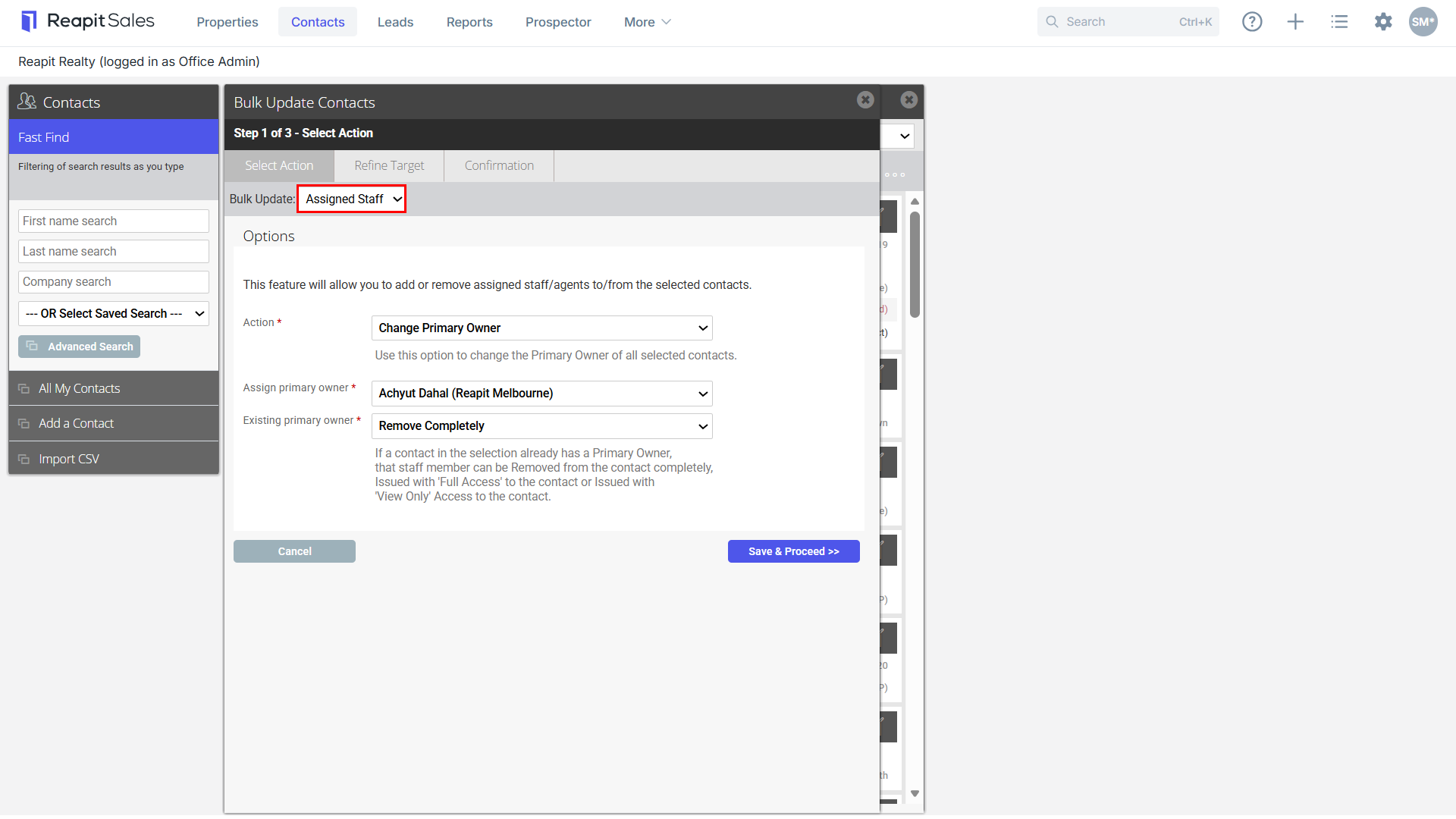
- Add/Remove/Replace Assigned Staff and/or Change Primary Owner
- Add/Remove Subscriptions
In addition to the Contact Modifications Log, a record of every single Bulk Contact Action performed is stored and able to be reported on via the new Contact Bulk Actions Report.
Note: The update limit is set to 5000 contacts per update. To increase this limit the office licensee will need to reach out to Support at salessupportanz@reapit.com
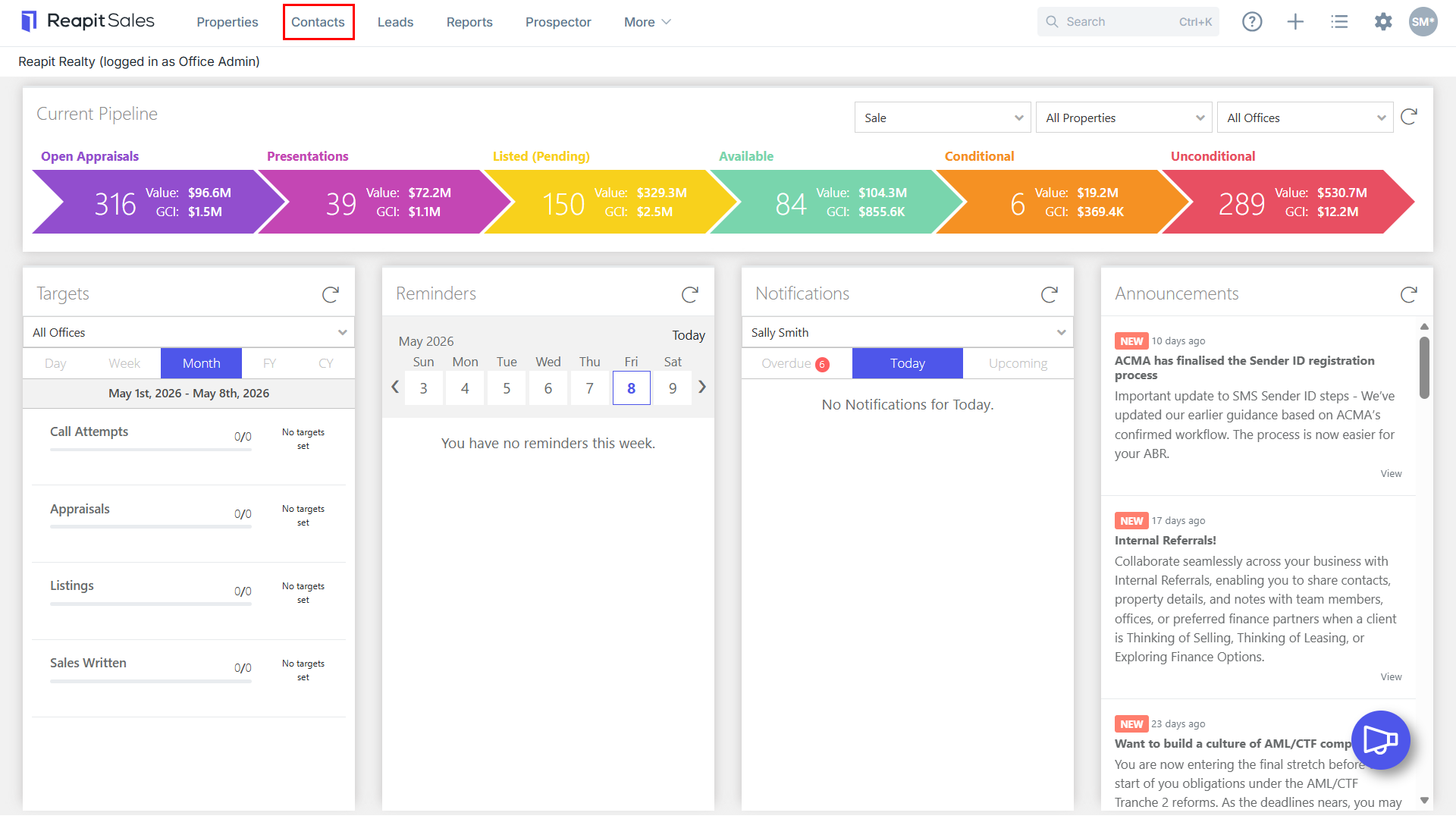
1. Click the Contact icon from the main menu.

2. Click Advanced Search from the left panel.

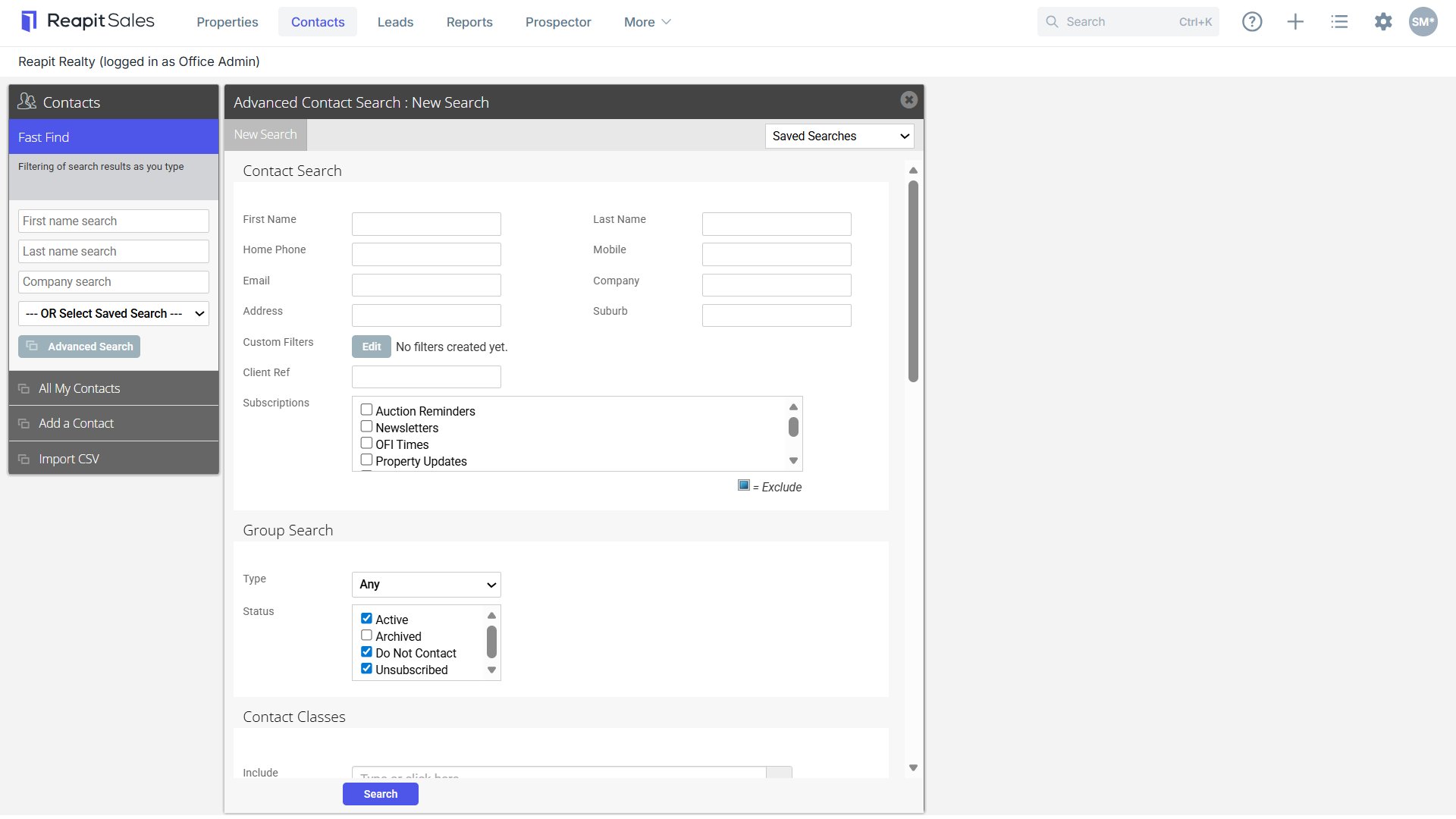
3. Enter your Search Criteria into the appropriate fields.
4. Click Search.
5. Your Target List will appear on screen
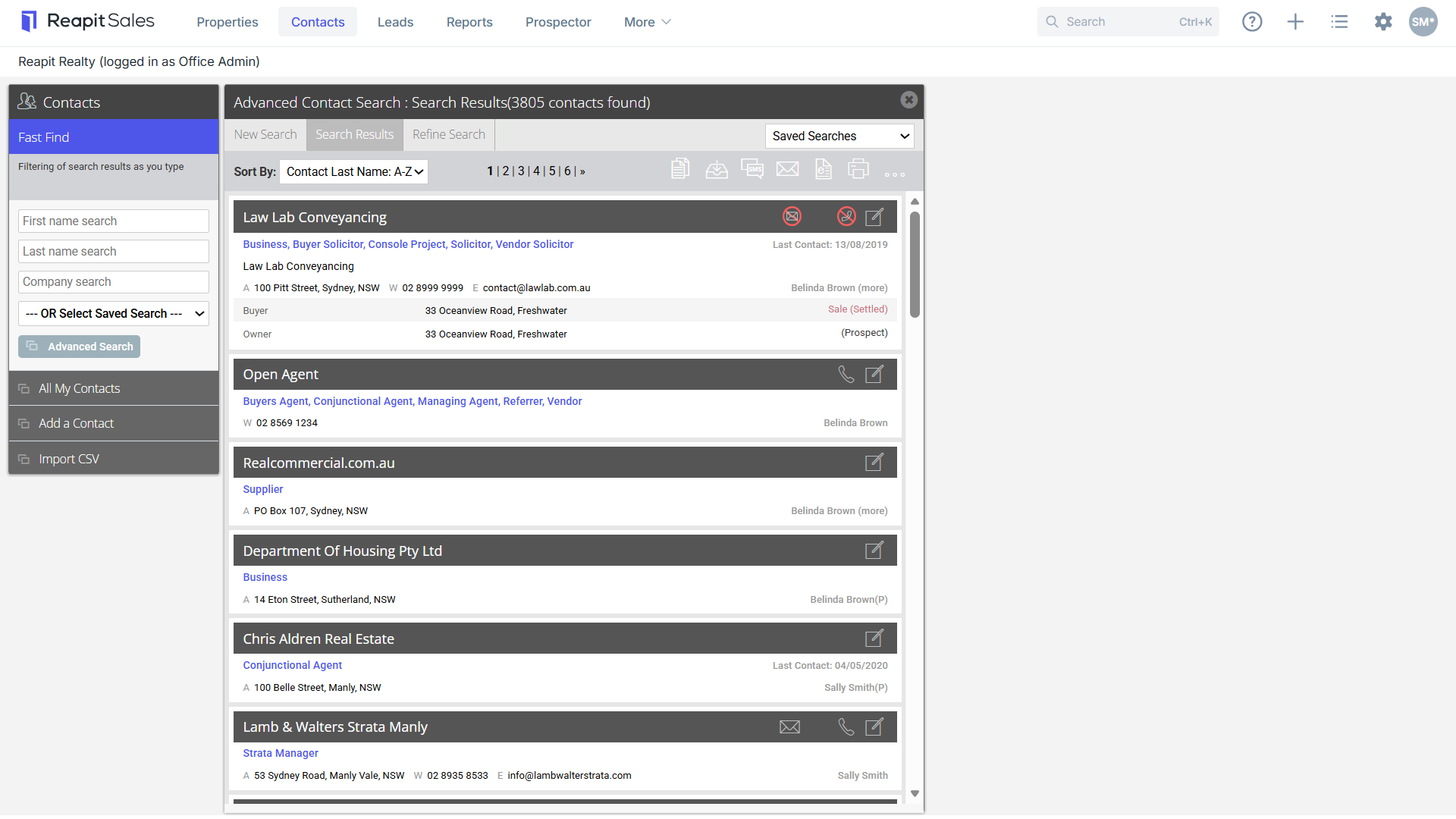

6. Click the Bulk Update Contacts Icon.
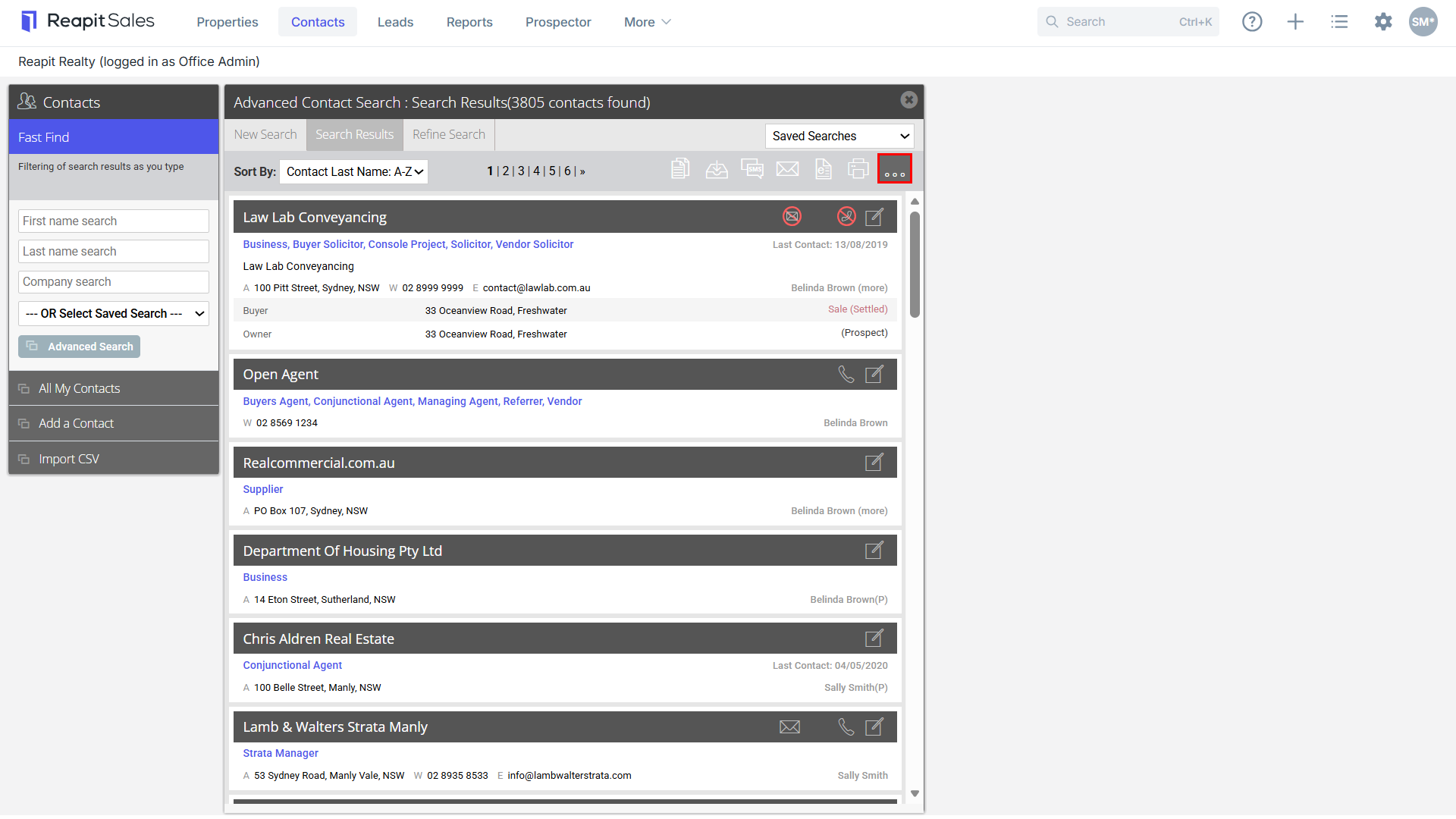
7. Select the necessary action:
Add/Remove Contact Classes/Custom Classes

Change Contact Status to Unsubscribed, Do Not Contact or Archived

Add/Remove/Replace Assigned Staff and/or Change Primary Owner

Add/Remove Subscriptions
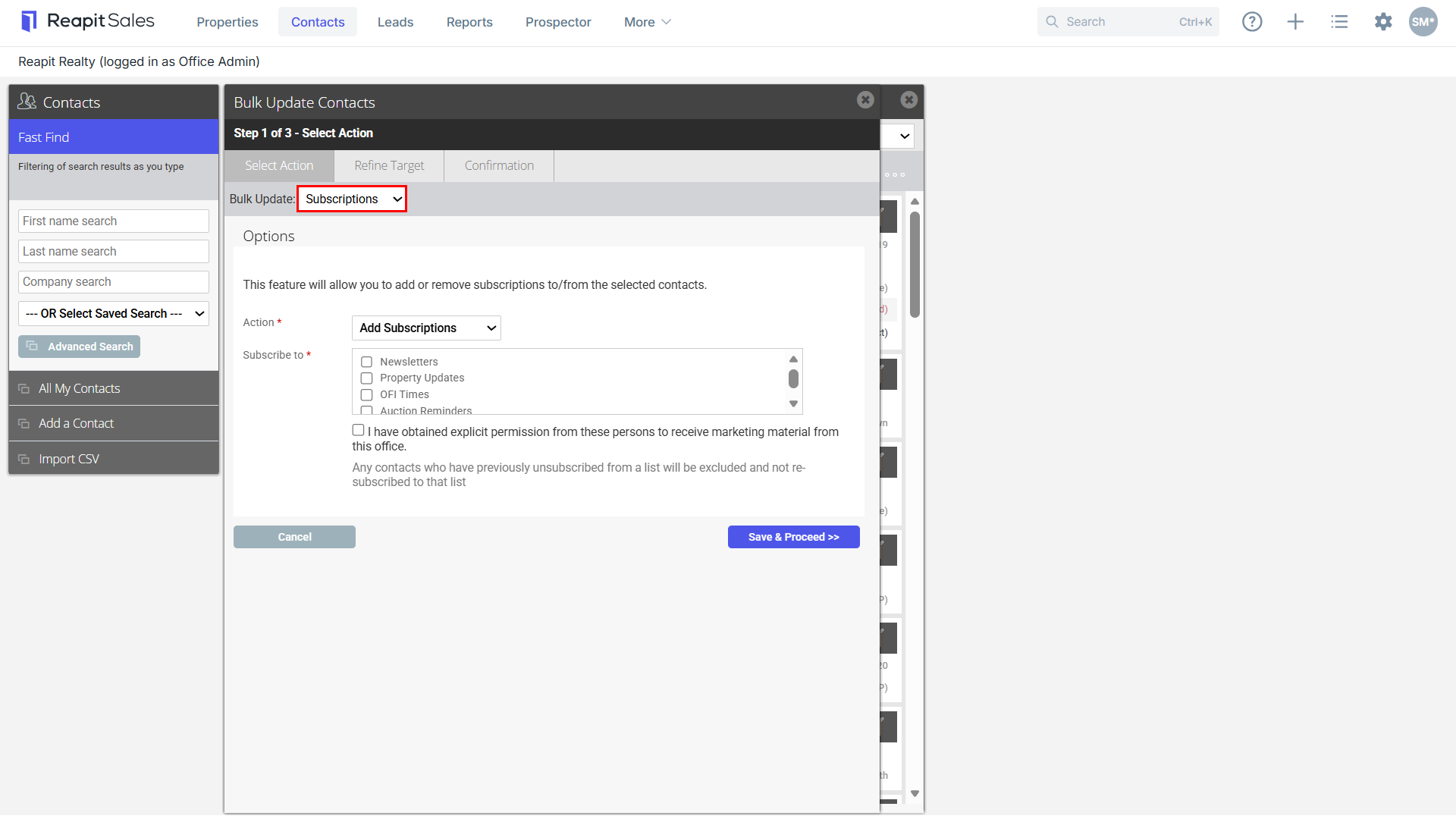

8. Click Save & Proceed.
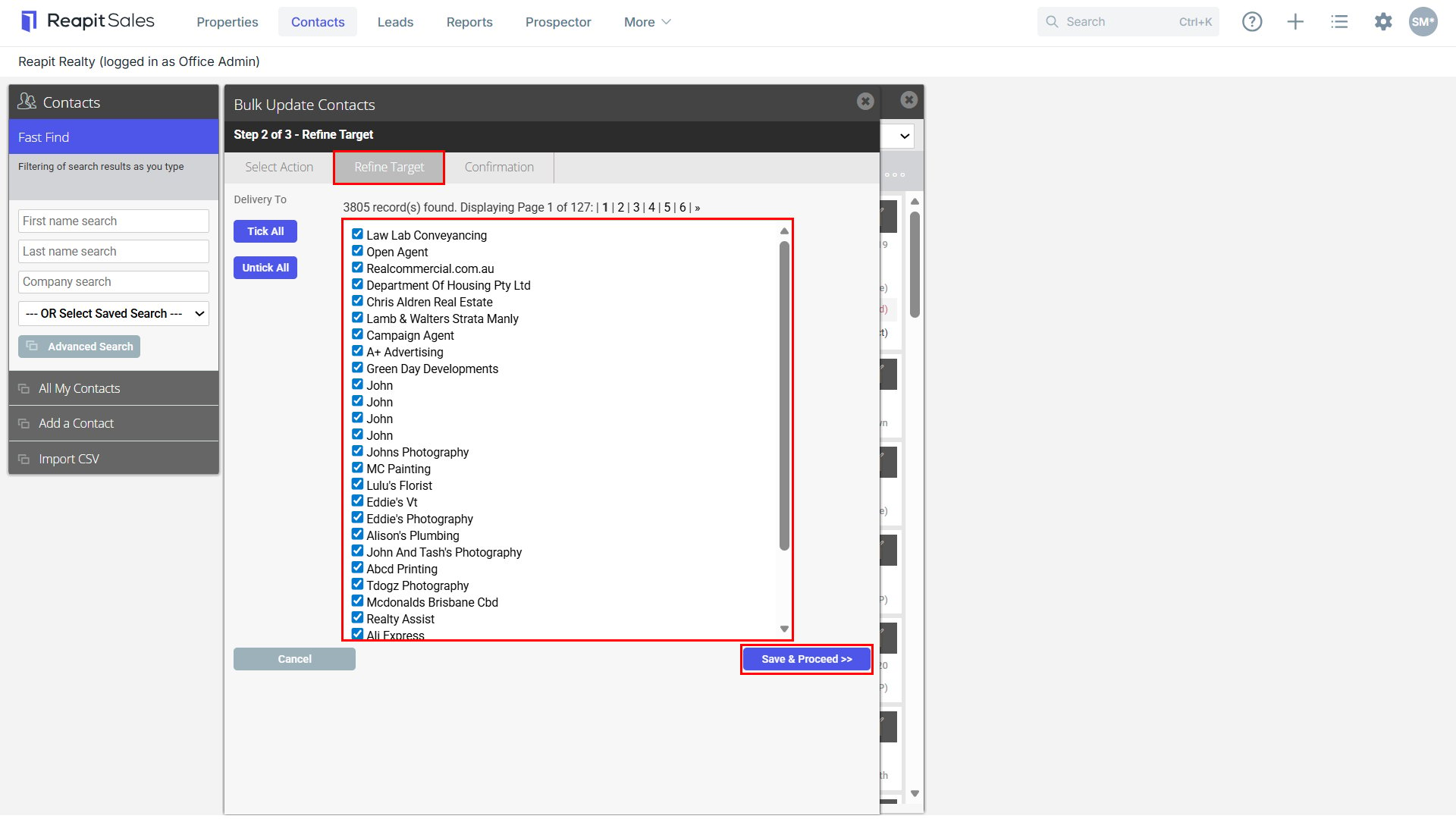
9. Refine Target List.
10. Select Save & Proceed.
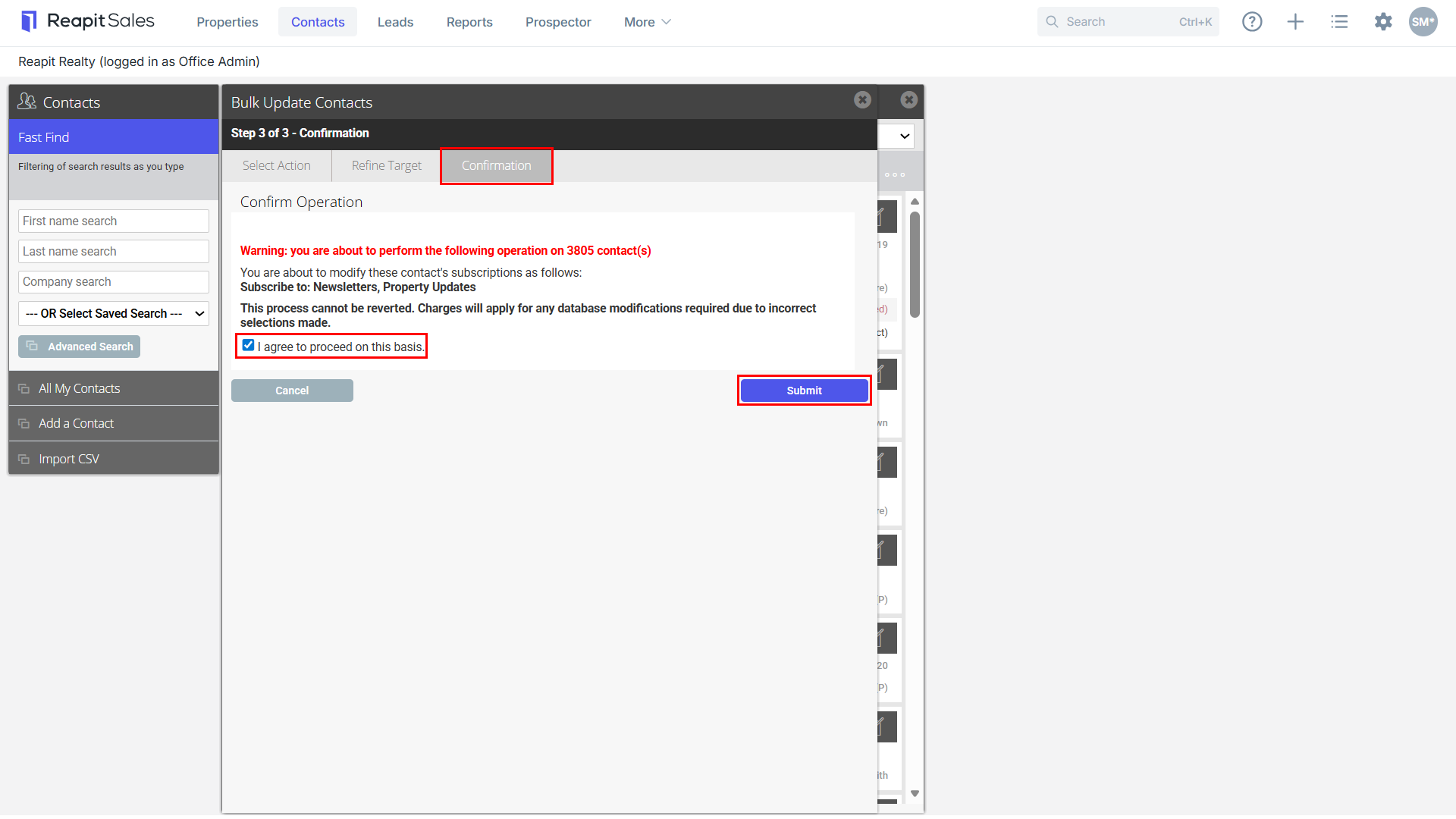
11. Confirm Operation - ensure you have ticked the I agree to proceed on this basis tick box.
12. Click Submit to finalise the bulk update.