'%20d='M0%208a8%208%200%200%201%208-8h24a8%208%200%200%201%208%208v24a8%208%200%200%201-8%208H8a8%208%200%200%201-8-8V8Z'/%3e%3cpath%20fill='%23fff'%20d='M10.41%206v3.779h15.048v19.537h4.132V6H10.41Z'/%3e%3cpath%20fill='%23fff'%20d='M20.967%2034V13.837L10.41%209.78v20.166L20.967%2034Z'/%3e%3cdefs%3e%3clinearGradient%20id='reapit-sales__a'%20x1='20.702'%20x2='20.702'%20y1='.351'%20y2='31.228'%20gradientUnits='userSpaceOnUse'%3e%3cstop%20stop-color='%235573FD'/%3e%3cstop%20offset='.575'%20stop-color='%234E56EA'/%3e%3c/linearGradient%3e%3c/defs%3e%3c/svg%3e)
Reverse a Receipt or Payment
Transactions The article demonstrates how to use Search Transactions to locate a receipt for reversal within Reapit Sales Sale Trust Module.
Transactions
The article demonstrates how to use Search Transactions to locate a receipt for reversal within Reapit Sales Sale Trust Module.
You will need to firstly locate the transaction record via the following methods:
- Through the receipt or payment history tables which appear below the New Receipt/New Payment input forms
- Through the receipt or payment history tables which appear on the Receipt/Payment tab inside a listing / ledger record below the New Receipt/New Payment input forms
- Through Search Transactions
In this tutorial we will use Search Transactions to locate a receipt for reversal.
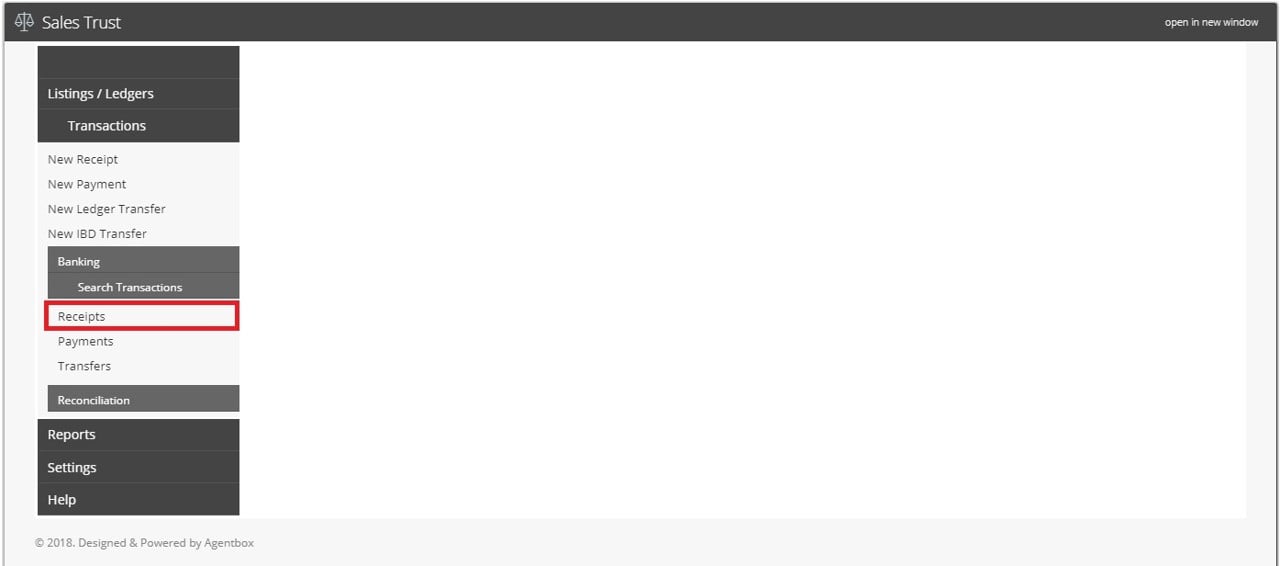
1. Click Transactions, Search Transactions and select Receipt (or Payments if you will be reversing a payment)
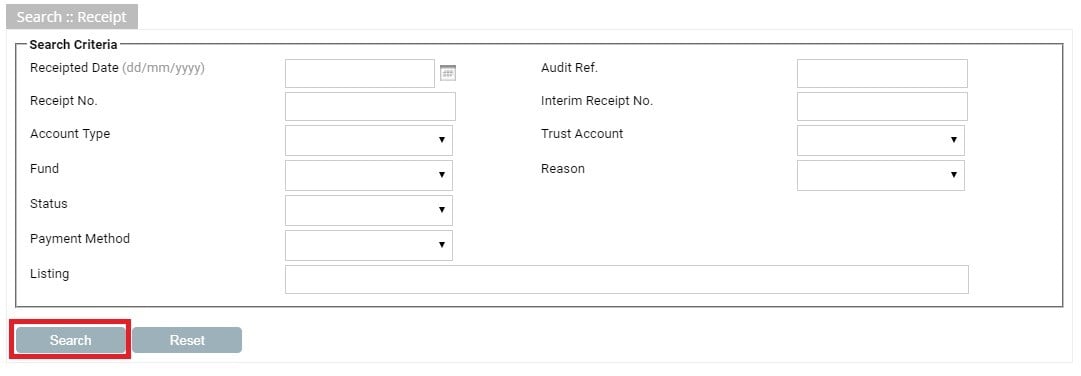
2. Enter the search criteria to locate the transaction and click Search
3. Click the Edit Icon  next to the transaction you would like to reverse

4. Click on the Reverse  button that appears above the transaction list
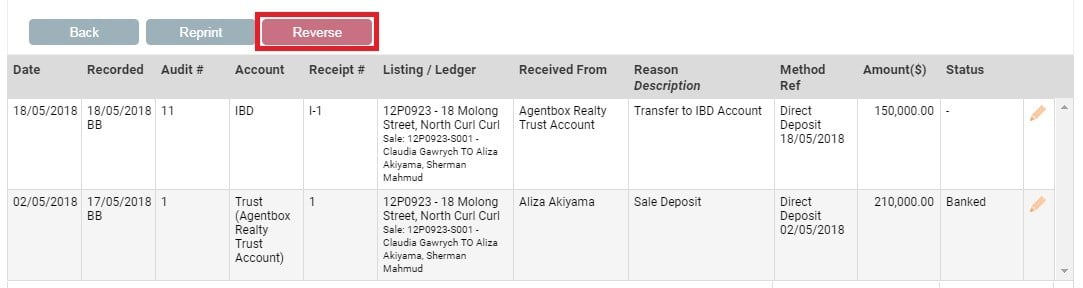
5. Enter the reversal date & a reason for the reversal and click Reverse .

