'%20d='M0%208a8%208%200%200%201%208-8h24a8%208%200%200%201%208%208v24a8%208%200%200%201-8%208H8a8%208%200%200%201-8-8V8Z'/%3e%3cpath%20fill='%23fff'%20d='M10.41%206v3.779h15.048v19.537h4.132V6H10.41Z'/%3e%3cpath%20fill='%23fff'%20d='M20.967%2034V13.837L10.41%209.78v20.166L20.967%2034Z'/%3e%3cdefs%3e%3clinearGradient%20id='reapit-sales__a'%20x1='20.702'%20x2='20.702'%20y1='.351'%20y2='31.228'%20gradientUnits='userSpaceOnUse'%3e%3cstop%20stop-color='%235573FD'/%3e%3cstop%20offset='.575'%20stop-color='%234E56EA'/%3e%3c/linearGradient%3e%3c/defs%3e%3c/svg%3e)
Listing Hits
This article will cover listing hits in Reapit Sales.
*Note: this refers to web hits from your Vendor Preview Link and E-Newsletter landing pages only. It does not include hits from the portals e.g. realestate.com.au or Agentpoint Websites.
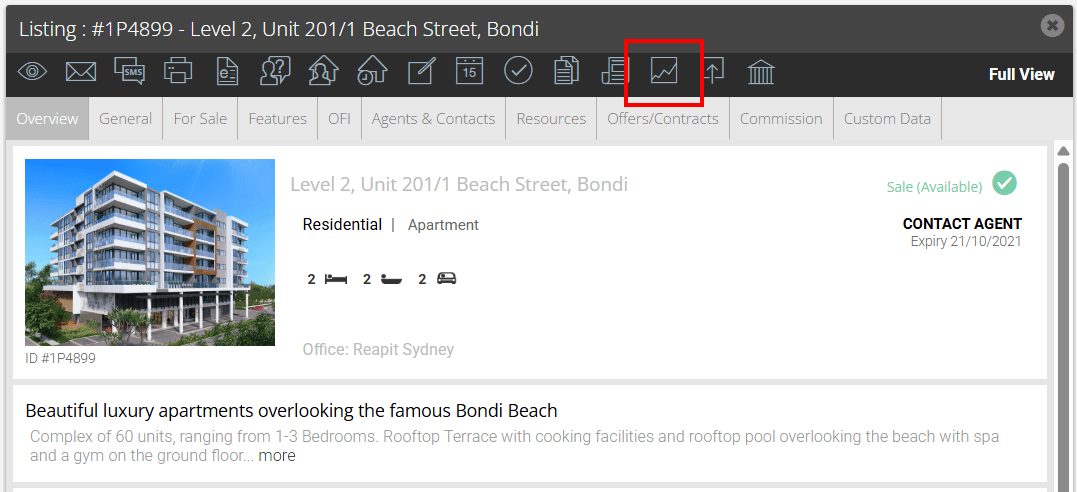
1. Search for your Property and open the property card
2. Click Listing Hits.
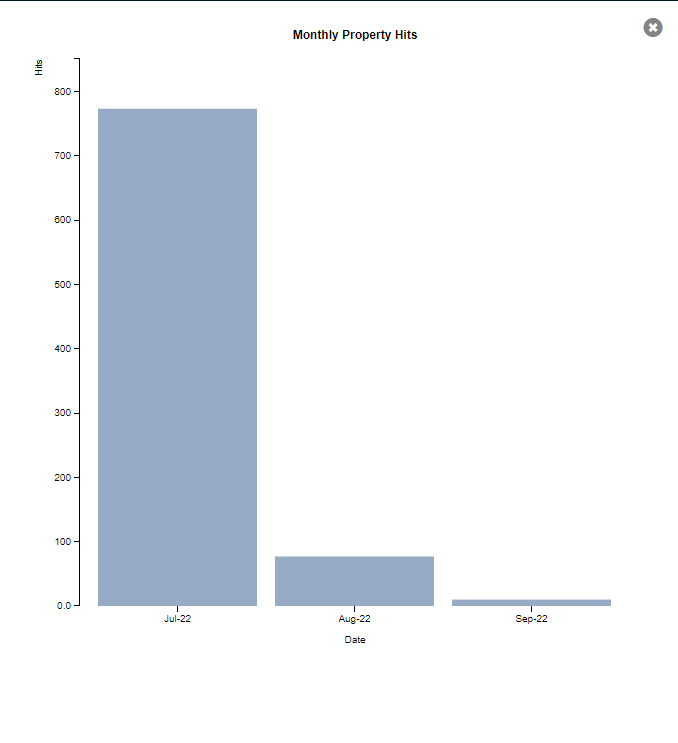
3. By default you can view the hits for a month
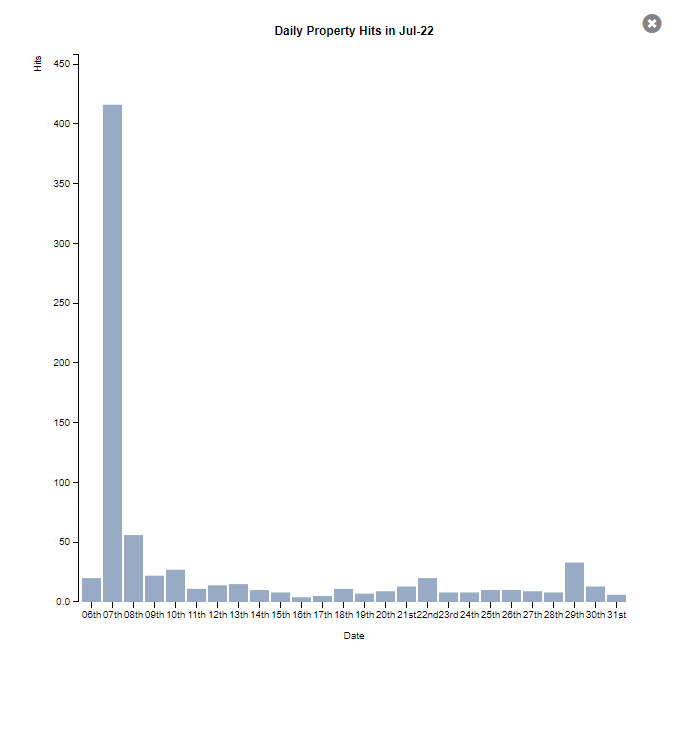
4. Click the month to view hits per day
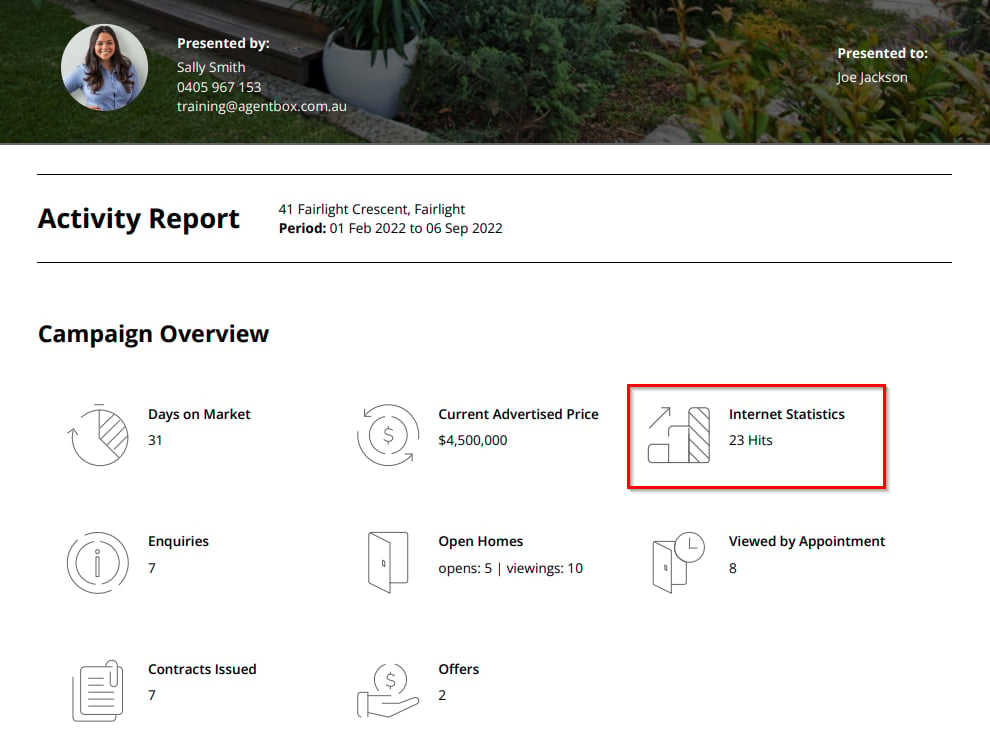
Activity Report
Listing Hits feed into the Vendor/Landlord Activity Report, appearing via 'Internet Statistics'. Example: