'%20d='M0%208a8%208%200%200%201%208-8h24a8%208%200%200%201%208%208v24a8%208%200%200%201-8%208H8a8%208%200%200%201-8-8V8Z'/%3e%3cpath%20fill='%23fff'%20d='M8.375%2013v14L20.5%2034l12.124-7v-7.737l-1.687-.975-2.806-1.62-1.082-.624v4.83l-.002%204.83H13.95V16.07l3.275-1.89%202.192-1.265%201.082-.625%203.275%201.877%202.192%201.256%201.083.62V9.782L20.5%206%208.376%2013Z'/%3e%3cdefs%3e%3clinearGradient%20id='reapit-pm__a'%20x1='20.702'%20x2='20.702'%20y1='.351'%20y2='31.228'%20gradientUnits='userSpaceOnUse'%3e%3cstop%20stop-color='%235573FD'/%3e%3cstop%20offset='.575'%20stop-color='%234E56EA'/%3e%3c/linearGradient%3e%3c/defs%3e%3c/svg%3e)
How to Process NZ Tenant Bond Refunds
This article will cover steps on how to complete a bond refund in New Zealand.
This article will cover steps on how to complete a bond refund in New Zealand for Reapit PM.
The NZTS Integration must also be activated in order for this to appear as an option.
Note: The vacate date must be entered on the Tenancy Agreement to start the bond refund process.
1. Navigate to Workflows.
2. Click Vacate.
3. Click on the required Tenancy.
4. Click Bond Refund.
Note: The bond refund will be for full tenant refunds only.
5. Click the drop-down to select a reason for the tenancy ending.
6. With multiple contacts on the agreement, users can nominate how much each contact is to receive in the refund, or auto-fill to evenly split.
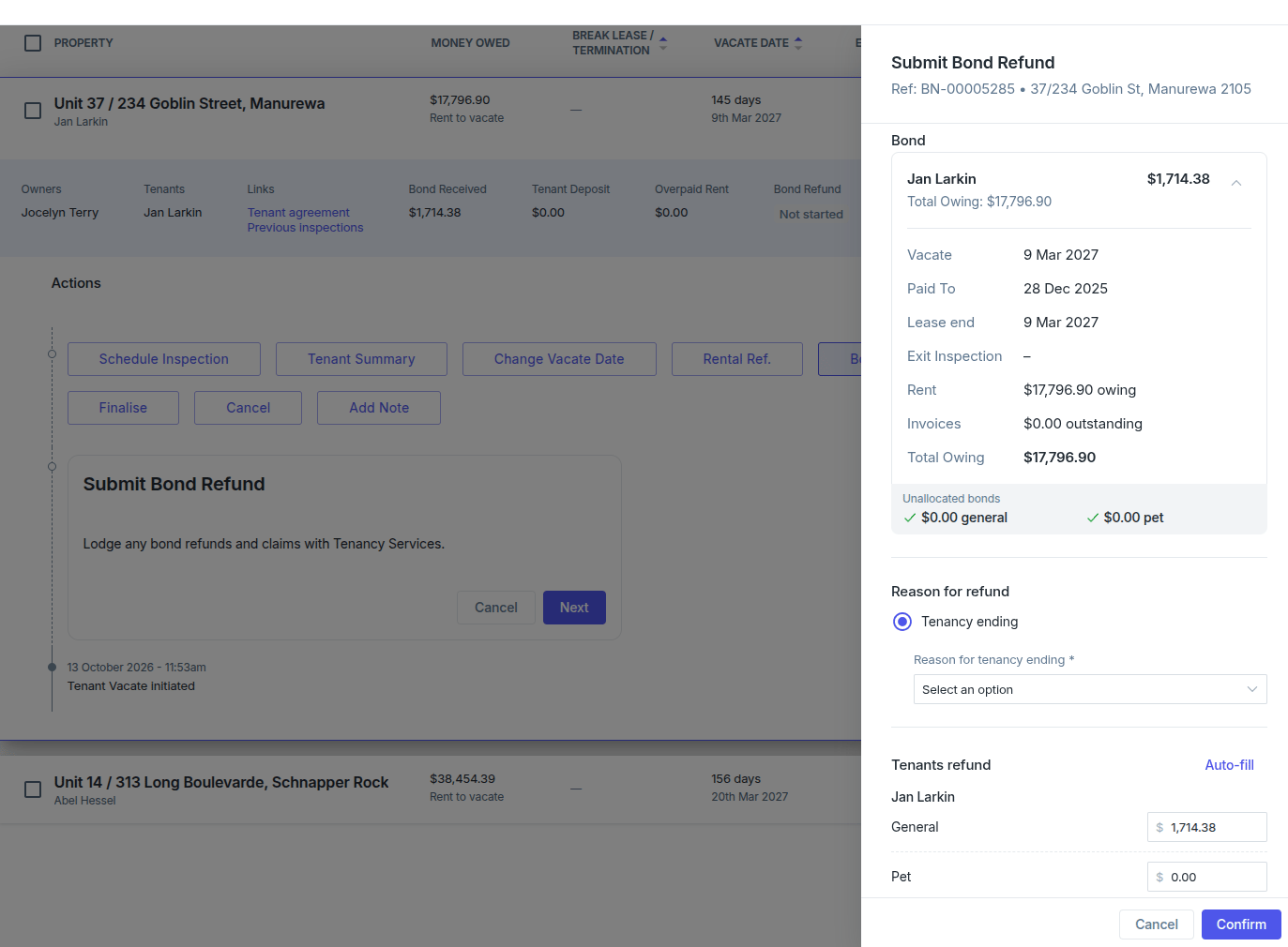
7. Click Confirm.
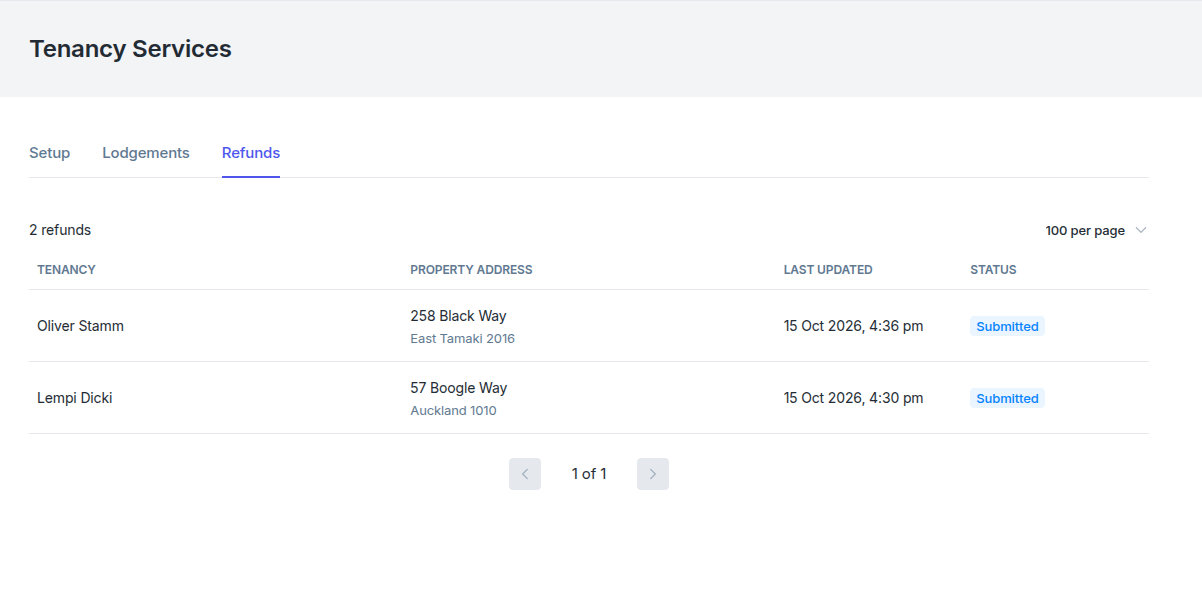
8. The bond refund will be submitted and will appear in the refunds section of NZ Tenancy Services.
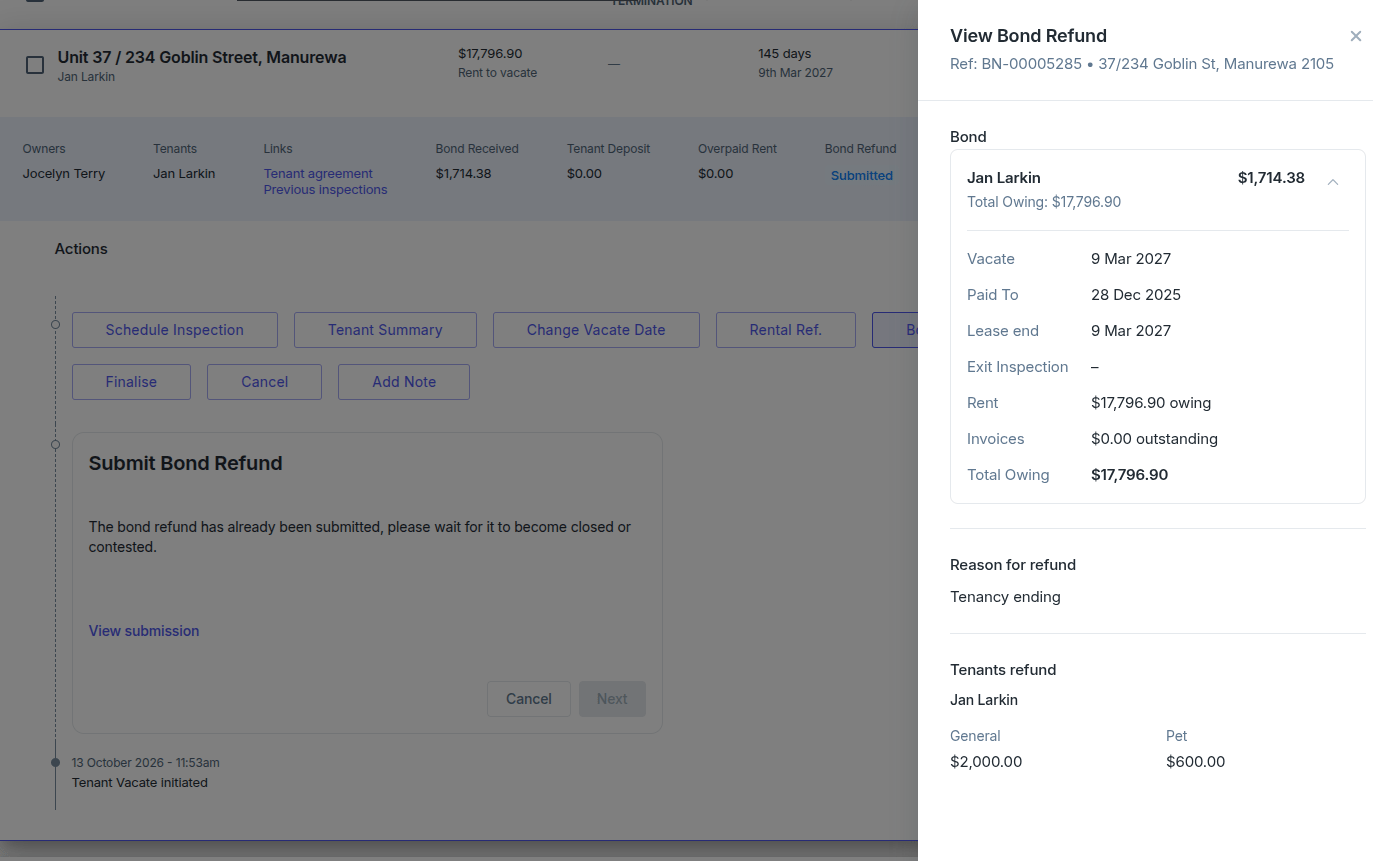
Note: If the refund fails, it will allow you to submit a new refund request.
9. After a successful submission, the vacate workflow cannot be closed until NZ Tenancy Services returns a completed status on the refund.
10. A history of all refund submissions will be found under the Refunds tab under Tenancy Services.