'%20d='M0%208a8%208%200%200%201%208-8h24a8%208%200%200%201%208%208v24a8%208%200%200%201-8%208H8a8%208%200%200%201-8-8V8Z'/%3e%3cpath%20fill='%23fff'%20d='M8.375%2013v14L20.5%2034l12.124-7v-7.737l-1.687-.975-2.806-1.62-1.082-.624v4.83l-.002%204.83H13.95V16.07l3.275-1.89%202.192-1.265%201.082-.625%203.275%201.877%202.192%201.256%201.083.62V9.782L20.5%206%208.376%2013Z'/%3e%3cdefs%3e%3clinearGradient%20id='reapit-pm__a'%20x1='20.702'%20x2='20.702'%20y1='.351'%20y2='31.228'%20gradientUnits='userSpaceOnUse'%3e%3cstop%20stop-color='%235573FD'/%3e%3cstop%20offset='.575'%20stop-color='%234E56EA'/%3e%3c/linearGradient%3e%3c/defs%3e%3c/svg%3e)
How to Make Contacts and Agreements Inactive
This article will cover marking Contacts, Creditors, Properties, Owners and Tenants as inactive in Reapit PM.
Note: The process for making a Contact, Creditor, Property, Owner or Tenant inactive in Reapit PM can all be performed with the same steps. In this example, we will use Creditors.
1. Navigate to People.
2. Click Creditors.
3. Search and Select the Creditor.
4. Click Edit.
5. Click Make Inactive.
6. Click Confirm.
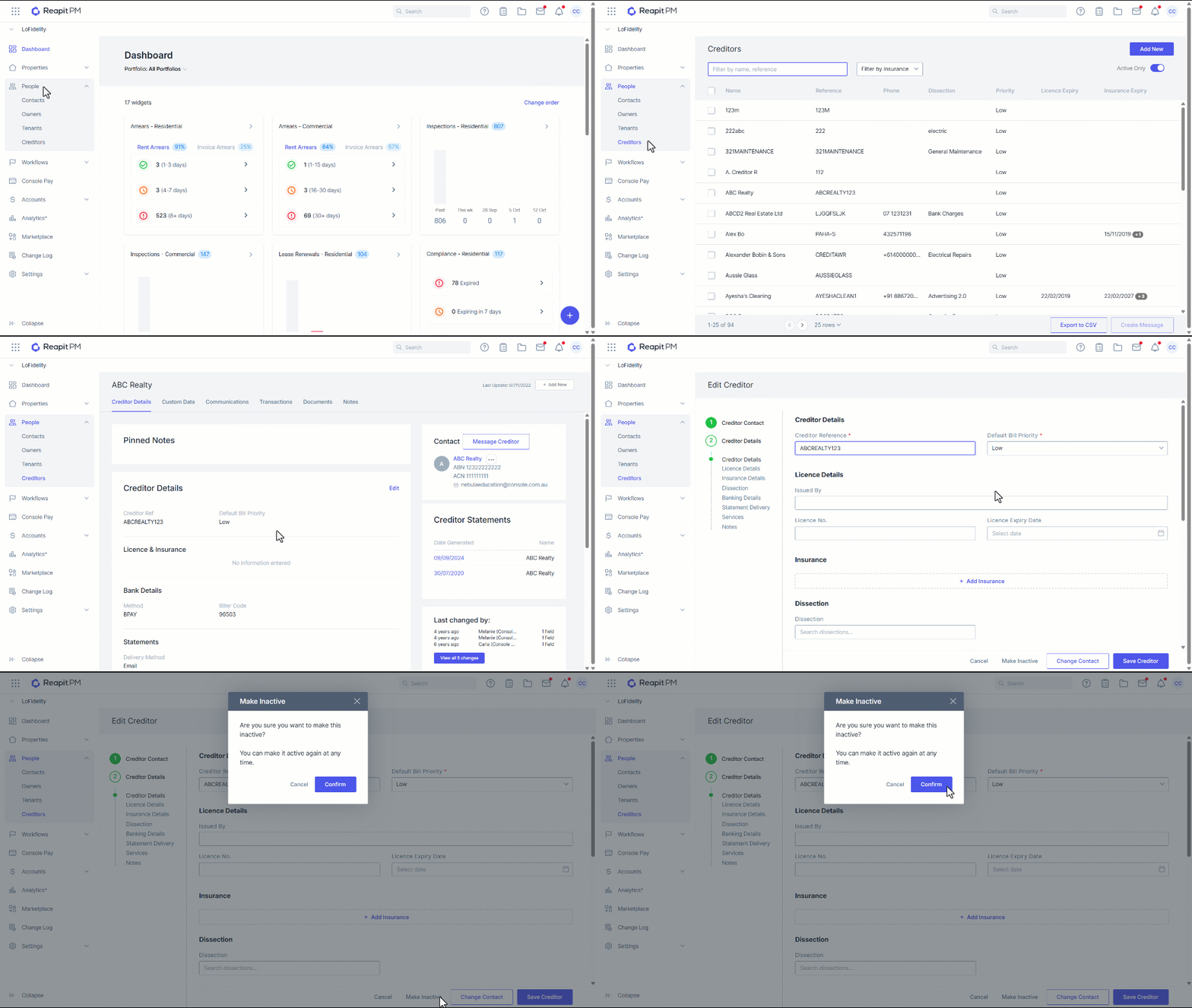
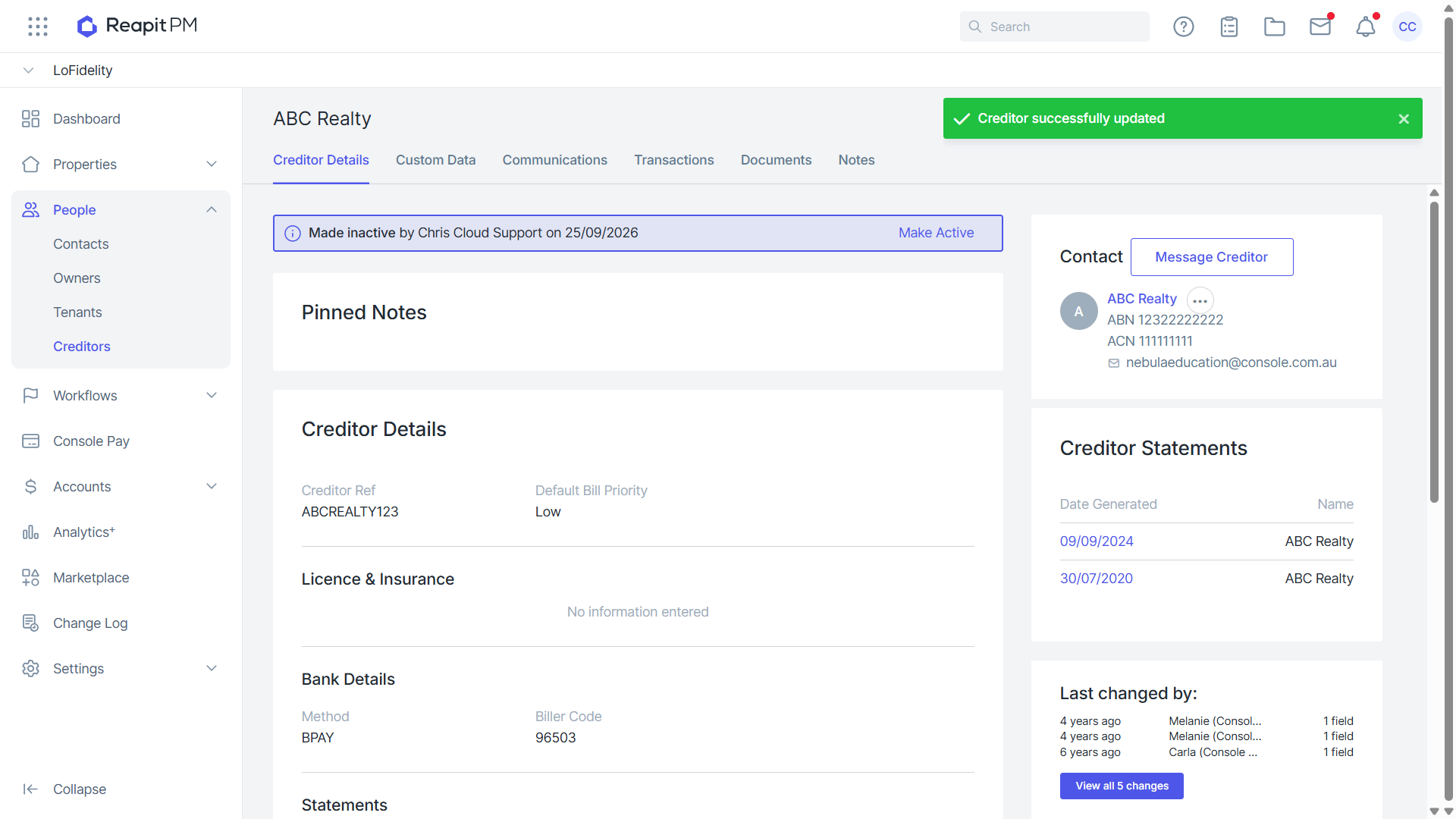
7. Confirmation will appear that the file has been made inactive.