'%20d='M0%208a8%208%200%200%201%208-8h24a8%208%200%200%201%208%208v24a8%208%200%200%201-8%208H8a8%208%200%200%201-8-8V8Z'/%3e%3cpath%20fill='%23fff'%20d='M8.375%2013v14L20.5%2034l12.124-7v-7.737l-1.687-.975-2.806-1.62-1.082-.624v4.83l-.002%204.83H13.95V16.07l3.275-1.89%202.192-1.265%201.082-.625%203.275%201.877%202.192%201.256%201.083.62V9.782L20.5%206%208.376%2013Z'/%3e%3cdefs%3e%3clinearGradient%20id='reapit-pm__a'%20x1='20.702'%20x2='20.702'%20y1='.351'%20y2='31.228'%20gradientUnits='userSpaceOnUse'%3e%3cstop%20stop-color='%235573FD'/%3e%3cstop%20offset='.575'%20stop-color='%234E56EA'/%3e%3c/linearGradient%3e%3c/defs%3e%3c/svg%3e)
Assigning Compliance in Bulk Using Marketplace Integrations
This article will cover bulk assigning compliance items to marketplace compliance providers in Reapit PM.
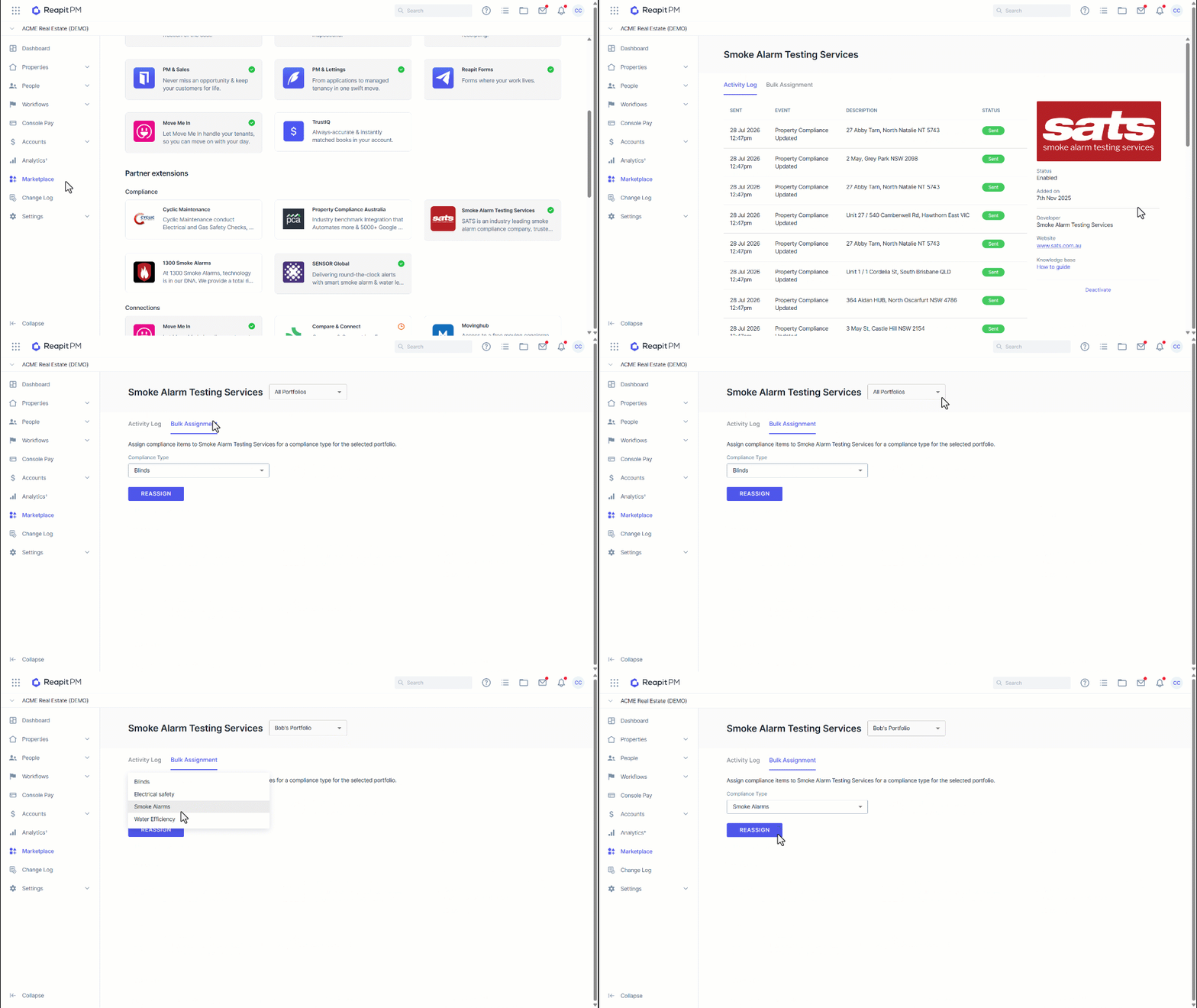
1. Navigate to Marketplace.
2. Click on the integration partner.
3. Click Bulk Assignment.
4. Choose between All Portfolios or a specific portfolio to reassign.
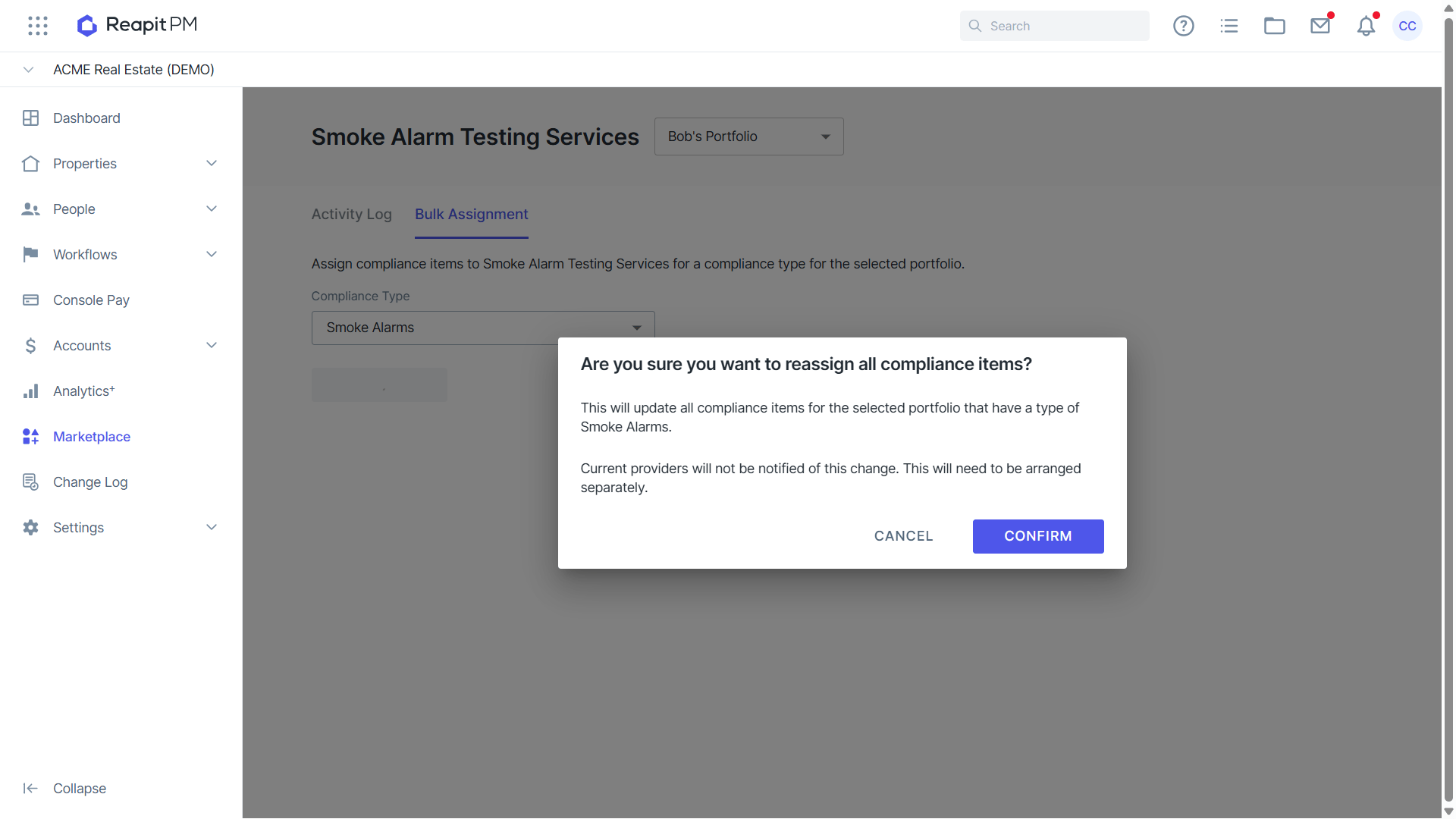
5. Click on the compliance type in the drop-down.
6. Click Reassign.
7. You will be prompted to confirm if you wish to proceed with bulk reassigning. Current compliance providers on the properties will not be notified, so you will need to arrange this separately.
8. Click Confirm to reassign.