'%20d='M0%208a8%208%200%200%201%208-8h24a8%208%200%200%201%208%208v24a8%208%200%200%201-8%208H8a8%208%200%200%201-8-8V8Z'/%3e%3cpath%20fill='%23fff'%20d='M8.375%2013v14L20.5%2034l12.124-7v-7.737l-1.687-.975-2.806-1.62-1.082-.624v4.83l-.002%204.83H13.95V16.07l3.275-1.89%202.192-1.265%201.082-.625%203.275%201.877%202.192%201.256%201.083.62V9.782L20.5%206%208.376%2013Z'/%3e%3cdefs%3e%3clinearGradient%20id='reapit-pm__a'%20x1='20.702'%20x2='20.702'%20y1='.351'%20y2='31.228'%20gradientUnits='userSpaceOnUse'%3e%3cstop%20stop-color='%235573FD'/%3e%3cstop%20offset='.575'%20stop-color='%234E56EA'/%3e%3c/linearGradient%3e%3c/defs%3e%3c/svg%3e)
Reporting in Reapit PM & Sales
This article will run through the reporting process in Reapit PM & Sales. The process in this article include: Generate a Sale statement (Account of Sales) Generate Transactions CSV
This article will run through the reporting process in Reapit PM & Sales.
The process in this article include:
- Generate a Sale statement (Account of Sales)
- Generate Transactions CSV
Generate a Sale statement (Account of Sales)
Navigate to Properties > Sales.
Search or select your property.
Navigate to the three dots on the top right and click Generate Account of Sales.
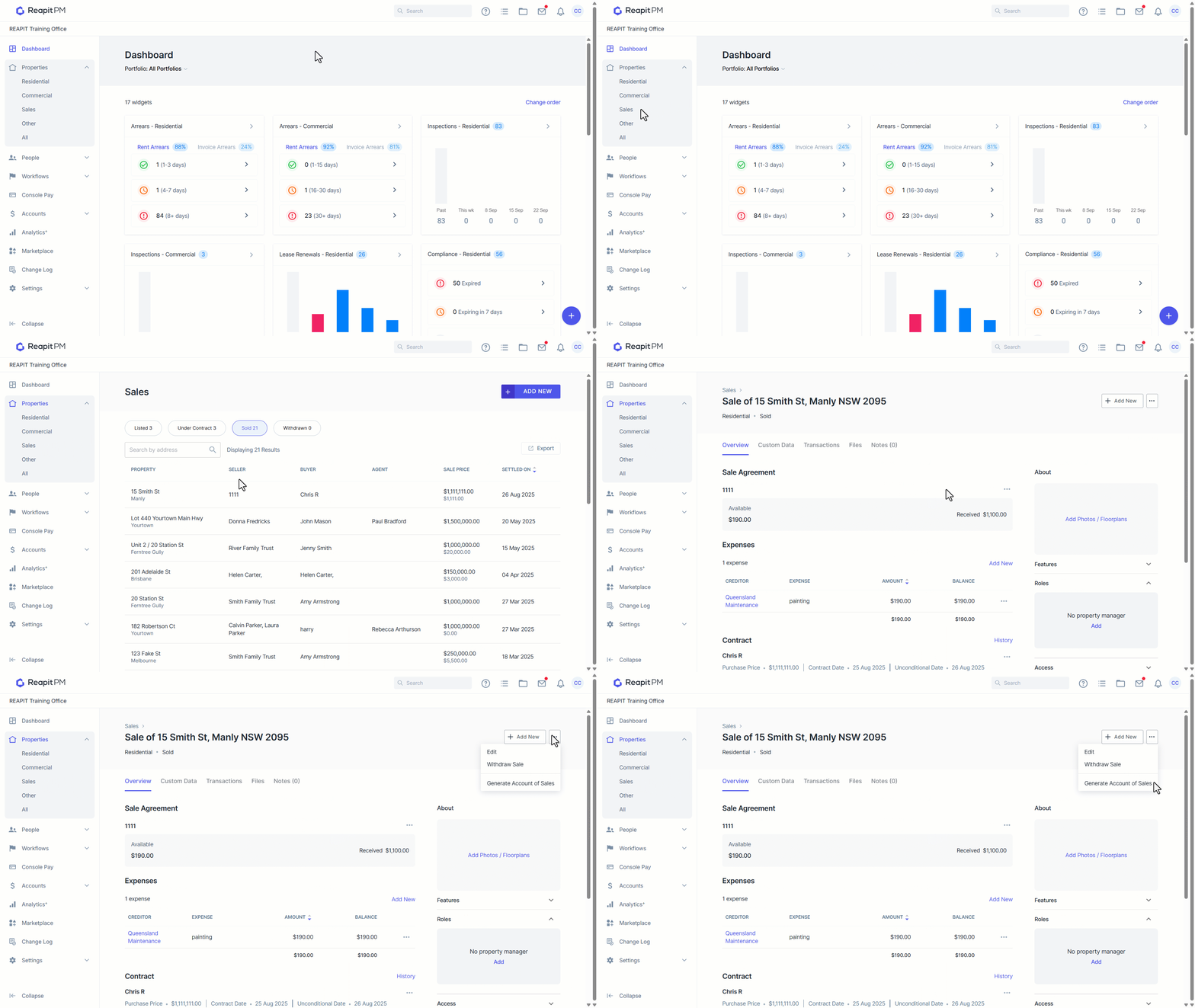
- Your sale statement will download and open as a PDF.
(GST will only display as a sum-total value) If you have line items which DO NOT attract GST we recommend you use an appropriate template outside of Reapit PM.
Generate Transactions CSV
Click on the Transactions tab at the top of the sale.
All transactions will display.
Click on the download icon.
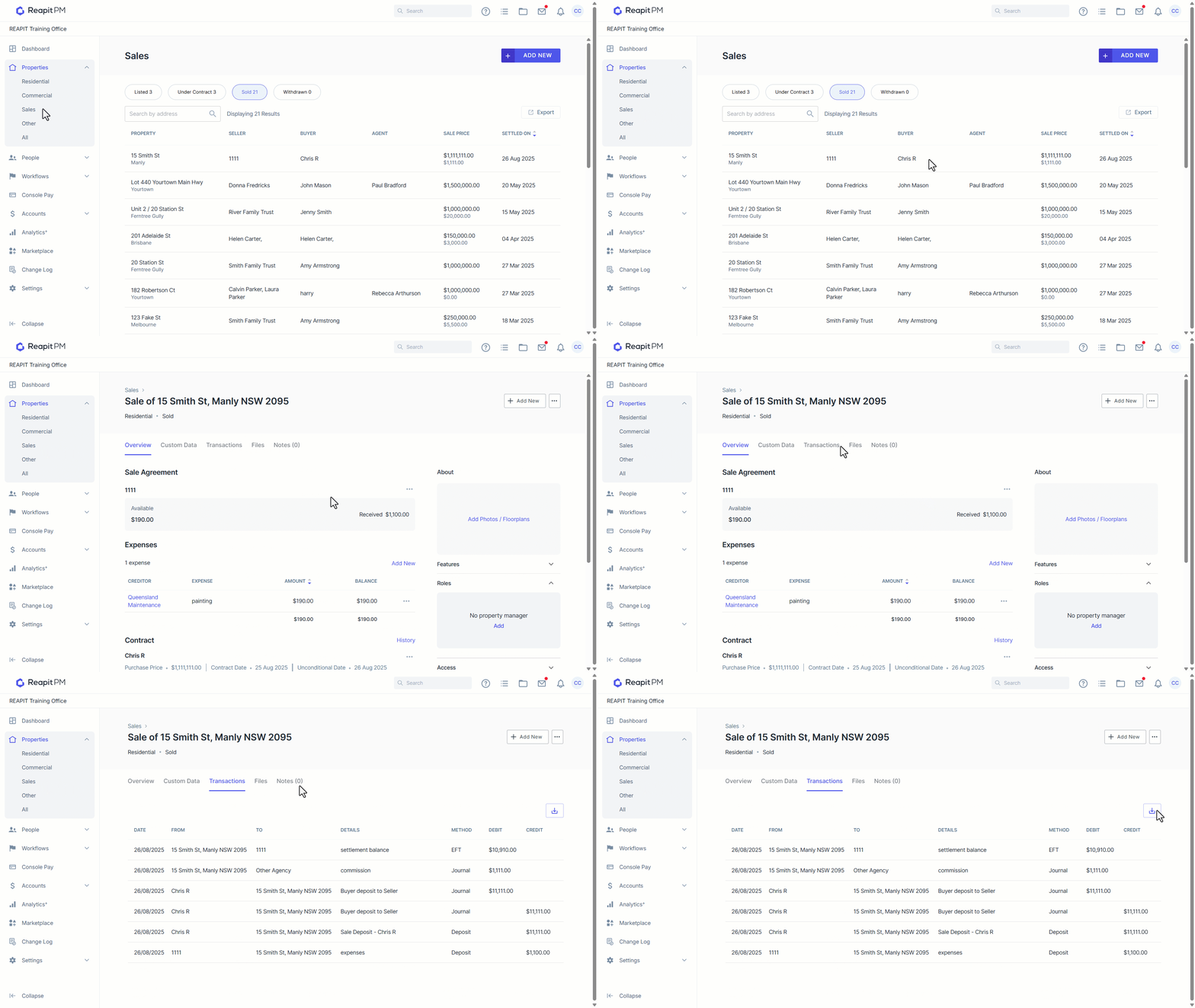
- The CSV file will download and you can use Microsoft Excel or Google Sheets to open the file.