'%20d='M0%208a8%208%200%200%201%208-8h24a8%208%200%200%201%208%208v24a8%208%200%200%201-8%208H8a8%208%200%200%201-8-8V8Z'/%3e%3cpath%20fill='%23fff'%20d='M8.375%2013v14L20.5%2034l12.124-7v-7.737l-1.687-.975-2.806-1.62-1.082-.624v4.83l-.002%204.83H13.95V16.07l3.275-1.89%202.192-1.265%201.082-.625%203.275%201.877%202.192%201.256%201.083.62V9.782L20.5%206%208.376%2013Z'/%3e%3cdefs%3e%3clinearGradient%20id='reapit-pm__a'%20x1='20.702'%20x2='20.702'%20y1='.351'%20y2='31.228'%20gradientUnits='userSpaceOnUse'%3e%3cstop%20stop-color='%235573FD'/%3e%3cstop%20offset='.575'%20stop-color='%234E56EA'/%3e%3c/linearGradient%3e%3c/defs%3e%3c/svg%3e)
Editing, Writing off or Deleting Bills
This article will take you through how to edit, write off and delete bills in Reapit PM.
Editing, Writing off and Deleting Bills
Bills are a list of all owner expense invoices that need to be processed and disbursed (paid to a creditor). Admin and Trust Account users can access and configure Bills settings in the Bills page and the Banking Settings page.
Note: For further information on Bills see our articles on adding bills, processing bills and bill settings.
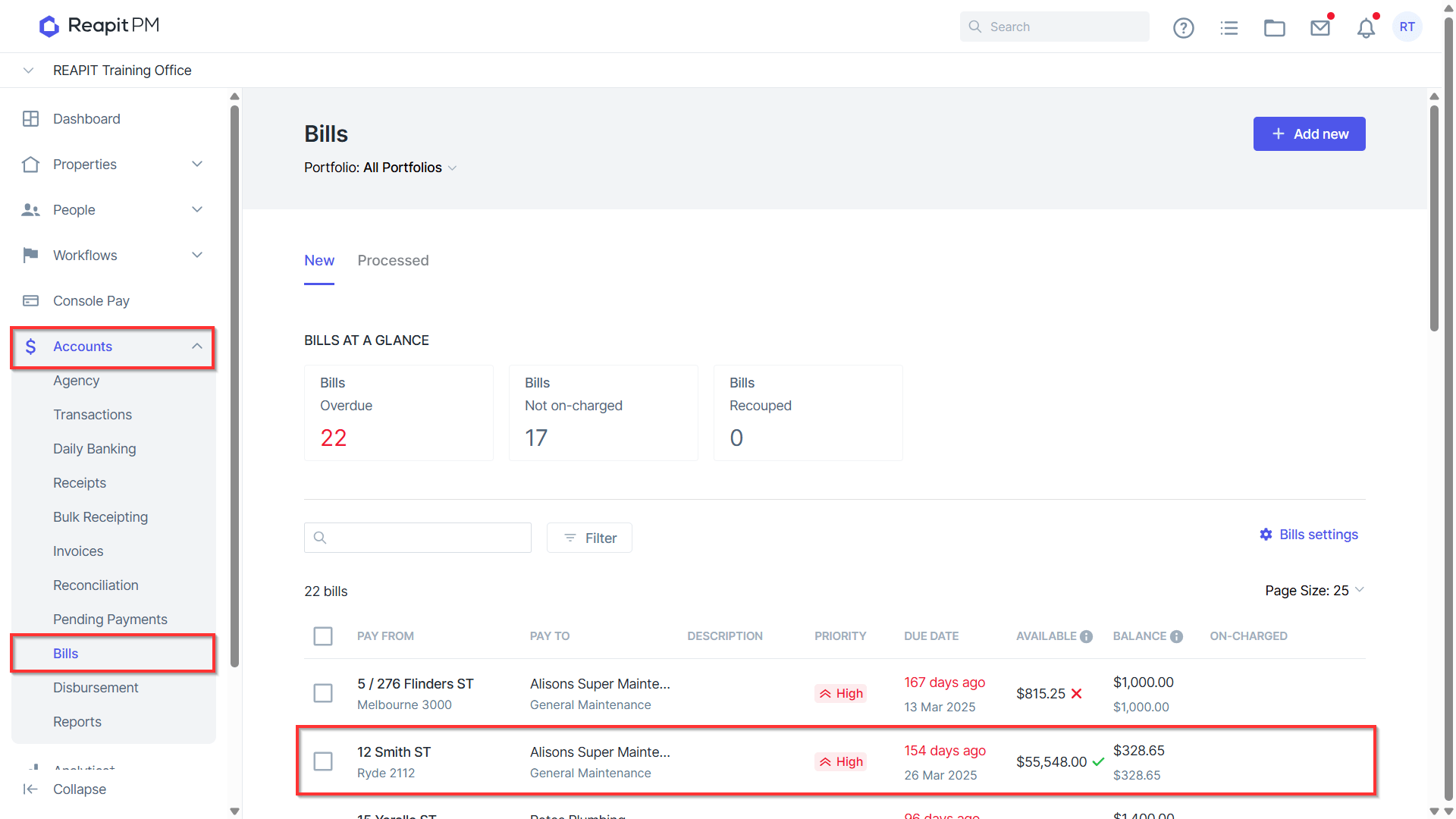
- Navigate to Accounts > Bills and click on the Bill you wish to update.
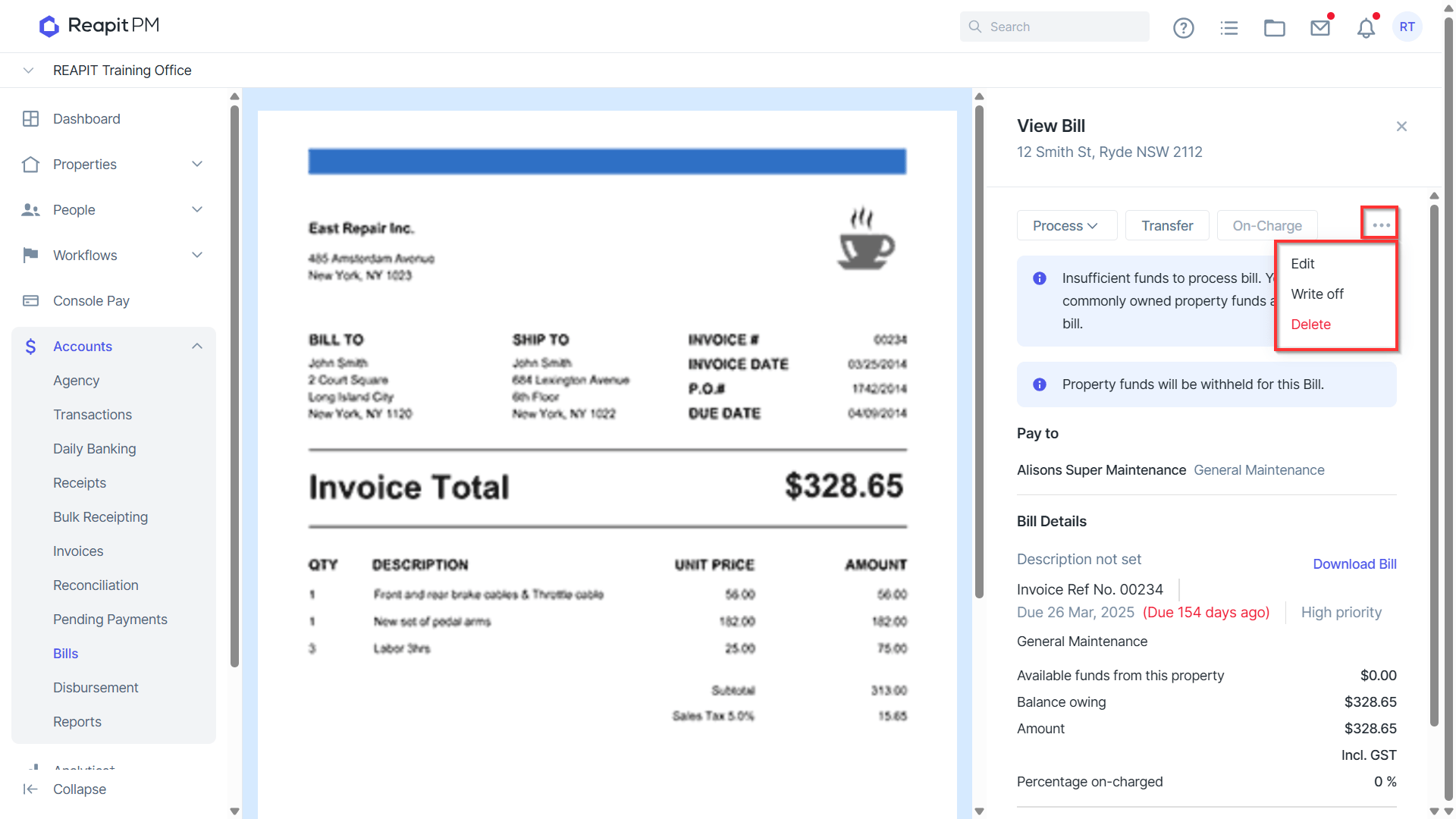
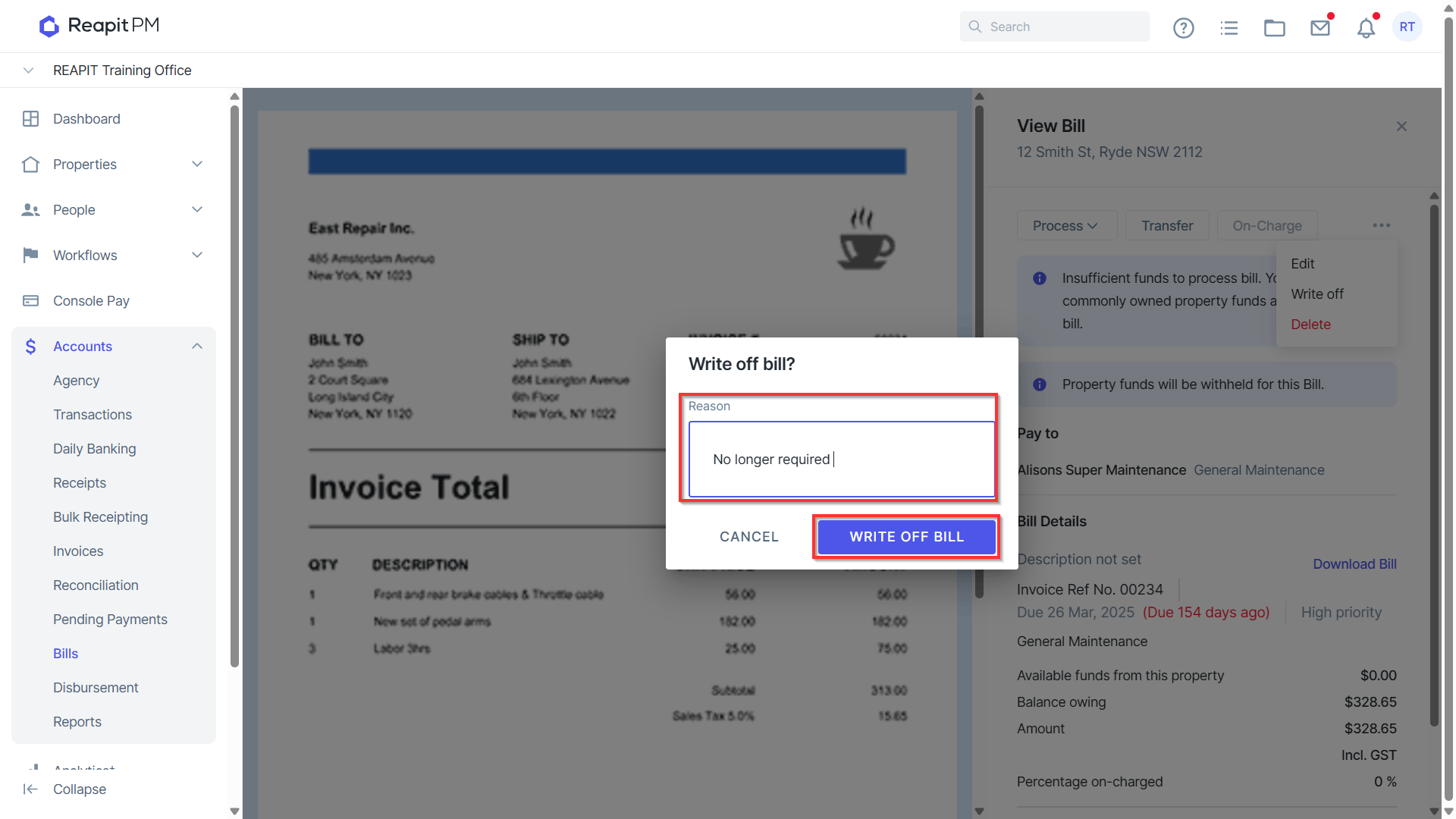
- Click on the 3 dots to Edit, Write off or Delete a Bill.
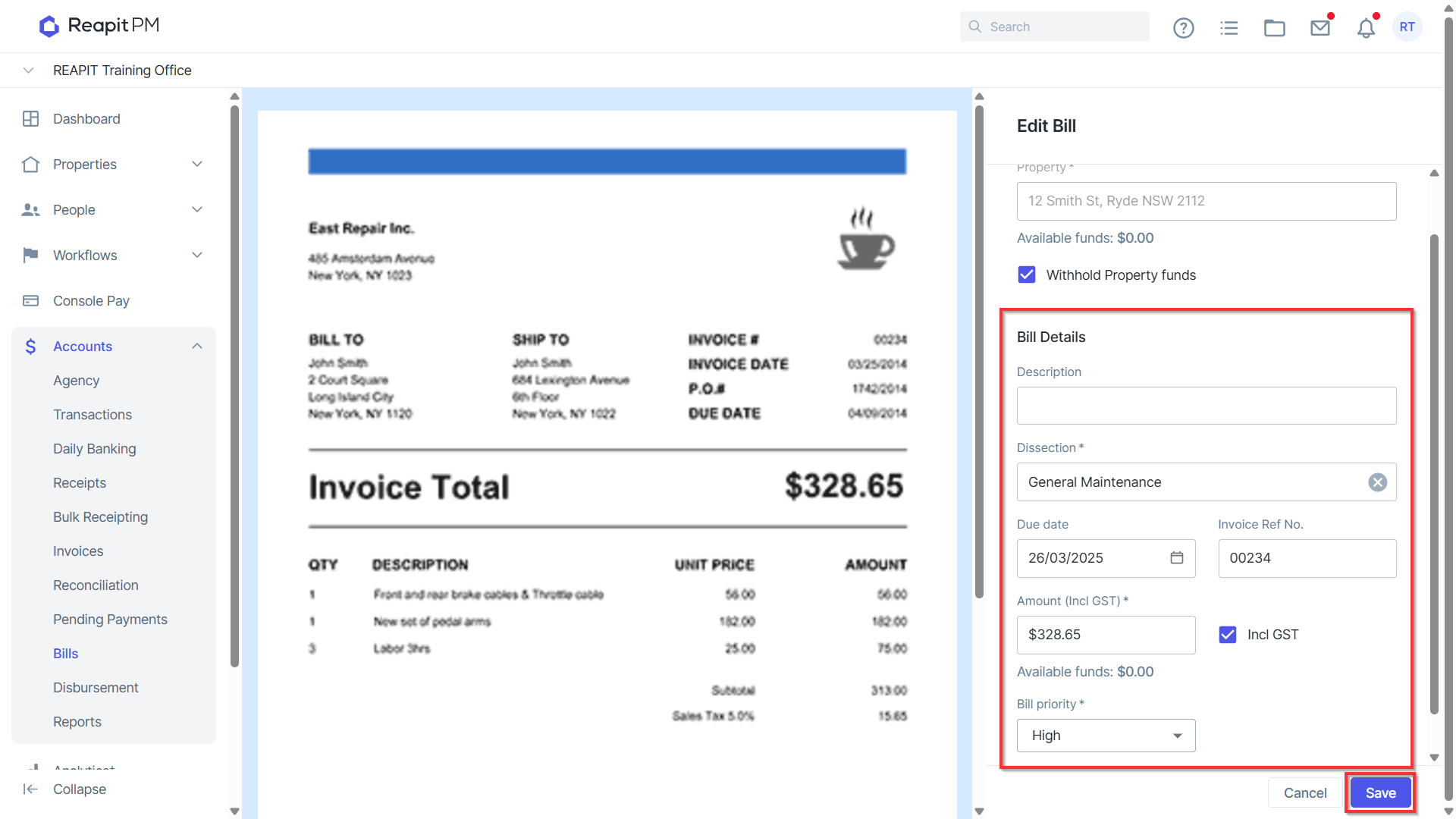
Edit allows you to increase or decrease the Bill amount, change the due date, description, dissection, and Bill priority. Click Save to update any changes.
Note:
- If part payments have been processed, the amount cannot be reduced below the part payment, nor can the creditor be amended.
- Bill Priority is available to Premium and Enterprise clients.
Write off will allow you to write off the balance of a Bill that is unpaid. This will retain the information against the Owner Transactions. A reason for write off must be entered.
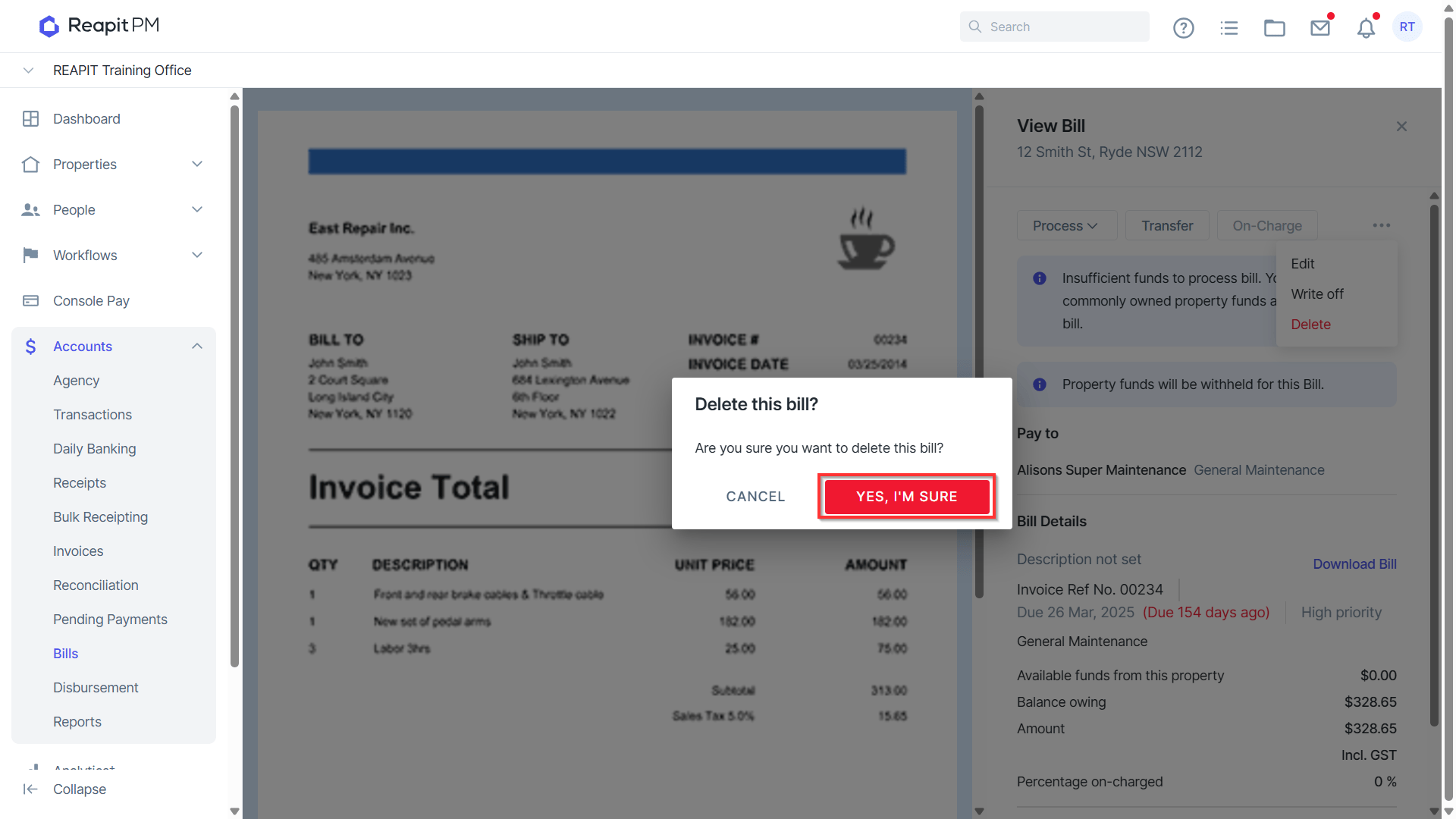
Delete will allow you to delete unpaid bills, removing all reference to the bill against the ledger.