'%20d='M0%208a8%208%200%200%201%208-8h24a8%208%200%200%201%208%208v24a8%208%200%200%201-8%208H8a8%208%200%200%201-8-8V8Z'/%3e%3cpath%20fill='%23fff'%20d='M8.375%2013v14L20.5%2034l12.124-7v-7.737l-1.687-.975-2.806-1.62-1.082-.624v4.83l-.002%204.83H13.95V16.07l3.275-1.89%202.192-1.265%201.082-.625%203.275%201.877%202.192%201.256%201.083.62V9.782L20.5%206%208.376%2013Z'/%3e%3cdefs%3e%3clinearGradient%20id='reapit-pm__a'%20x1='20.702'%20x2='20.702'%20y1='.351'%20y2='31.228'%20gradientUnits='userSpaceOnUse'%3e%3cstop%20stop-color='%235573FD'/%3e%3cstop%20offset='.575'%20stop-color='%234E56EA'/%3e%3c/linearGradient%3e%3c/defs%3e%3c/svg%3e)
Console Pay when Entering a new Tenancy Agreement
Tenancies can be invited at the point of creating a tenancy or sent their invite from the individual profile. You can also setup rental payments, create bond and deposit or initial rent payments within Reapit PM.
To set up a tenancy at the point of entering the Tenancy Agreement follow the below steps.
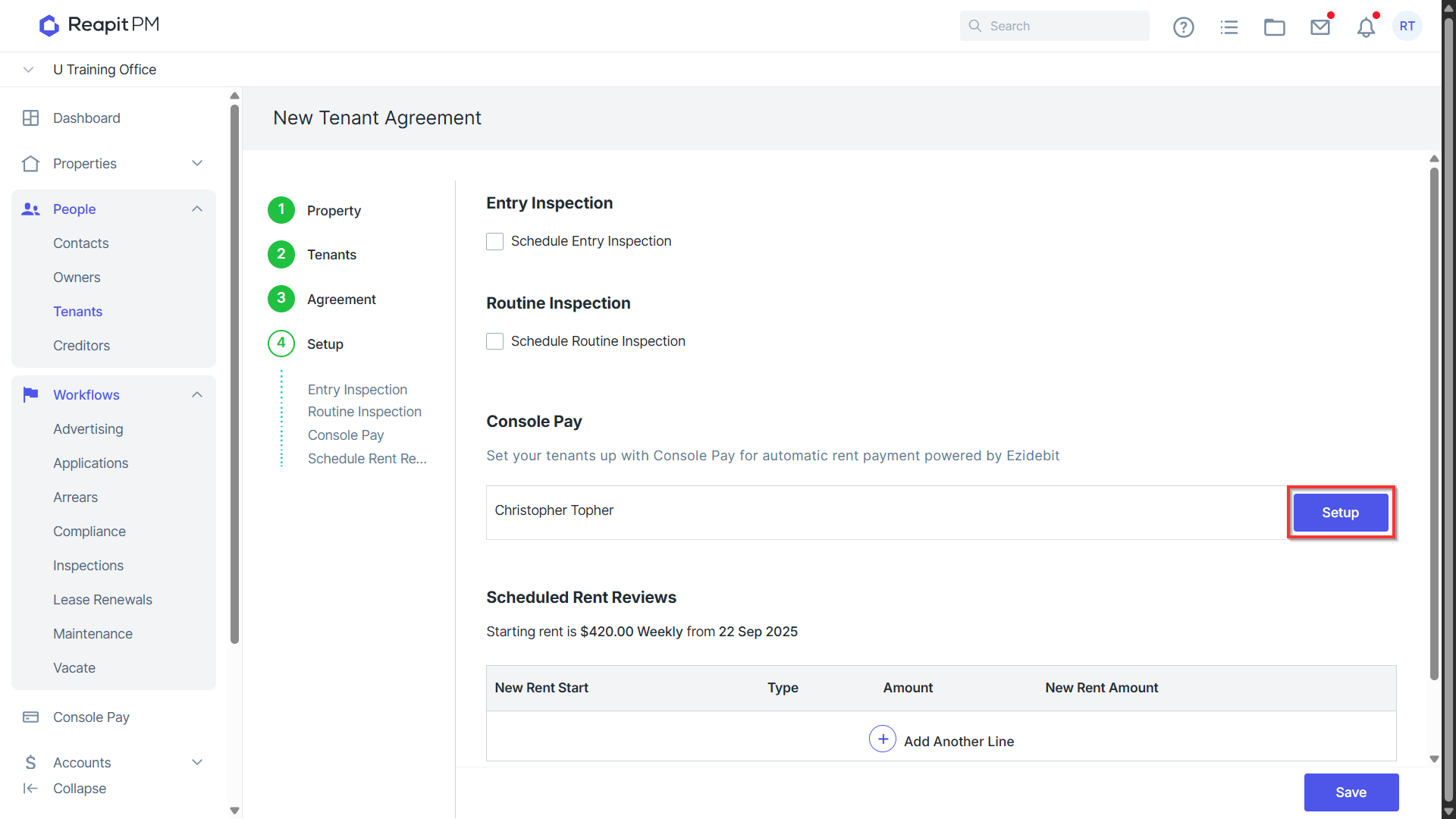
- When creating a Tenancy Agreement, the final step will be to setup Console Pay. Click the Blue setup button next to the relevant Contact.
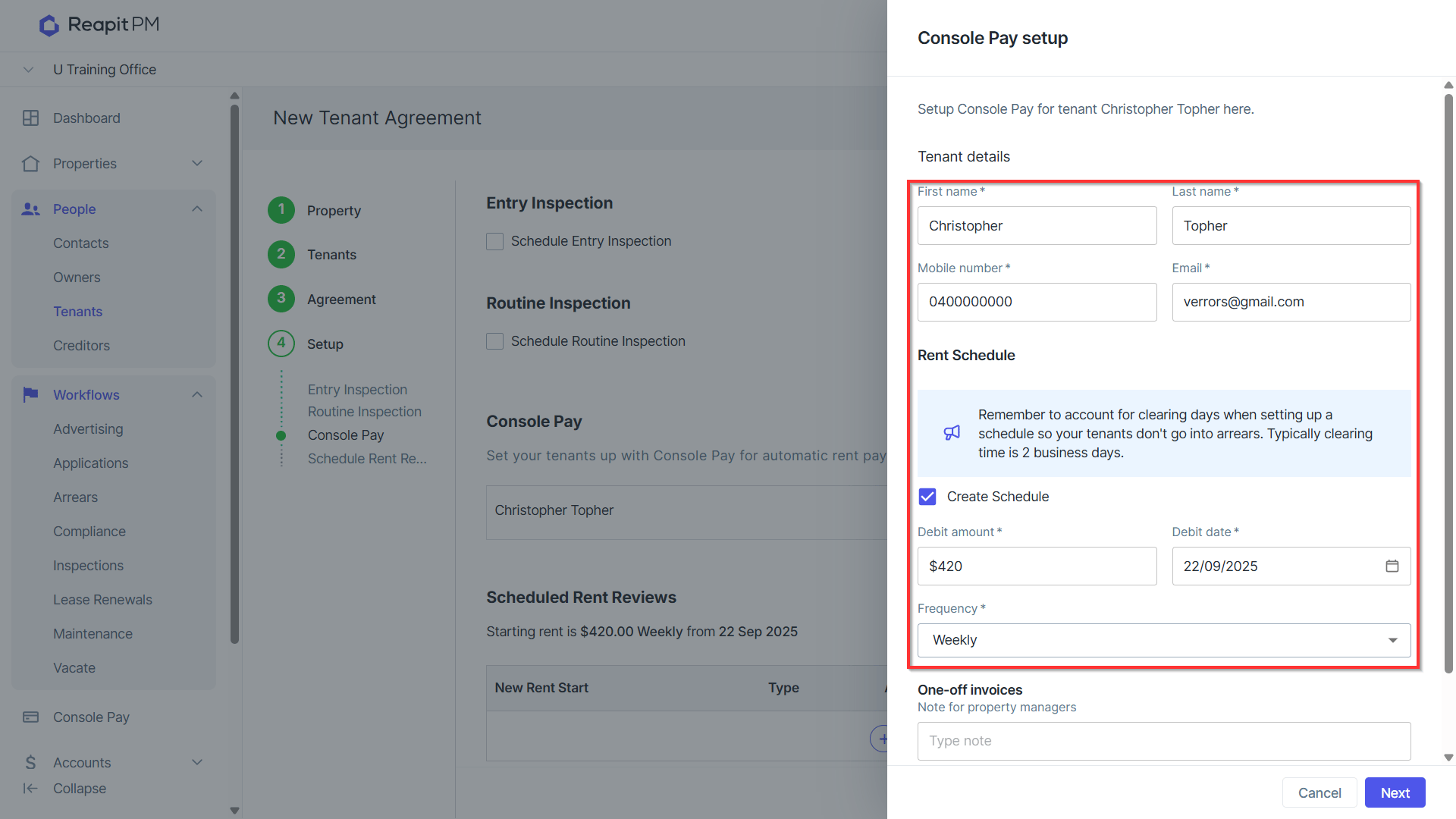
- Enter/Confirm Tenant Details and select to Debit for Regular Rent Details and confirm Debit Amount, Starting date and Frequency. Note: we recommend ensuring the debit date takes into account clearance time to prevent the tenancy falling into arrears.
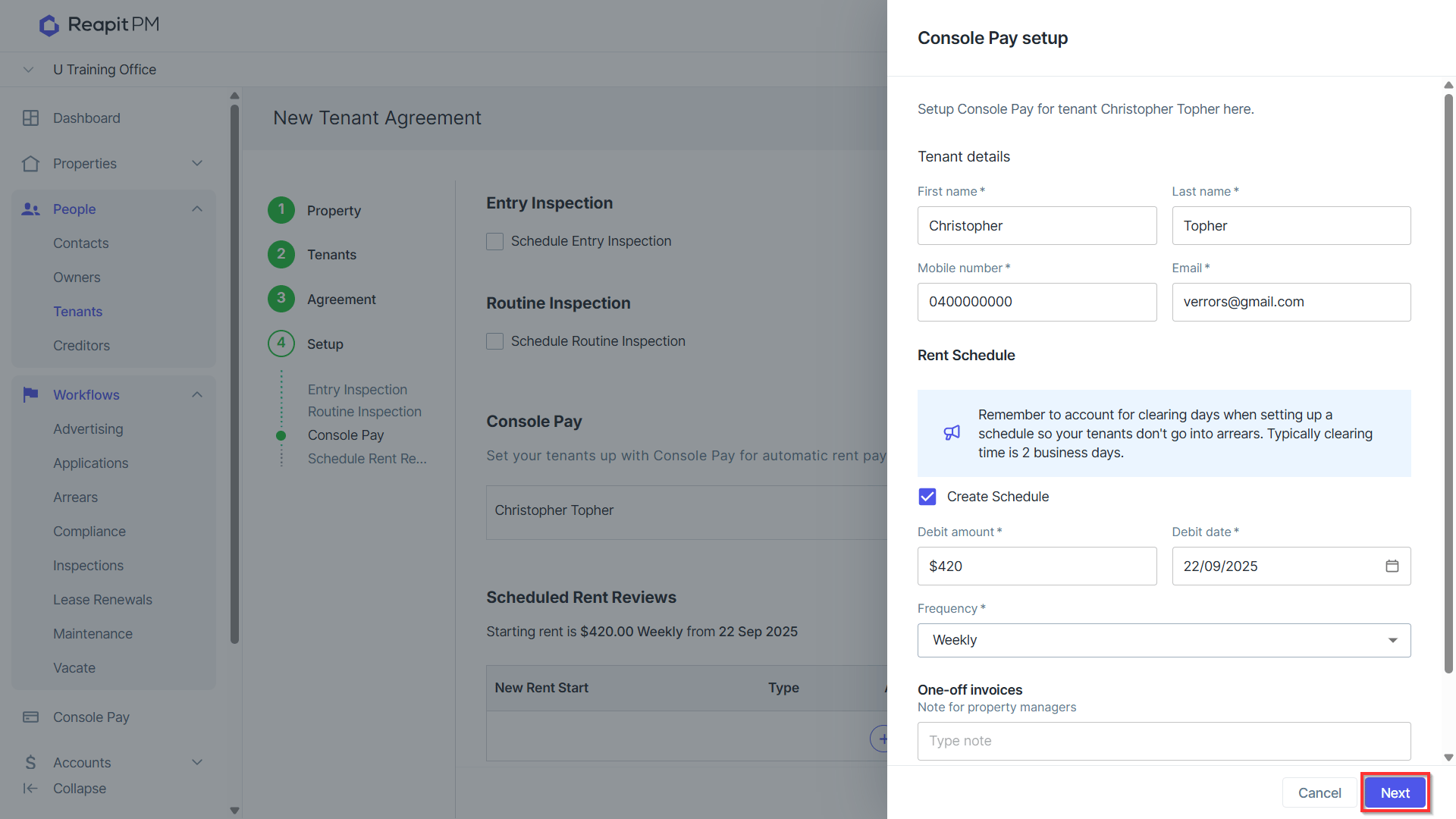
- Click Next.
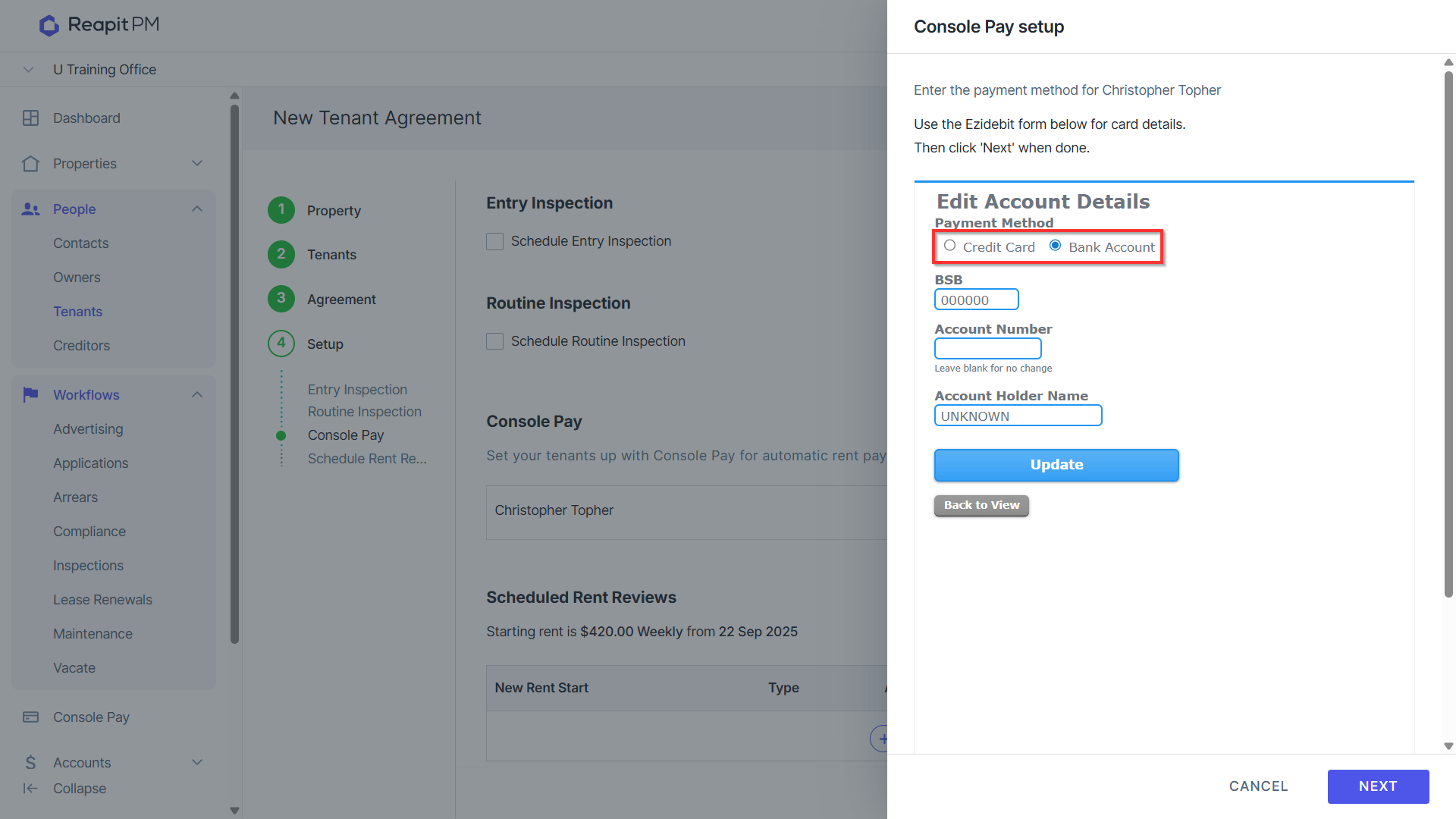
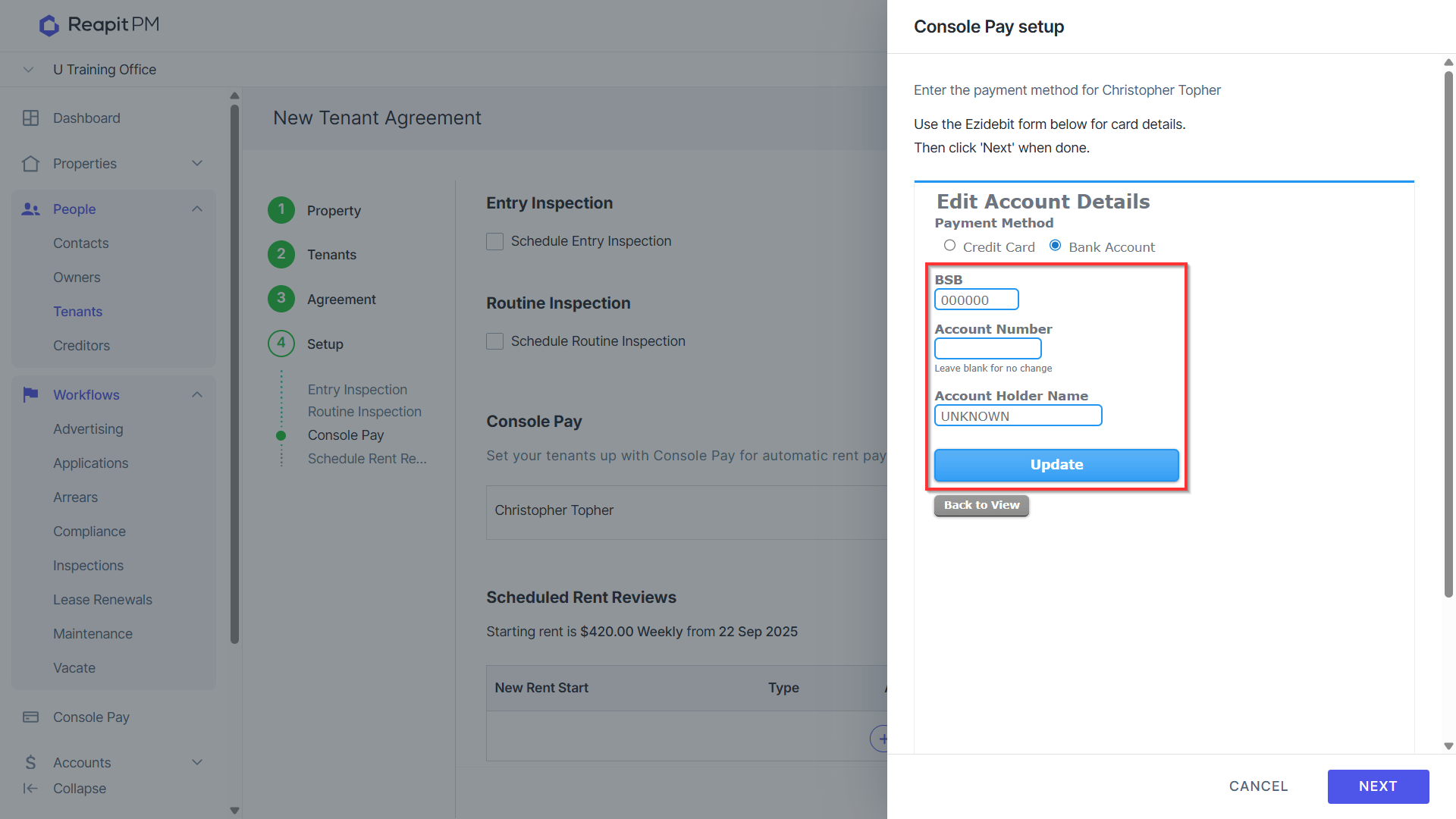
- Select Payment Method of Credit Card or Bank Account.
- Enter Payment details and hit Update to Save.
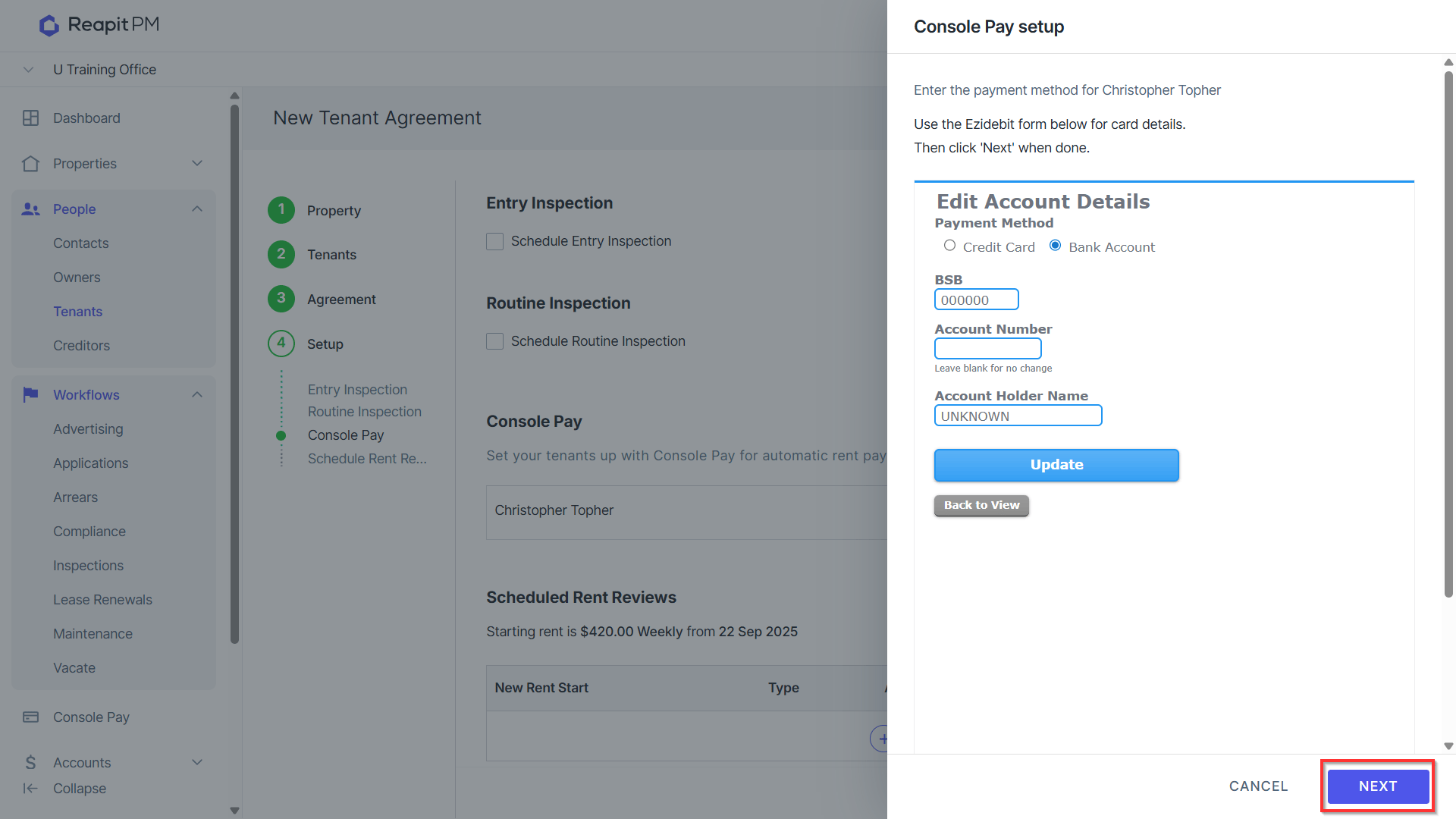
- Click Next.
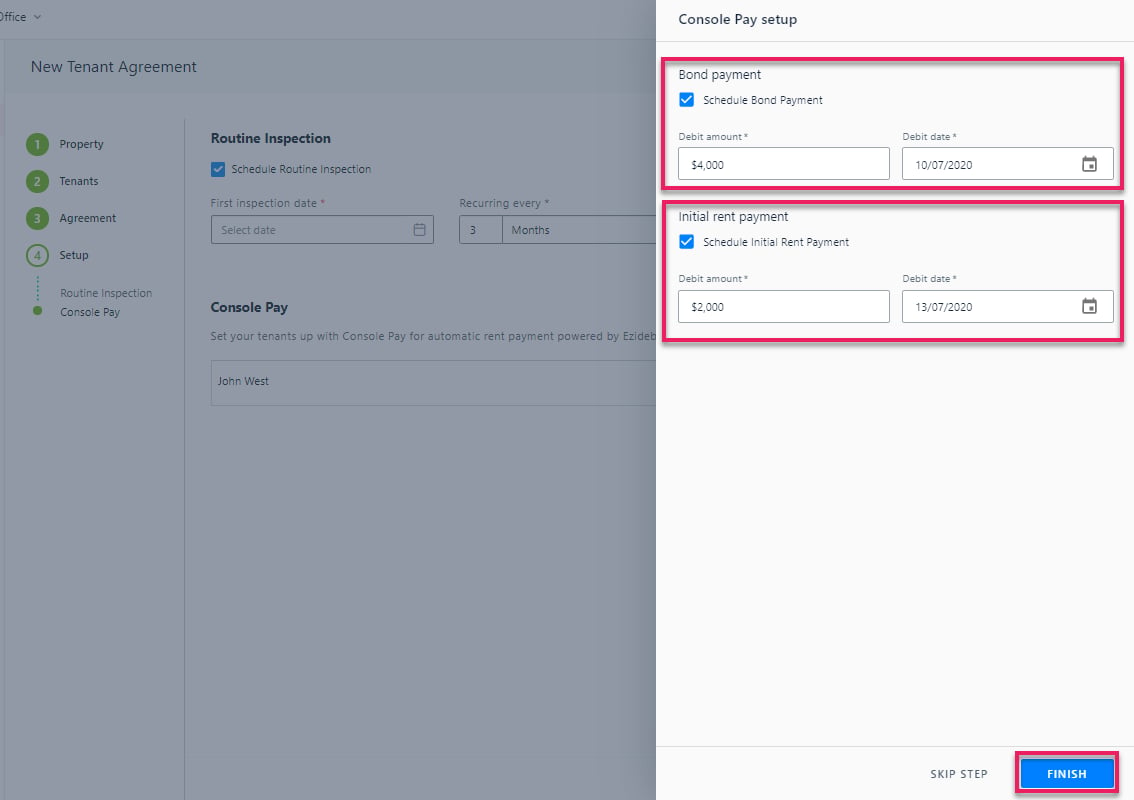
- Select to Schedule Bond Payment and Initial Rent Payment if applicable, enter amount and select debit date and Click Finish.
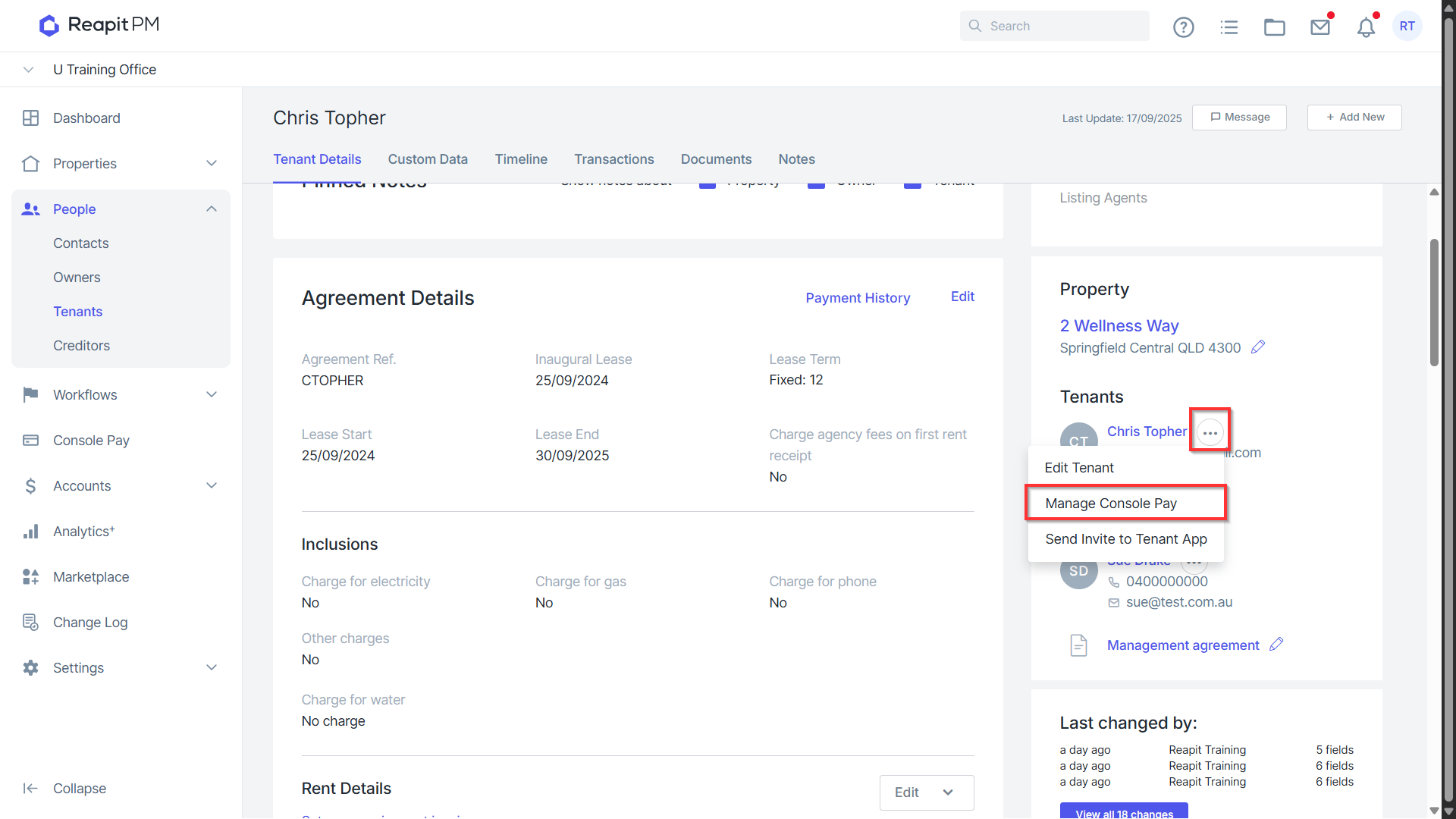
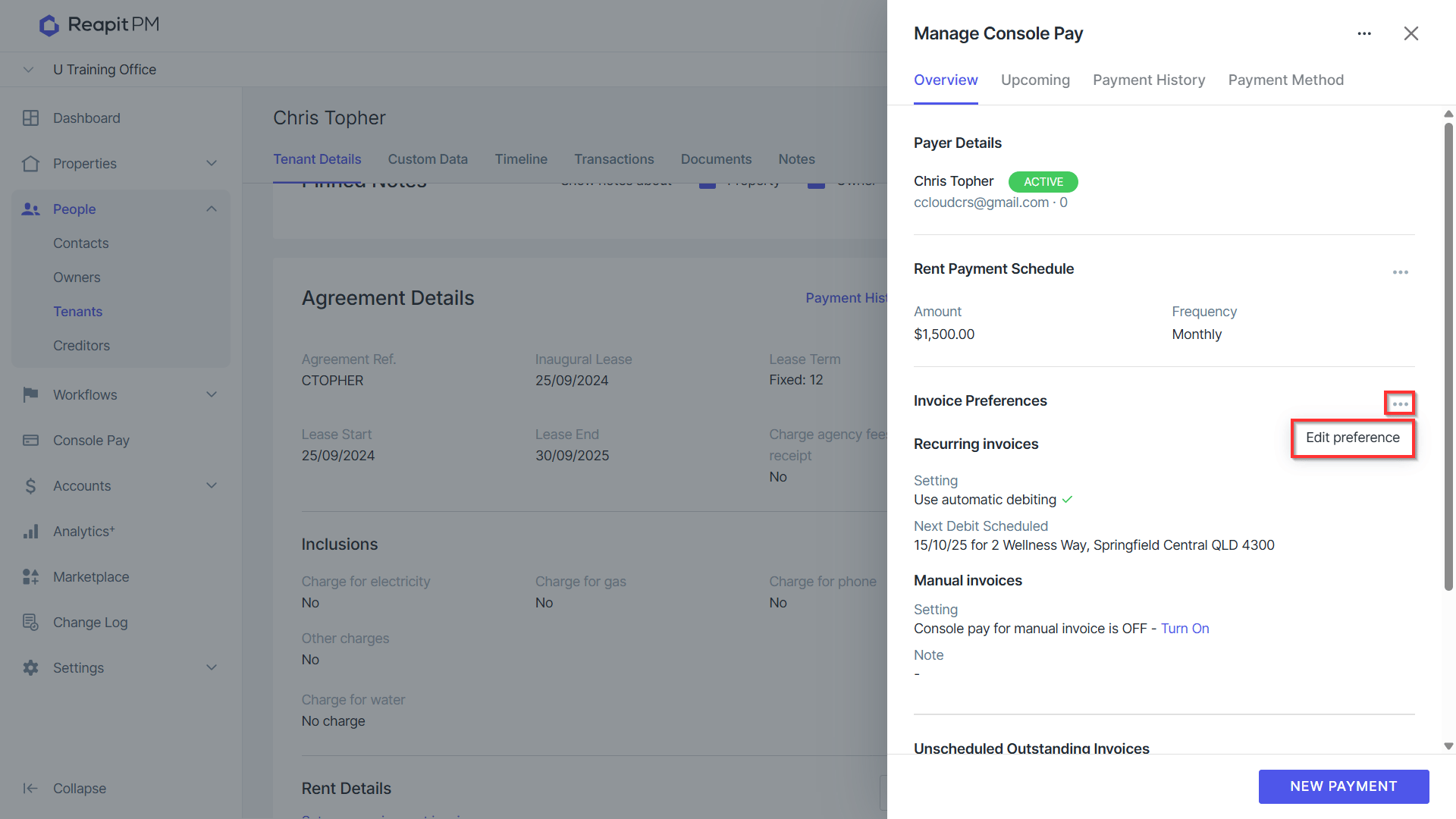
- Once saved, click on the ellipses > Manage Console Pay.
9. Click the 3 Action Dots > Edit Preference in the Invoice Preferences section to express a preference for utilising Console Pay for direct debit transactions, including the option to schedule a direct debit for the same day and consolidate these into a single payment.
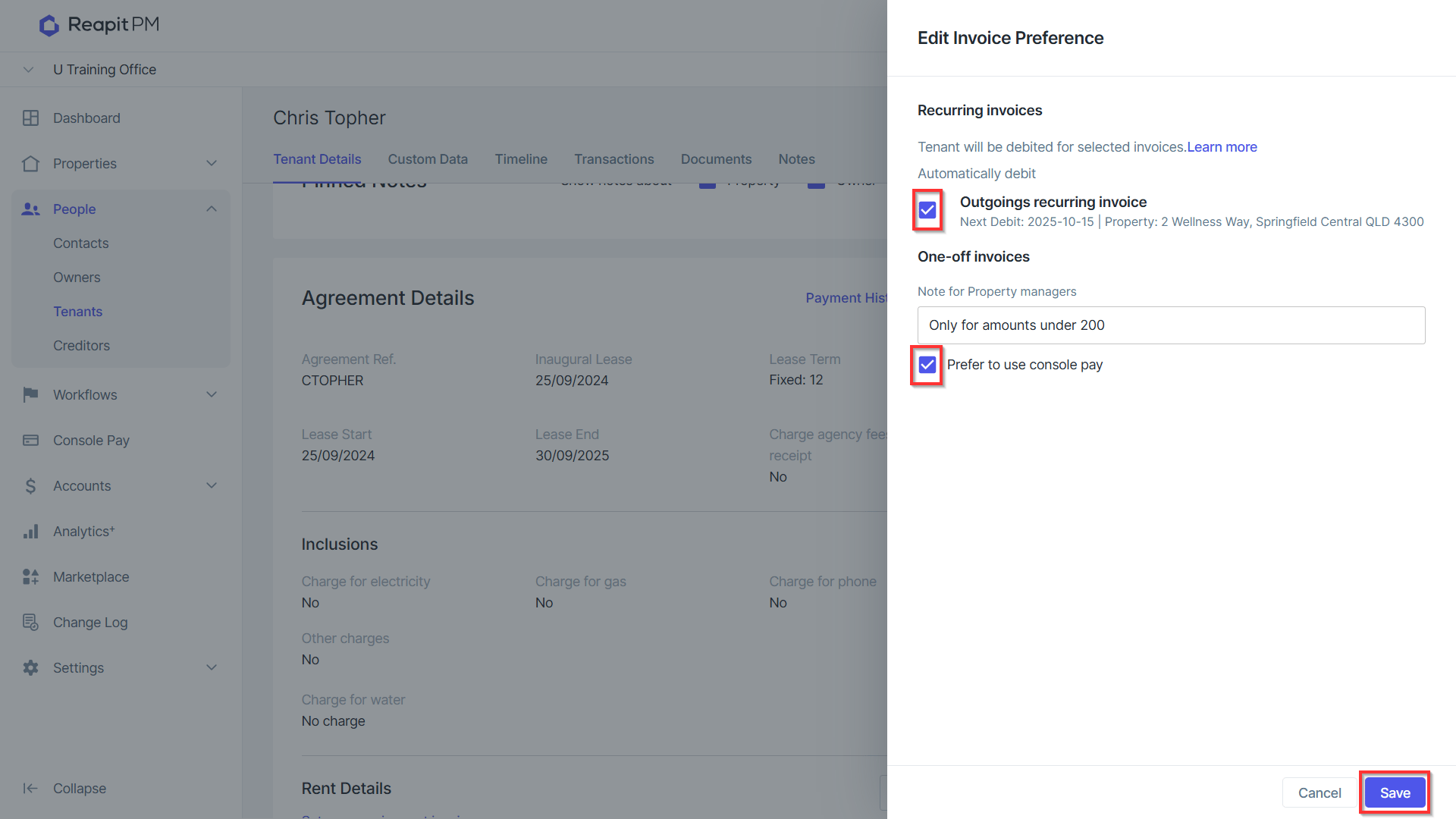
10. Select the Outgoings recurring invoice checkbox, and then click Save once completed.
*Note: In order to achieve a singular debit when a tenant has multiple debits due on a given day, refer to the next schedule debit date on recurring invoices and ensure it is the same as the rent [payment schedule debit date. Ay other manual payments e.g. bond top ups, when scheduled on a same day as a current debit will also form a single debit. The associated reciepting will automatically split these debits out into multiple receipts for receipt events.
The process can be repeated for additional contacts on the tenancy if required.