
Adding a Call to Action
This article will show you how to add Call to Action functionality which allows agents to redirect clients to specific content
Adding a Call to Action
The Call-to-Action functionality in Websites allows agents to redirect clients to specific content.
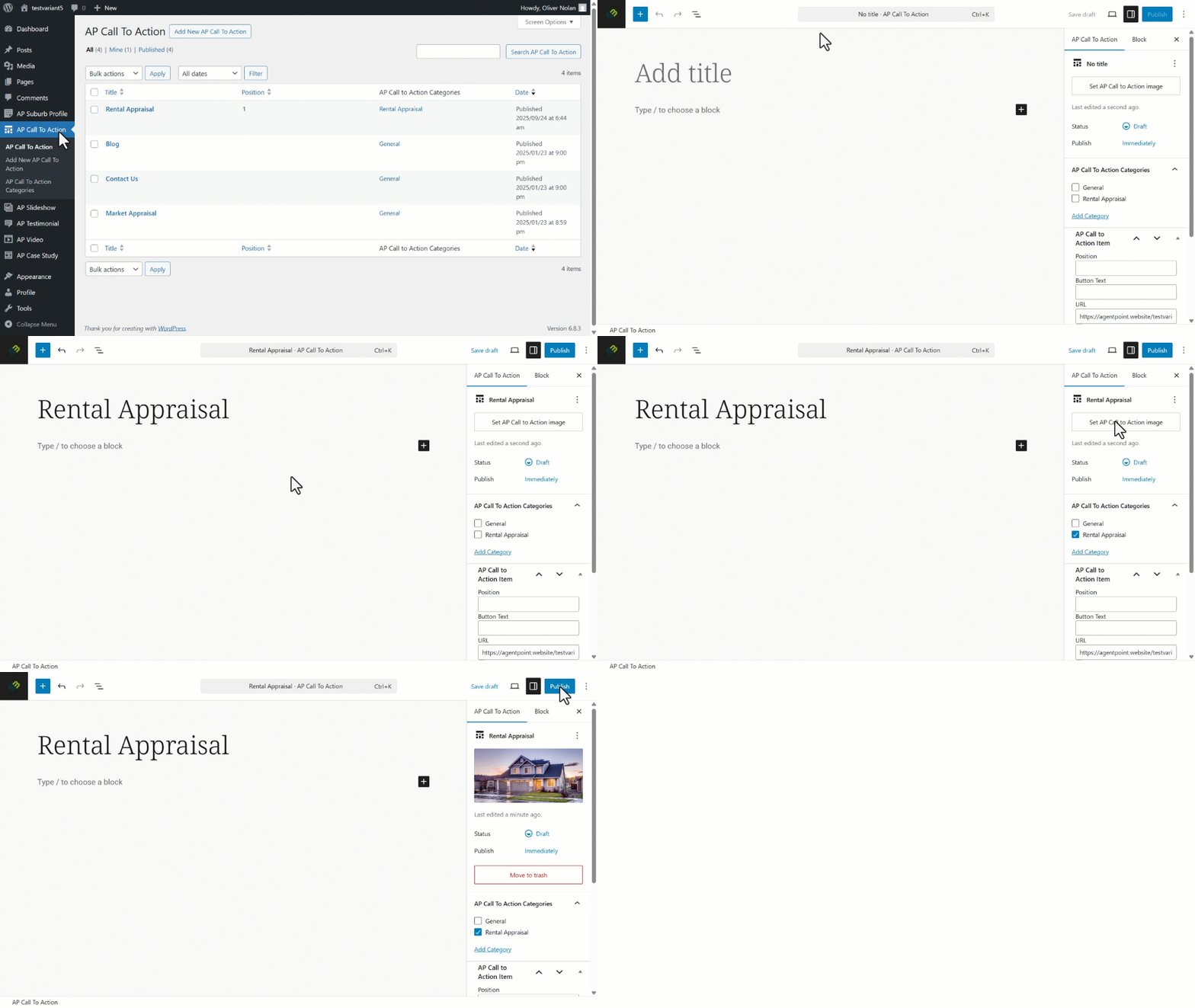
- Click on AP Call to Action on the Left Hand Panel.
- Click Add New AP Call to Action.
- Enter the Call to Action title.
- Click on Call to Action Categories and apply to the desired category.
- Click into Set Call to Action Image.
- Select the desired image from your media library, then click Set Call to Action Image.
- Enter the desired position order, and the URL clients will be redirected to when clicking on the action icon. Click Publish.
- Set your visibility and publishing options, then click Publish.
Please click here to find out how to create new call to action categories.
Please click here to find out how to add new images to your library.