User Profile
This article will show you how to edit your profile in Reapit Websites.
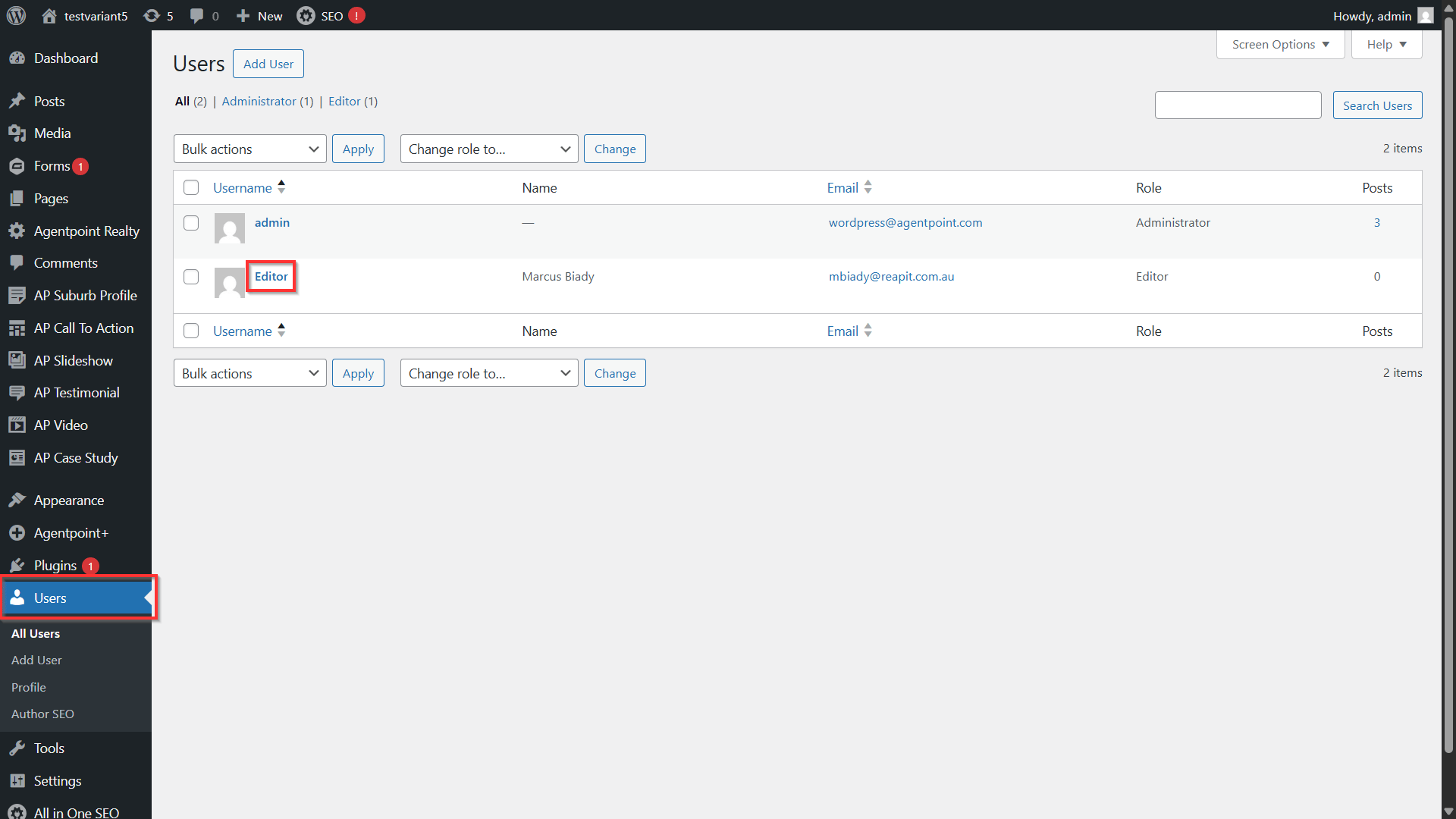
- To edit your profile details, navigate to Users and your username from the list.
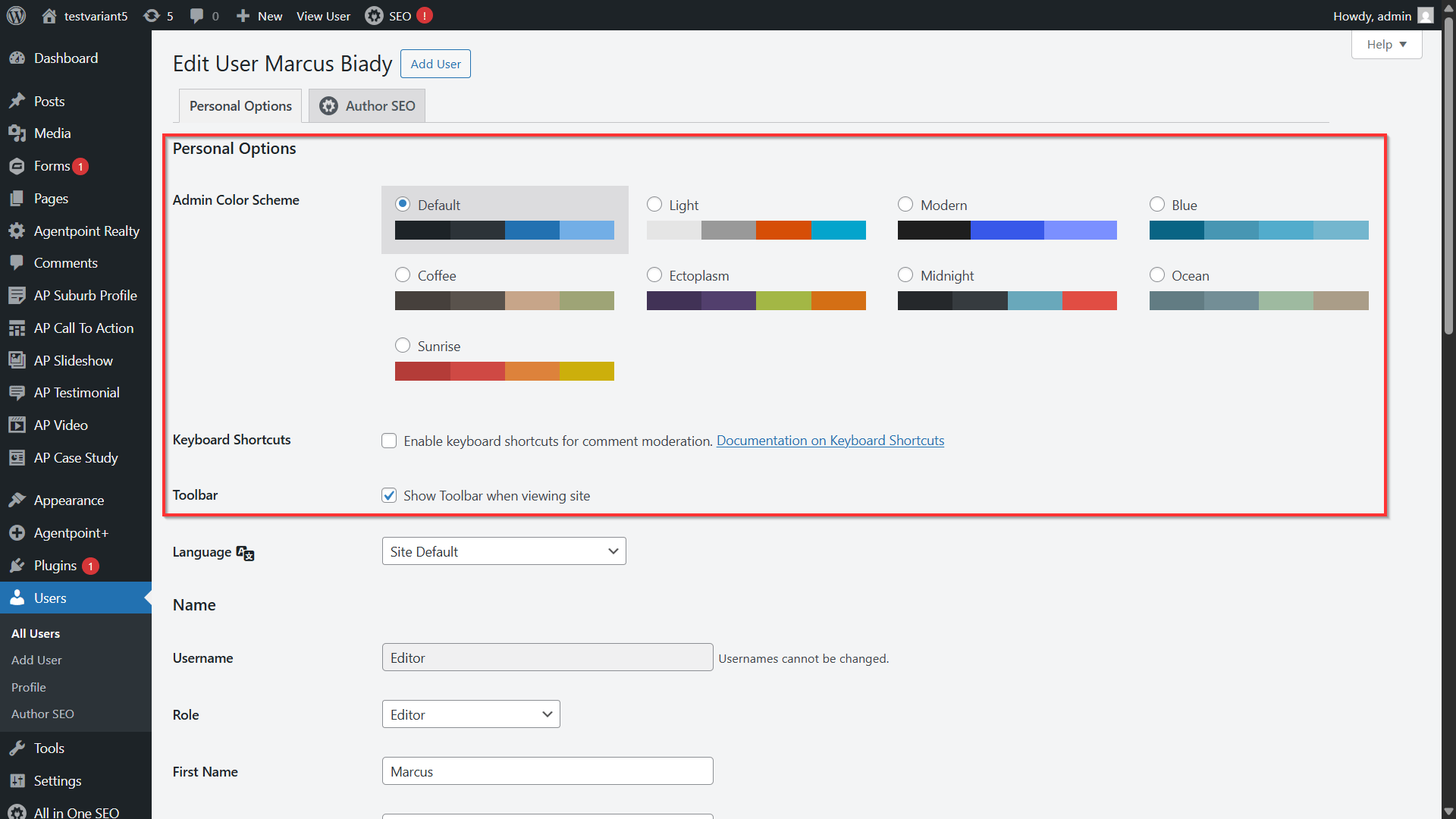
- Enter your personal options.
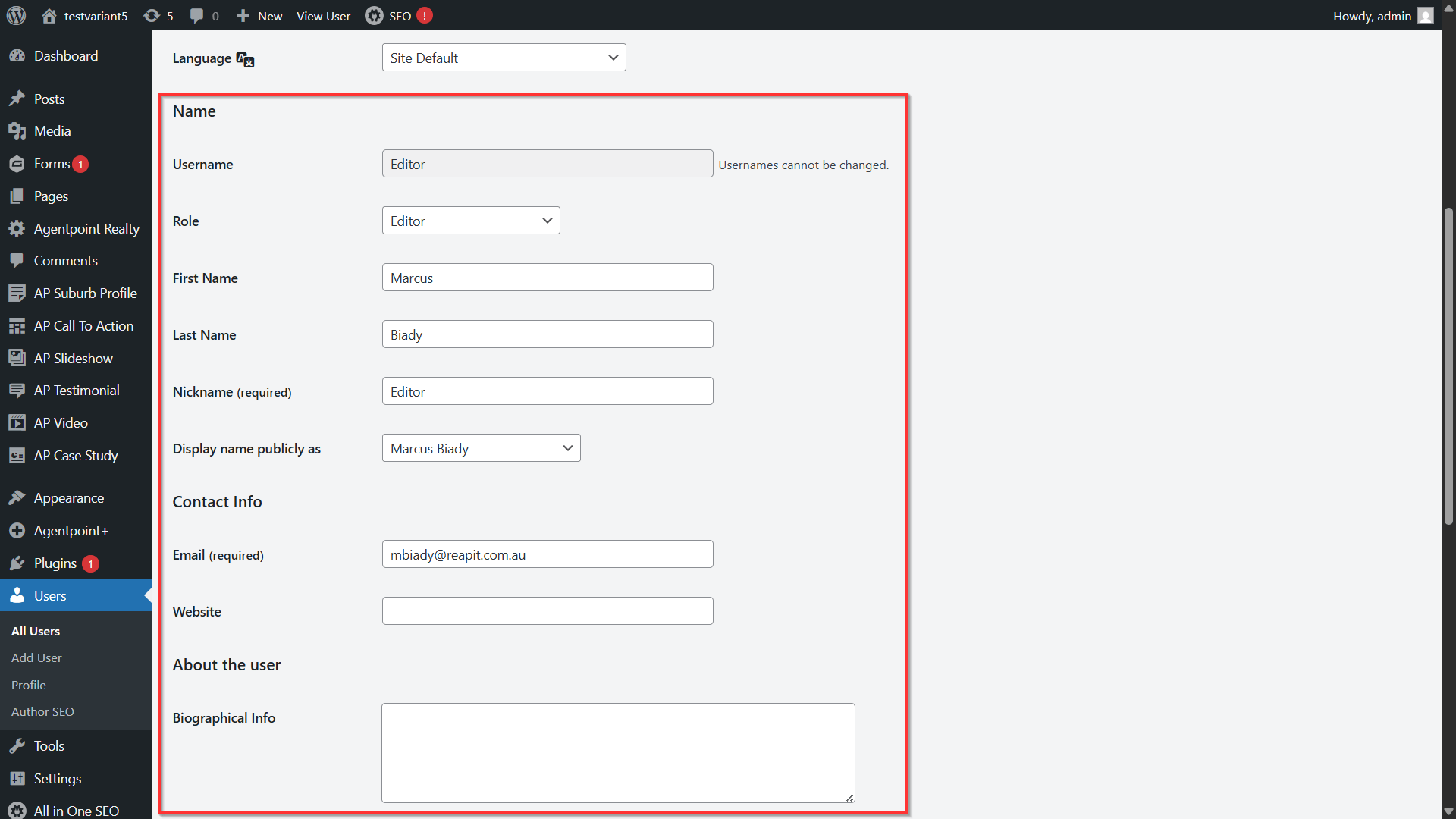
- Enter your Name, Contact Info and Bio.
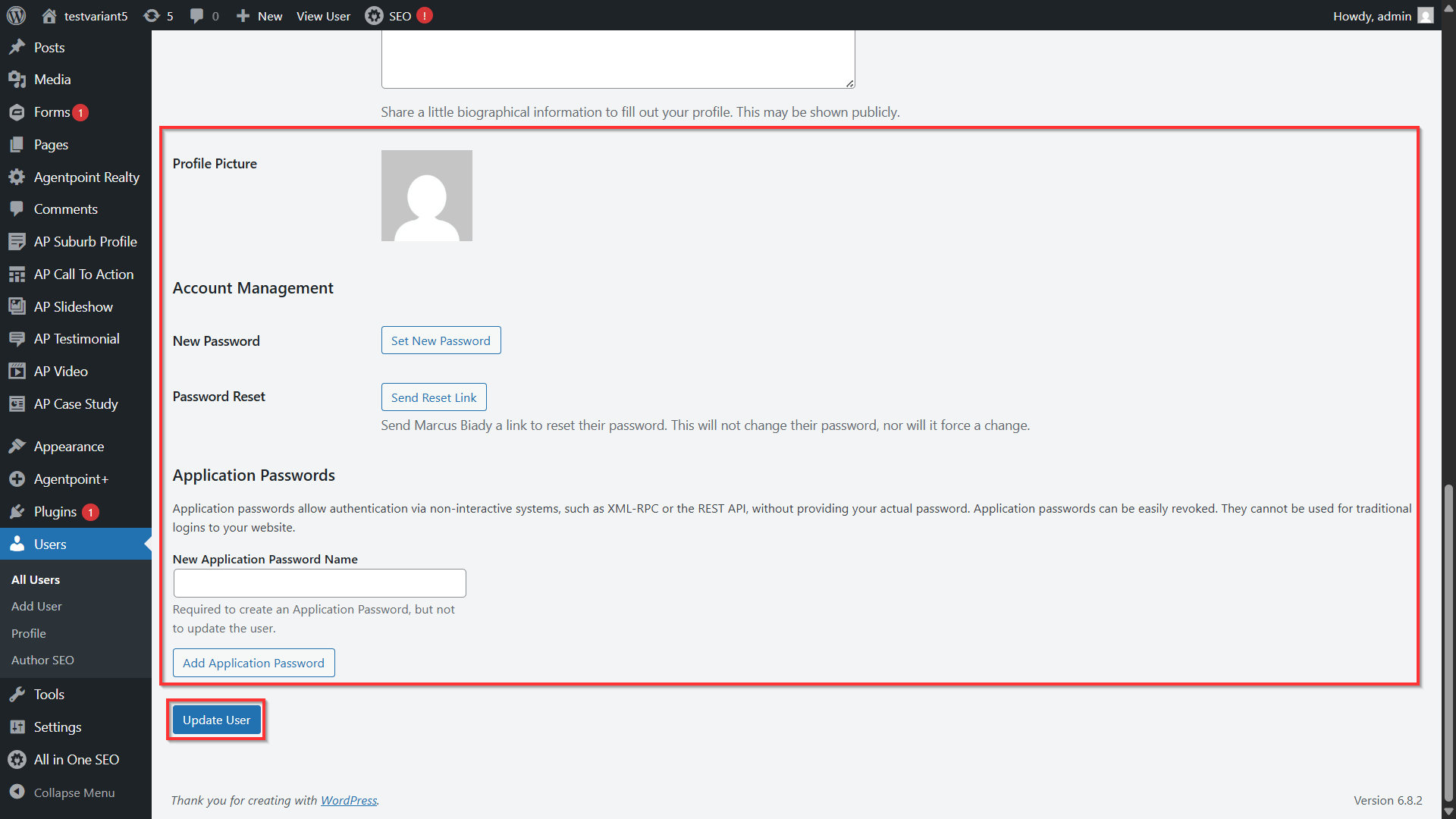
- Click on the relevant icons to change your profile picture or to set a new password. When you are satisfied, click Update Profile.
Note: When setting up a new password, please ensure the password meets recommended security guidelines.
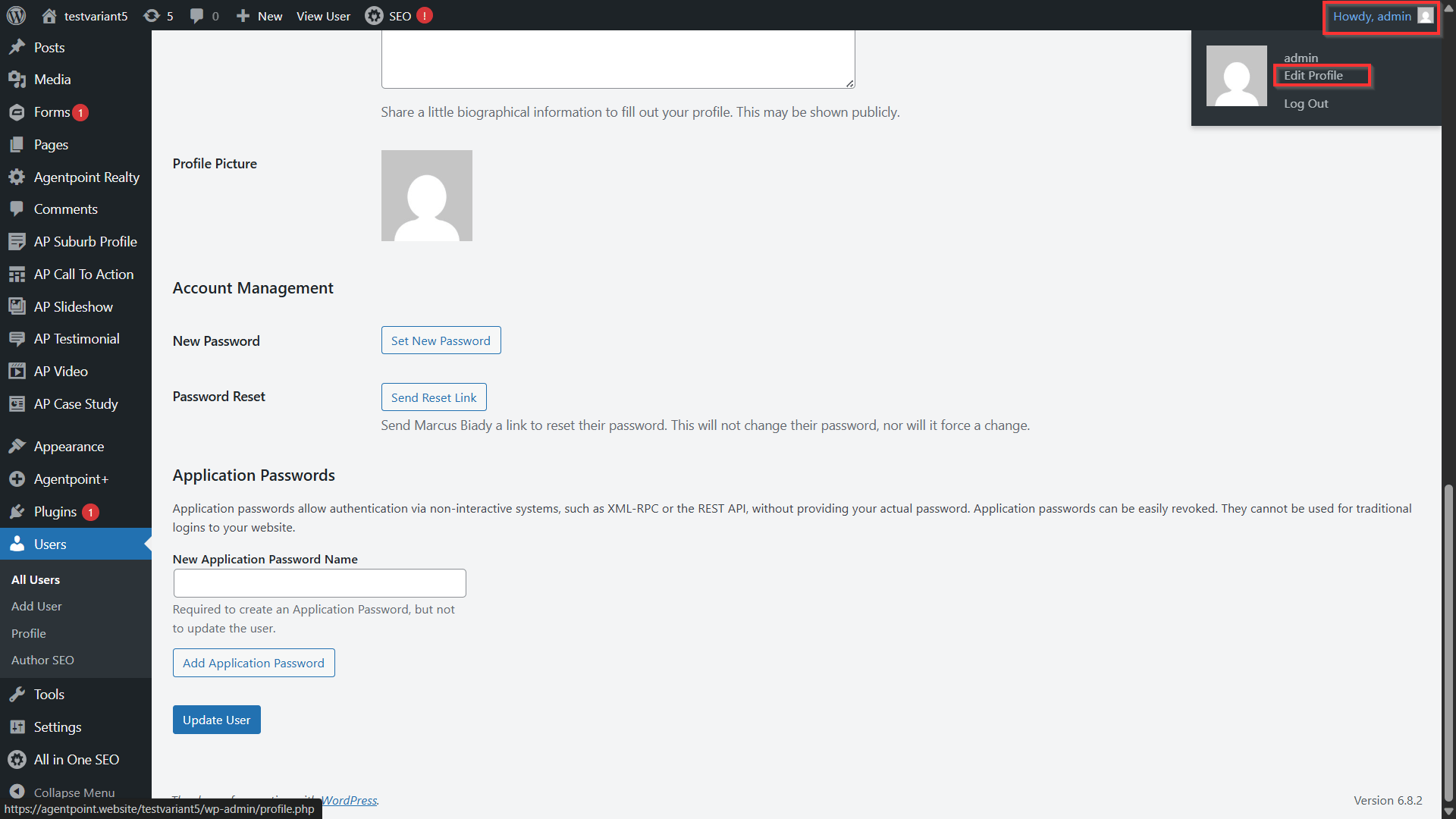
- You can also edit your profile details by clicking on your user name on the top right-hand side, then clicking Edit Profile.