Logging in and out of Reapit Websites
This article will show you how to access and manage your login with Reapit Websites.
The process in this article include:
- Log In
- Log Out
*Note: You are unable to invite users to the platform via Editor Access.
Only users with Admin Access or Support Staff are able to provide access to other agents.
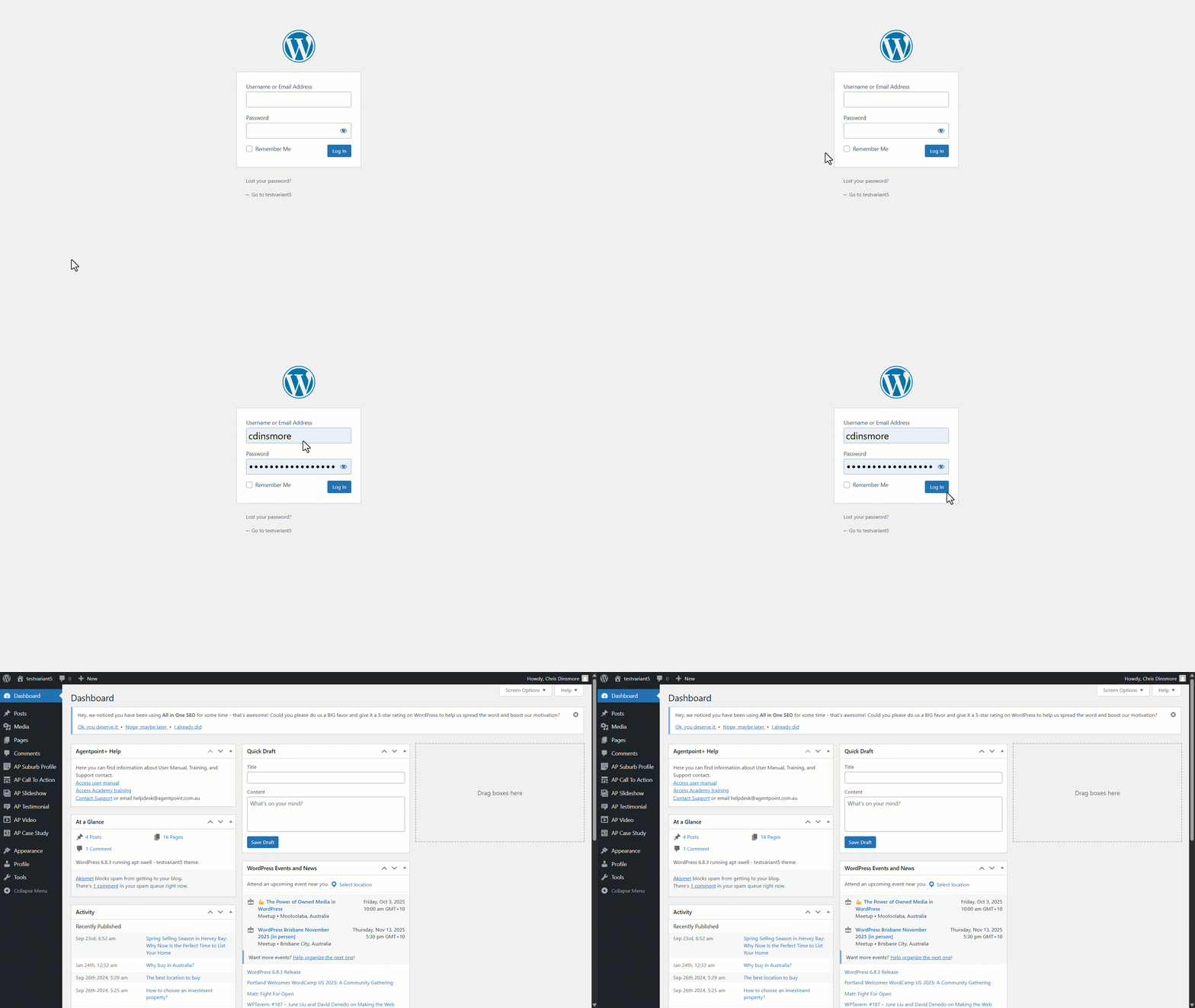
Log In
Fill out your Username or Email Address and type in your password.
Click Log In.
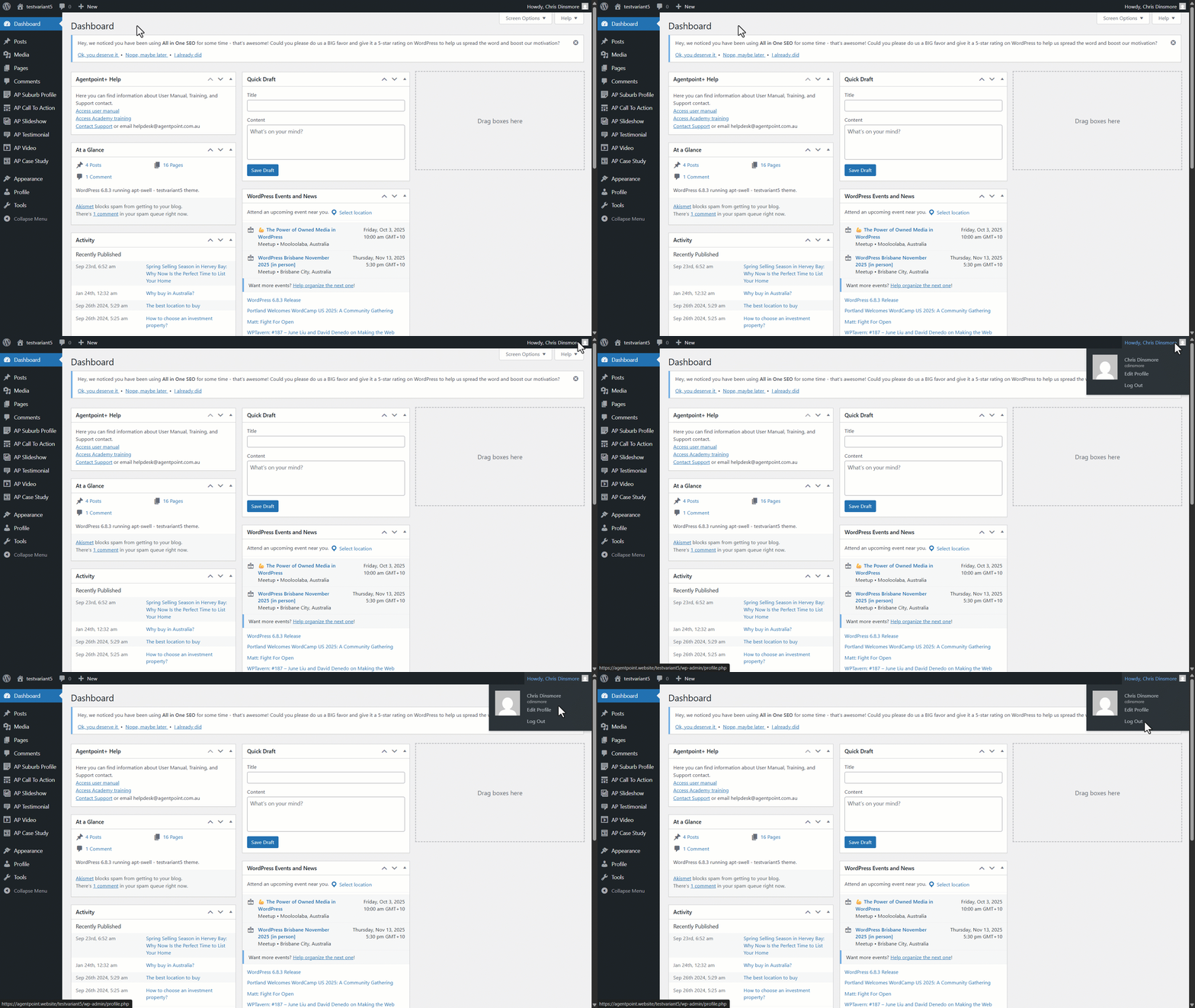
Log Out
Navigate to the top right-hand corner.
Click Howdy, 'first name'.
Click Log Out.