Managing Navigation
This article will show you how to manage the Navigation in Reapit Websites
Navigation and Pages are fundamental components for structuring your website. Pages are used for static content like Home, About Us, or Contact, providing essential, long-lasting information about your site. Navigation involves creating menus that link to these pages, ensuring users can easily access important areas of your website.
Note: When setting up your website, the delivery team will create the navigation sitemap for you. Adding or editing the existing sitemap can be done using the steps below.
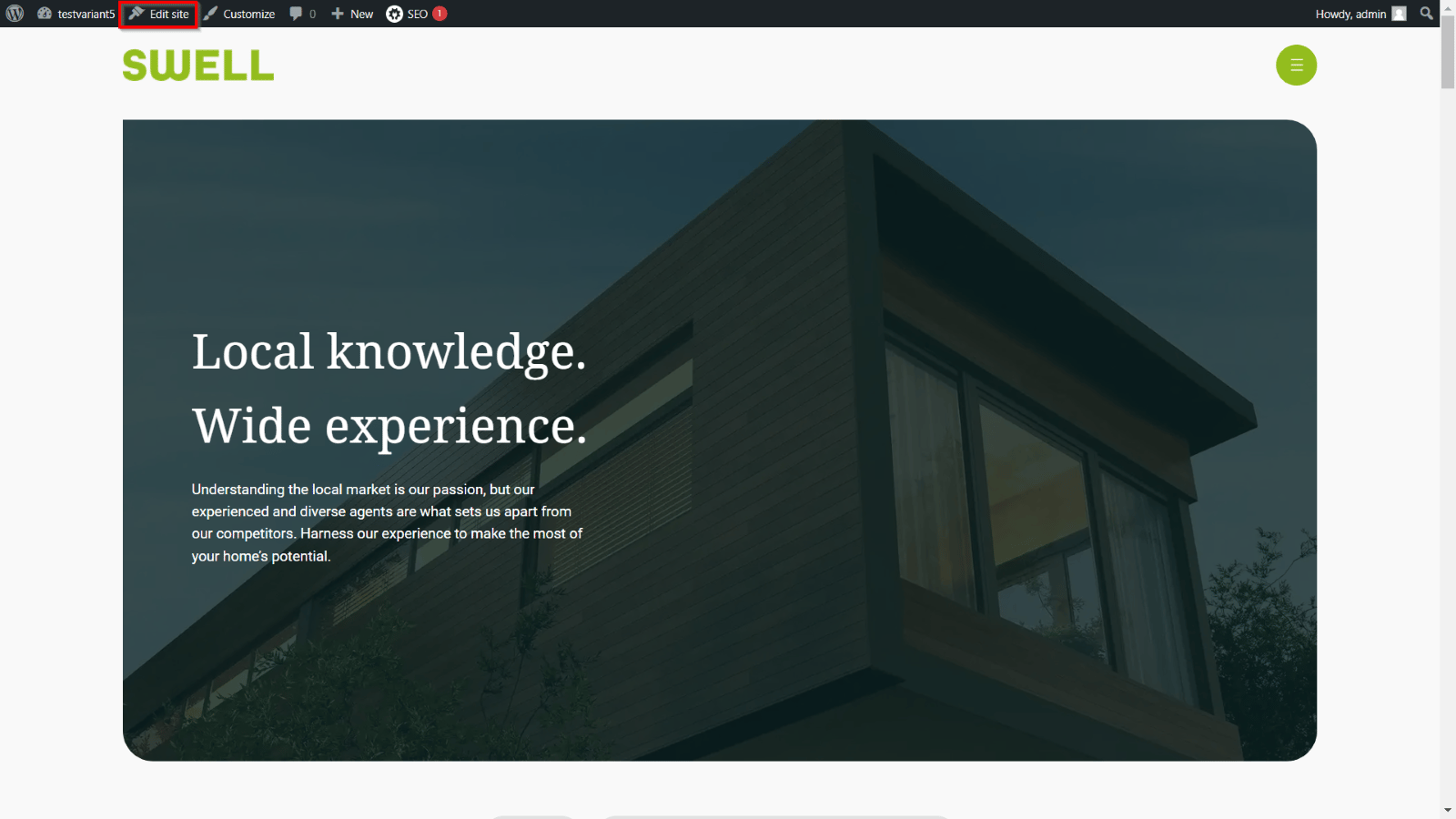
- After accessing the home page, navigate to Edit site.
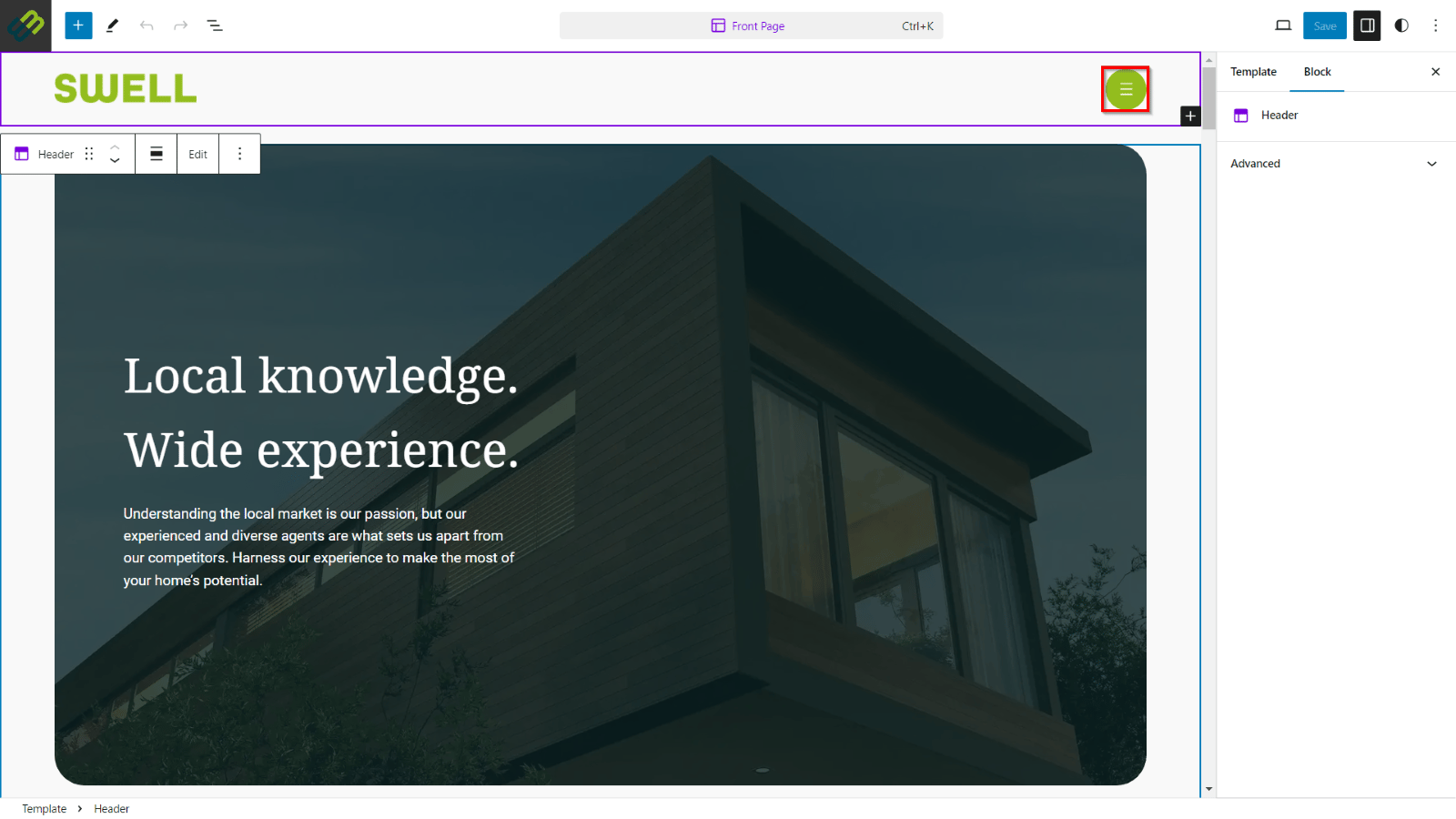
- Navigate to the hamburger circle menu and double-click to bring up the navigation site map.
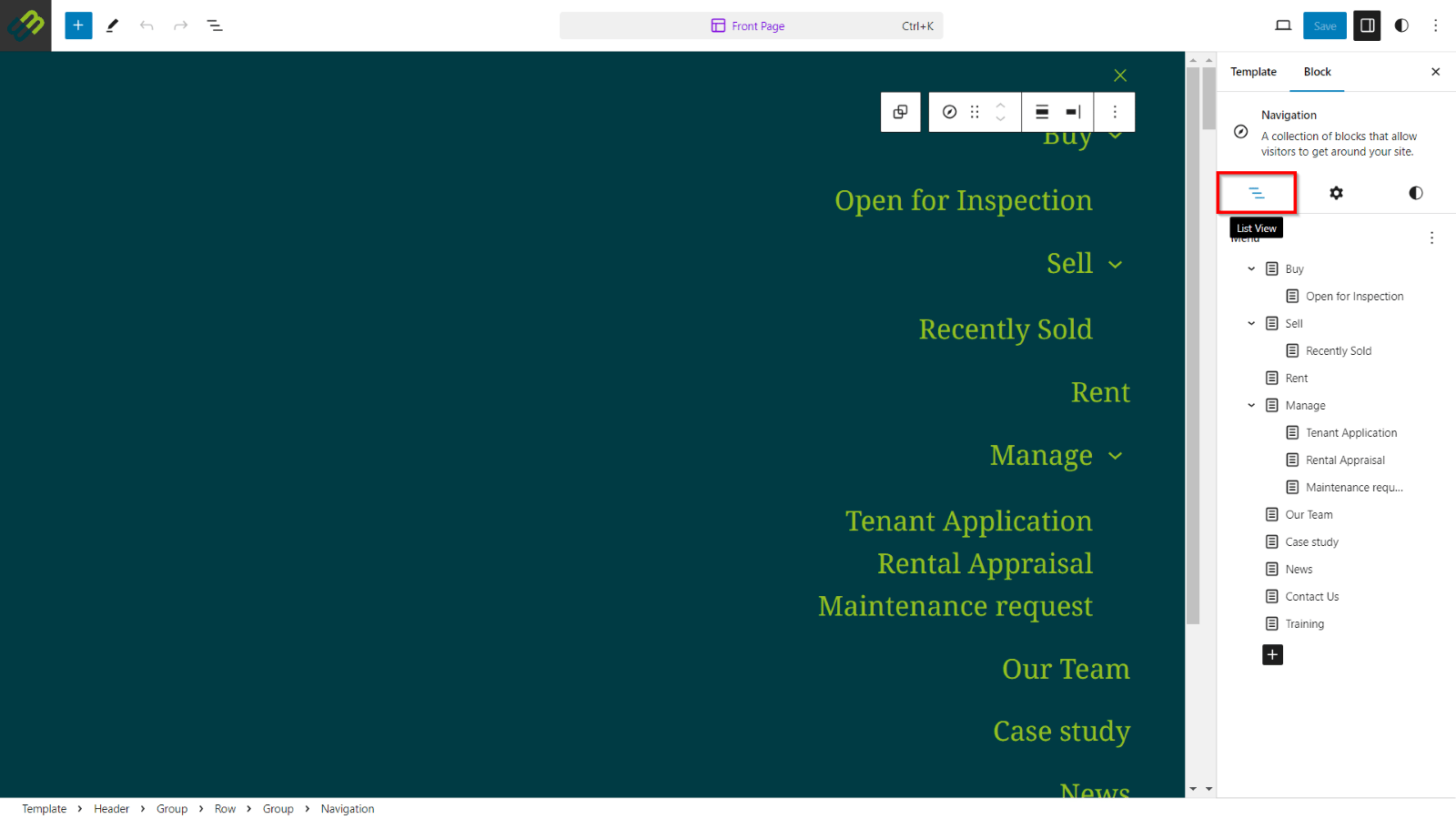
- The sitemap will display, and the List View menu will appear, providing the add and edit options.
- Click the + button on the list view menu to add a new page link.
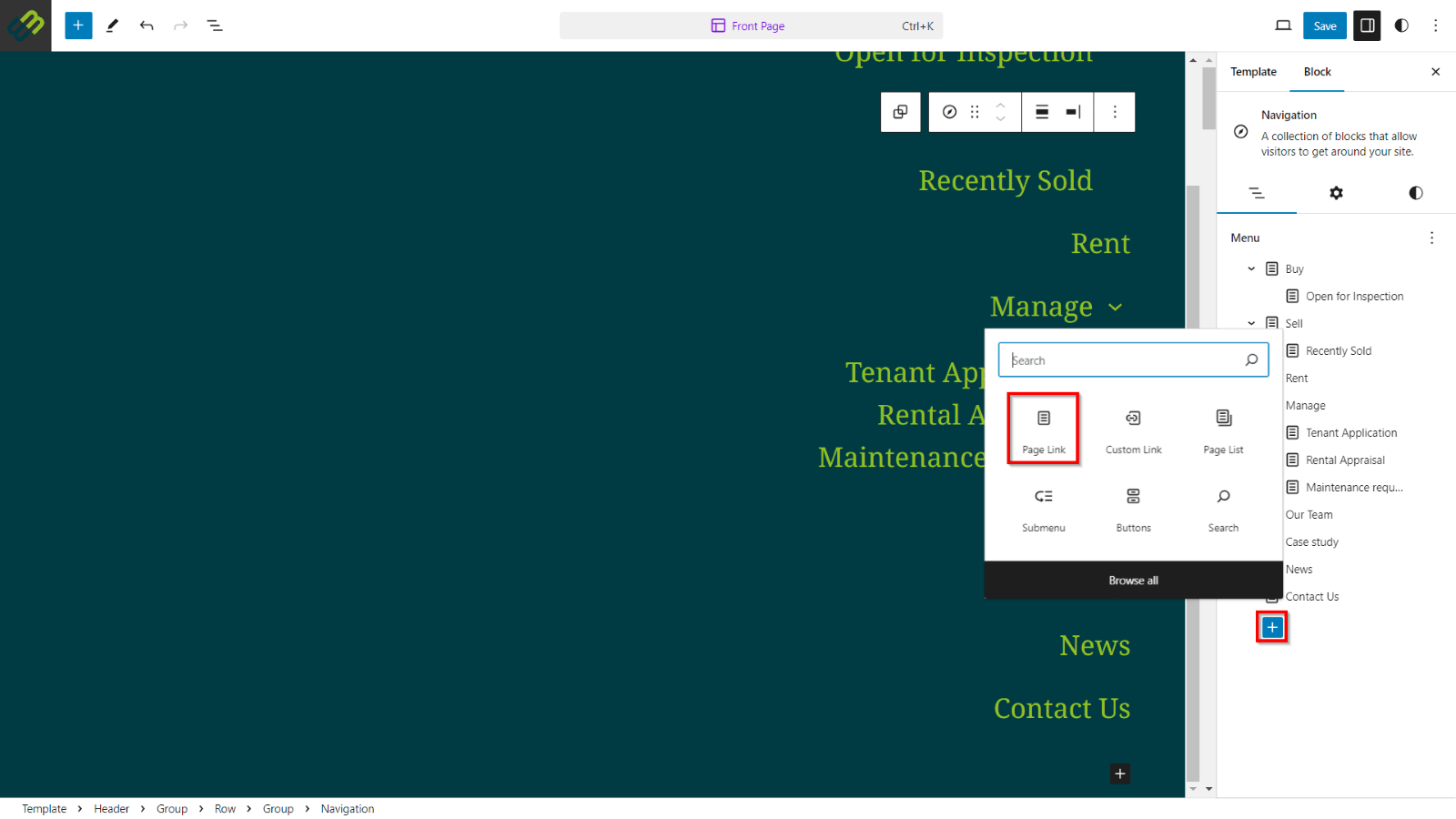
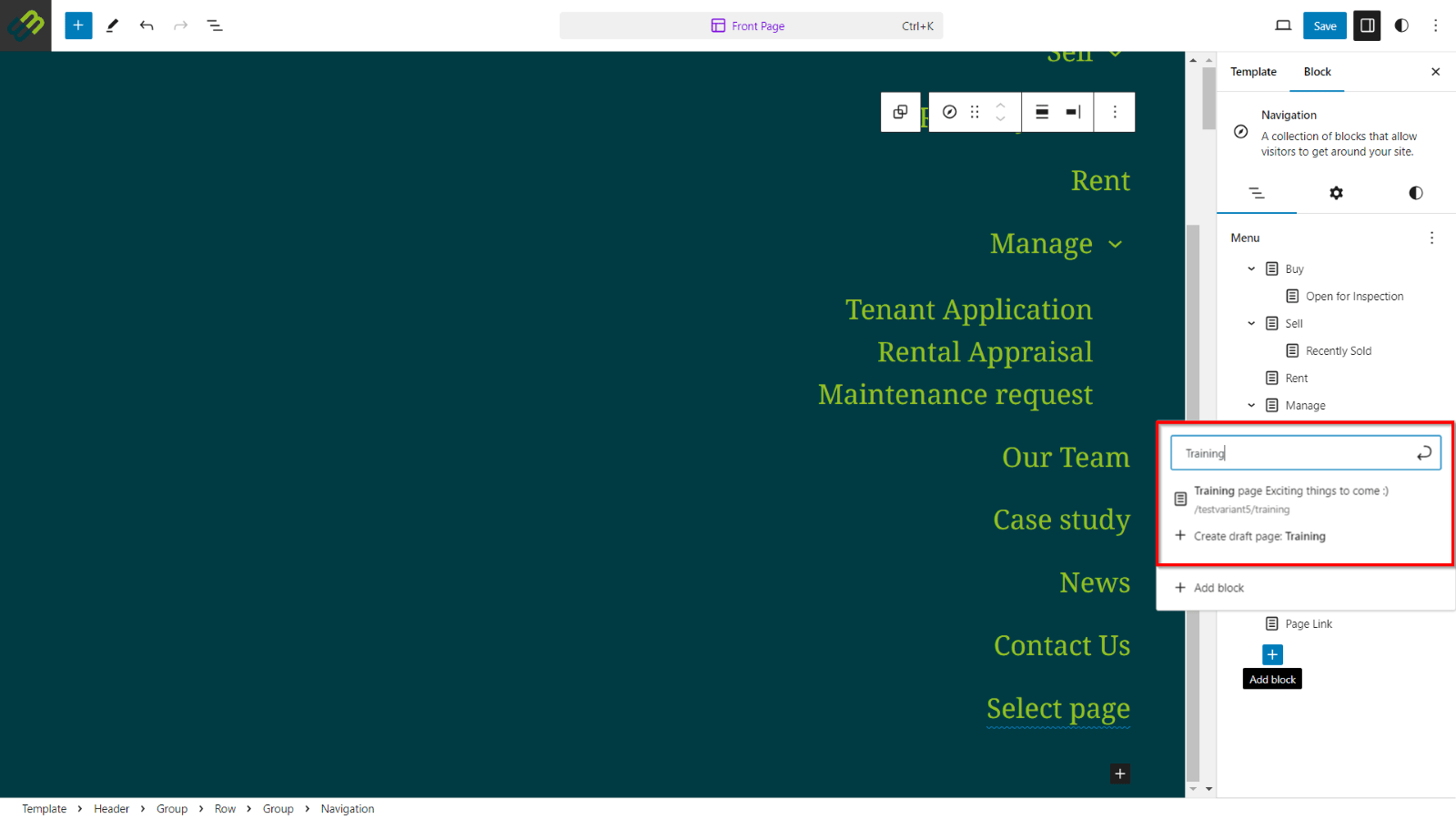
- Search for the created page or URL that you would like the menu to redirect you to. Click Create draft page.
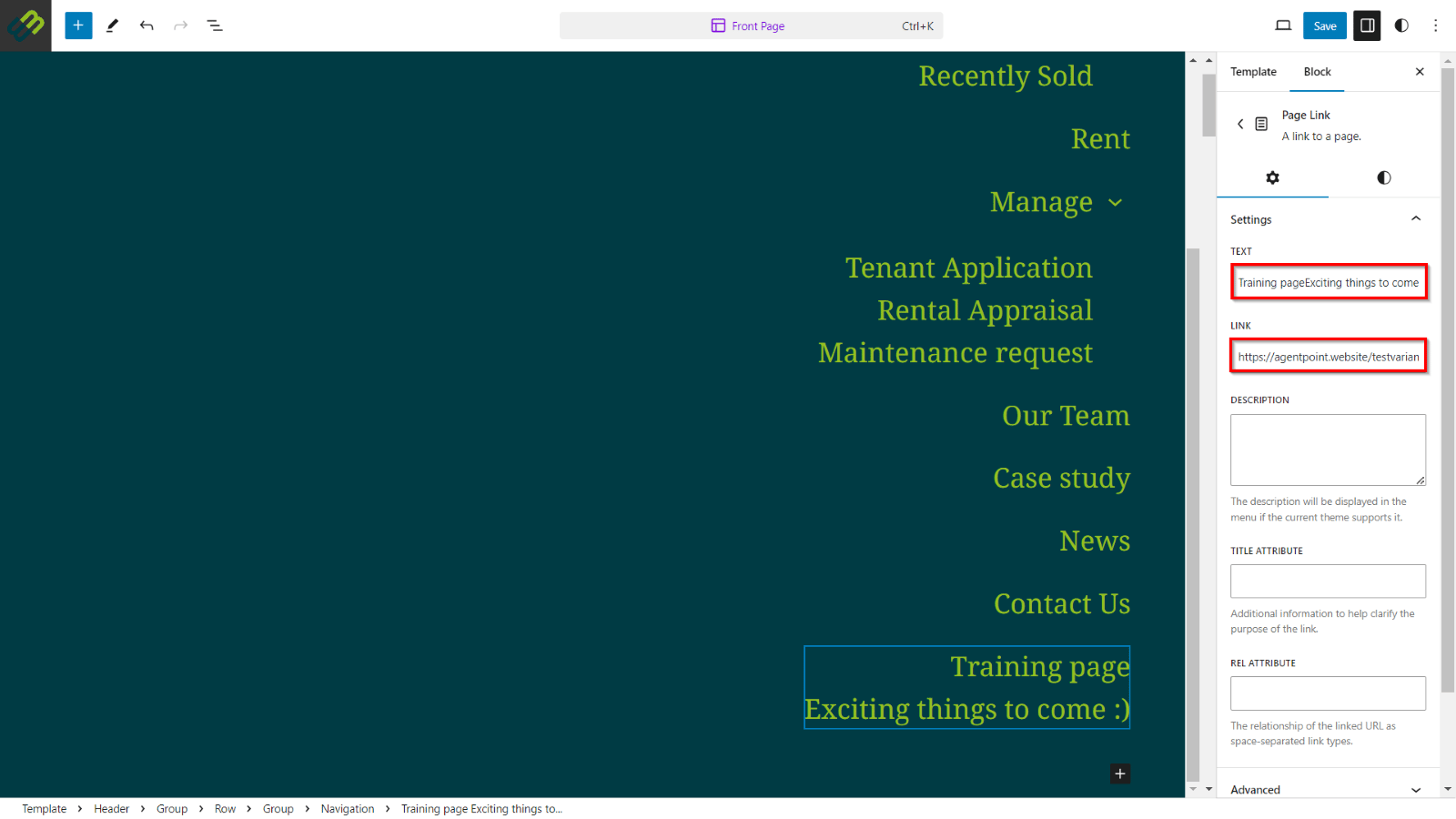
- Once the Page Link draft has been created, you will have the option to edit the link text or edit the link it redirects you to.
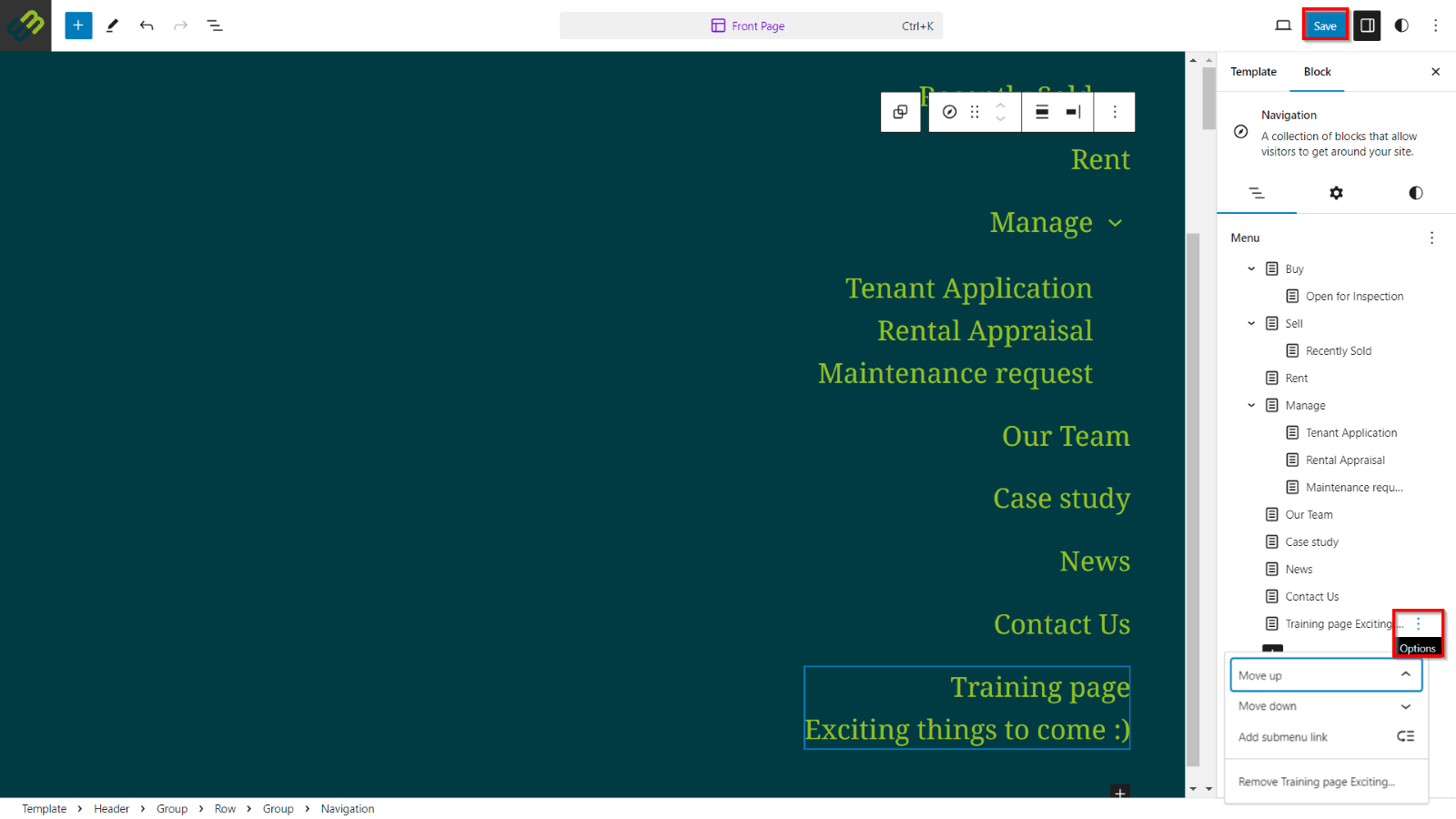
- Click on any of the other menu items to display their editing options. Clicking the 3 action dots to the right of the menu item will provide you with the option to re-arrange the menu item, add submenu link, or remove. After making the needed changes, click Save.