Heatmap
This article will show you how to manage heatmap
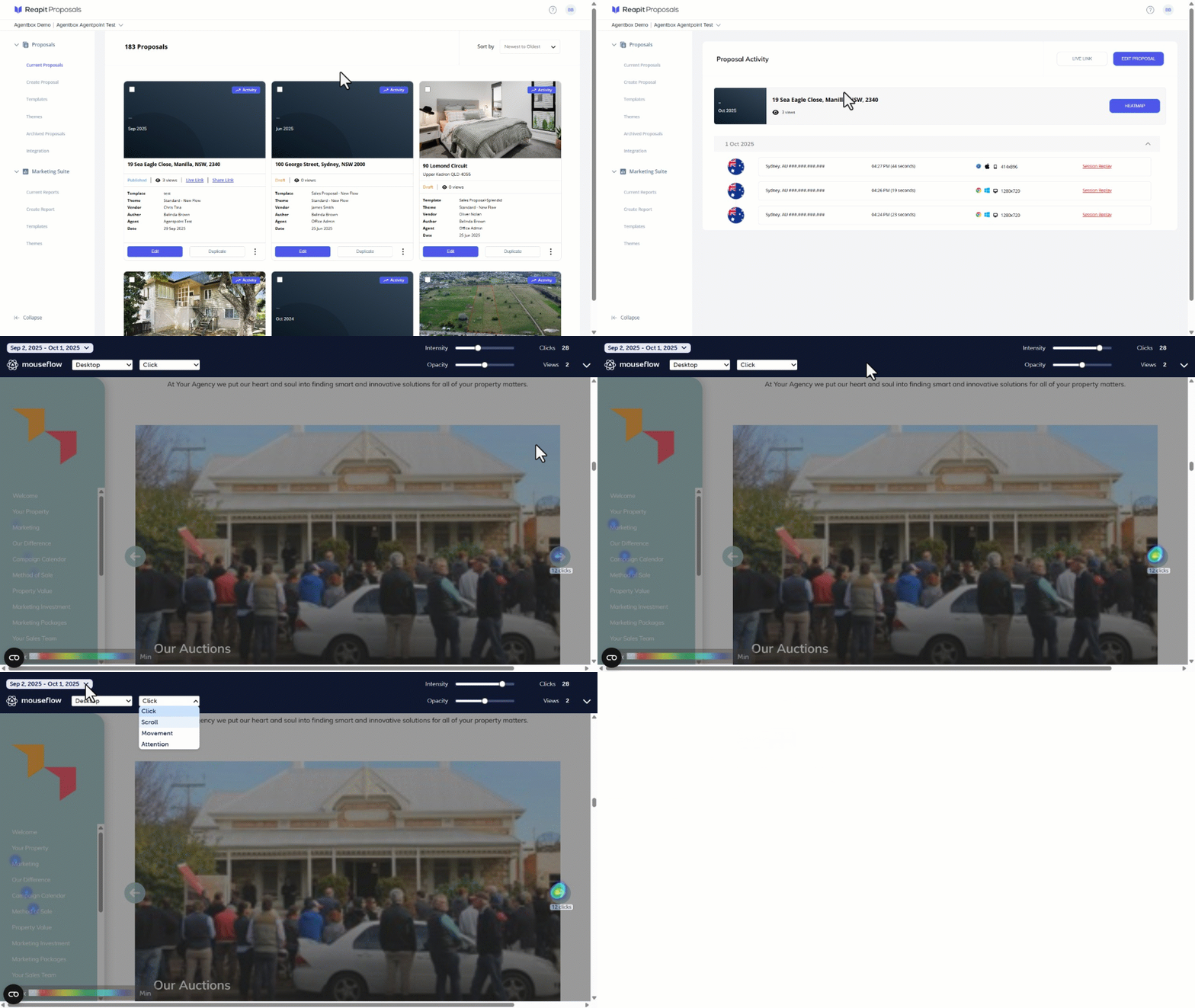
The Heatmap is a way to show information using colours on a grid. It helps agents identify prospective vendor's patterns and differences in data. If you are interested in having this feature enabled, please feel welcome to reach out to support@agentbox.com.au.
Heat Maps are available for published and accepted Proposals.
- From the Current Proposals page, search or navigate the the proposal.
- Click on Activity.
- Click on Heatmap.
- Use the Opacity and Intensity toggles to adjust the grid visibility.
- Use the dropdown to view Click, Movement, Scroll or Attention.
- Click on the date to narrow down the viewing timeframe.