REI Forms Live
This article will show you how this feature will allow an integration between REI Forms Live and Reapit Proposals.
This feature will allow an integration between REI Forms Live and Reapit Proposals.
To activate the integration, each user will need to have an active Forms Live subscription.
The processes in this article include:
- Activation of the REI Forms Live Integration
- How this Feature Works
- Deactivation of the REI Forms Live Integration
Activation of the REI Forms Live Integration
*Note: The Forms Live integration is set up against the user account. Hence, the activation of this integration is required to be done by each individual user for their user account.
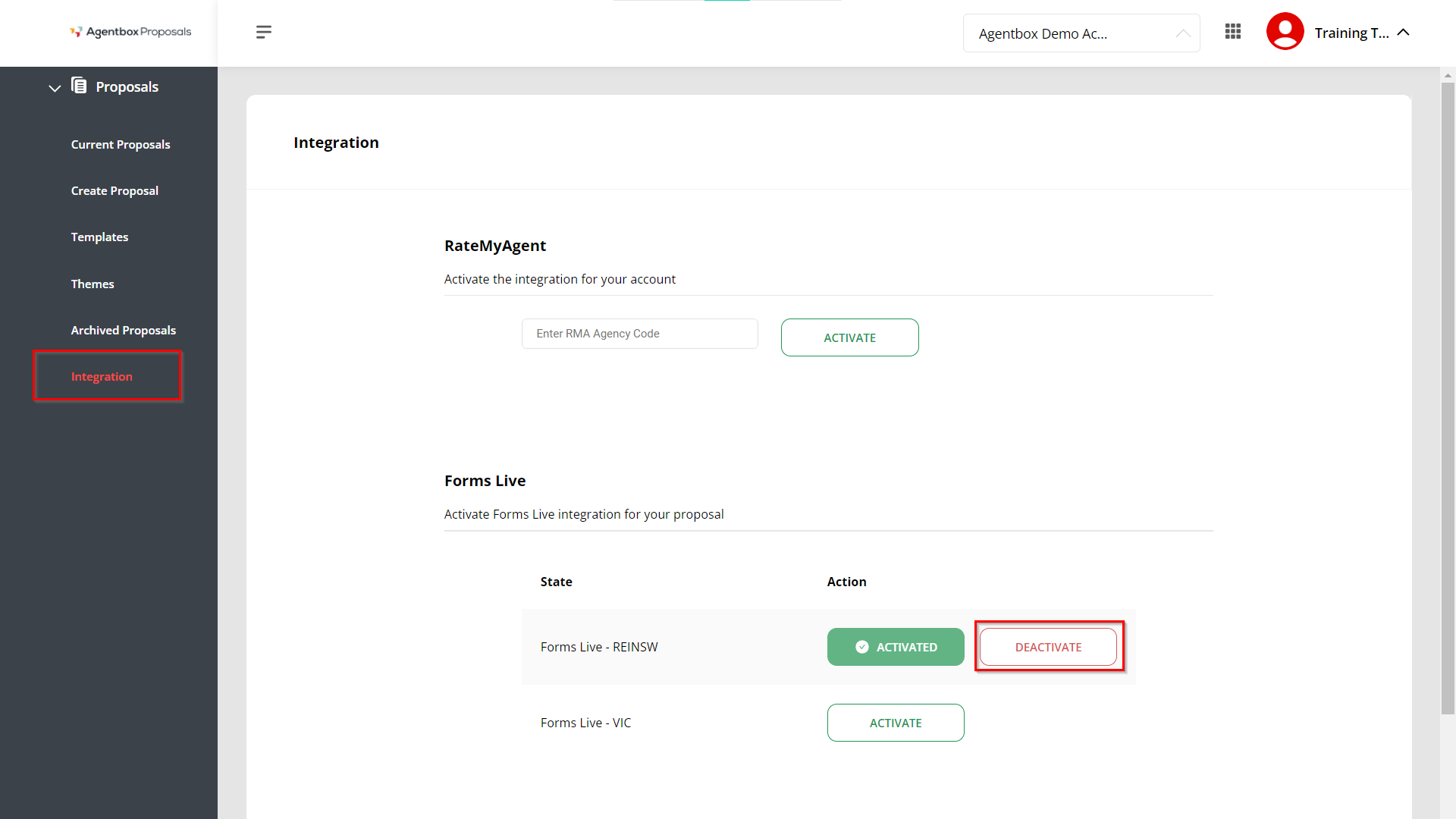
- Click on Integration.
- Click Activate for the relevant State.
- A message appears to say you will be redirected to the Forms Live login for your state.
- Click Proceed.
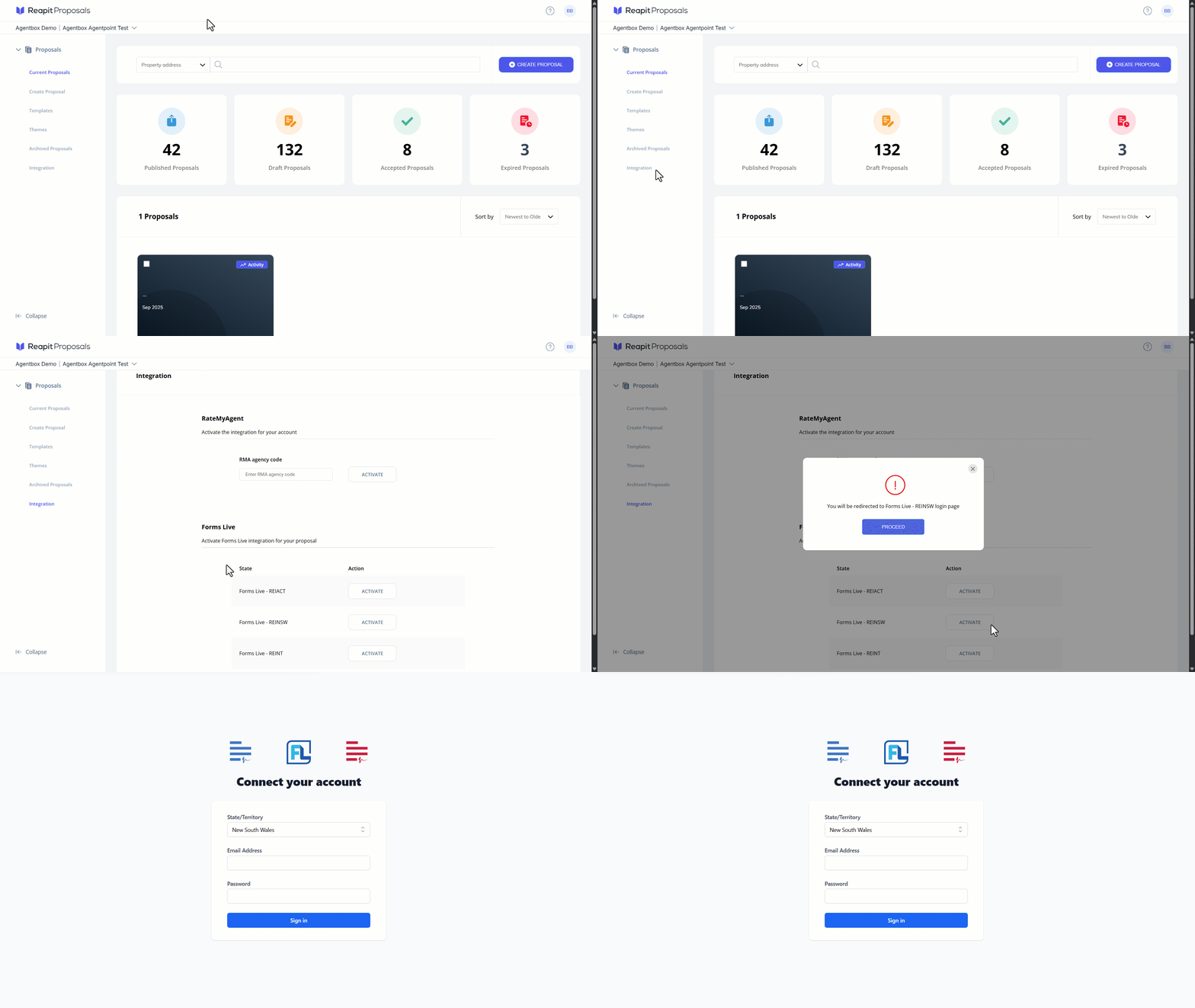
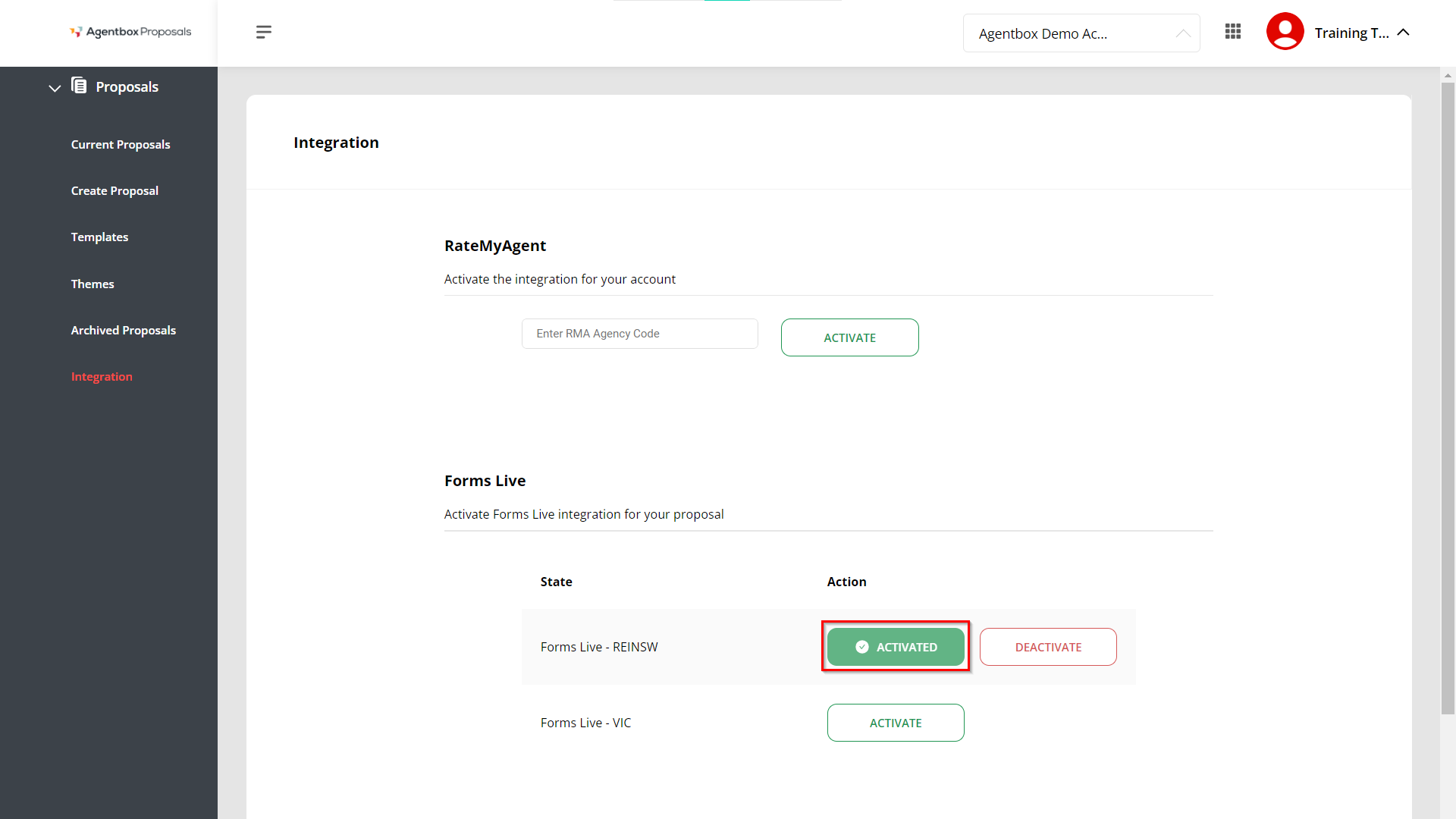
- Once your login is authenticated, you will be redirected back to Proposals, and the REI Forms integration will show as Activated.
How this Feature Works
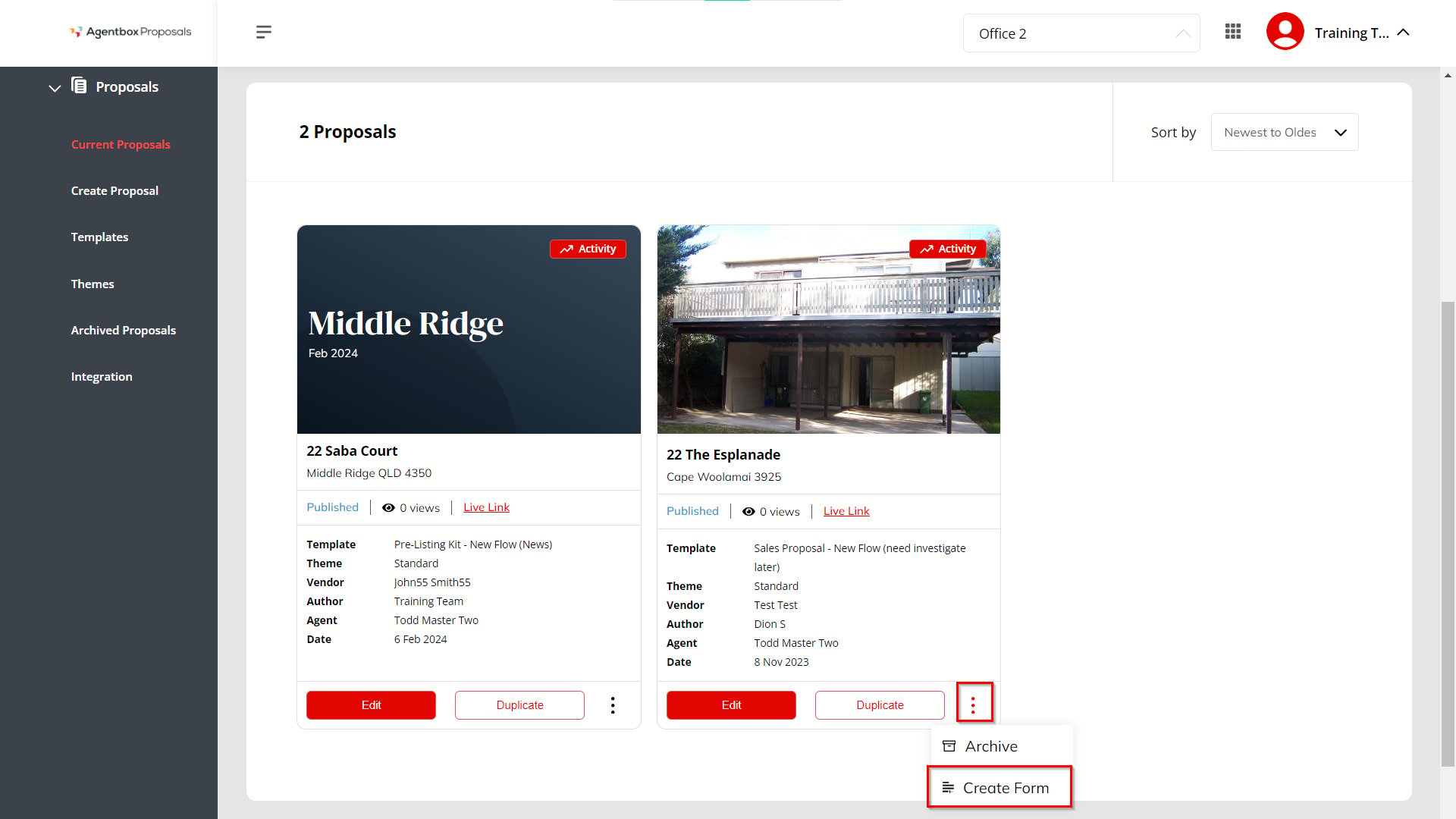
1. Once the integration is activated for a user account, the Forms Live integration then becomes available for an “Accepted” or “Published” proposal.
You can click on the 3 dots against an “Accepted” or “Published” proposal to add an REI Form and link to the proposal by clicking the Create Form option.
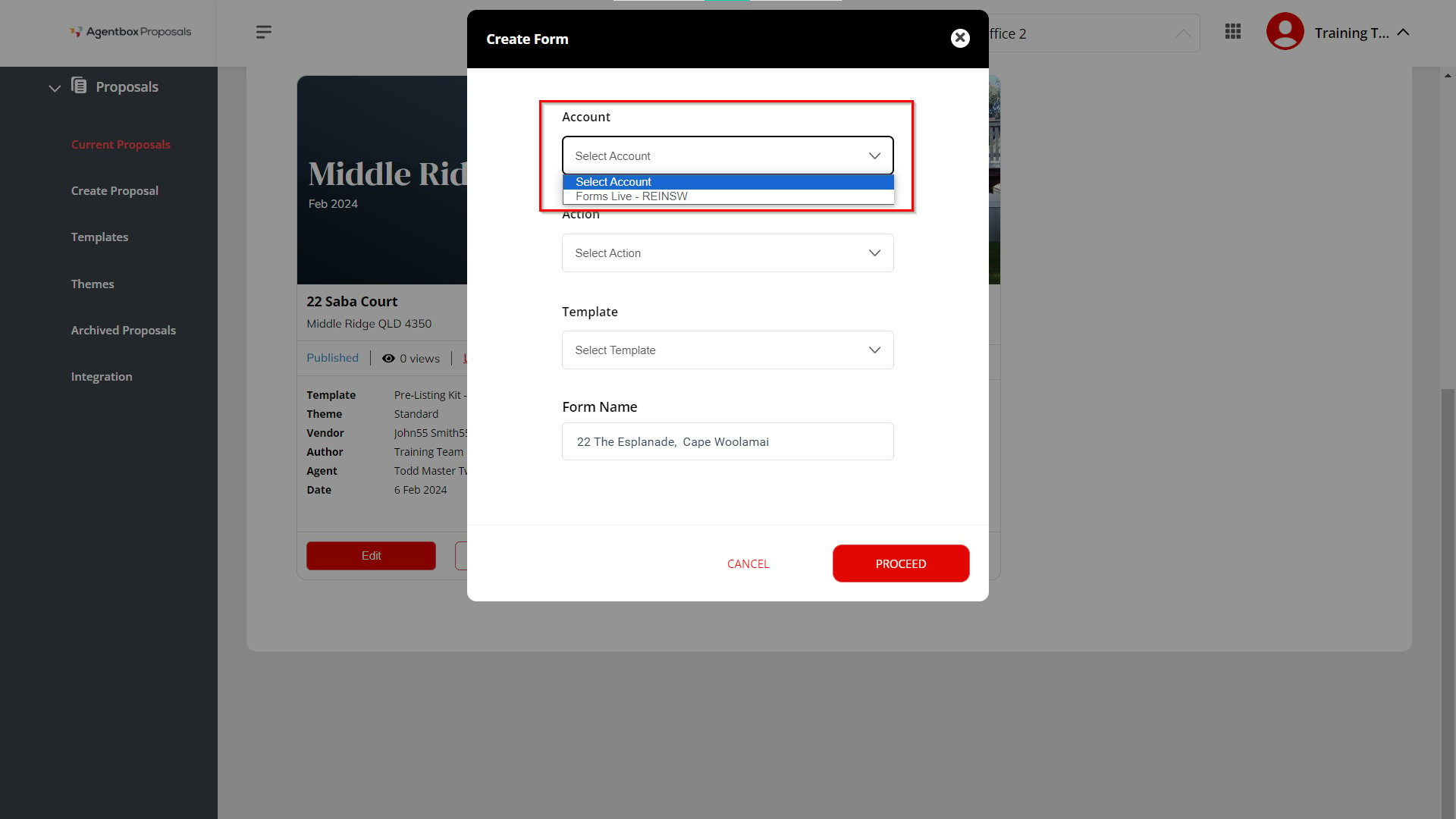
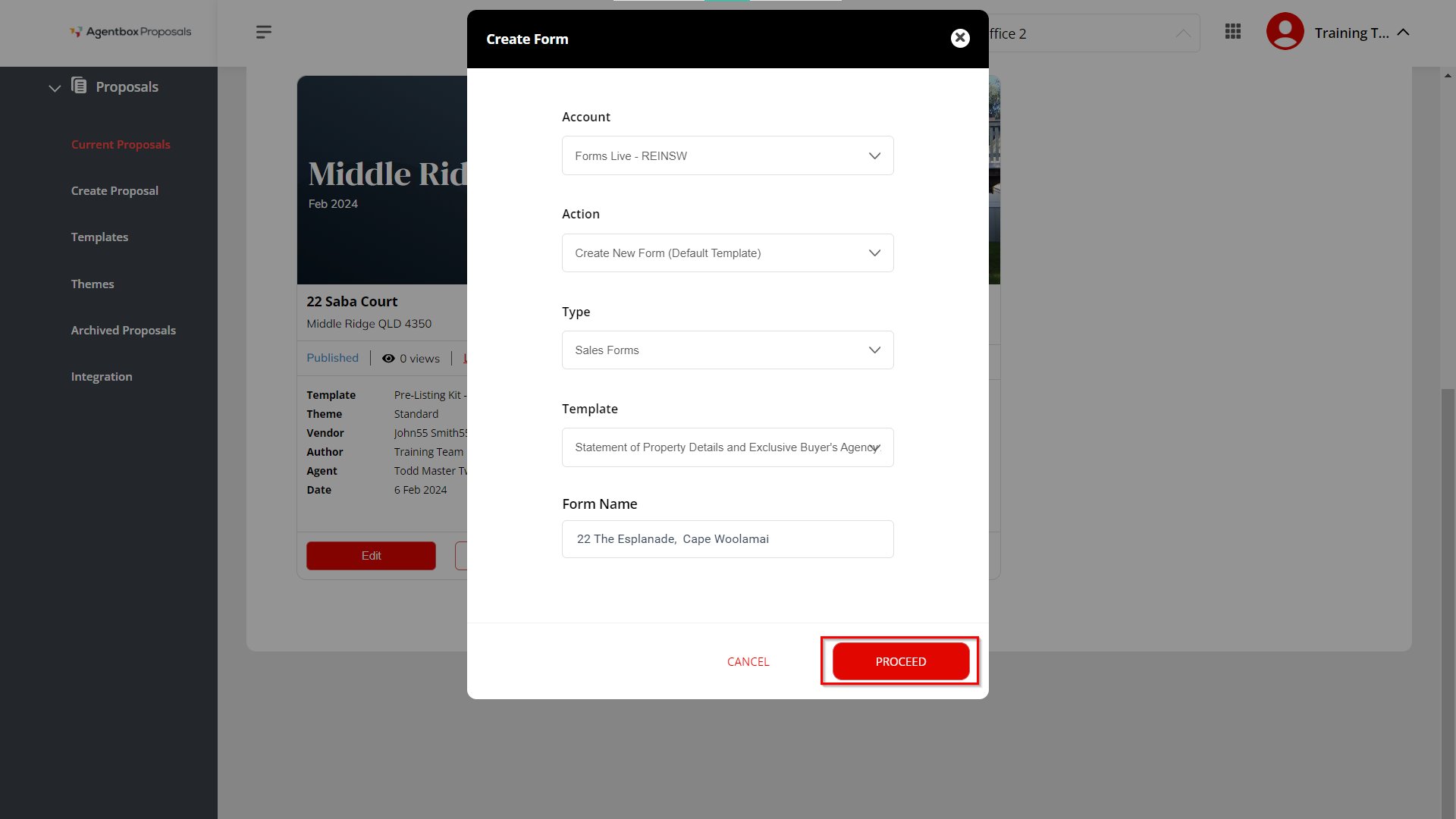
2. When you click on the Create Form option to link the proposal to an REI Form, a pop-up appears showing the following fields:
- Account: The first drop-down option is to select the REI Forms Account (i.e. REINSW, Victoria etc.) that the user wants to use to create/edit the form with the proposal.
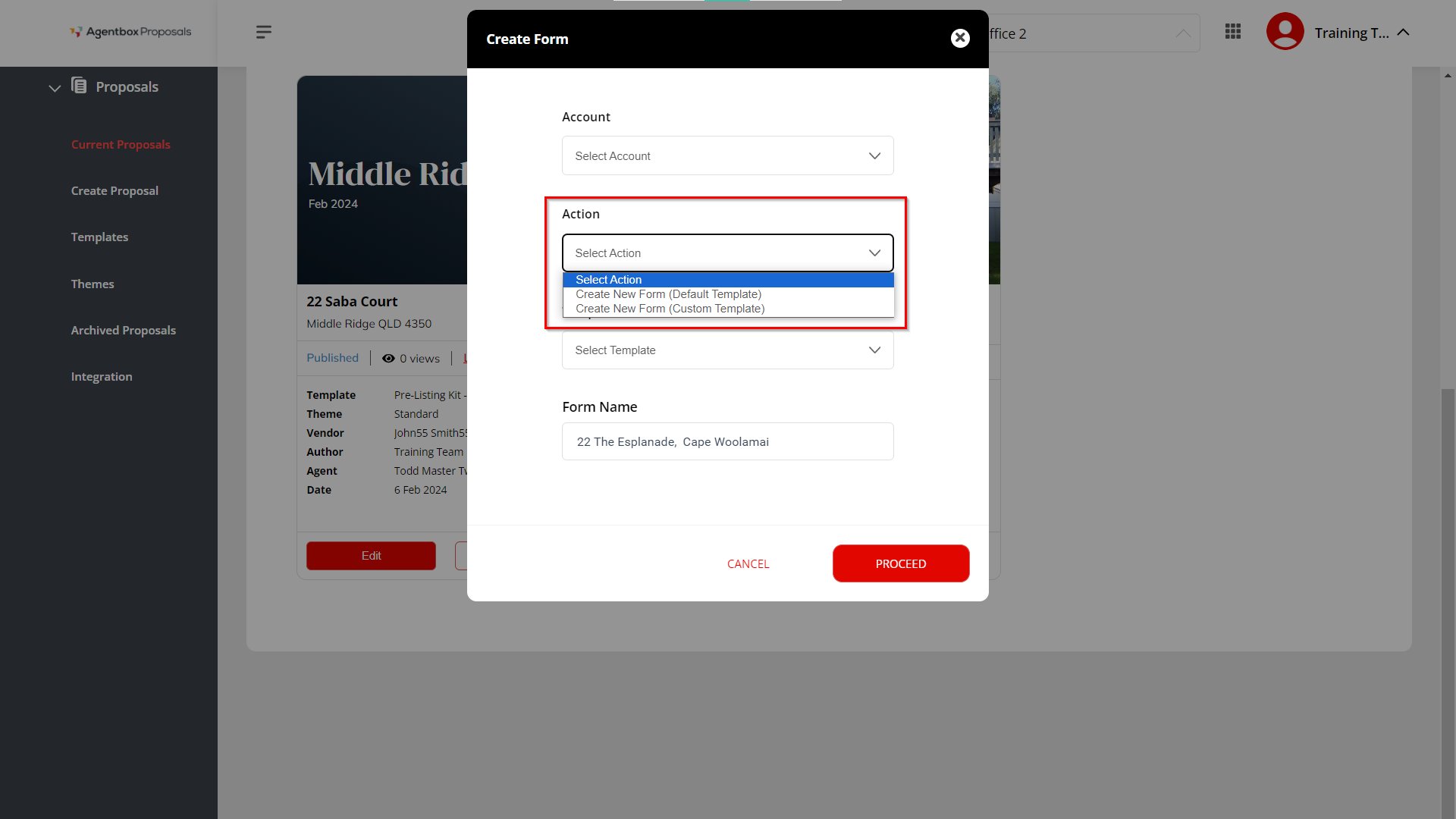
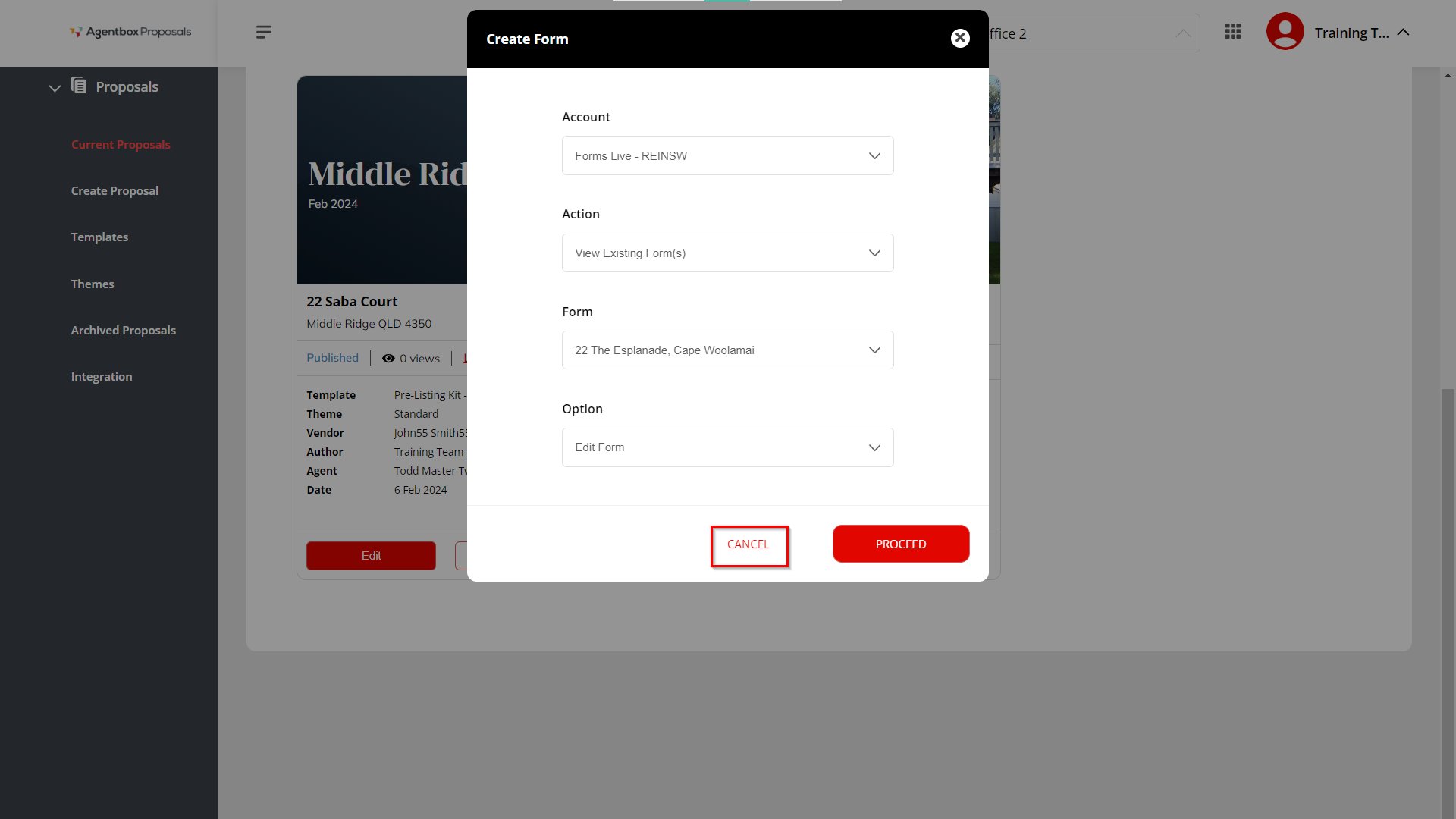
- Action: To add a new form, the user will have 2 options. Either to Create New Form (Default Template) or View Existing Form(s). This is selected as a dropdown option from the action field.
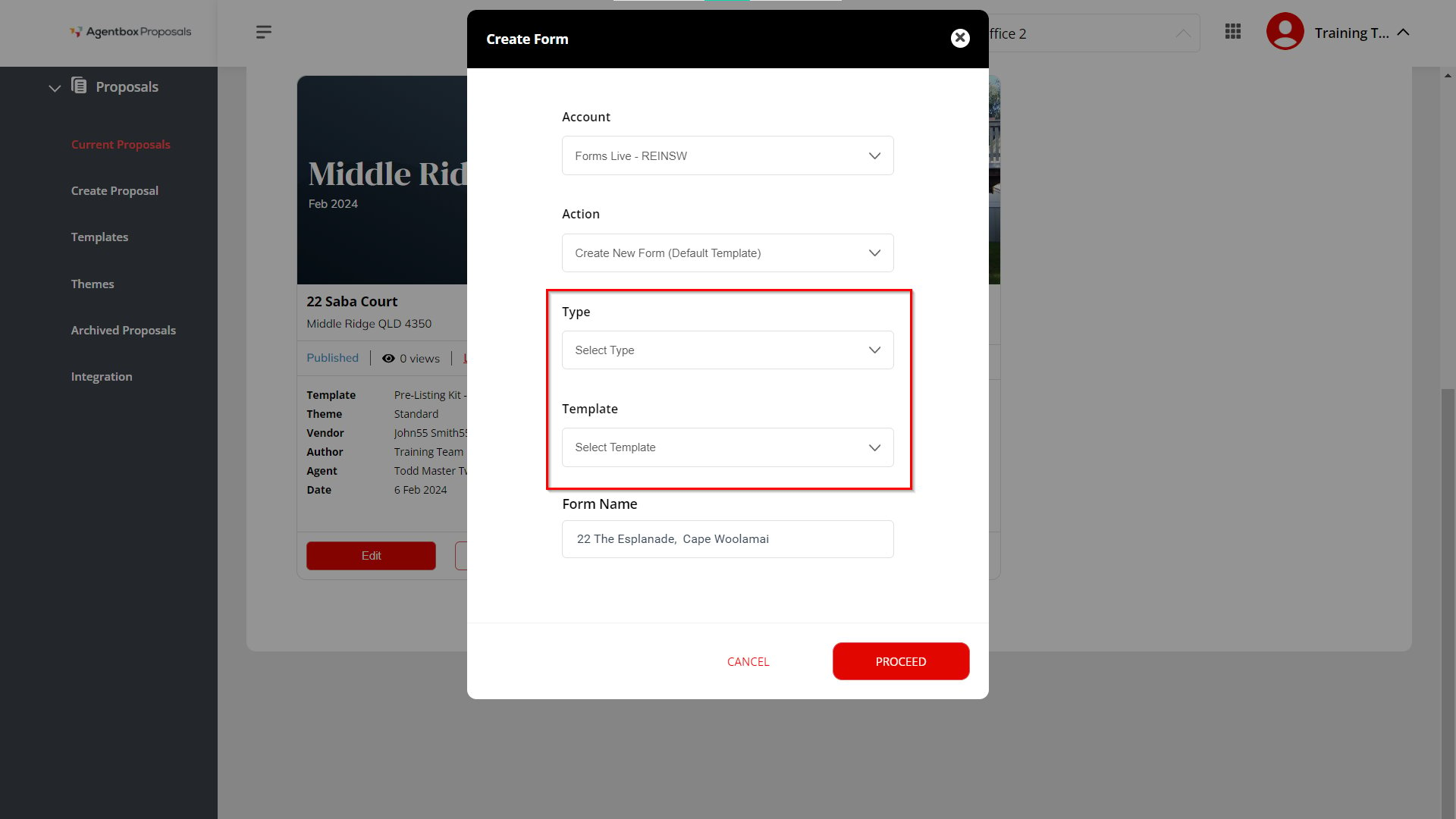
Type & Template: If the user selects the Action dropdown to Create New Form (Default Template). The user will be required to select a Type and Template.
Note: (These 2 fields are not applicable if the user selects View Existing Form(s) from Action dropdown
The Type dropdown options are:
- General Forms
- Property Management
- Sales
- Commercial
- Business Sales
The Template dropdown will allow the user to choose a template from their connected Forms Live account.
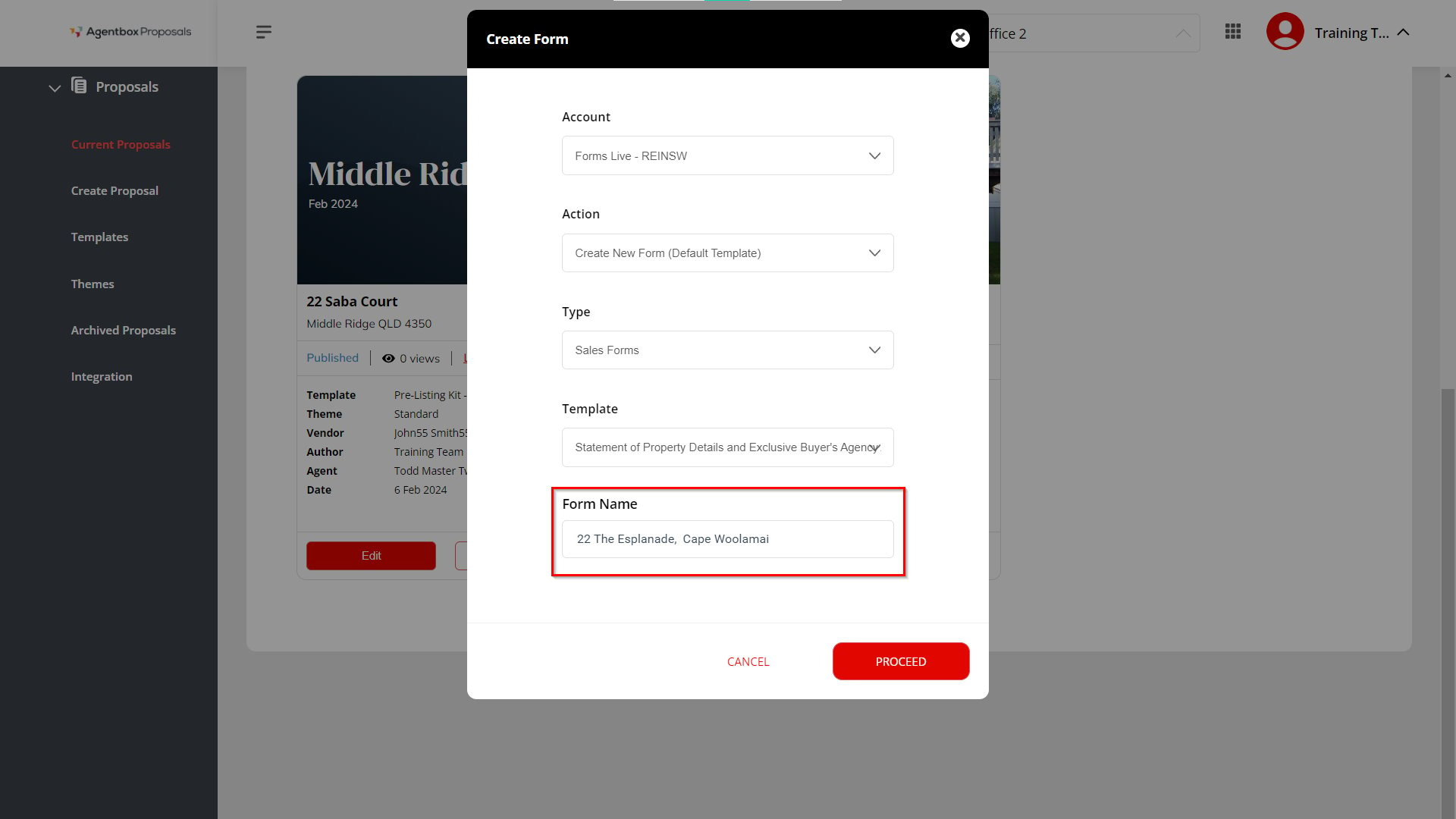
- Form Name: The user will be required to enter a name to save the form they are creating.
- Once these fields are completed, then the user will need to click the Proceed button to trigger the next action.
- Clicking the Cancel button will close the pop-up and the field selections will be lost.
Deactivation of the REI Forms Live Integration
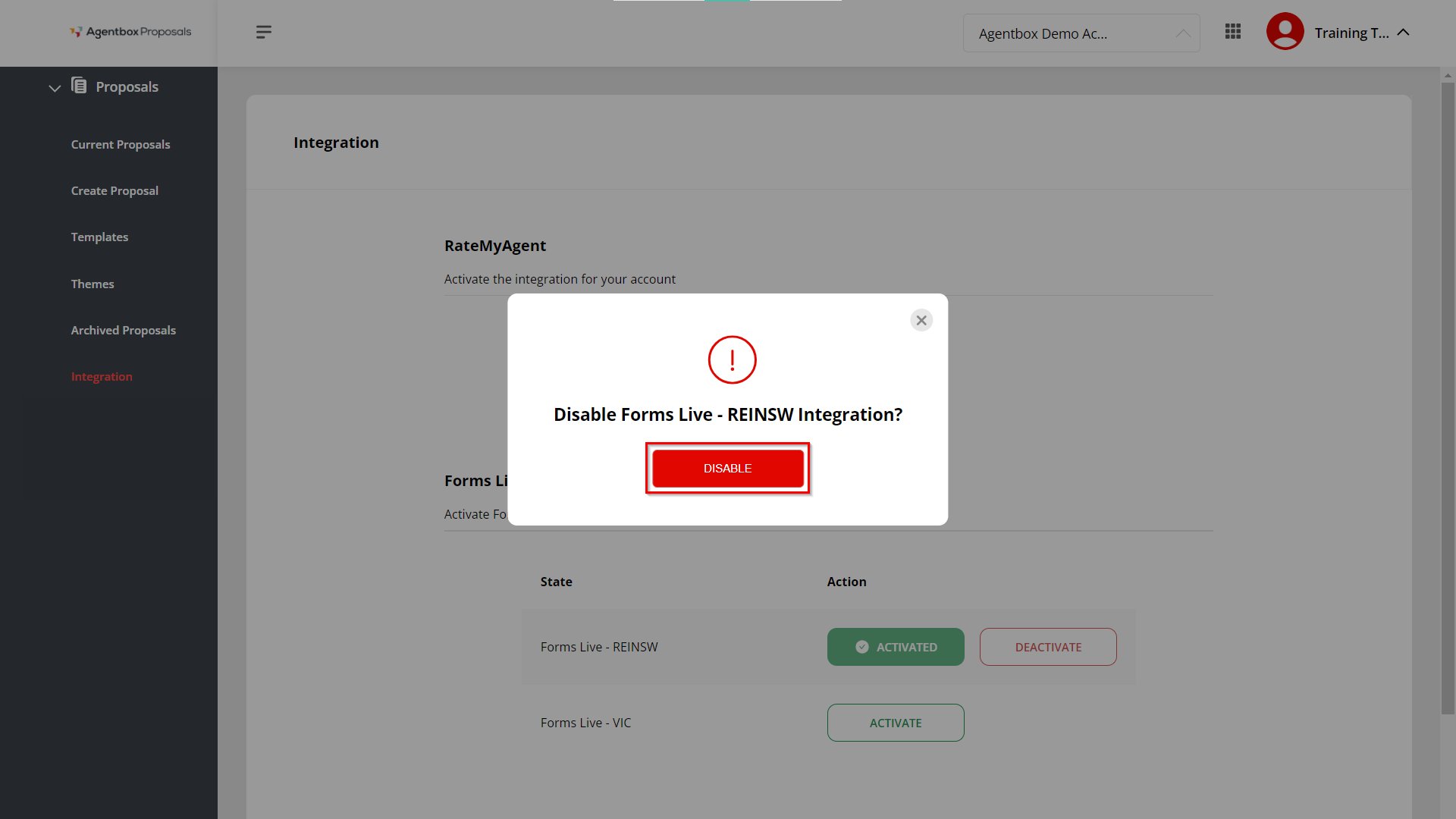
1. You will need to go into the Integration section from the menu and click on the Deactivate button to unlink your REI Forms account with your Proposals account.
2. You will see a confirmation pop-up with the message “Disable Forms Live - REINSW Integration?”. Click Disable.