Proposal Next Steps
This article outlines the process of setting a commission structure and modifying the Thank You message within the Edit Proposal function.
Note: Your estimated sales range will reflect the previously set price entered in the 'Property Value' section above.
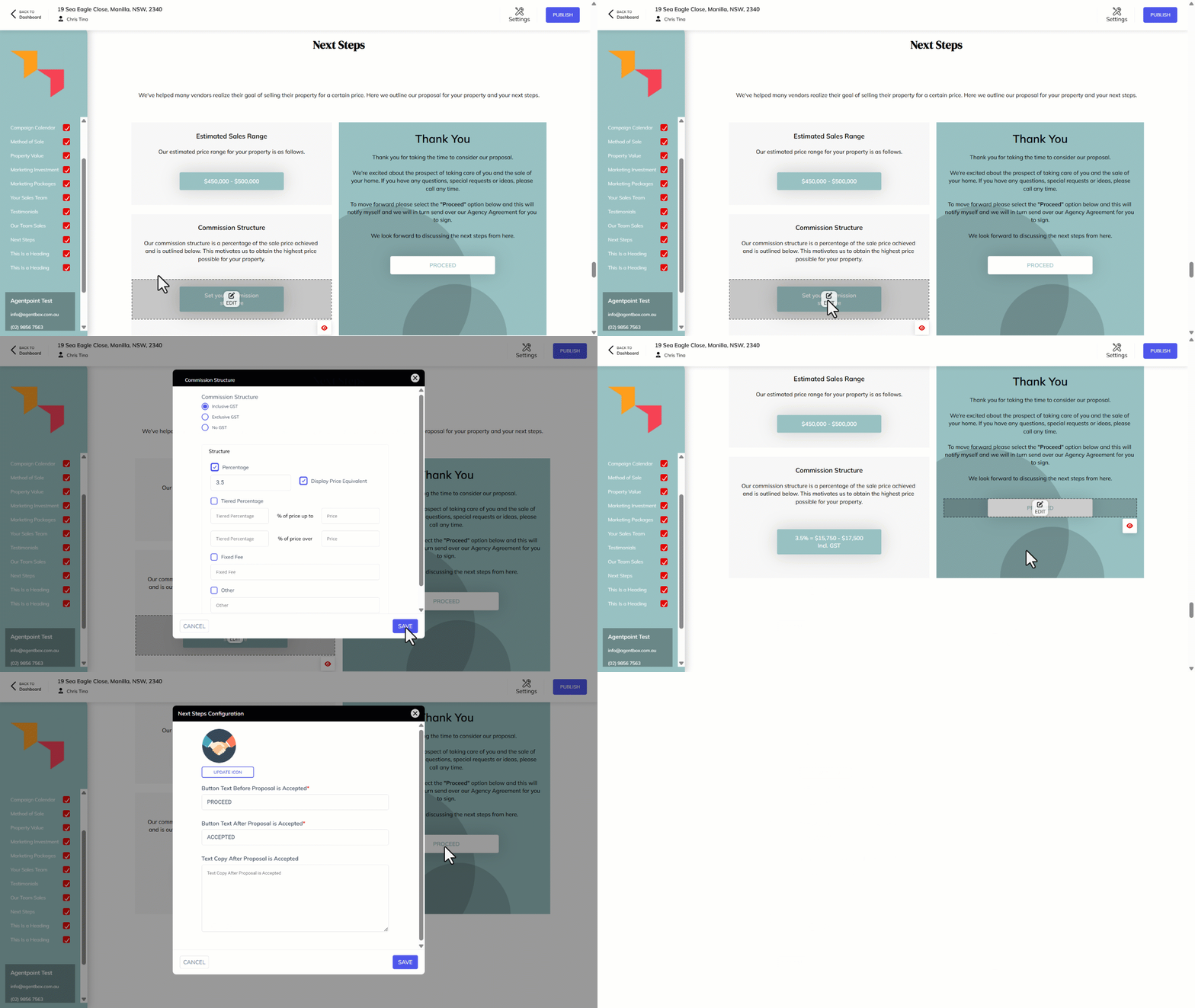
- Click on Set your Commission Structure.
- Complete the options on screen to set the desired commission. Click Save.
- Edit the Thank You section, click on the body and adjust the content accordingly.
- To modify the Proceed button, click on Edit.
- Make required changes, click Save.