Adding Comparable Sales to Your Proposal
This article will show you how to add comparable sales to your proposal
Note: Adding comparable sales from RP Data CoreLogic
The processes in this article include:
- Adding Comparable Sales
- Adding Comparable Sales Manually
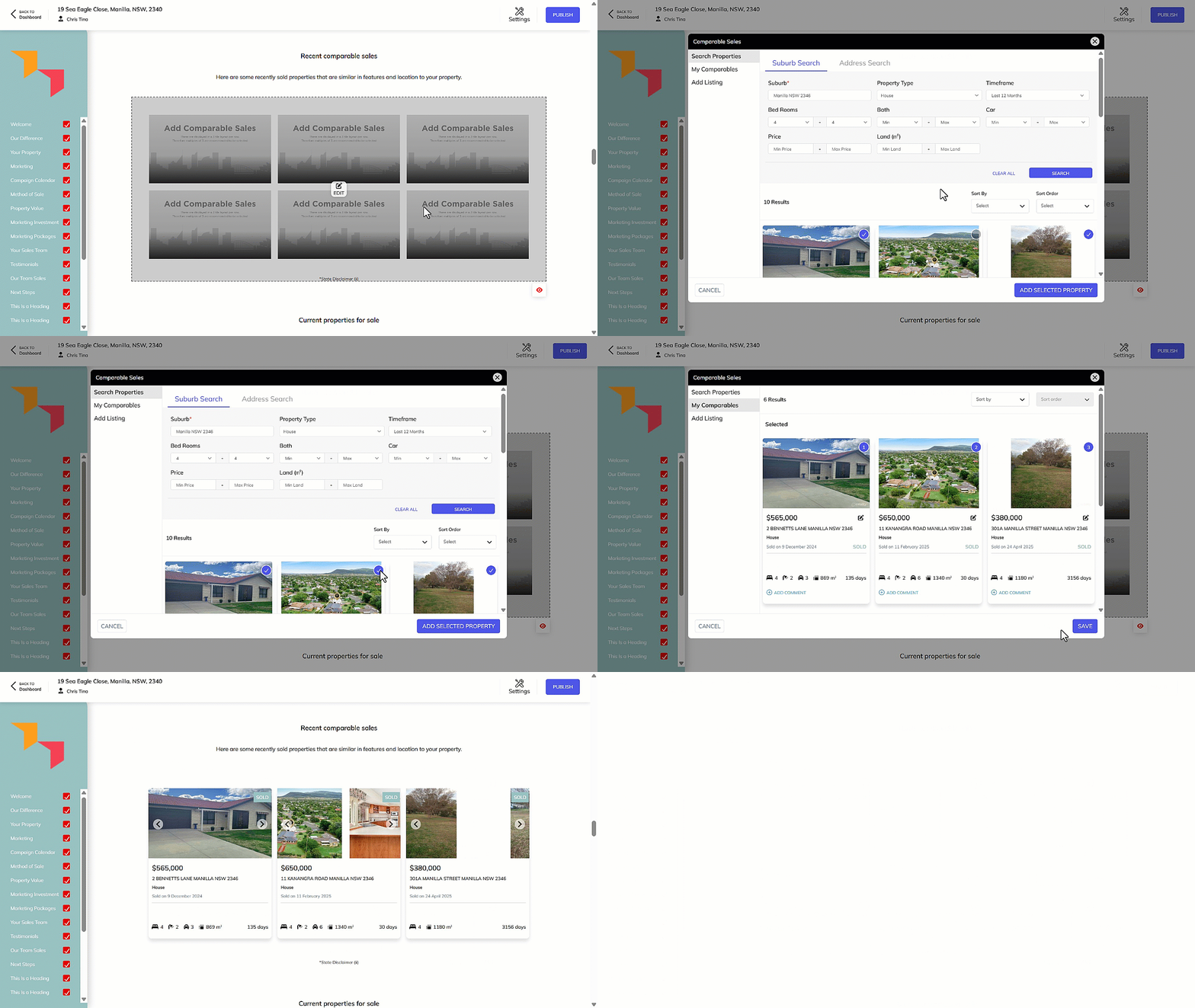
Adding Comparable Sales
- Within the Proposal, Select the Recent Comparable Sales section and click on Edit.
- Within Search Properties, set the filters and Click Search.
- Select the properties you wish to show and click Add Selected Property.
- The properties will show in Selected. Click on Save.
- Your selected property will be shown in the Recent Comparable Sales section of the proposal.
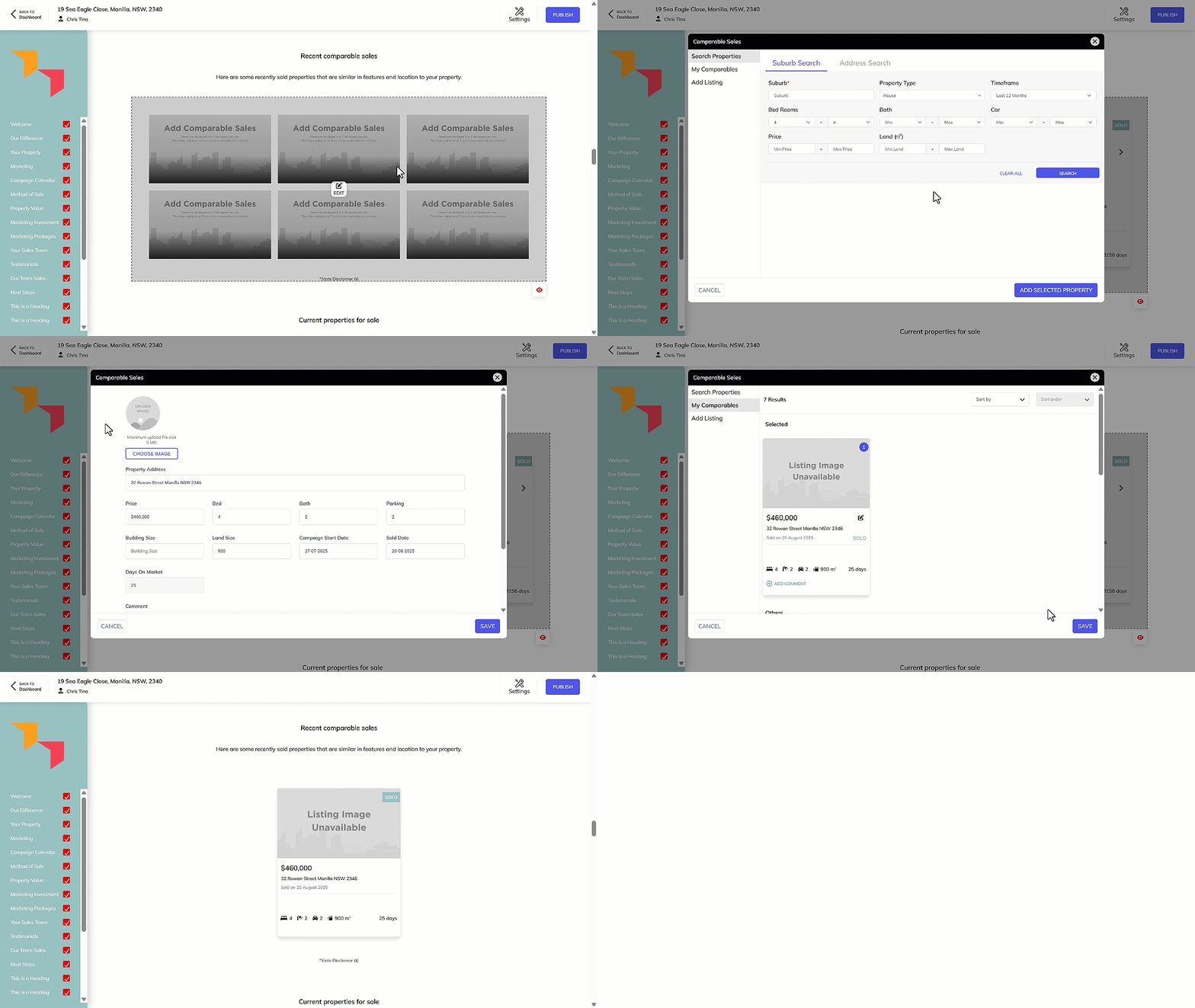
Adding Comparable Sales Manually
- Within the Proposal, Select the Recent Comparable Sales section and click on Edit.
- Click Add Listing.
- Fill in details for the property you wish to display in this section, and then click Save.
- This property will move into My Comparables, click to select the property.
- The property will now show in Selected under My Comparables. Click on Save.