How to Use the Share Link Feature
This feature enables users to easily copy a proposal link or include it within a pre-formatted email template. The sharing options are available exclusively for published proposals.
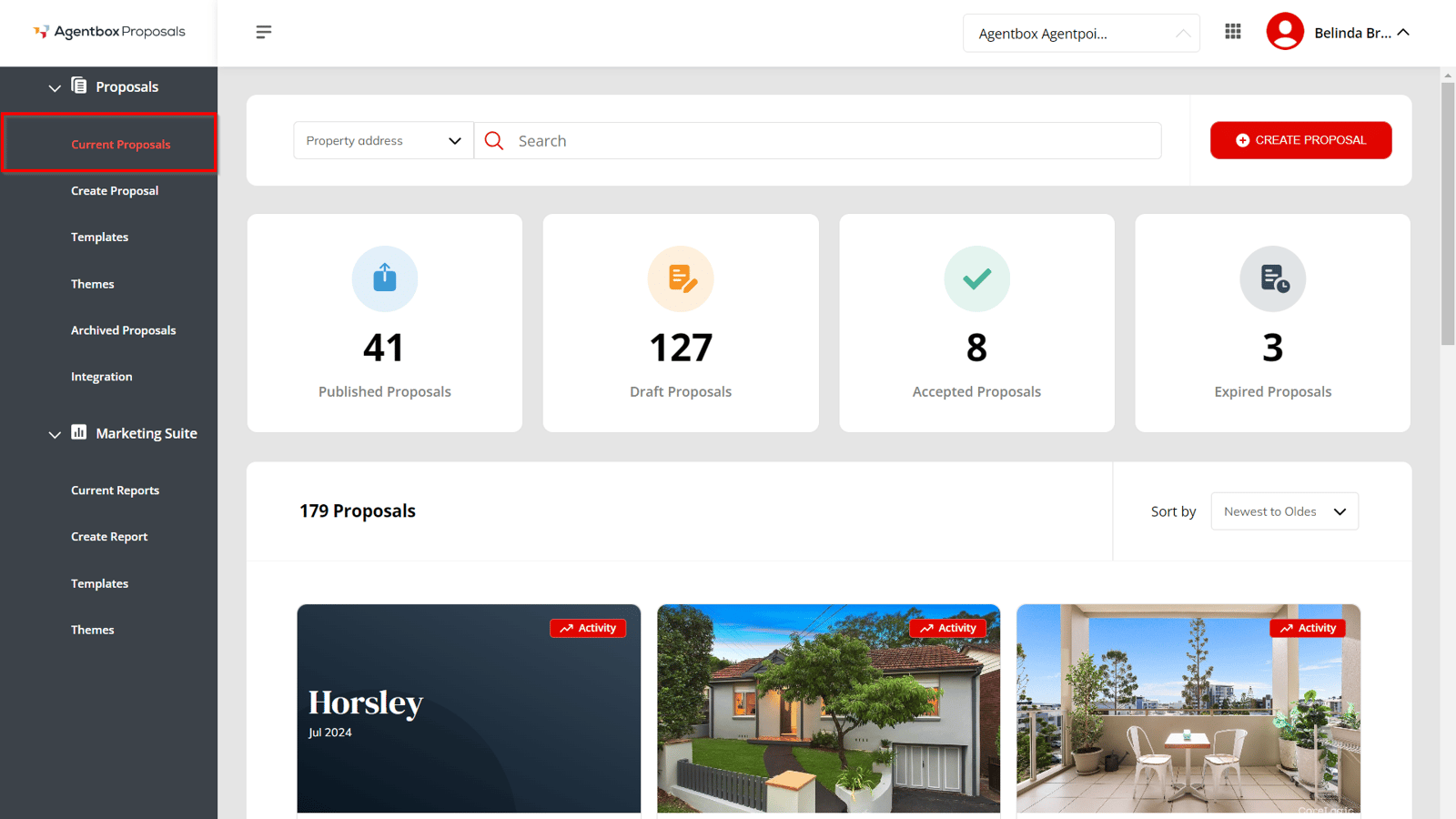
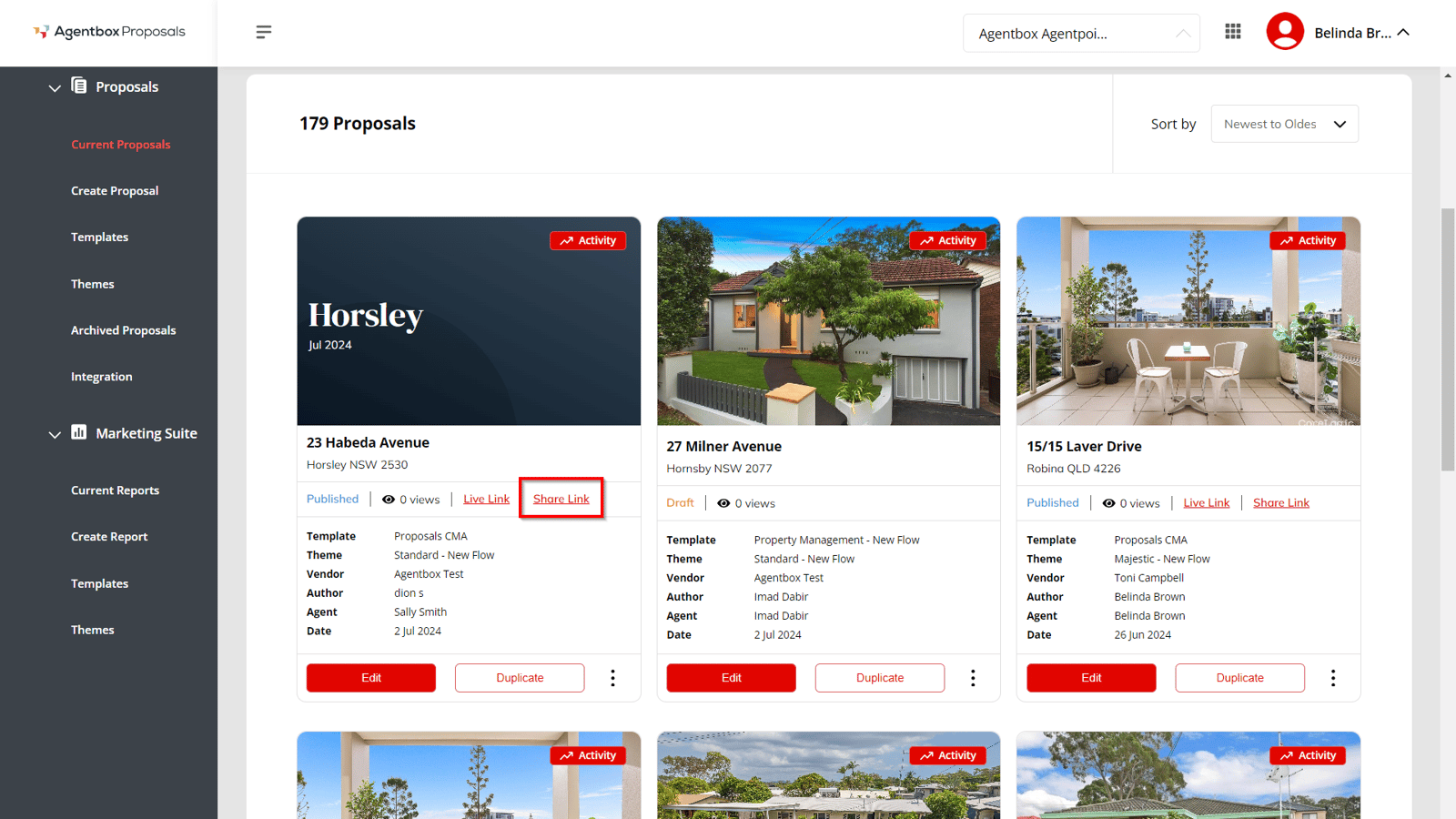
A "Share Link" button is available on the proposal card, which is visible only for published proposals on the current proposal page.
- Access the Proposal:
- Navigate to the current proposal page where the proposal is published.
- Locate the "Share Link" button on the proposal card.
Share Link Options:
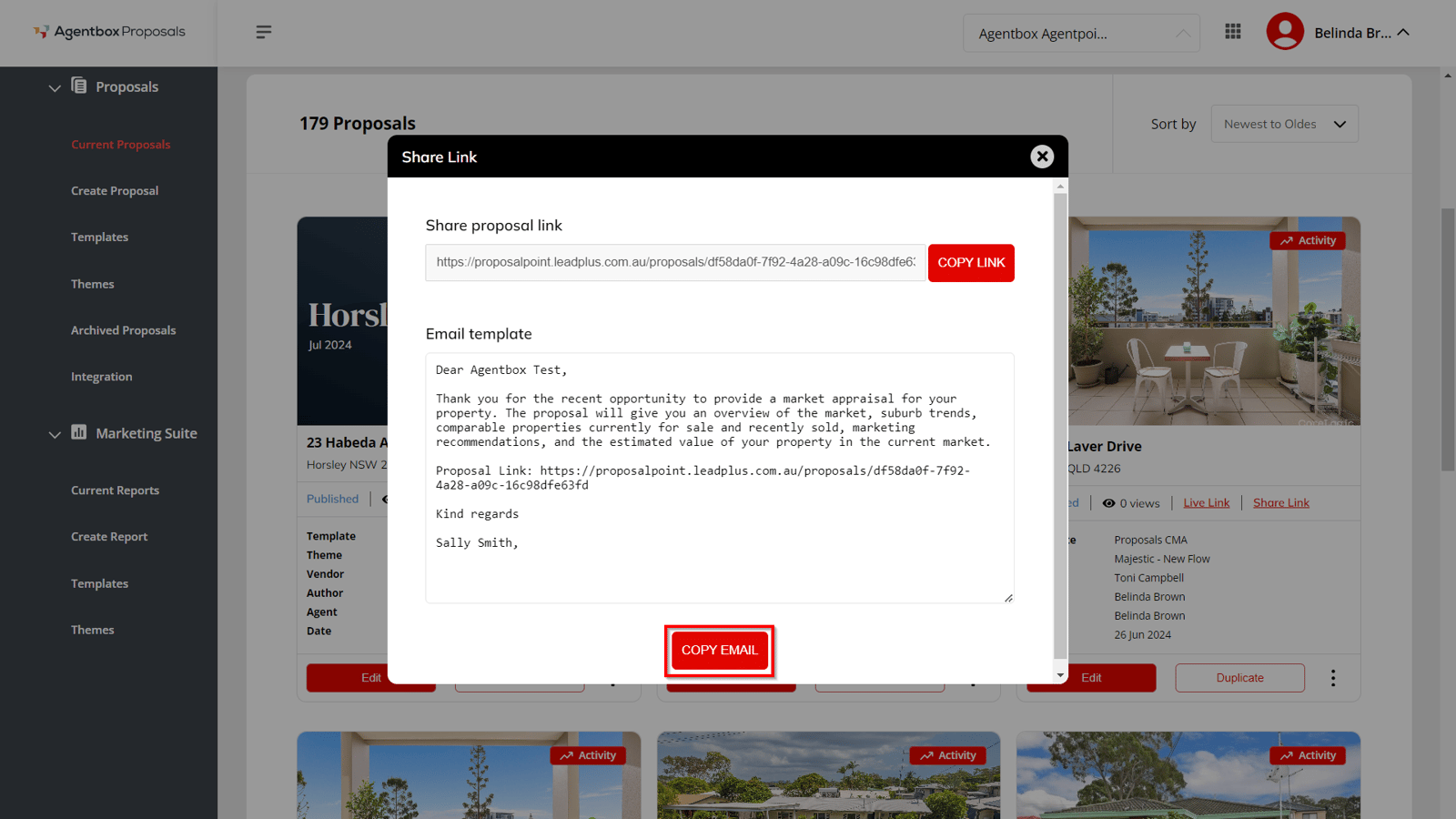
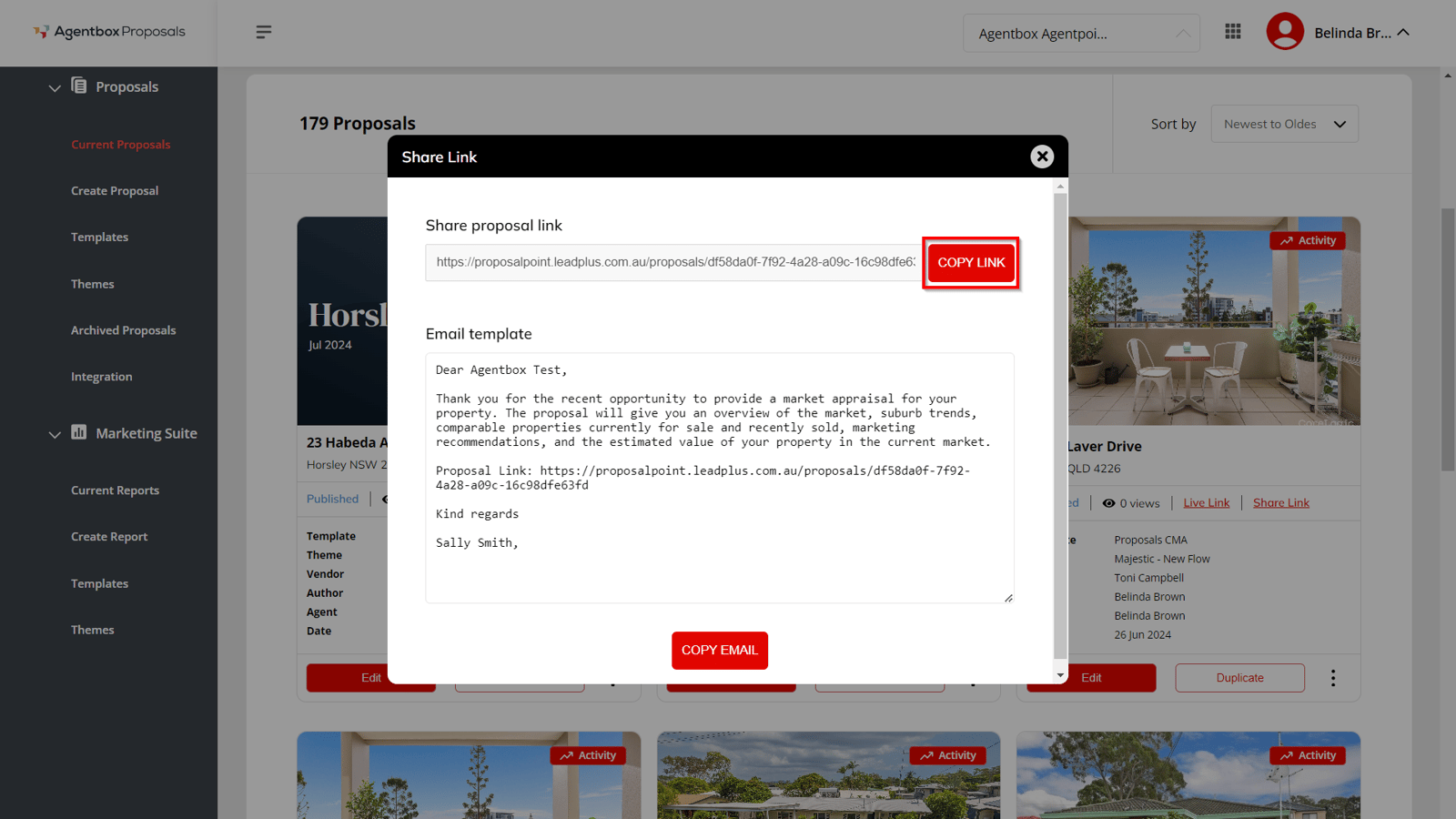
- When you click the "Share Link" button, a modal window will appear with two sharing options:
Copy Link:
- Click the "Copy Link" button to instantly copy the proposal link. This allows you to quickly share the link without needing to open the proposal or manually copy the URL from the browser's address bar.
Copy Email:
- Click the "Copy Email" button to copy a pre-formatted email template that includes the proposal link. The template automatically fills in the [Vendor], [Agent], and [Link] fields. You can edit or update the template within the feature window before copying it. Once copied, paste the content into any email platform such as Outlook or Gmail.
Use this feature to streamline the sharing of proposals, ensuring a quick and efficient communication process.