Archiving / Unarchiving and Deleting a Proposal
Archiving Proposals ensures the Current Proposals screen remains accurate, allowing efficient tracking of proposals currently actively being worked on.
If a proposal has no expiry date and is archived, it is now automatically disabled — vendors will no longer be able to view it.
When a published proposal with no expiry date is unarchived, it will be automatically re-enabled, making it accessible to vendors again.
If an expiry date is set, and that date has already passed, the proposal will remain disabled, even if it is unarchived. This ensures that any manually set expiry intent is always respected.
Archiving a Proposal
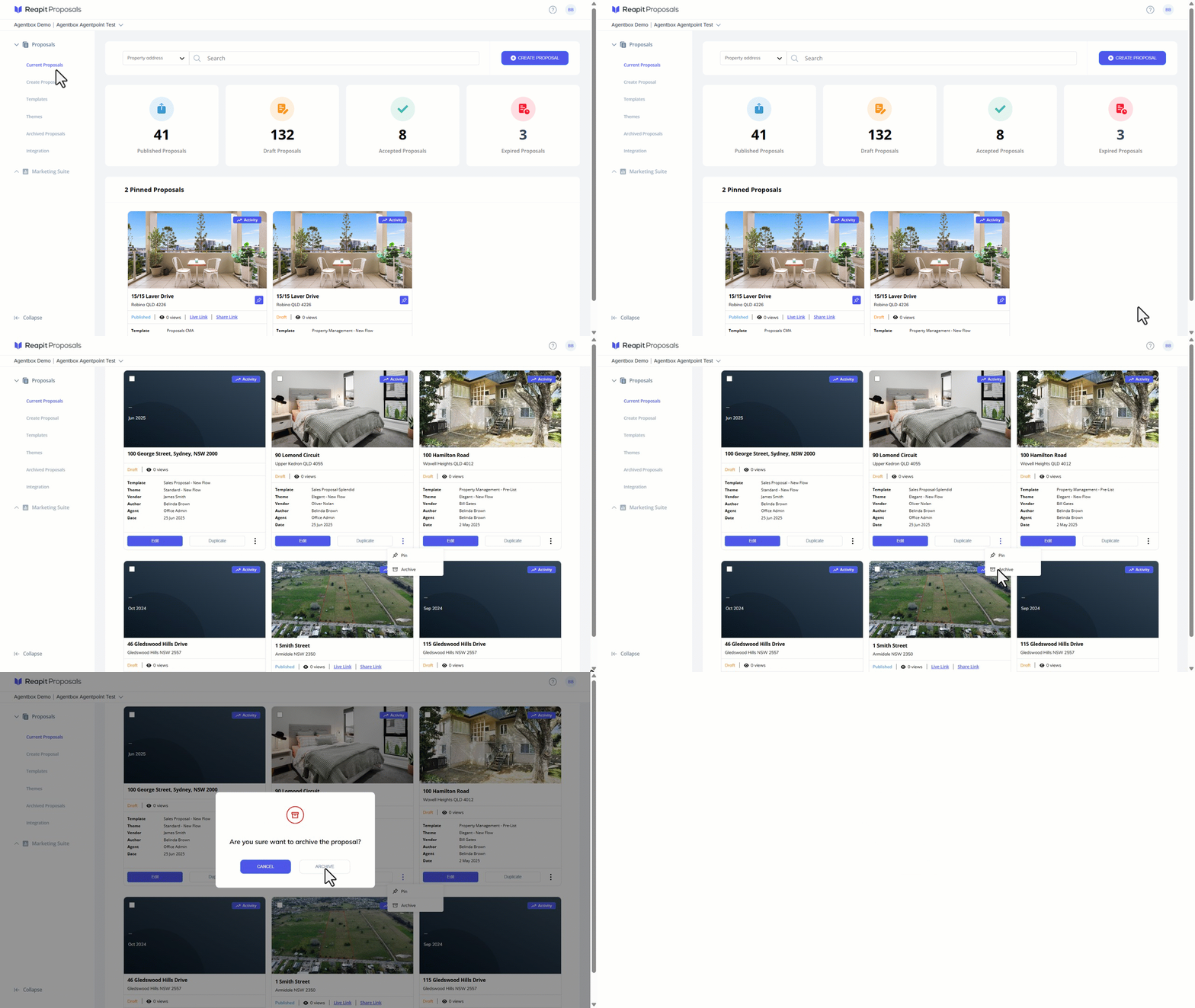
- Click on Current Proposals.
- Search and select the desired proposal and select the 3 dots and click on Archive.
- Alternatively, to Bulk Archive, select the Checkboxes on the Proposals to archive, and click on the Archive button.
- Click on Archive.
Note: If a proposal has no expiry date and is archived, it is automatically disabled — vendors will no longer be able to view it.
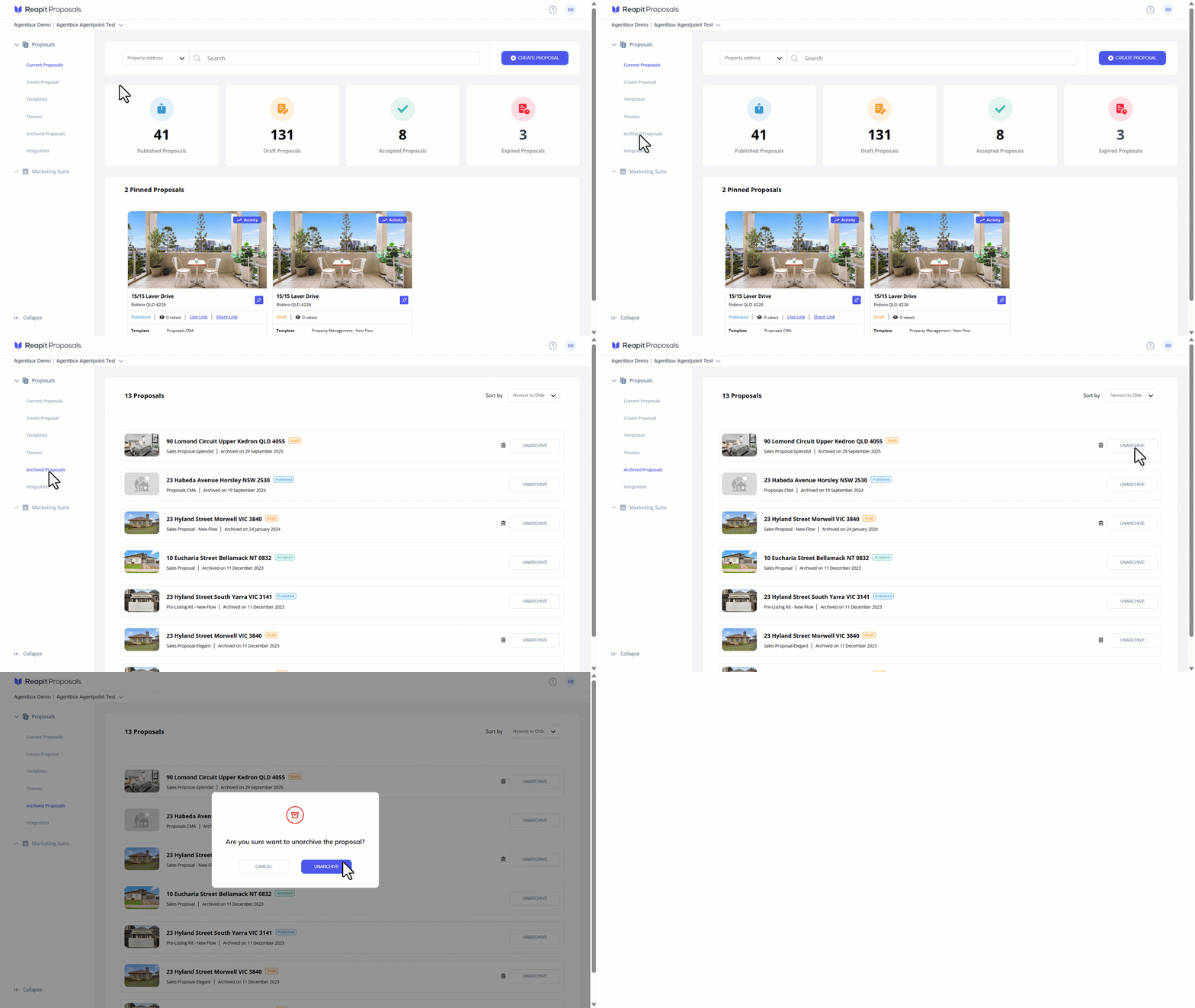
Unarchiving a Proposal
- Click on Archived Proposals.
- Navigate to the desired proposal, click Unarchive then click Unarchive.
Note: When a published proposal with no expiry date is unarchived, it will be automatically re-enabled, making it accessible to vendors again.
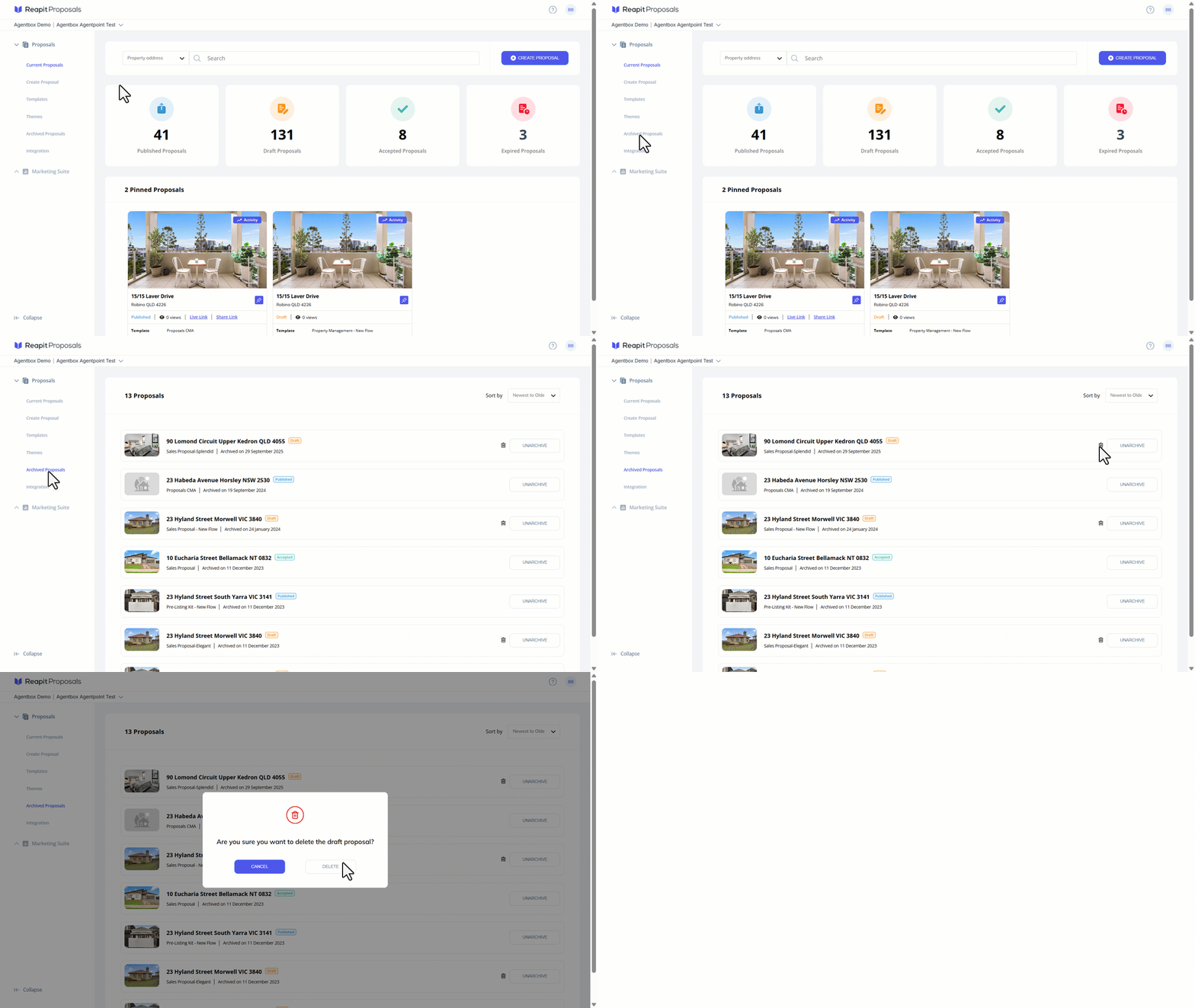
Deleting a Proposal
Note: You can access your previously archived proposals by navigating to Archived Proposals on the left-hand panel.
You are only able to delete Draft proposals. If your proposal has been Published or Accepted, you will not have the option to delete it. Additionally, if the proposal has been accepted, it can no longer be edited.
- Click on Archived Proposals.
- Navigate to the desired proposal, select the trash can icon and click Delete.