Editing Your Campaign Calendar
This article will show you how to manage you campaign calendar
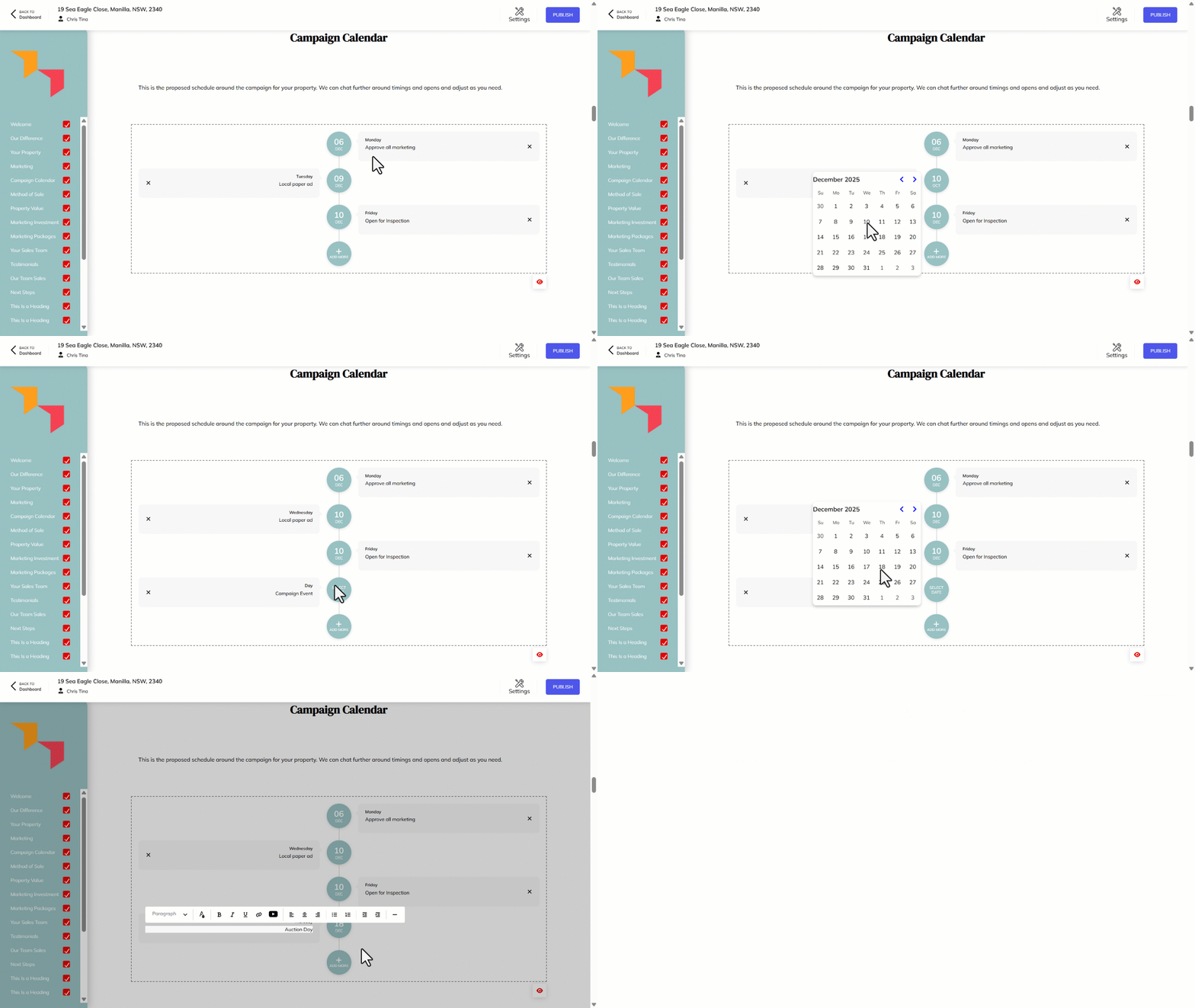
This article outlines the process of adding and editing items in the Proposals Campaign Calendar.
- Click on an existing Date to edit.
- Select the new date from the calendar.
- To add more scheduled items to your proposed campaign, click on Add More.
- Click on Select Date
- Select the new date from the calendar.
- To edit any existing items on your campaign, click on the description of that activity and make any changes necessary.