Creating and Adding Testimonials
This article will show you how to manage testimonials in Reapit Proposals.
Click Here to access the recommended image size user manual article.
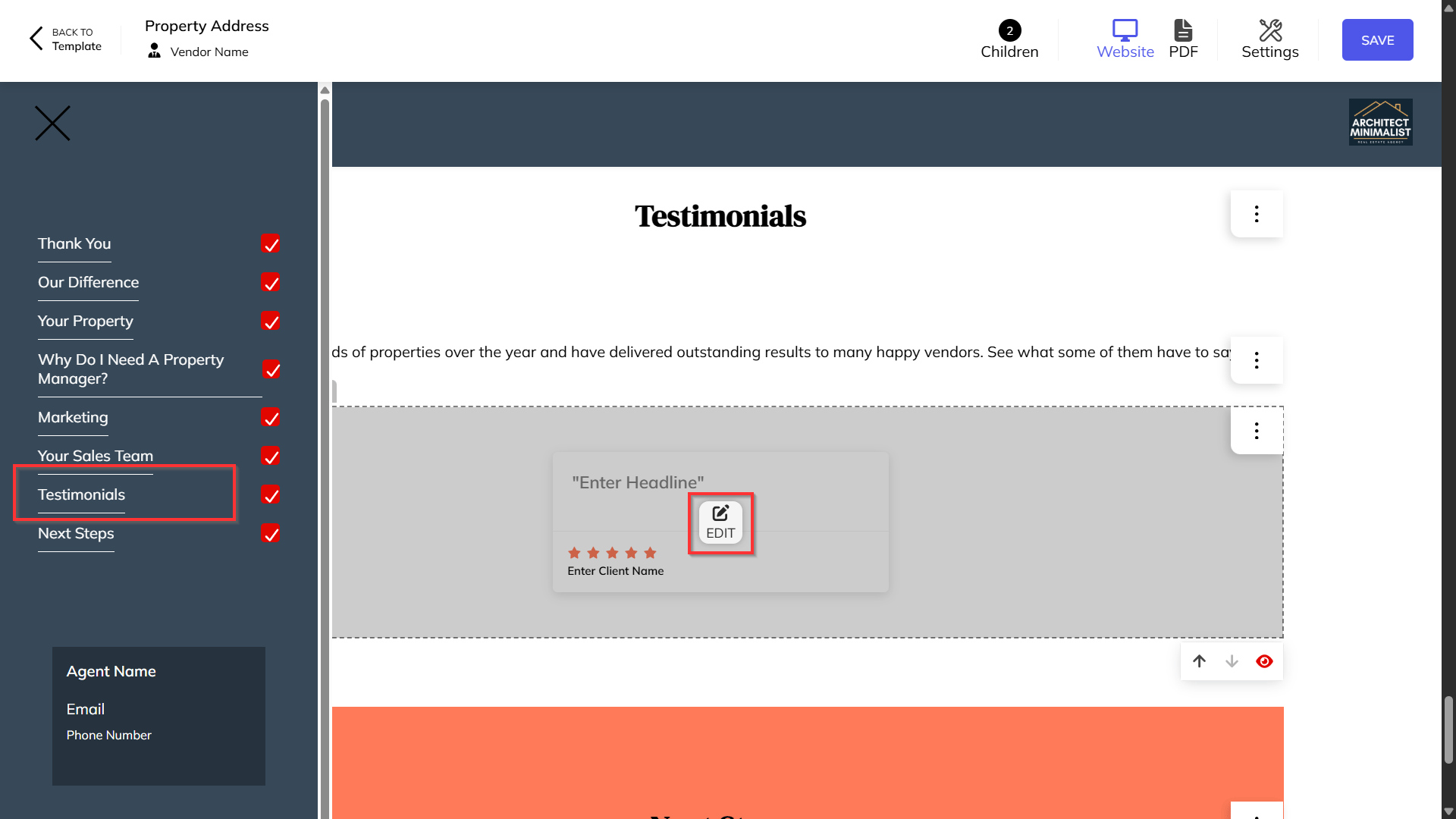
- Select Testimonials and click on the Edit icon.
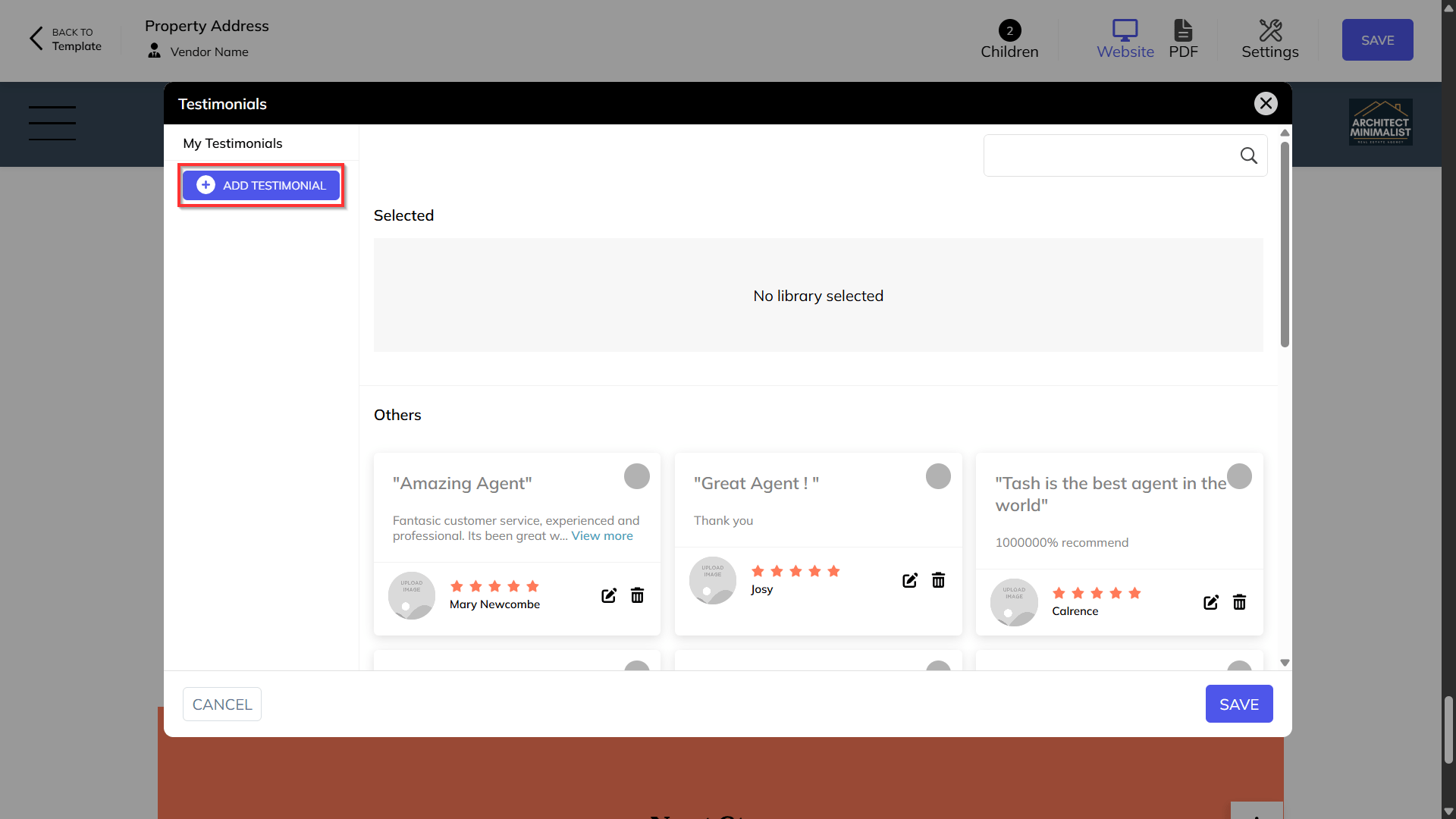
Click on Add Testimonial.
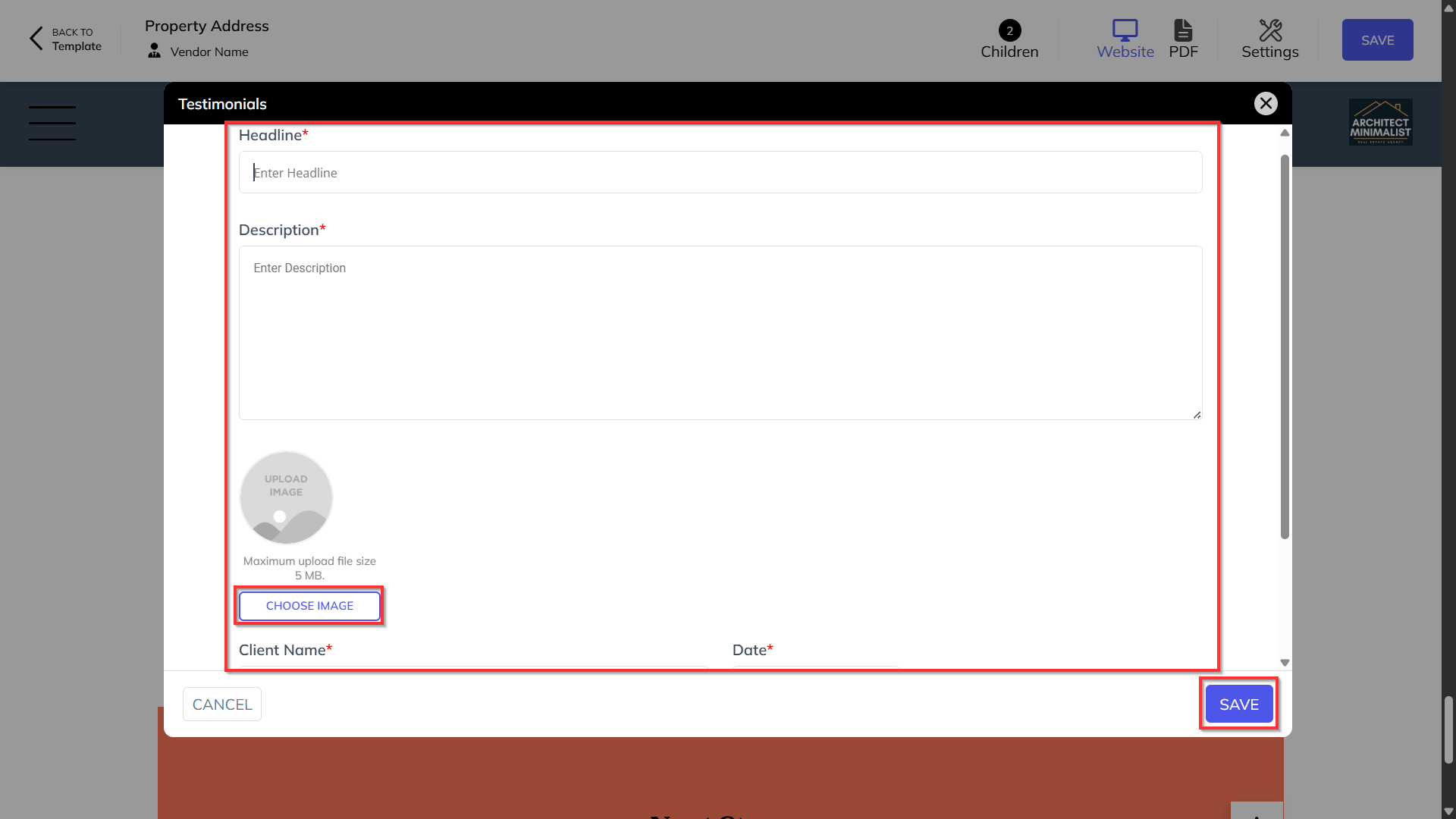
Add in the headline, description, image and client name.
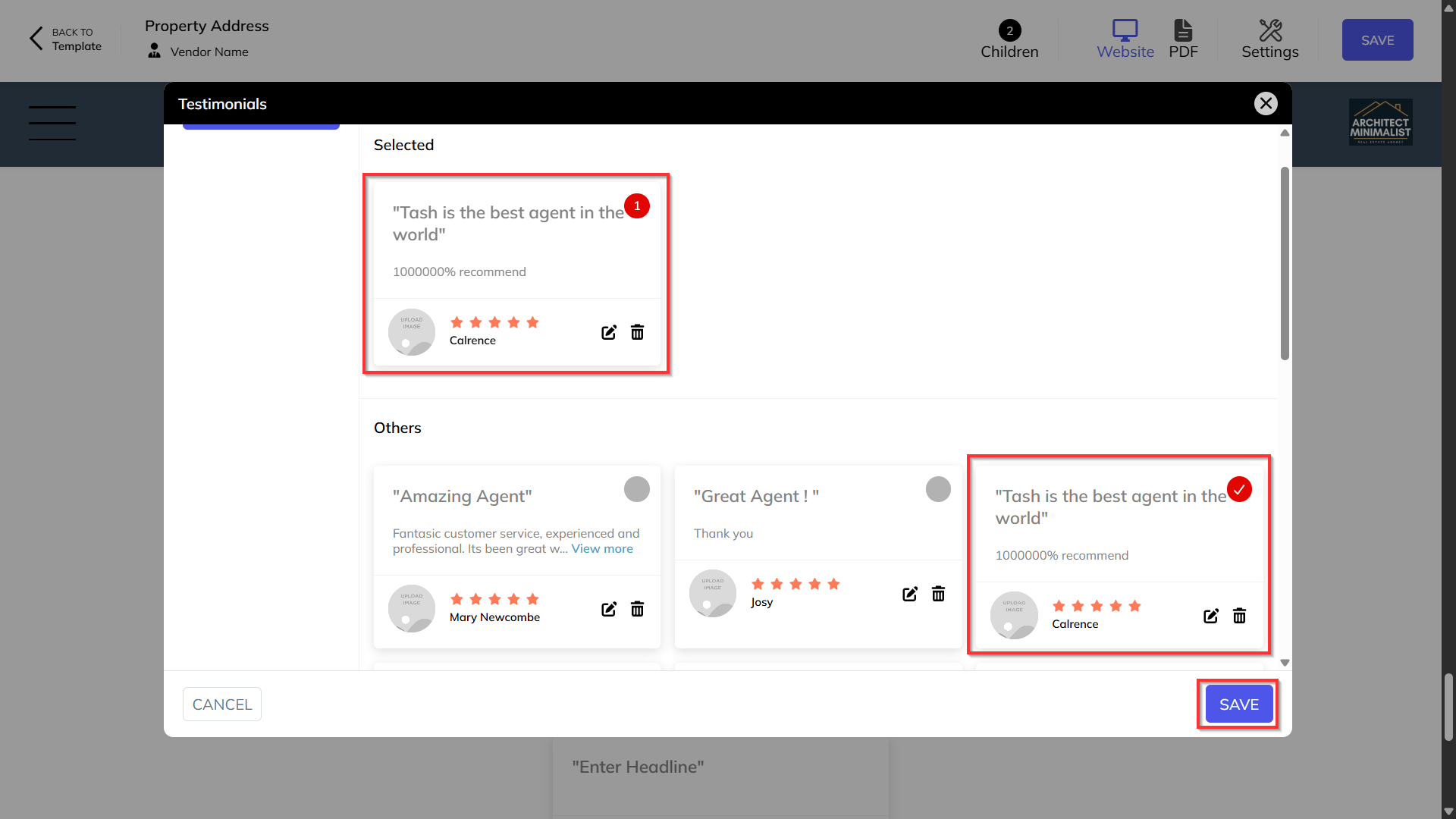
Select which testimonials you would like to show and click Save.