Reapit Verify – Managing Users
This article will cover adding and removing users on a case in Reapit Verify.
The processes in this article include:
Adding a user to the case
Removing a user from the case
Adding a User to the Case
Adding a user to the case will allow them to add verification, complete the risk assessment and generate reporting data for the case.
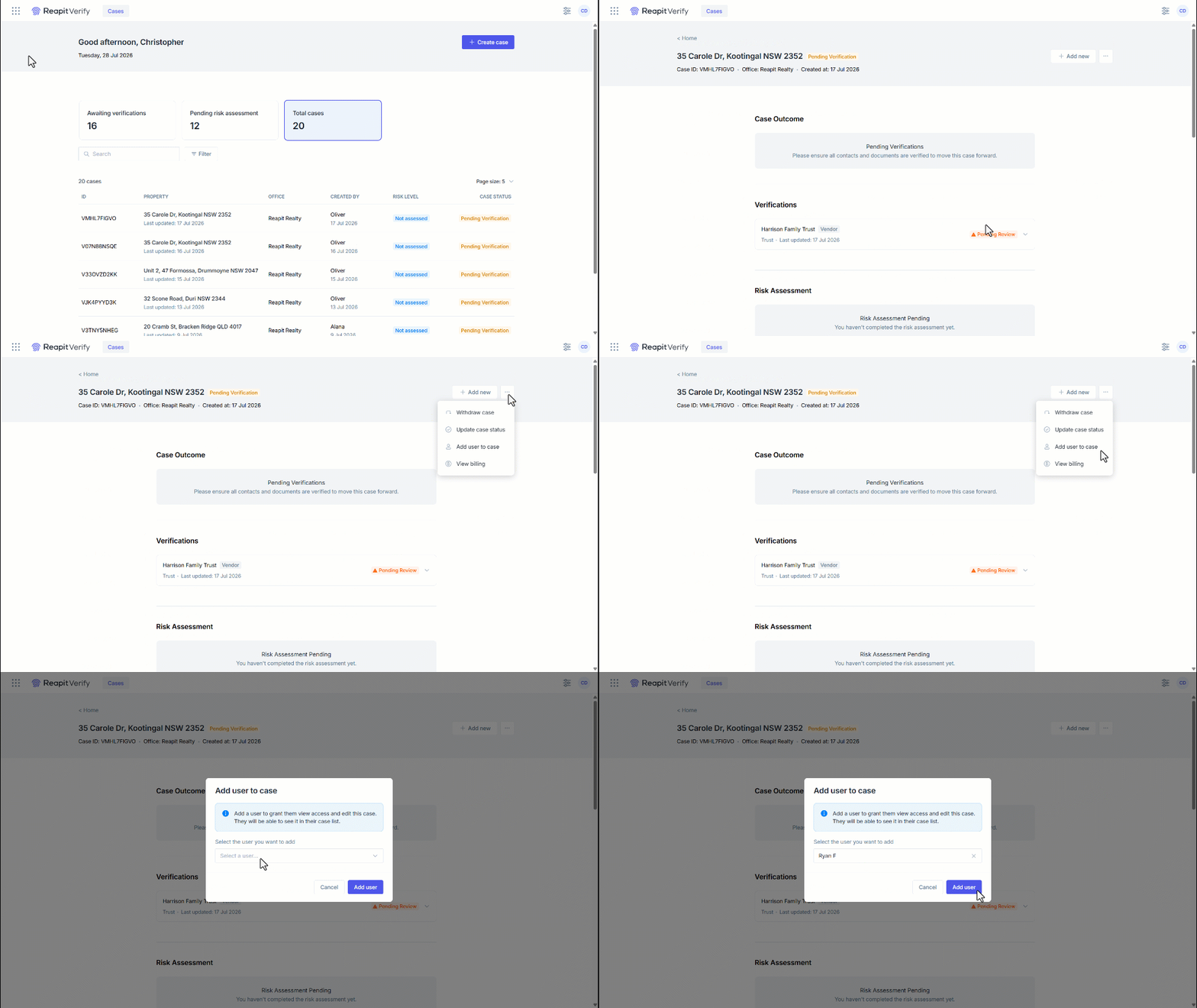
1. Search and select the desired case.
2. Navigate to the three dots.
3. Click Add user to case.
4. Click on the drop-down and select the user you wish to add to the case.
5. Click Add user.
6. A confirmation will appear that the user has been added.
Removing a User from the Case
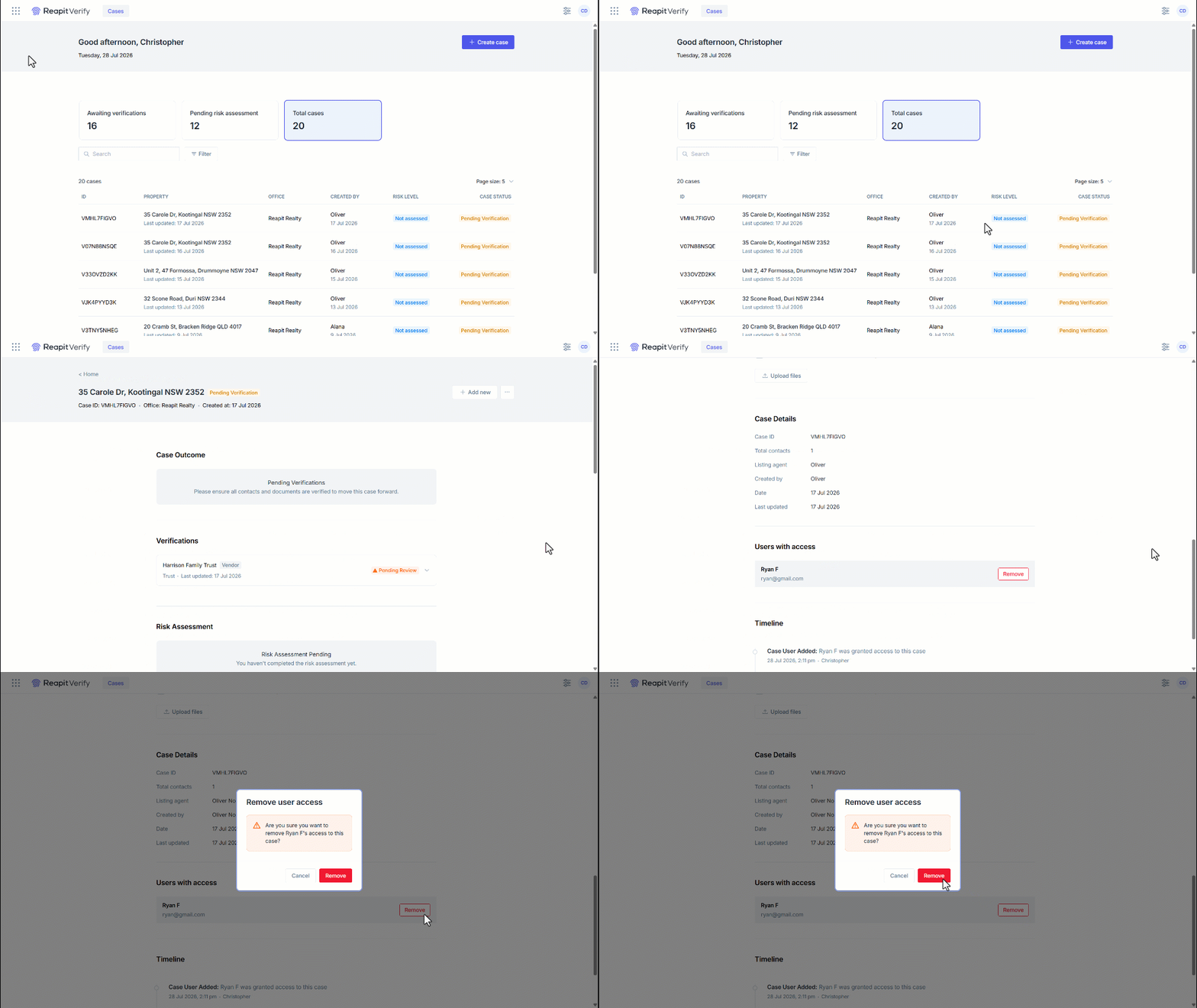
1. Search and select the desired case
2. Scroll to the bottom of the page.
3. Under Users with access, click Remove on the user.
4. Click Remove to confirm.