
Manually Verify a Case
This article will cover manually verifying a case in Reapit Verify.
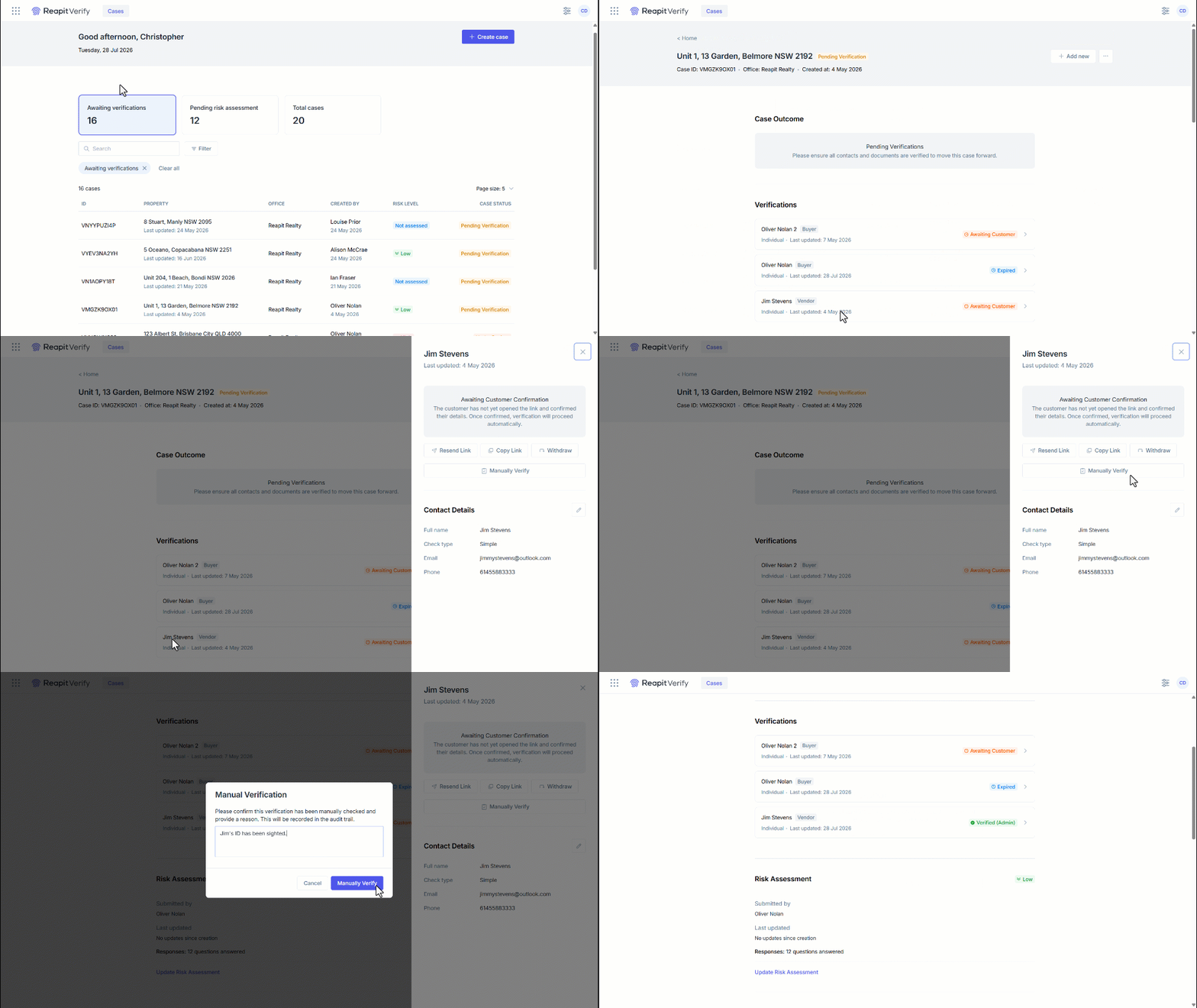
1. Search and select the case.
2. Click on the verification you need to manually verify.
3. Click Manually Verify.
4. Enter the reason for manual verification in the text box.
Note: The reason will be recorded in the audit trail.
5. Click Manually Verify.
6. The verification status will update to Verified (Admin), meaning it has been manually verified.
7. The Timeline located at the bottom of the page will display the manual verification along with the reason provided.