
Let Only Agreements
This article explains how to change a standard agreement to Let Only, update the required owner-managed details and complete the signing process in Reapit Forms.
Note: When you change an agreement to let only, some default agency details are removed and some fields become editable. Review the agreement carefully before you send it for signing.
1. Proceed through the application workflow process in Reapit Lettings, or with the creation of the tenancy in Reapit PM.
2. Navigate to Agreement type and click Edit.
3. Select the Let Only agreement type.
4. Under preferences, tick any of the sections you wish to remove from the agreement.
Note: If any fields are removed and later become required again, they will need to be manually re-added.
5. Click Save.
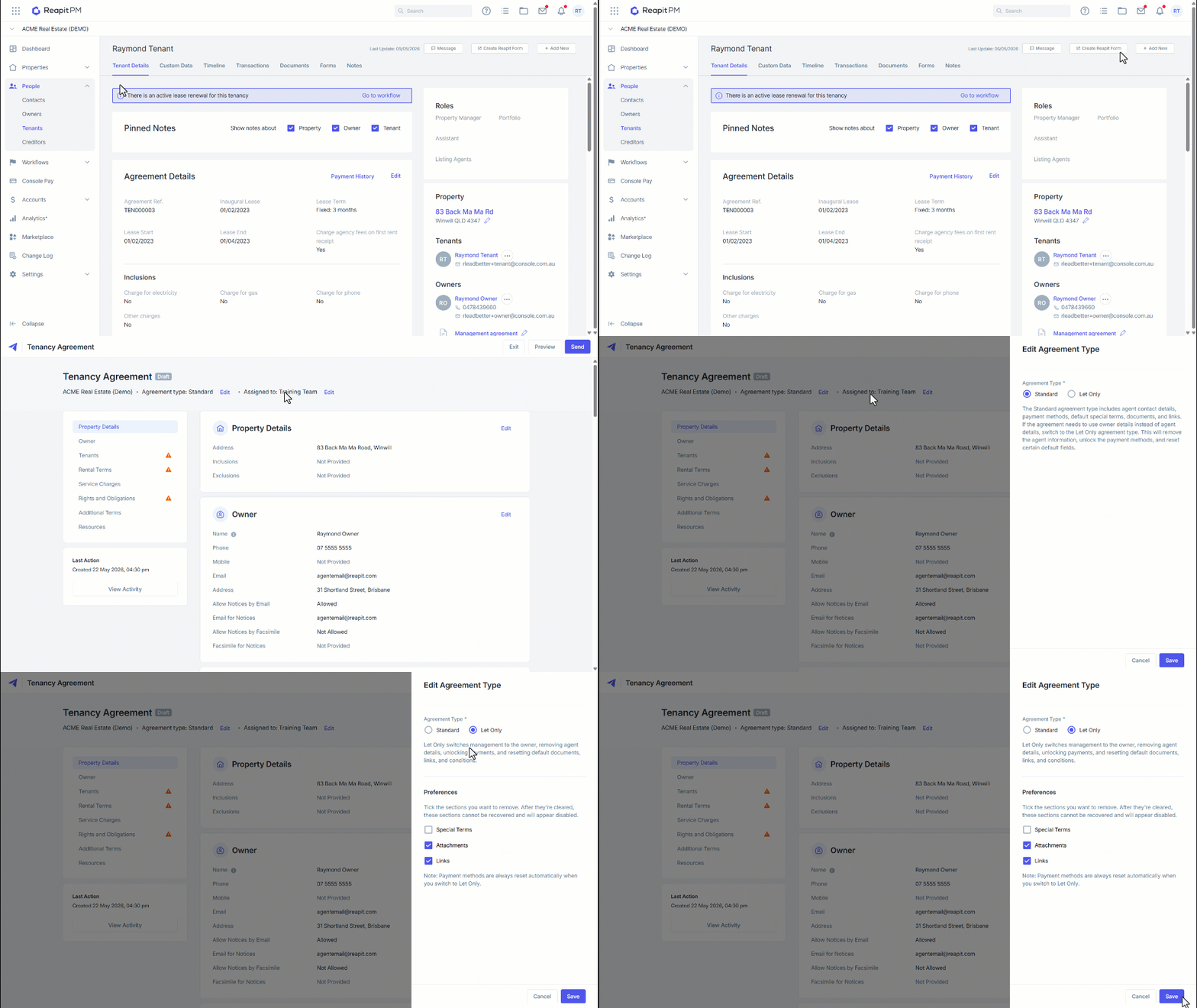
6. Update the Owner's contact and notice details.
7. Under the Rental Terms section, the payment details will no longer show the agency’s payment method and will require you to enter in the owners preferred payment detail.
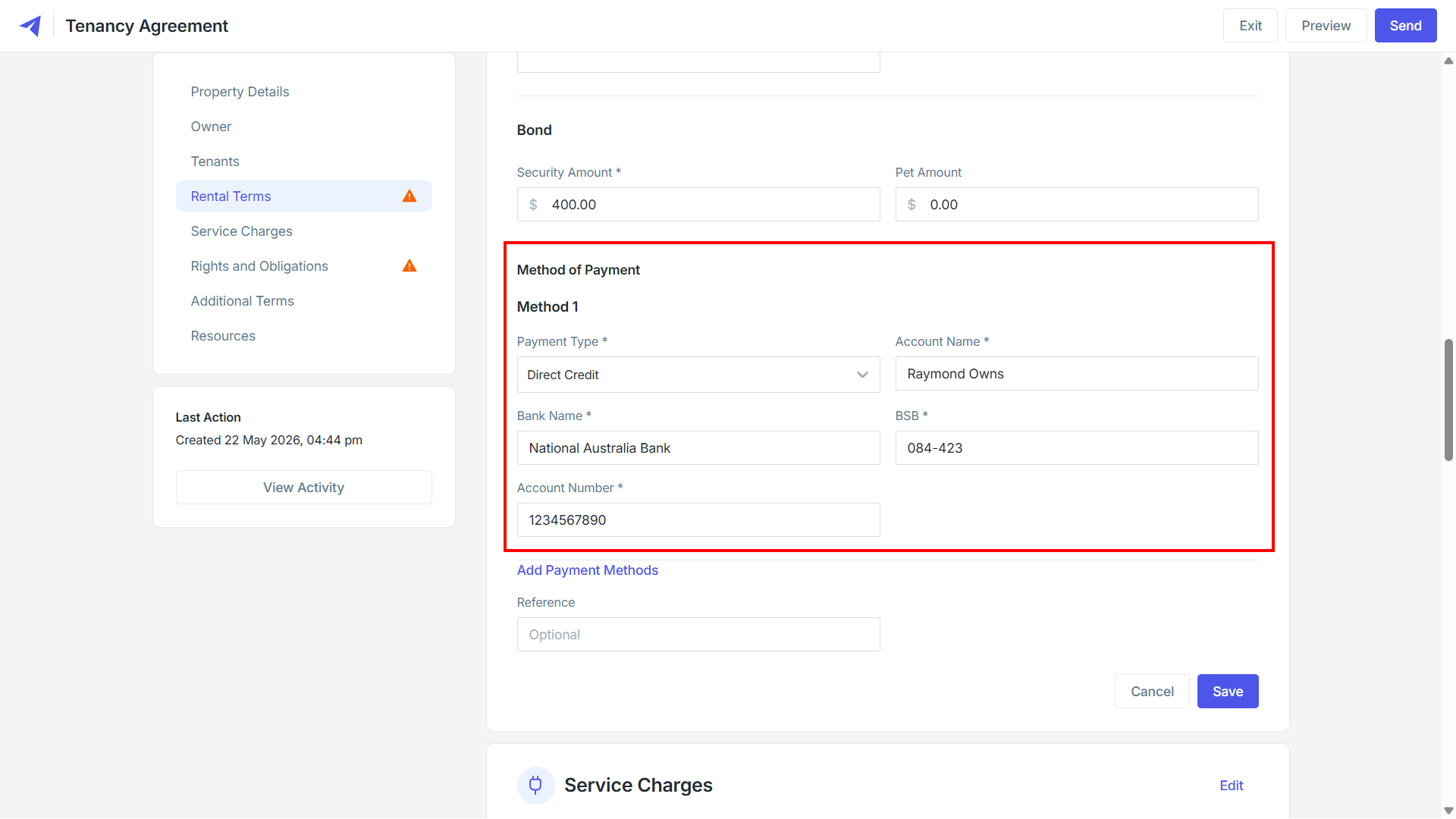
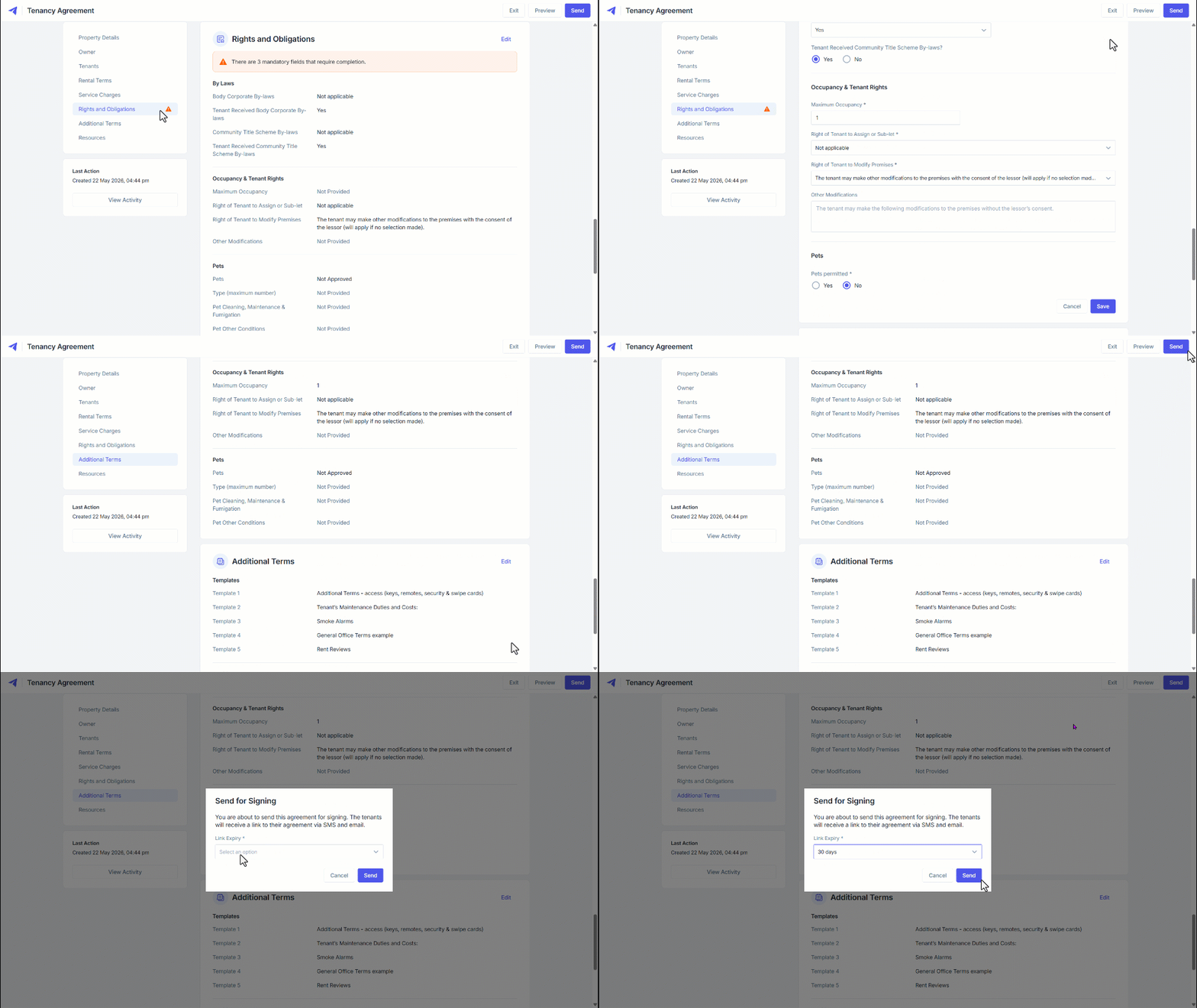
8. Review and enter any additional information as required.
9. Complete the Agreement and click Send.
10. Select the duration on the link expiry.
10. Click Send.
12. Once the signed agreement has been returned, signing can be done using the Agent Signature or Send to Owner.
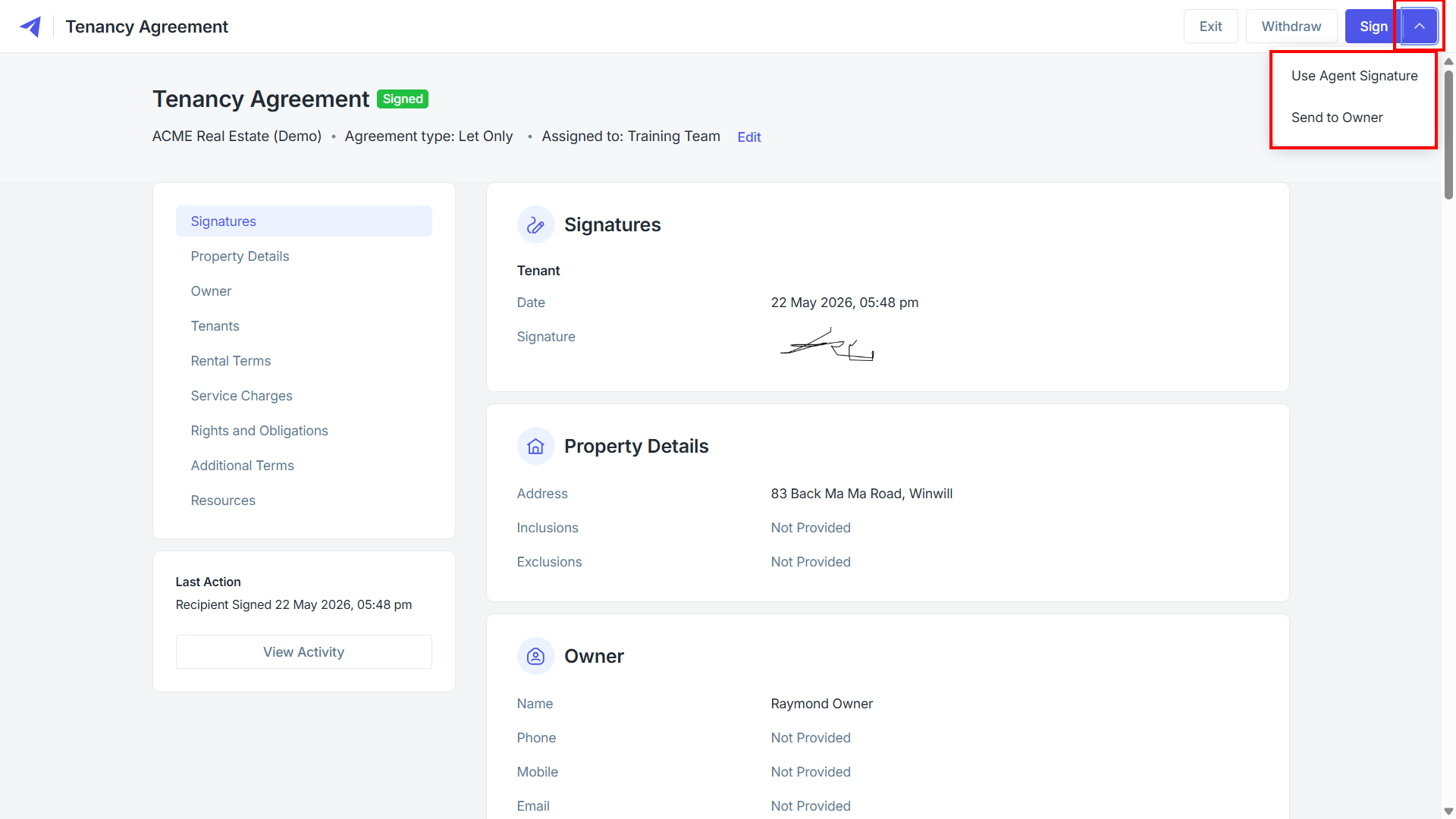
13. Enter the Owner details and click Send.
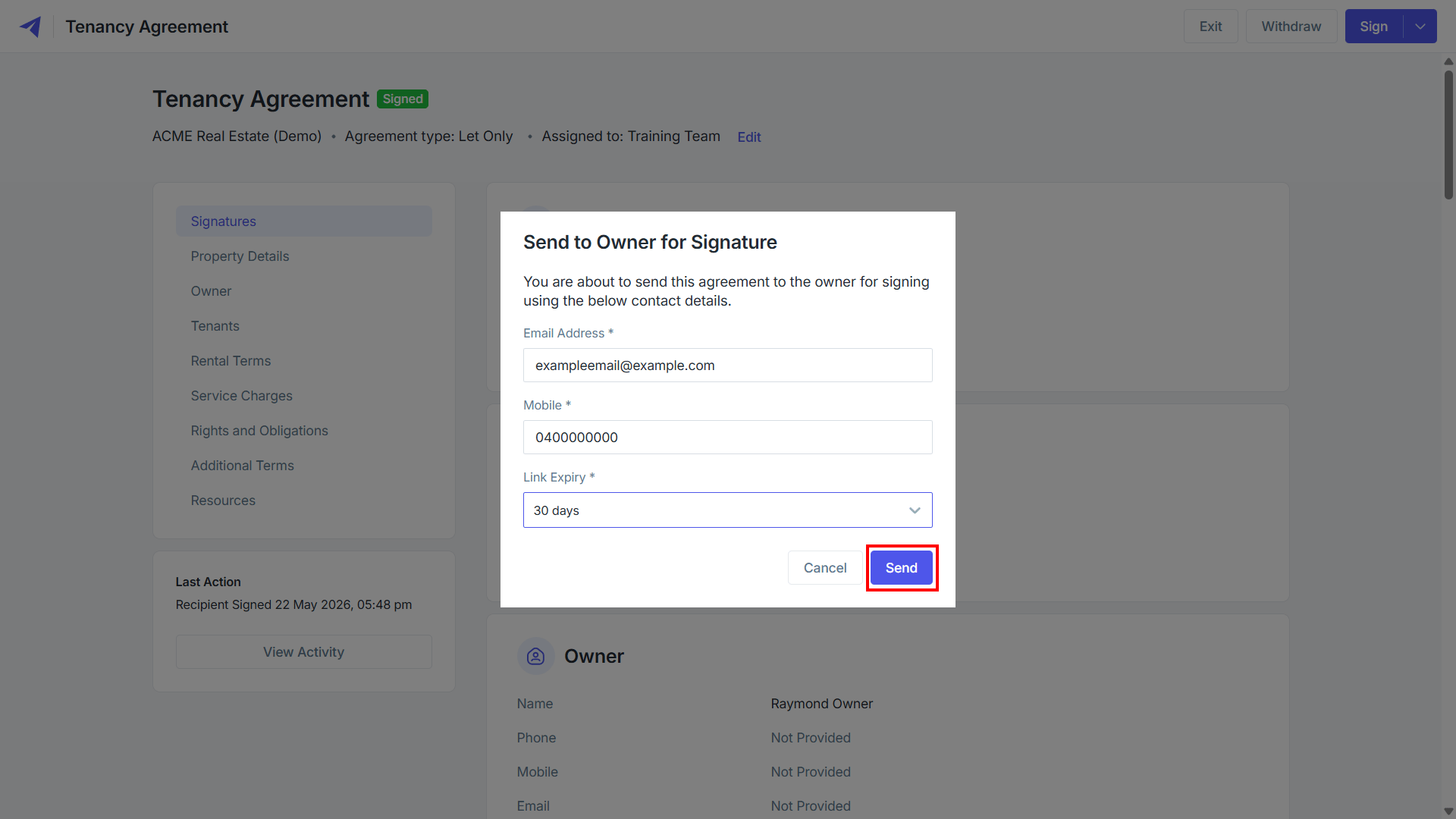
14. The Owner will receive a link to the agreement, allowing them to review the details and to add their signature and sign off.
Note: Similar to the tenant, while reviewing the agreement, the owner will also have the ability to submit a change request before finalising