• Reapit FormsProduct docsDigital forms and agreements, signed faster

    How to Activate Reapit Forms in Reapit PM

    This article will guide you through enabling the integration between Reapit Forms and Reapit PM.

    Reapit FormsUpdated 2026-08-25

    Note: Access to Reapit Forms is available exclusively with a premium subscription to both Reapit PM and Reapit Lettings.

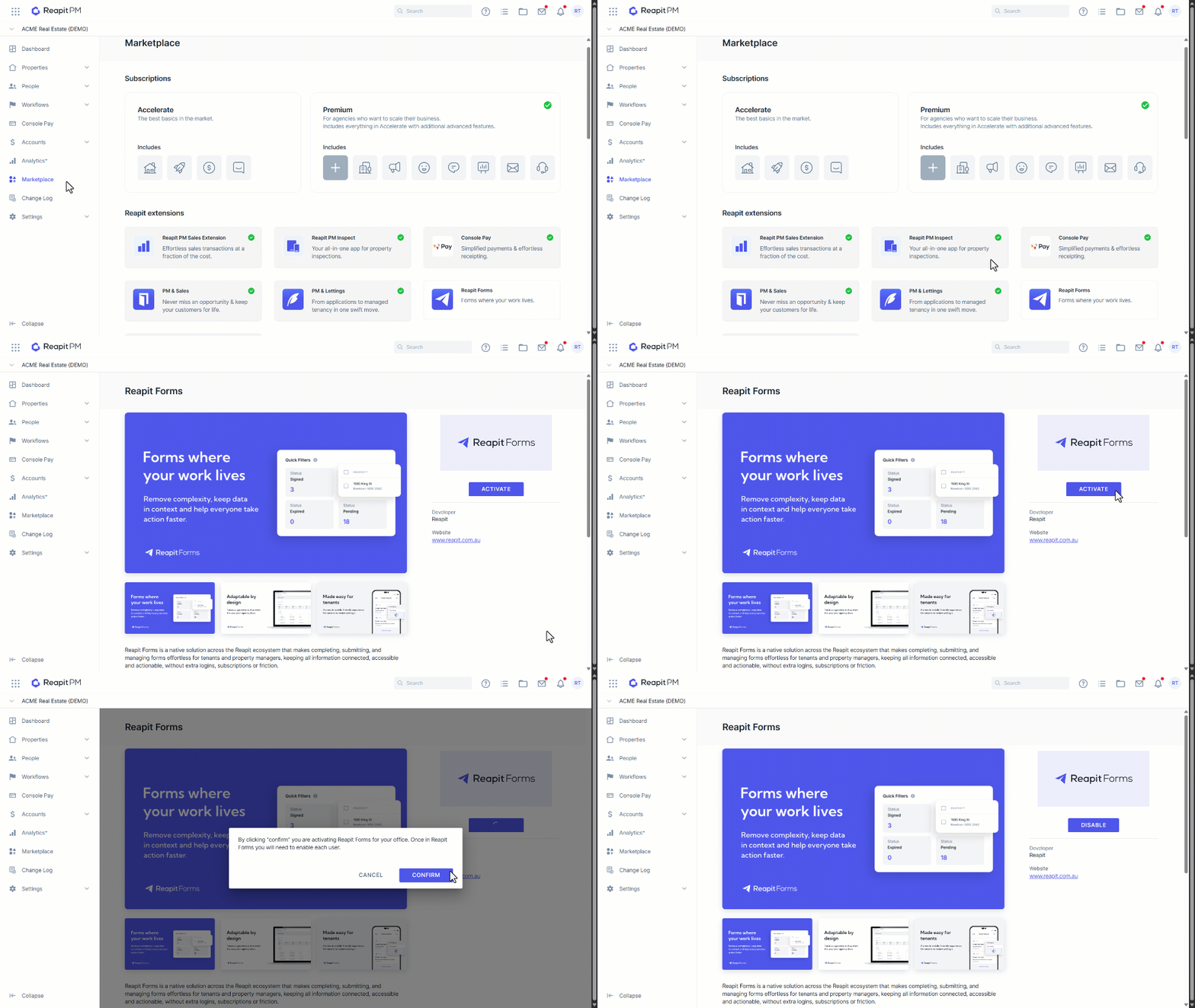
    1. Navigate to Marketplace.
    2. Under Reapit Extensions, click Reapit Forms.
    3. Click Activate.
    4. You will be advised by clicking "confirm" you are activating Reapit Forms for your office. Once in Reapit forms you will need to enable each user.
    5. Click Confirm.

    To activate Reapit Forms in Reapit Lettings, please see - https://help.reapit.com.au/s/article/How-to-Activate-Reapit-Forms-in-Reapit-Lettings

    Was this article helpful?

    Related articles

    Create a Tenant Agreement using an Approved Application from Reapit Lettings to Reapit PMThis article will guide you through the process of creating a tenant agreement in Reapit PM following the successful approval of an applicant in Reapit Lettings.
    Creating a Form Through the Lease Renewal Workflow Using Reapit FormsThis article will cover the creation of a form with Reapit Forms through the lease renewal workflow in Reapit PM.
    Customisable RemindersThis article covers the creation and management of customisable reminders in Reapit Forms.
    How to Create a Form from a New Tenancy in Reapit PMThis guide will walk you through creating a new form using Reapit Forms from a tenancy agreement in Reapit PM.
    How to Create Agreements from Approved Applications in Reapit LettingsThis article will take you through the steps in creating an agreement from a newly approved application from Reapit Lettings