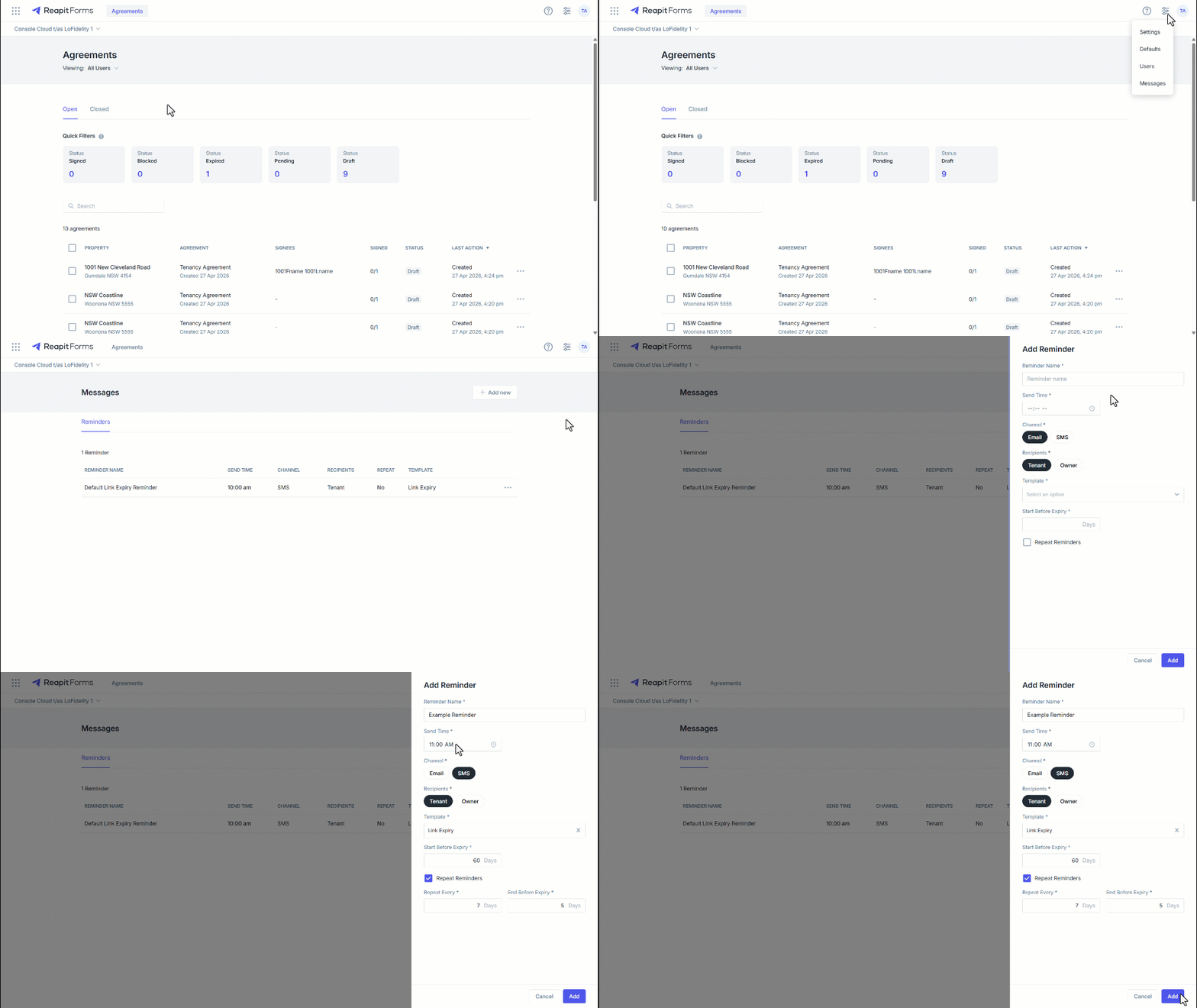
Customisable Reminders
This article covers the creation and management of customisable reminders in Reapit Forms.
Customisable reminders allow agents to communicate more effectively with form recipients via email and SMS. This ensures timely follow-ups, making it especially useful for managing renewals and keeping recipients engaged.
1. Navigate to Configuration.
2. Click Messages.
3. Click Add New.
4. Enter the message Reminder Name.
5. Enter the Send Time for the message to be sent
6. Select Email or SMS for the channel of communication.
7. Select Tenant as the recipient.
8. Select the template from the drop-down for the reminder.
9. Enter the number of days to Start before expiry that the reminders will be sent.
10. Repeat reminders will allow you to set a repeat frequency for the reminder message to start and end days before the form’s link expiry.
11. Click Add.