'%3e%3cpath%20fill='%23ECF3FF'%20d='M0%208a8%208%200%200%201%208-8h24a8%208%200%200%201%208%208v24a8%208%200%200%201-8%208H8a8%208%200%200%201-8-8V8Z'/%3e%3cpath%20fill='%234E56EA'%20d='M20%207.769c7.183%200%2013%205.694%2013%2012.692%200%205.122-3.115%209.702-7.946%2011.706-.159.032-.254.064-.381.064a.821.821%200%200%201-.795-.541c-.19-.445.032-.923.477-1.113%204.195-1.718%206.897-5.694%206.897-10.116%200-5.885-4.743-10.697-10.703-10.992l-.581-.013c-6.23%200-11.283%204.962-11.283%2011.005%200%203.881%202.13%207.508%205.562%209.48l.223.096c.381.19.826.286%201.303.286%201.623%200%202.933-1.227%203.317-2.952a5.515%205.515%200%200%201-1.251-.324%206.644%206.644%200%200%201-4.164-4.326c-.254-.89.414-1.813%201.4-1.813h10.107c.985%200%201.652.922%201.398%201.813-.75%202.495-2.978%204.392-5.716%204.674-.442%202.672-2.5%204.613-5.06%204.613-.73%200-1.43-.159-2.034-.445l-.318-.127C9.48%2029.177%207%2024.946%207%2020.461%207%2013.463%2012.816%207.77%2020%207.77Zm-2.701%206.774c.35%200%20.635.286.636.635v4.2h-2.512v-4.2c0-.35.286-.635.636-.636h1.24Zm6.96%200c.35%200%20.636.286.636.635v4.2h-2.51v-4.2c0-.35.286-.636.635-.636h1.24Z'/%3e%3c/g%3e%3cdefs%3e%3cclipPath%20id='a'%3e%3cpath%20fill='%23fff'%20d='M0%200h40v40H0z'/%3e%3c/clipPath%3e%3c/defs%3e%3c/svg%3e)
How to change the RCTI
This article will run through how to change the RCTI within your Move Me In account.
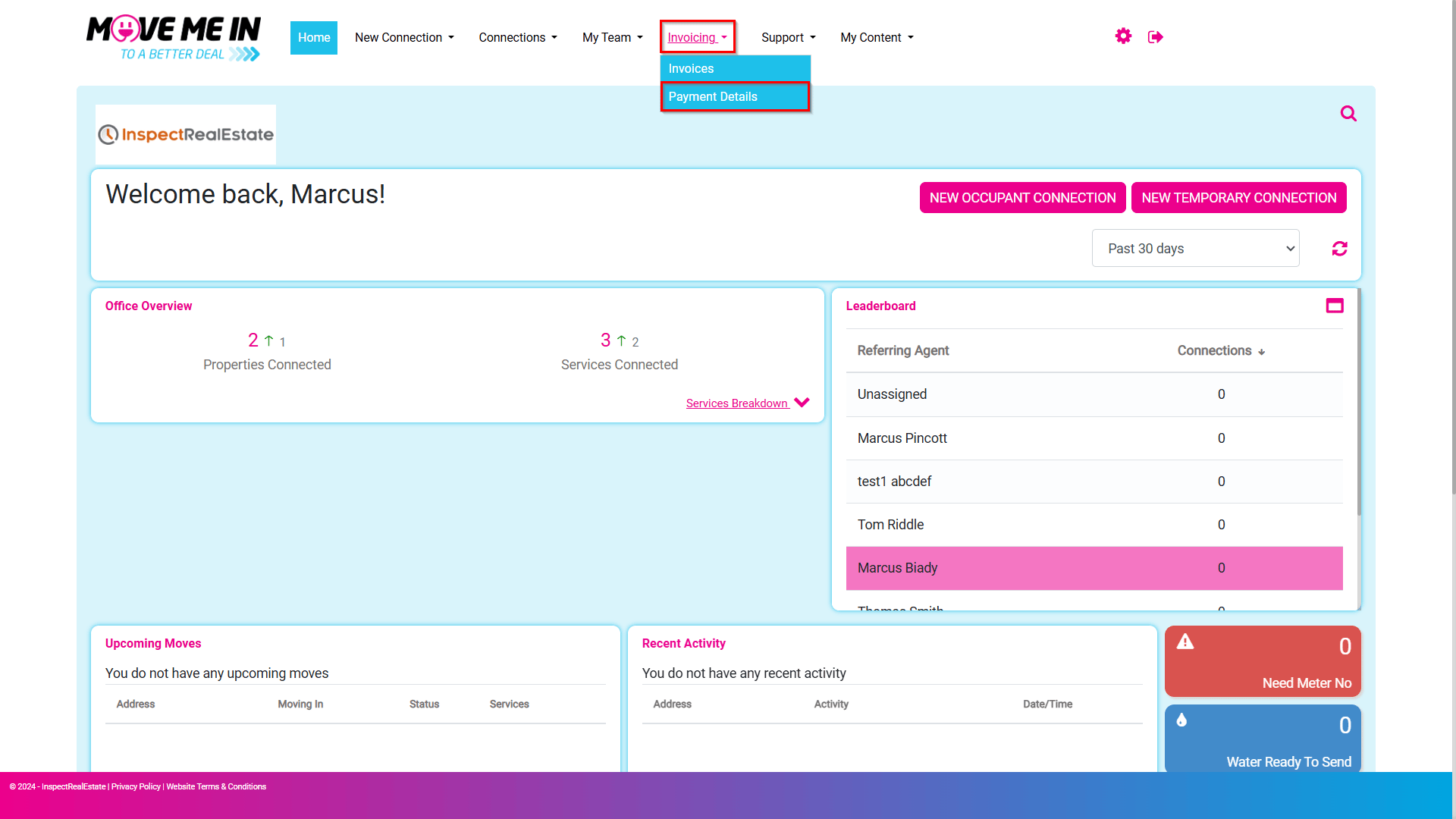
1. Navigate to Invoicing and select Payment Details.
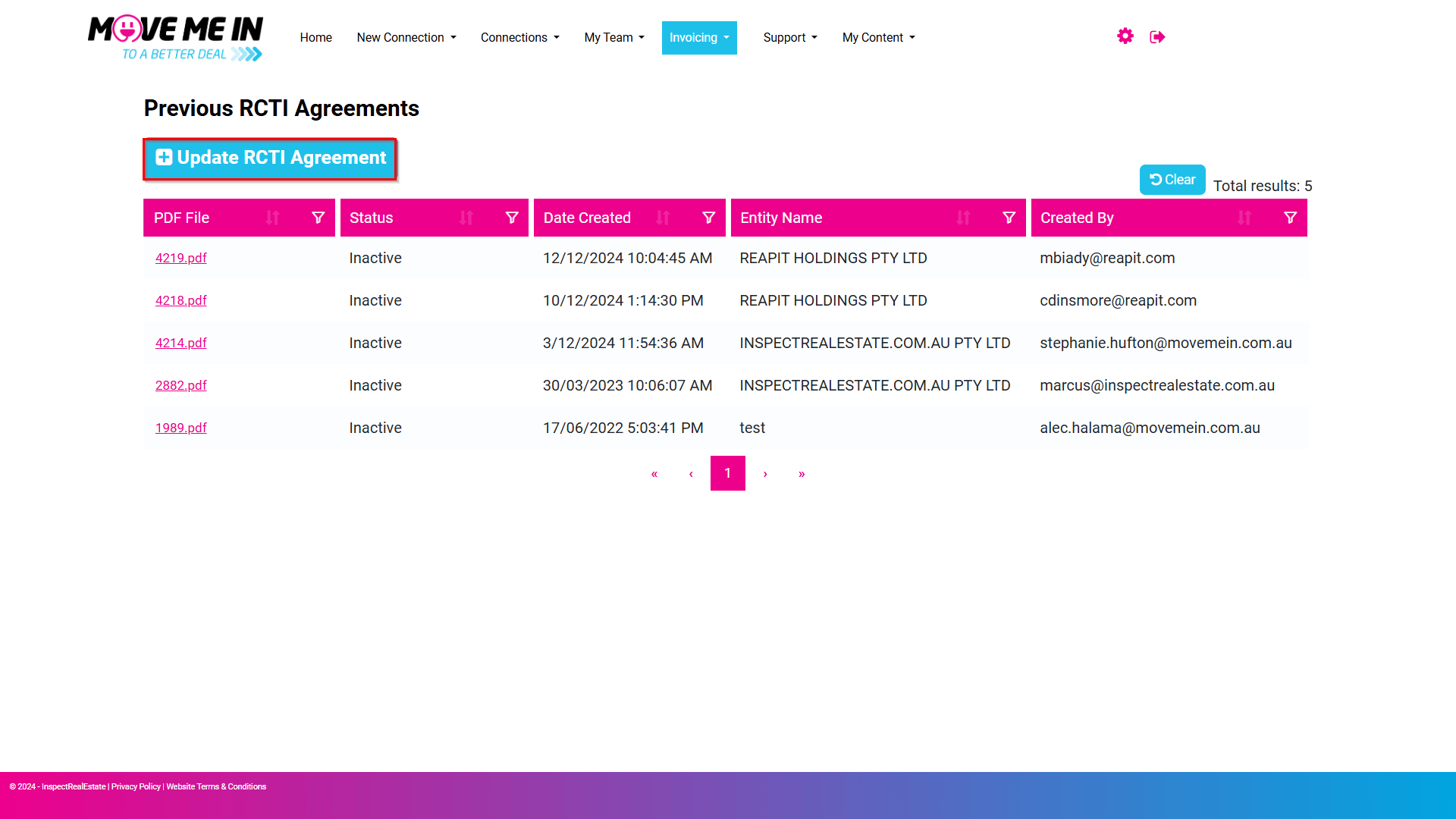
2. Click Update RCTI Agreement.
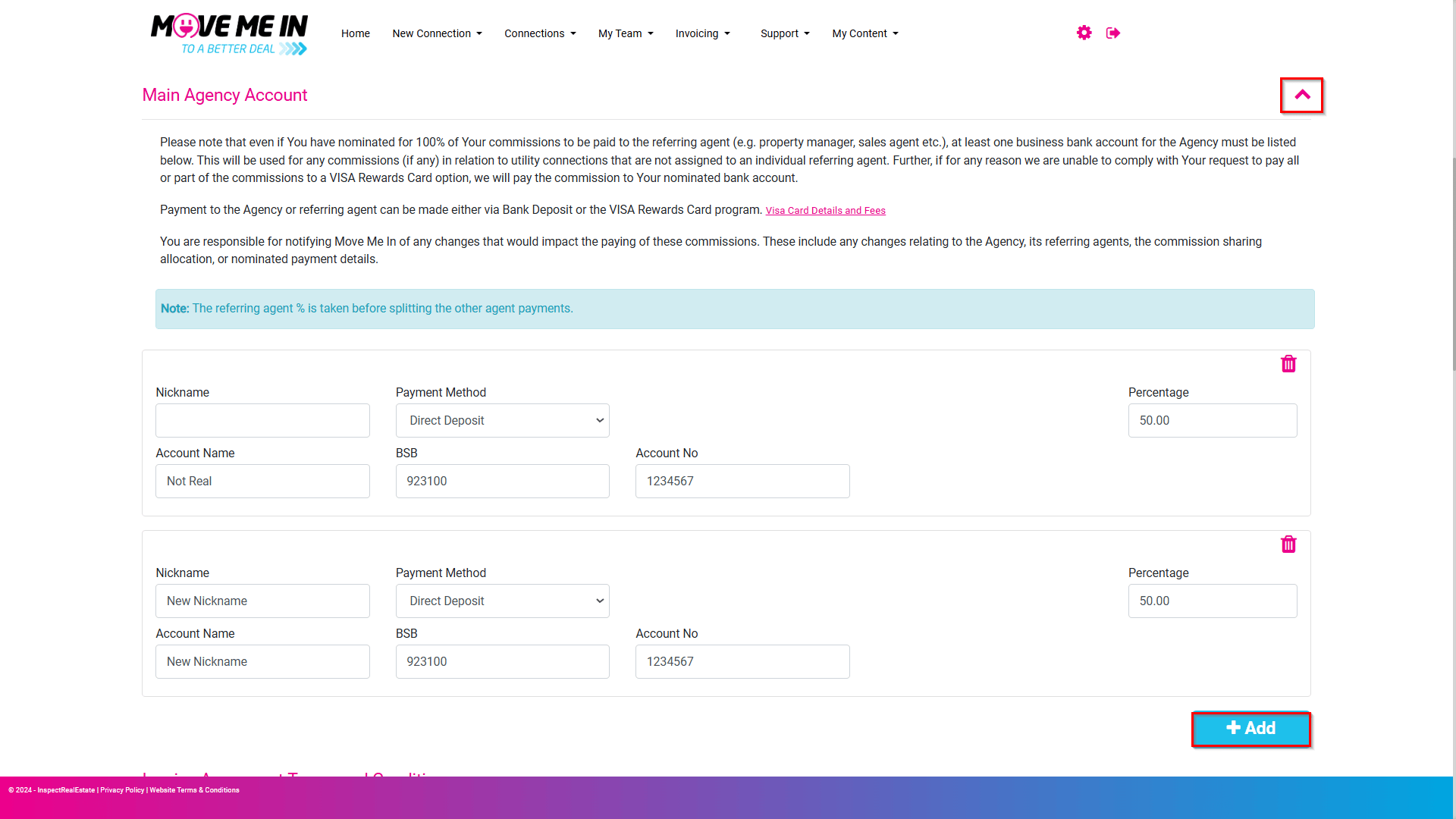
3. Within the Main Agency Account section, click the dropdown.
- Click +Add, and then enter the new payment stakeholder details where designated.
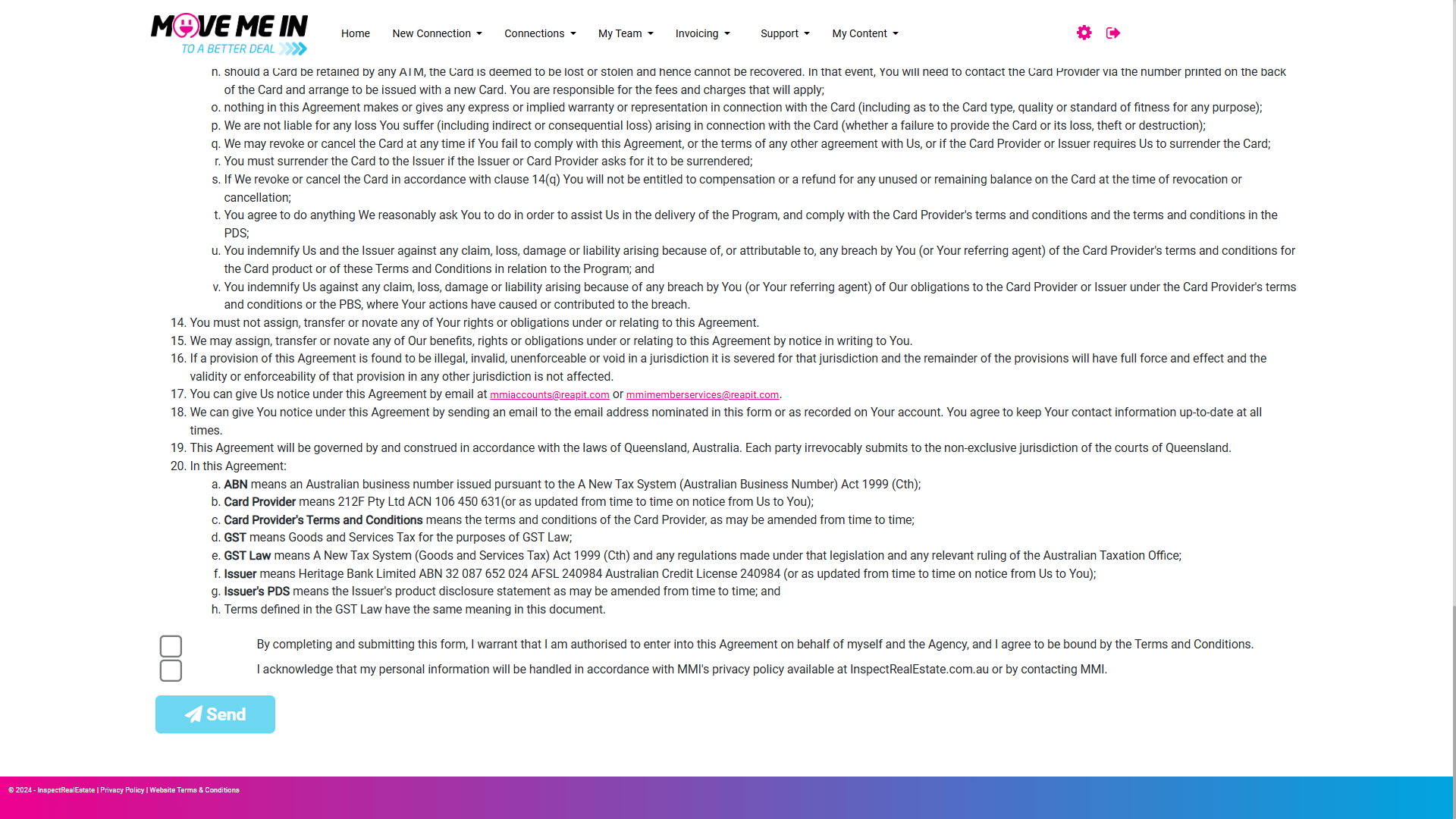
Note: You/ the new payment stakeholder will need to review and agree to the Invoice Agreement Terms and Conditions, select the checkboxes and click Send again for the action to be confirmed.