'%3e%3cpath%20fill='%23ECF3FF'%20d='M0%208a8%208%200%200%201%208-8h24a8%208%200%200%201%208%208v24a8%208%200%200%201-8%208H8a8%208%200%200%201-8-8V8Z'/%3e%3cpath%20fill='%234E56EA'%20d='M20%207.769c7.183%200%2013%205.694%2013%2012.692%200%205.122-3.115%209.702-7.946%2011.706-.159.032-.254.064-.381.064a.821.821%200%200%201-.795-.541c-.19-.445.032-.923.477-1.113%204.195-1.718%206.897-5.694%206.897-10.116%200-5.885-4.743-10.697-10.703-10.992l-.581-.013c-6.23%200-11.283%204.962-11.283%2011.005%200%203.881%202.13%207.508%205.562%209.48l.223.096c.381.19.826.286%201.303.286%201.623%200%202.933-1.227%203.317-2.952a5.515%205.515%200%200%201-1.251-.324%206.644%206.644%200%200%201-4.164-4.326c-.254-.89.414-1.813%201.4-1.813h10.107c.985%200%201.652.922%201.398%201.813-.75%202.495-2.978%204.392-5.716%204.674-.442%202.672-2.5%204.613-5.06%204.613-.73%200-1.43-.159-2.034-.445l-.318-.127C9.48%2029.177%207%2024.946%207%2020.461%207%2013.463%2012.816%207.77%2020%207.77Zm-2.701%206.774c.35%200%20.635.286.636.635v4.2h-2.512v-4.2c0-.35.286-.635.636-.636h1.24Zm6.96%200c.35%200%20.636.286.636.635v4.2h-2.51v-4.2c0-.35.286-.636.635-.636h1.24Z'/%3e%3c/g%3e%3cdefs%3e%3cclipPath%20id='a'%3e%3cpath%20fill='%23fff'%20d='M0%200h40v40H0z'/%3e%3c/clipPath%3e%3c/defs%3e%3c/svg%3e)
Creating and Managing Users
This article will run through how to create, manage and disable users within your Move Me In account.
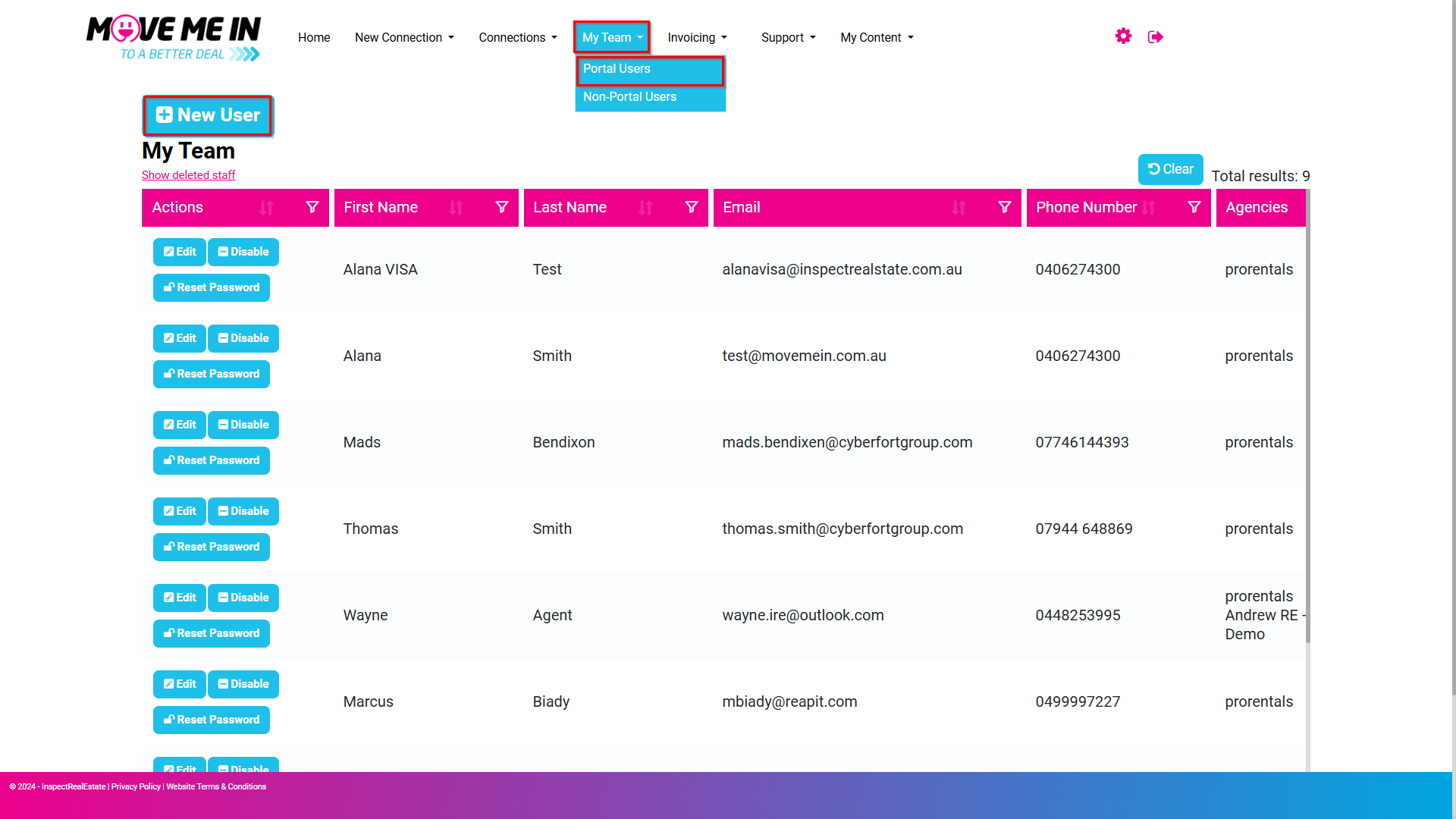
1. Navigate to My Team and select Portal Users.
- Click +New User
2. Enter the new user's email address, first and last name, and mobile number in the designated fields.
- Next, select the appropriate role(s) to configure system permissions accordingly.
- Click Save once completed.
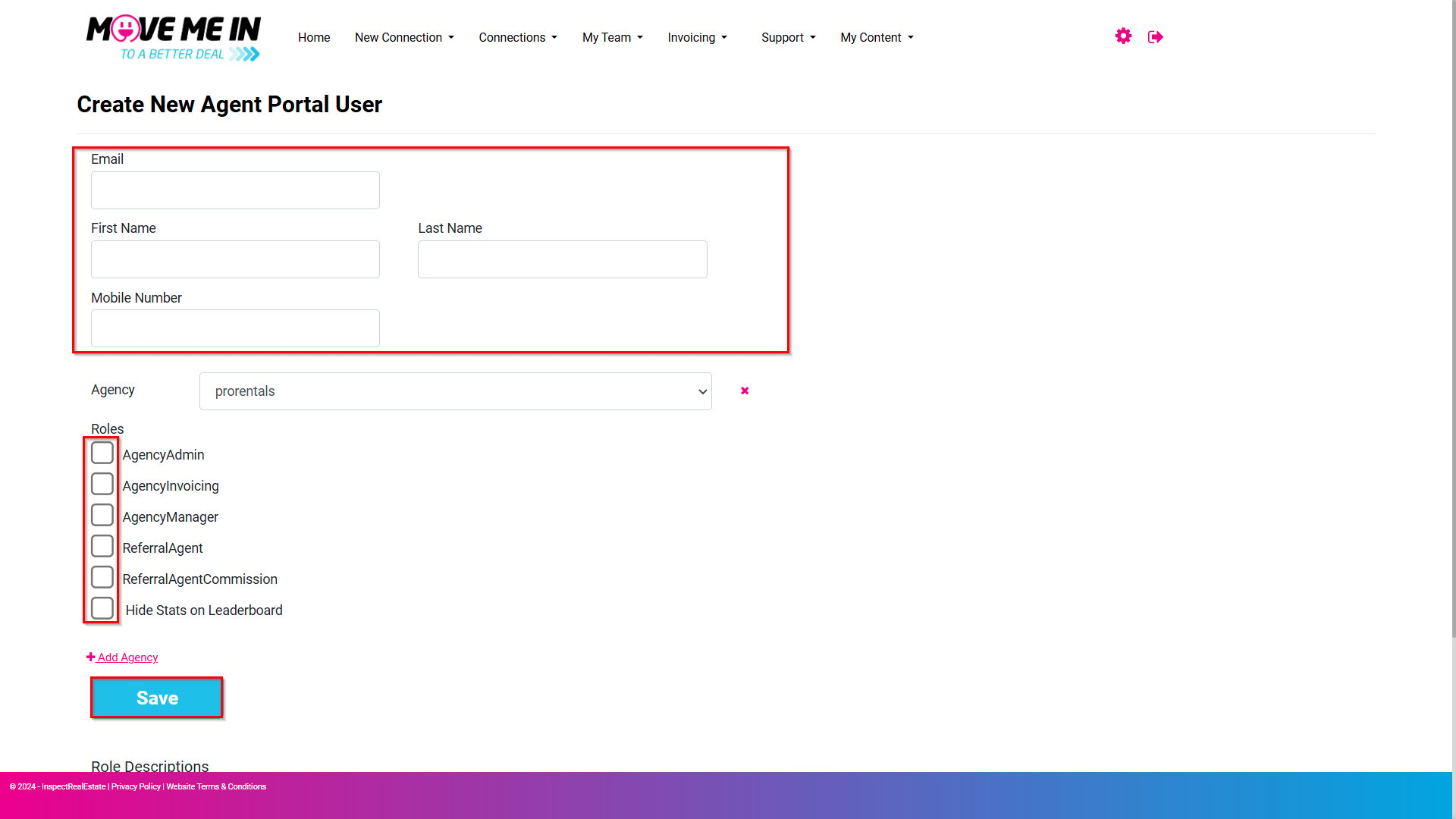
Note: Refer to the Roles Description legend if needed.
Once the user account has been successfully created, an email will be sent to the designated address with a link to complete the account setup.
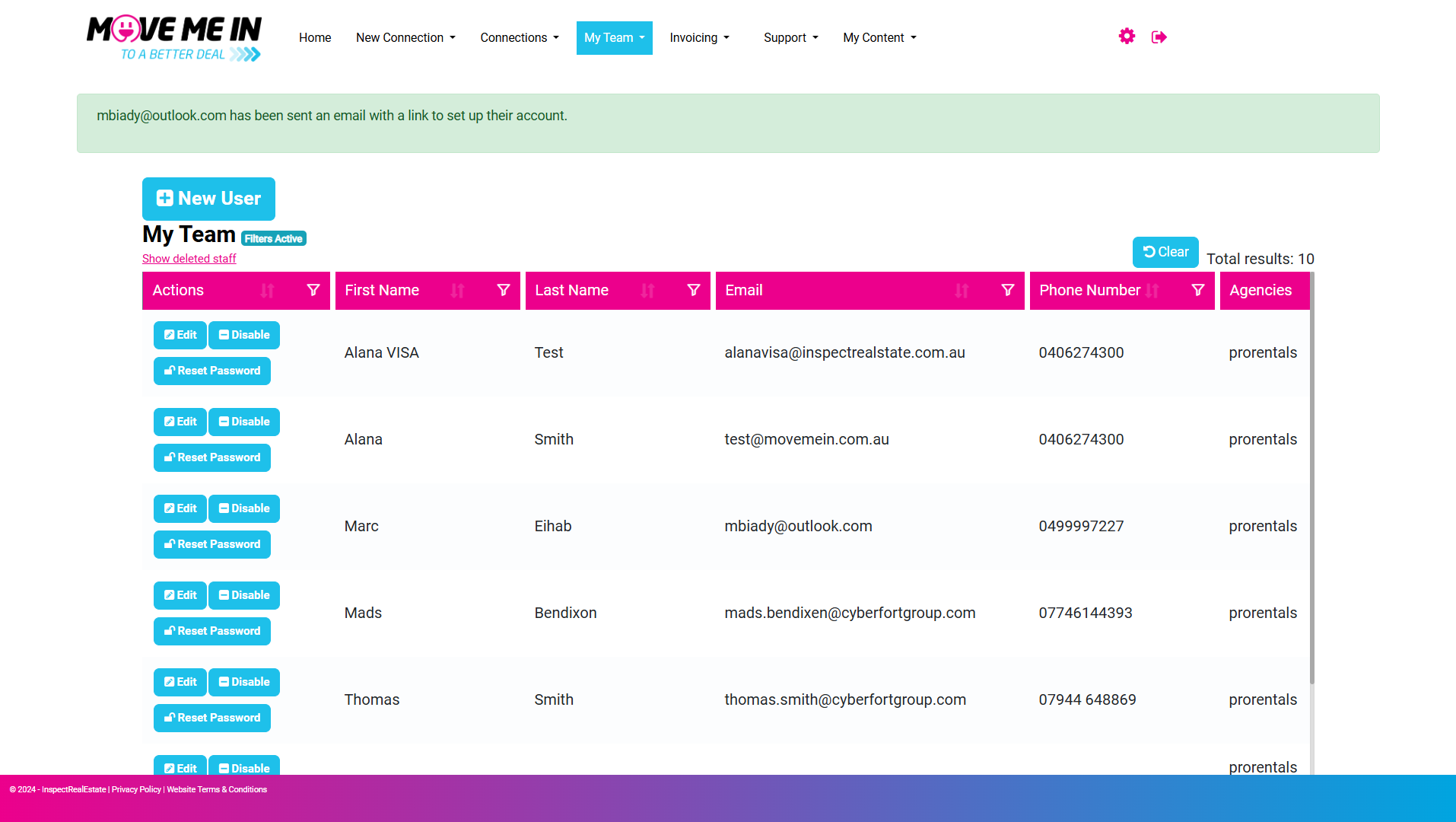
3. To modify an existing user's access, locate the Actions column and click Edit next to the relevant user. Make the necessary changes and click Save.
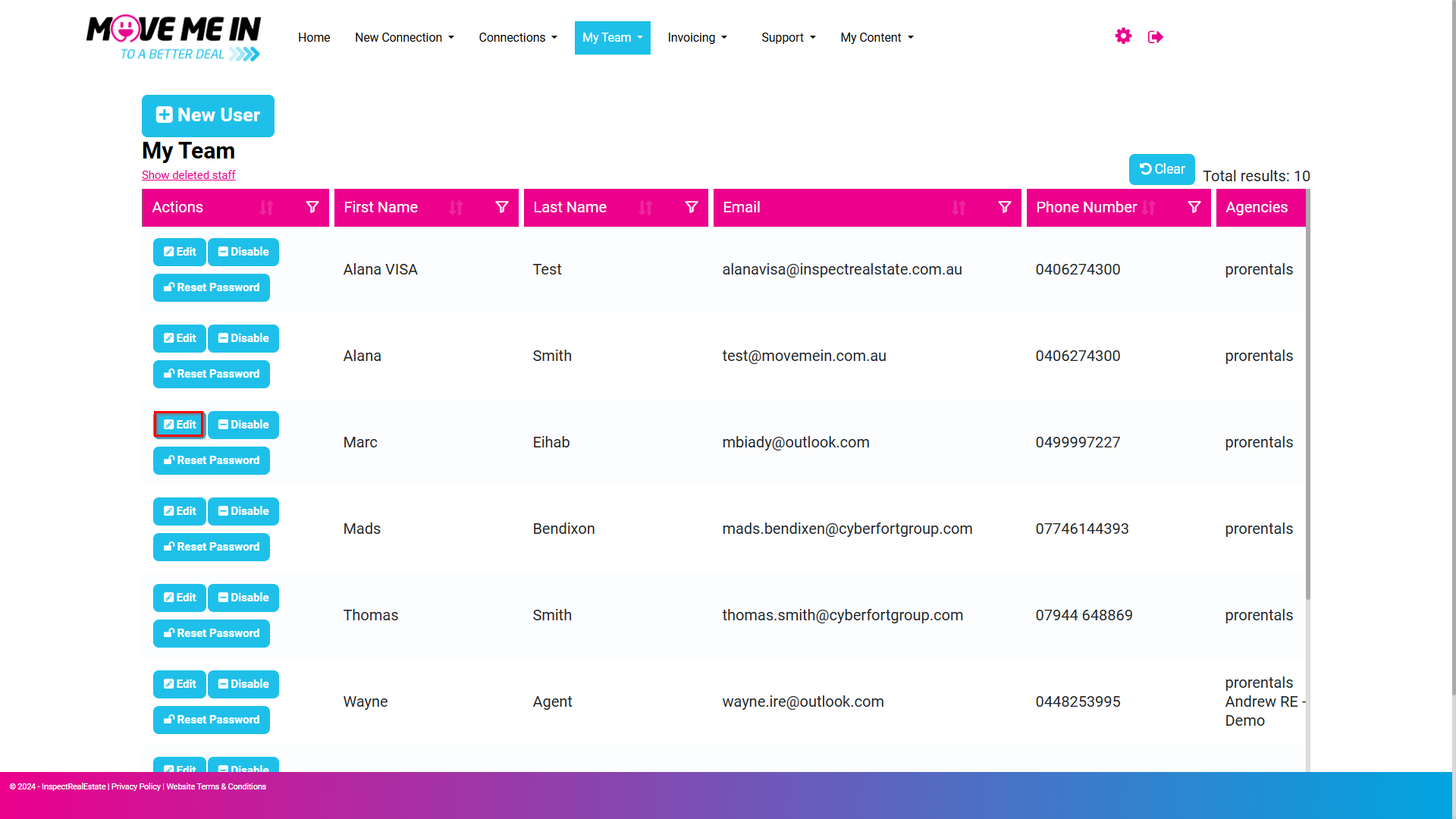
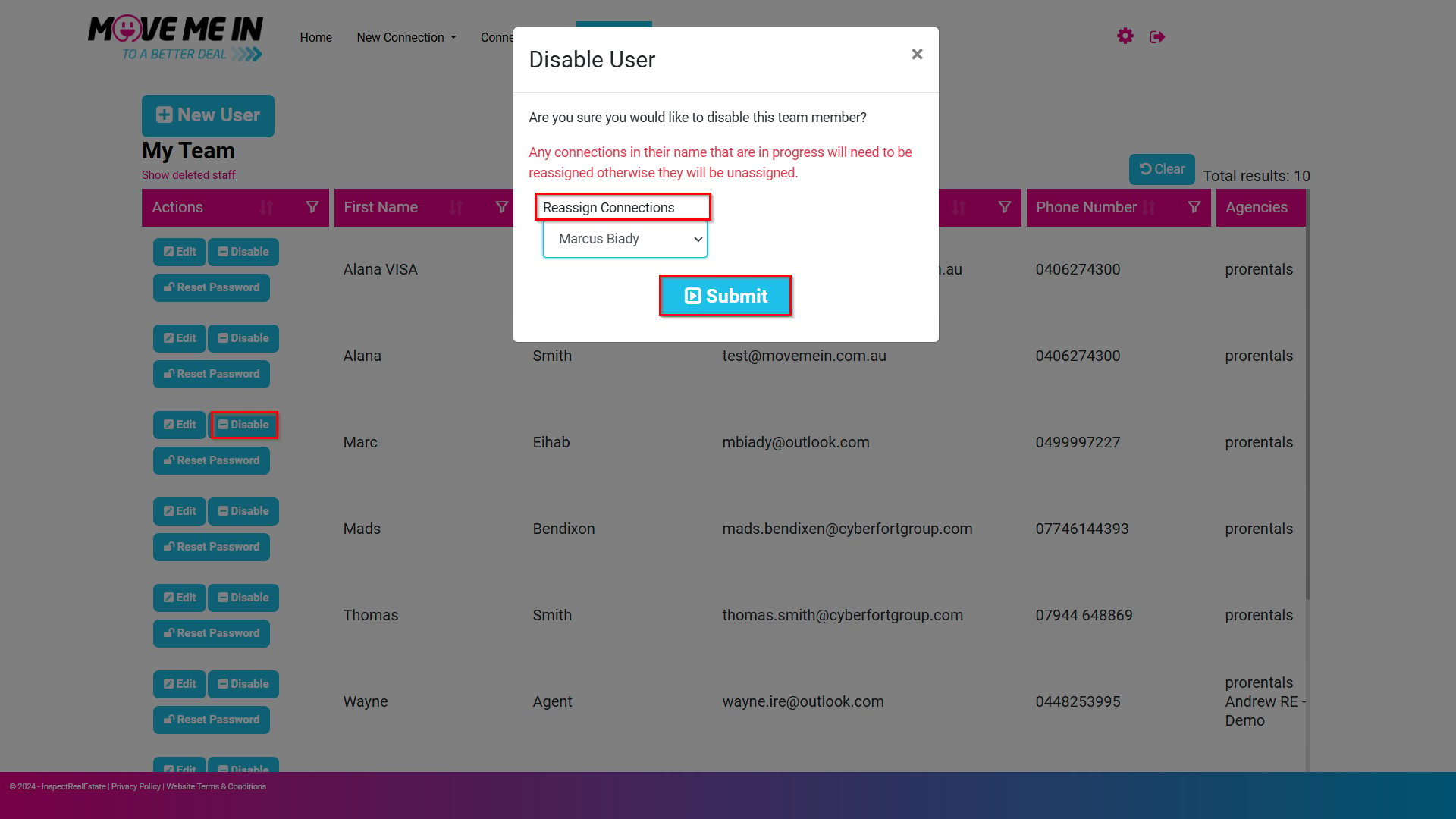
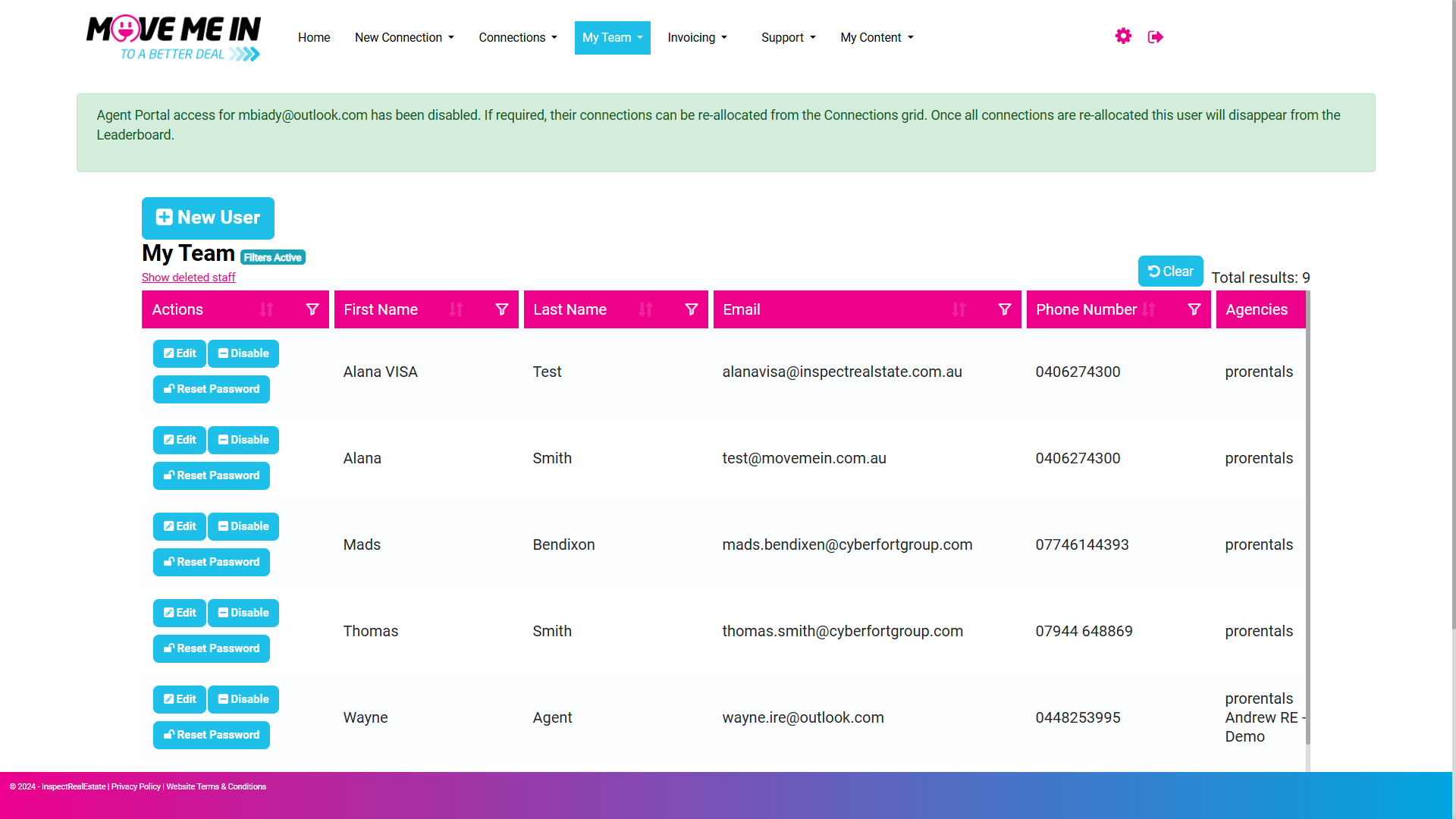
4. To disable an existing user, locate the Actions column and click Edit next to the relevant user.
- When prompted, select an alternative user to reassign connections and then click Submit.