'%3e%3cpath%20fill='%23ECF3FF'%20d='M0%208a8%208%200%200%201%208-8h24a8%208%200%200%201%208%208v24a8%208%200%200%201-8%208H8a8%208%200%200%201-8-8V8Z'/%3e%3cpath%20fill='%234E56EA'%20d='M20%207.769c7.183%200%2013%205.694%2013%2012.692%200%205.122-3.115%209.702-7.946%2011.706-.159.032-.254.064-.381.064a.821.821%200%200%201-.795-.541c-.19-.445.032-.923.477-1.113%204.195-1.718%206.897-5.694%206.897-10.116%200-5.885-4.743-10.697-10.703-10.992l-.581-.013c-6.23%200-11.283%204.962-11.283%2011.005%200%203.881%202.13%207.508%205.562%209.48l.223.096c.381.19.826.286%201.303.286%201.623%200%202.933-1.227%203.317-2.952a5.515%205.515%200%200%201-1.251-.324%206.644%206.644%200%200%201-4.164-4.326c-.254-.89.414-1.813%201.4-1.813h10.107c.985%200%201.652.922%201.398%201.813-.75%202.495-2.978%204.392-5.716%204.674-.442%202.672-2.5%204.613-5.06%204.613-.73%200-1.43-.159-2.034-.445l-.318-.127C9.48%2029.177%207%2024.946%207%2020.461%207%2013.463%2012.816%207.77%2020%207.77Zm-2.701%206.774c.35%200%20.635.286.636.635v4.2h-2.512v-4.2c0-.35.286-.635.636-.636h1.24Zm6.96%200c.35%200%20.636.286.636.635v4.2h-2.51v-4.2c0-.35.286-.636.635-.636h1.24Z'/%3e%3c/g%3e%3cdefs%3e%3cclipPath%20id='a'%3e%3cpath%20fill='%23fff'%20d='M0%200h40v40H0z'/%3e%3c/clipPath%3e%3c/defs%3e%3c/svg%3e)
How to Send a Temporary Connection Lead
This article will guide you through creating a temporary connection lead from the Move Me In system.
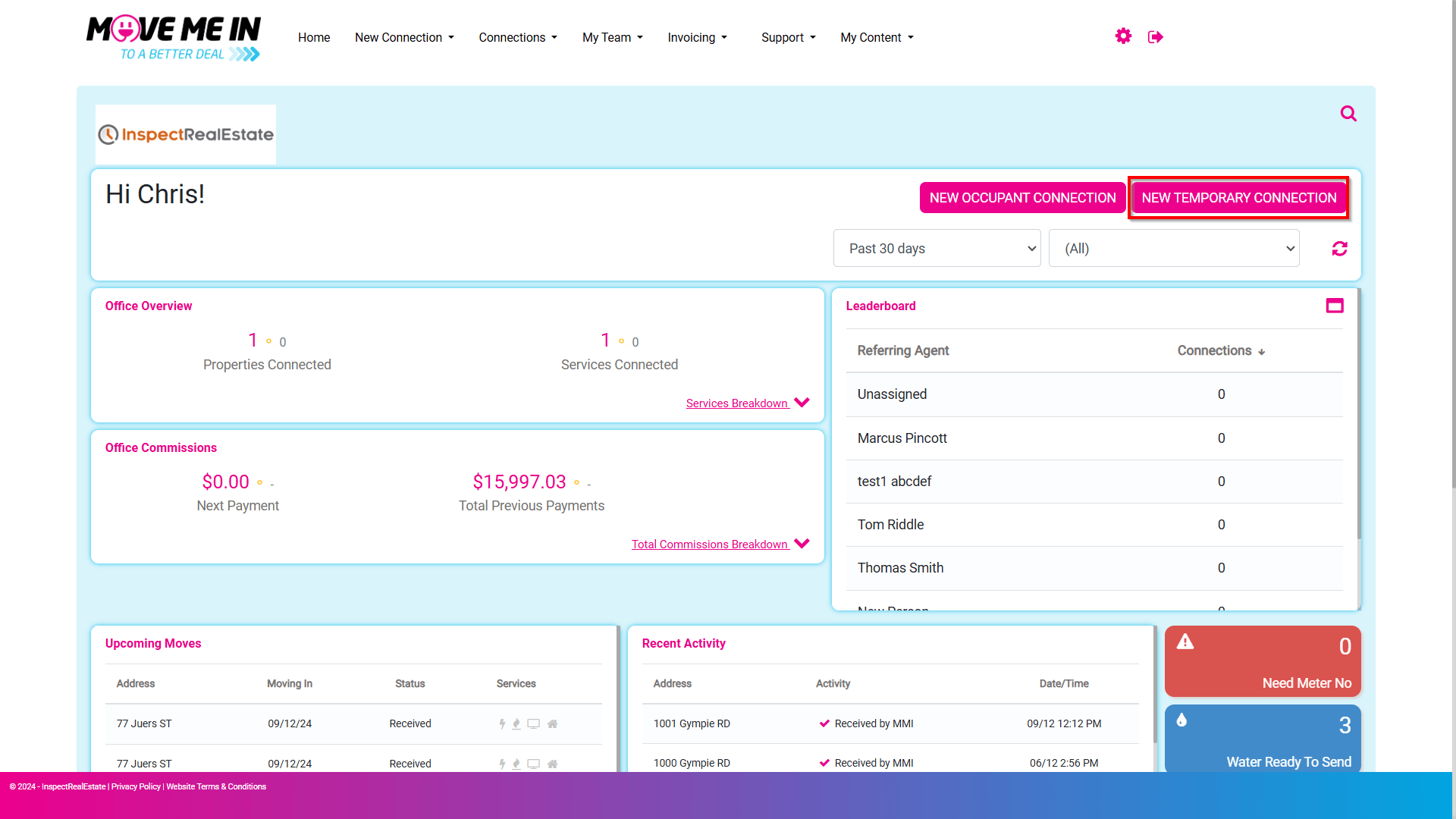
1. Navigate to New Temporary Connection.
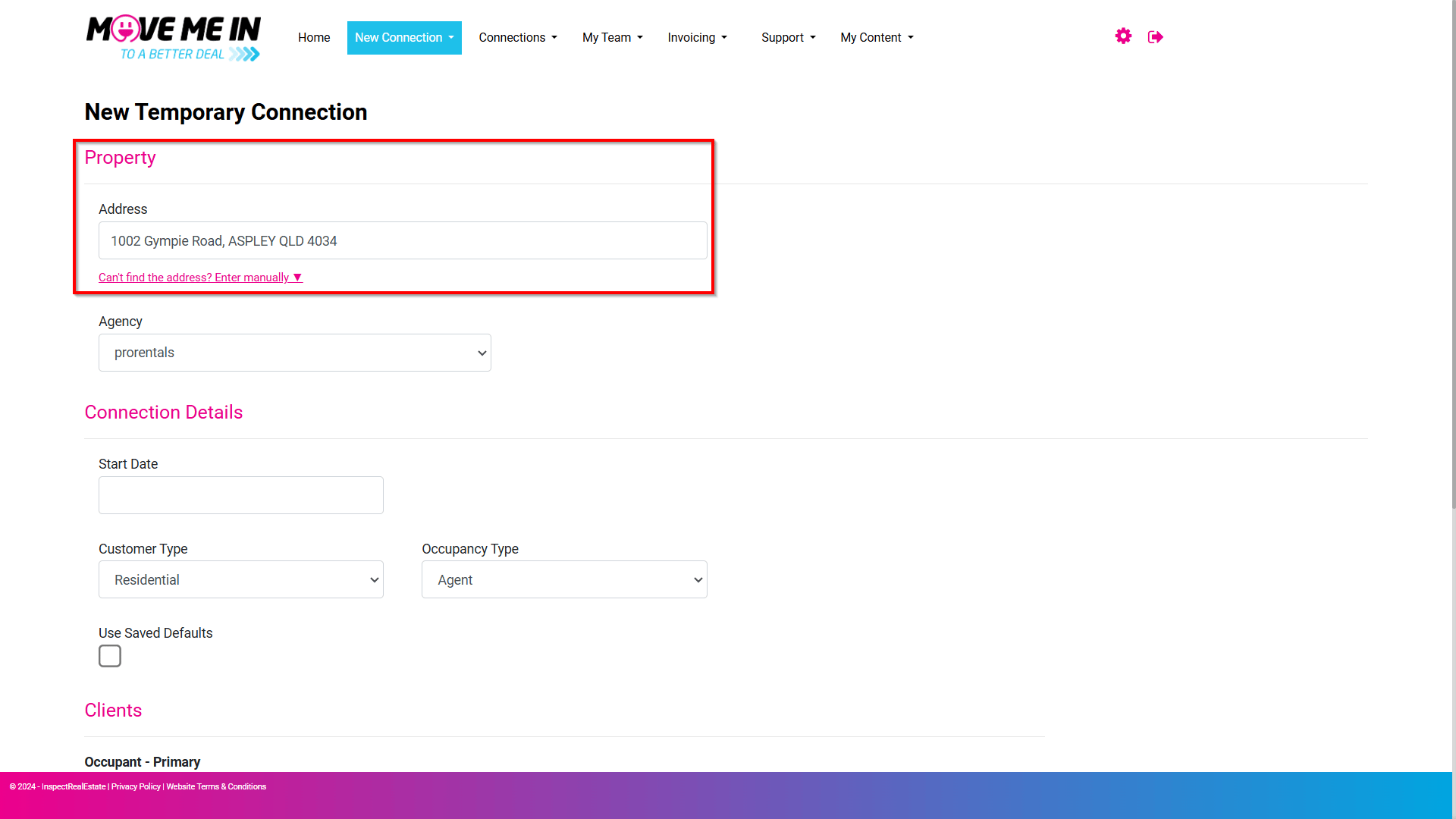
2. Enter the Property Address. If the address does not populate, you can enter the address manually.
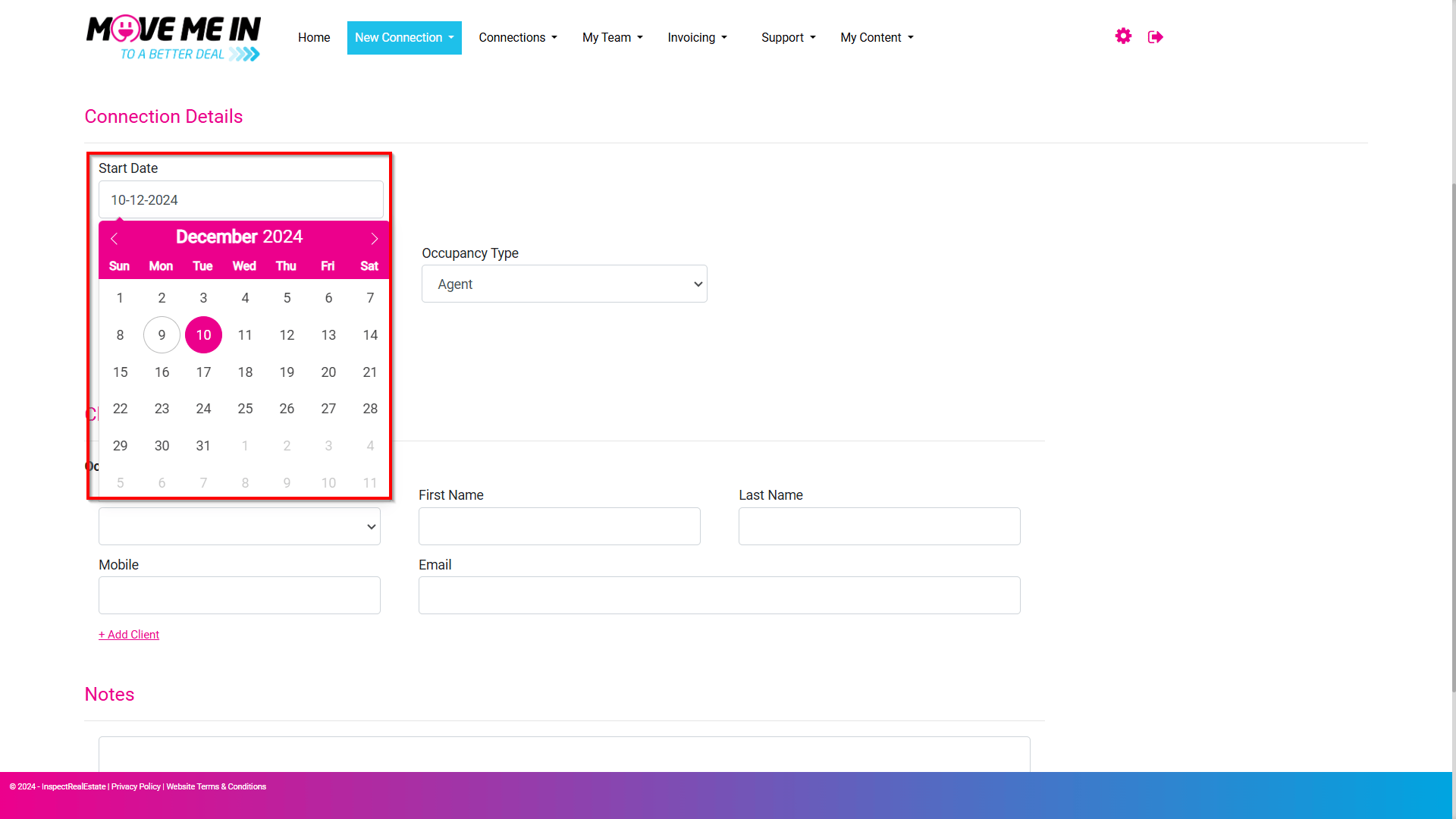
3. Enter in the start date for the temporary connection.
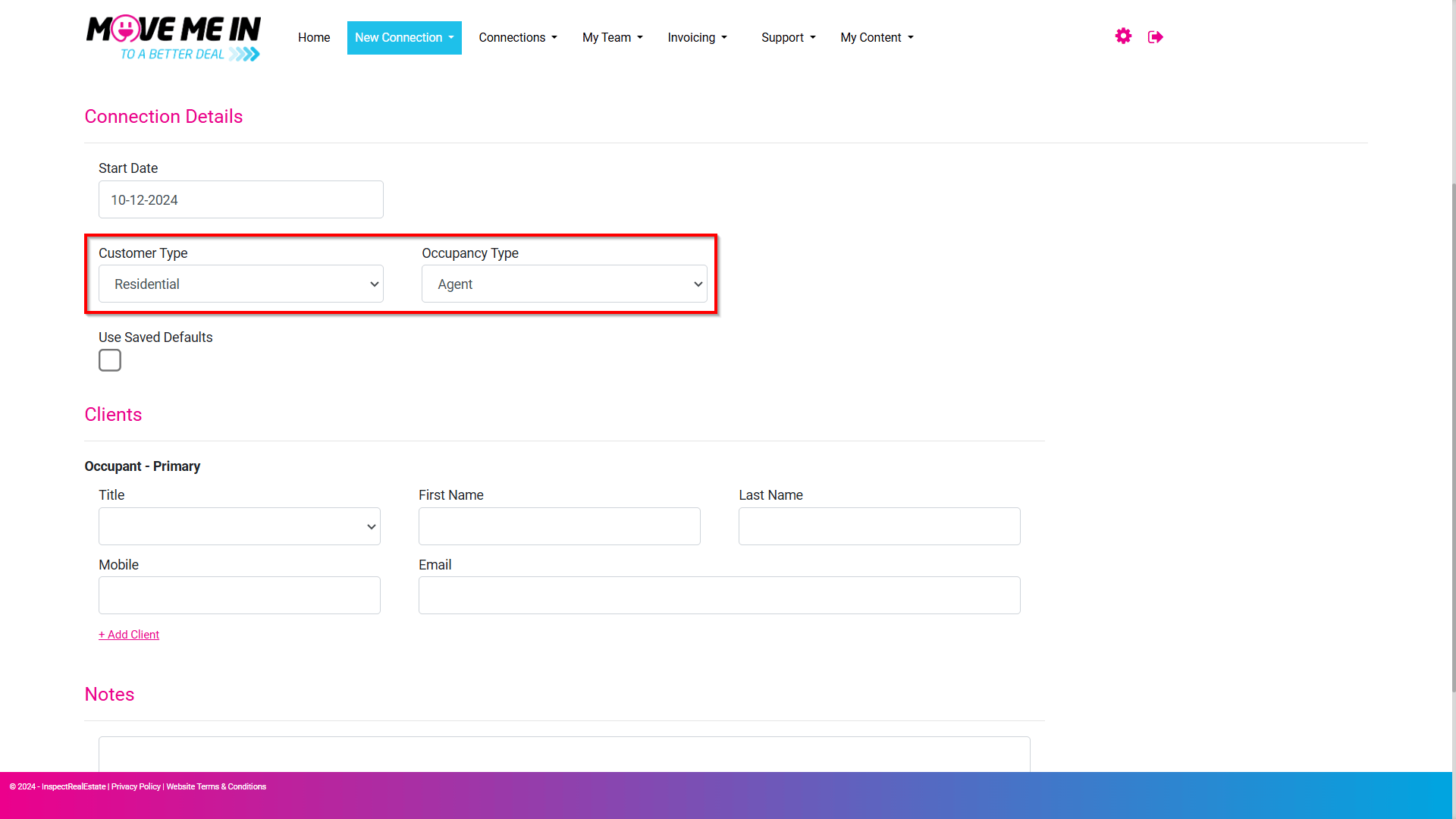
4. Customer and occupancy types will have values that appear. These do not need to be changed.
5. Enter the homeowners' details. If there's more than one occupant, click the +Add Client toggle to display additional occupant detail fields.
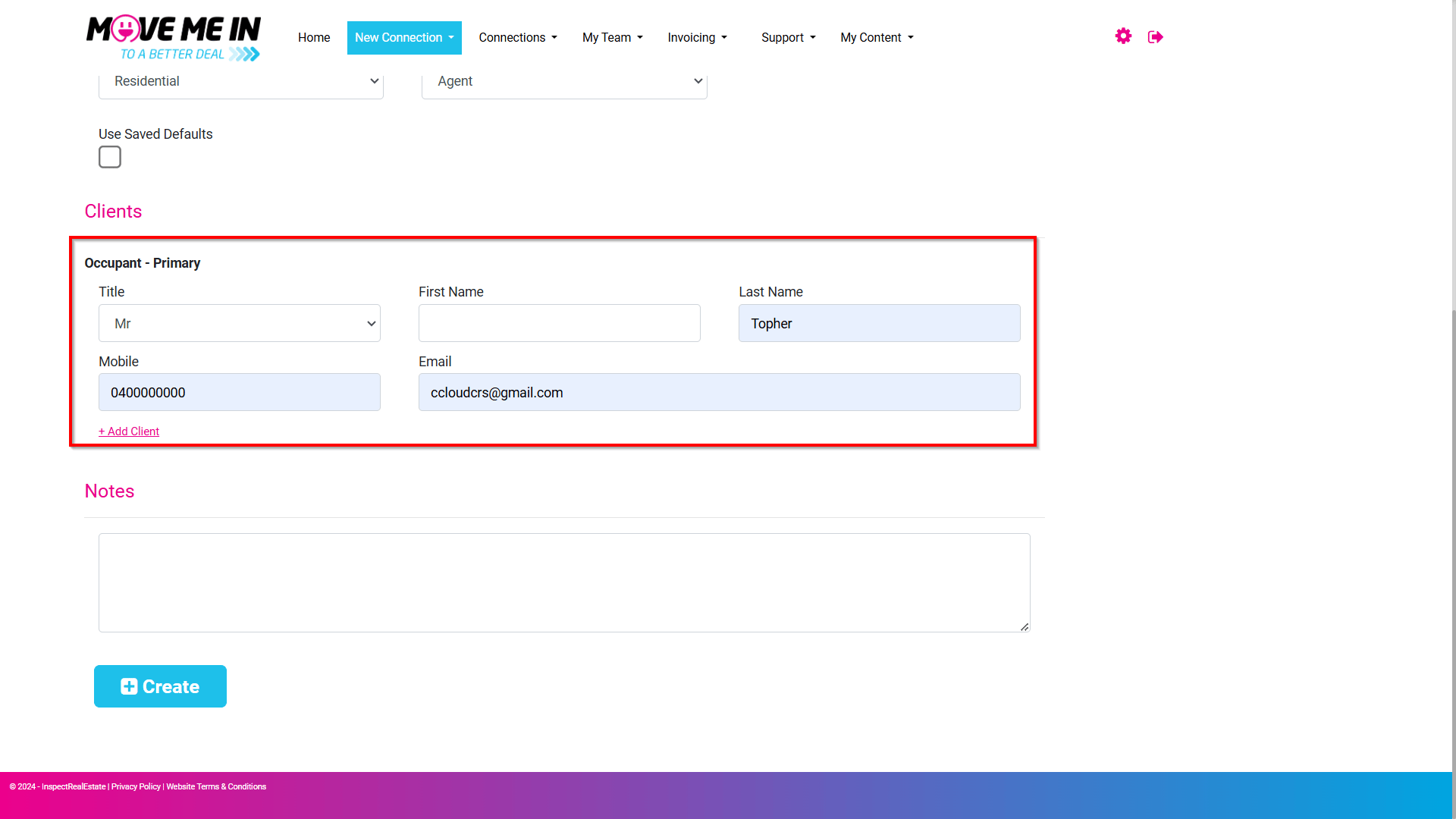
Note: If the temporary connection is being managed by your office, you will still need to put in occupant details, such as the property manager assigned to the property or general office account details.
The link to complete the connection will be sent to the email address provided. It's important to understand, if it's going to the owner, you will need the owner's email address or if it's being handled by an agent in the office, you will need the agent's email address. No contact will be made by phone to complete the connection. The connection request is done through SMS & email.
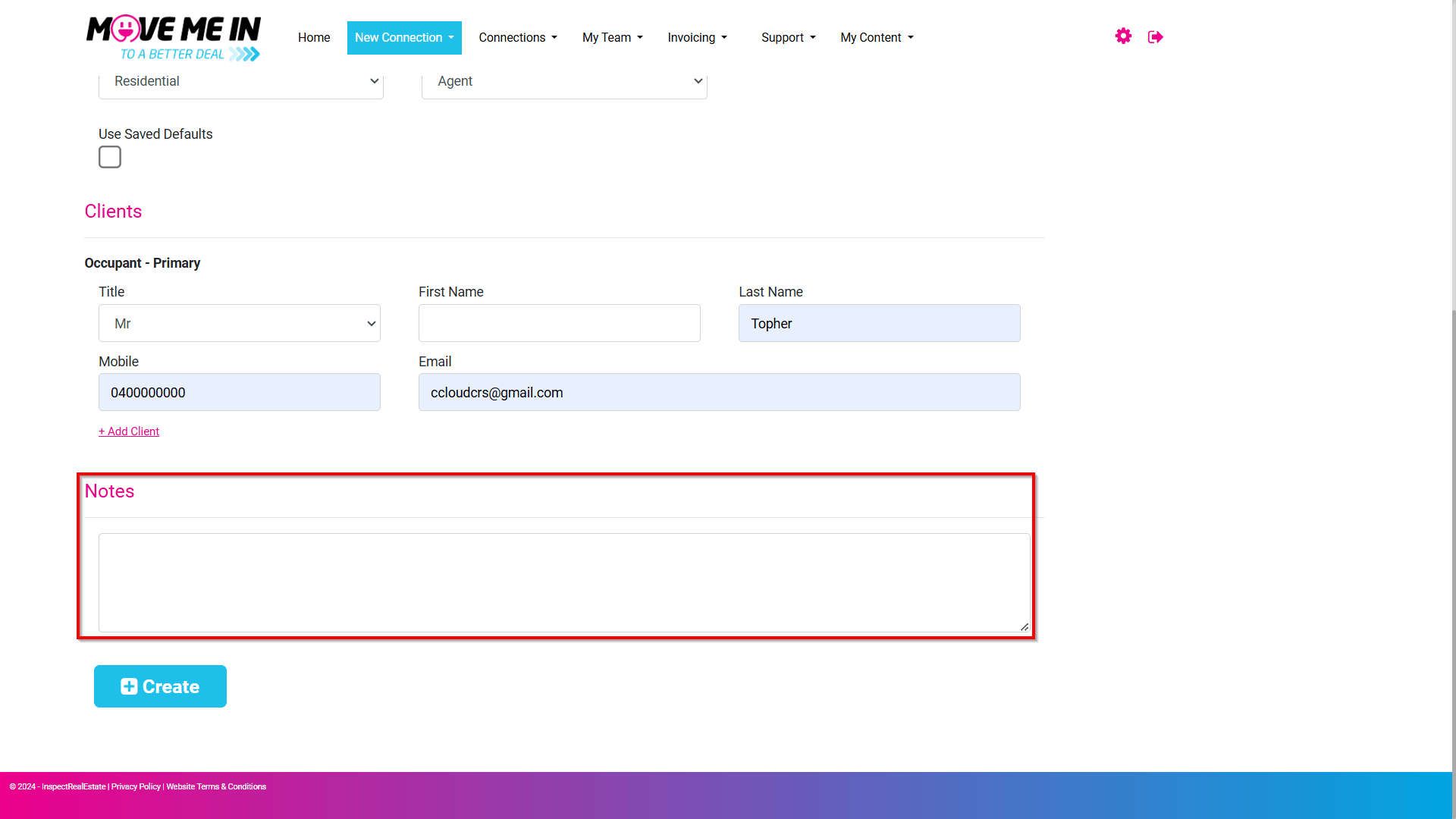
6. Enter any notes for the temporary connection request if required.
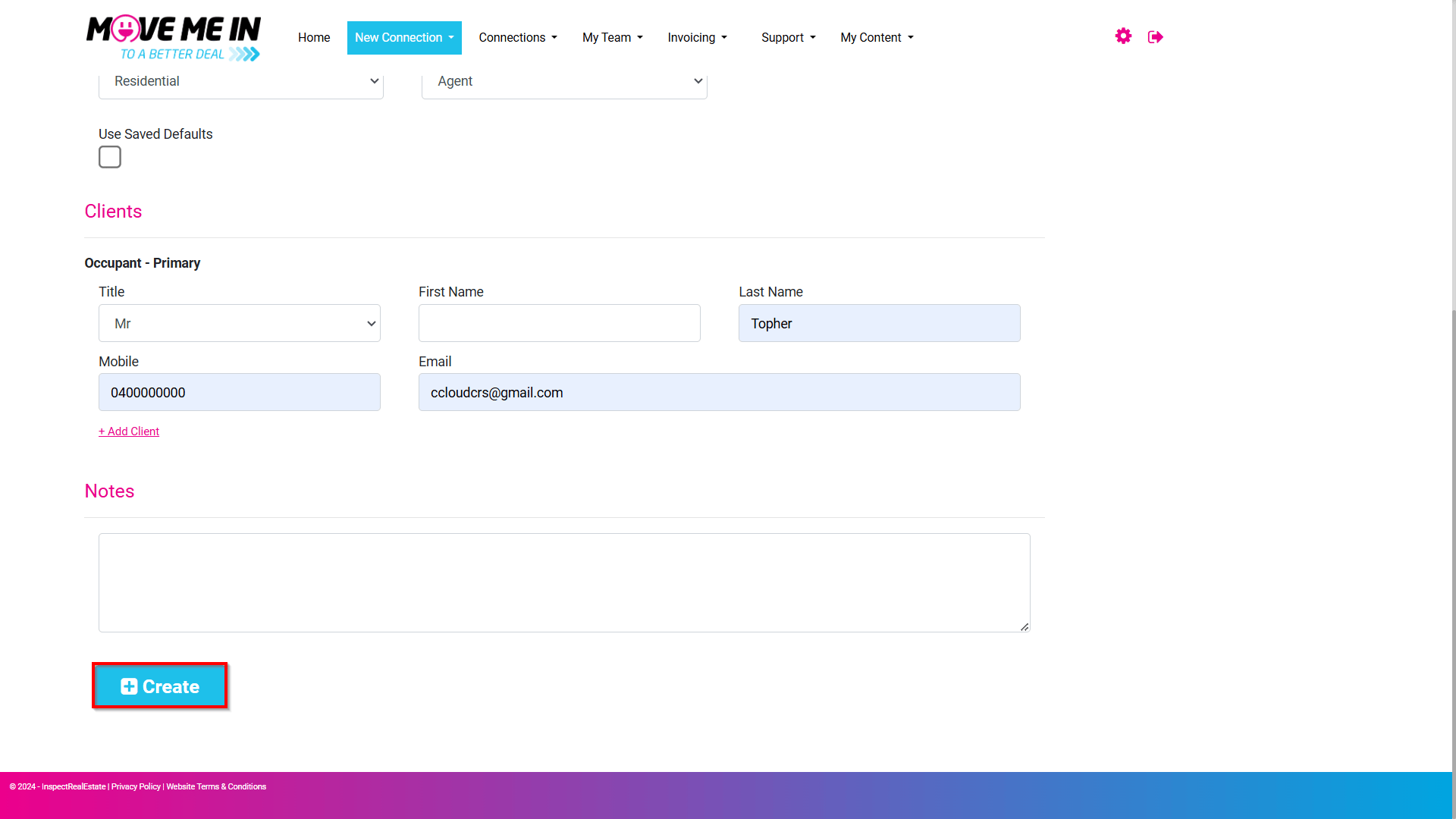
7. Click Create.
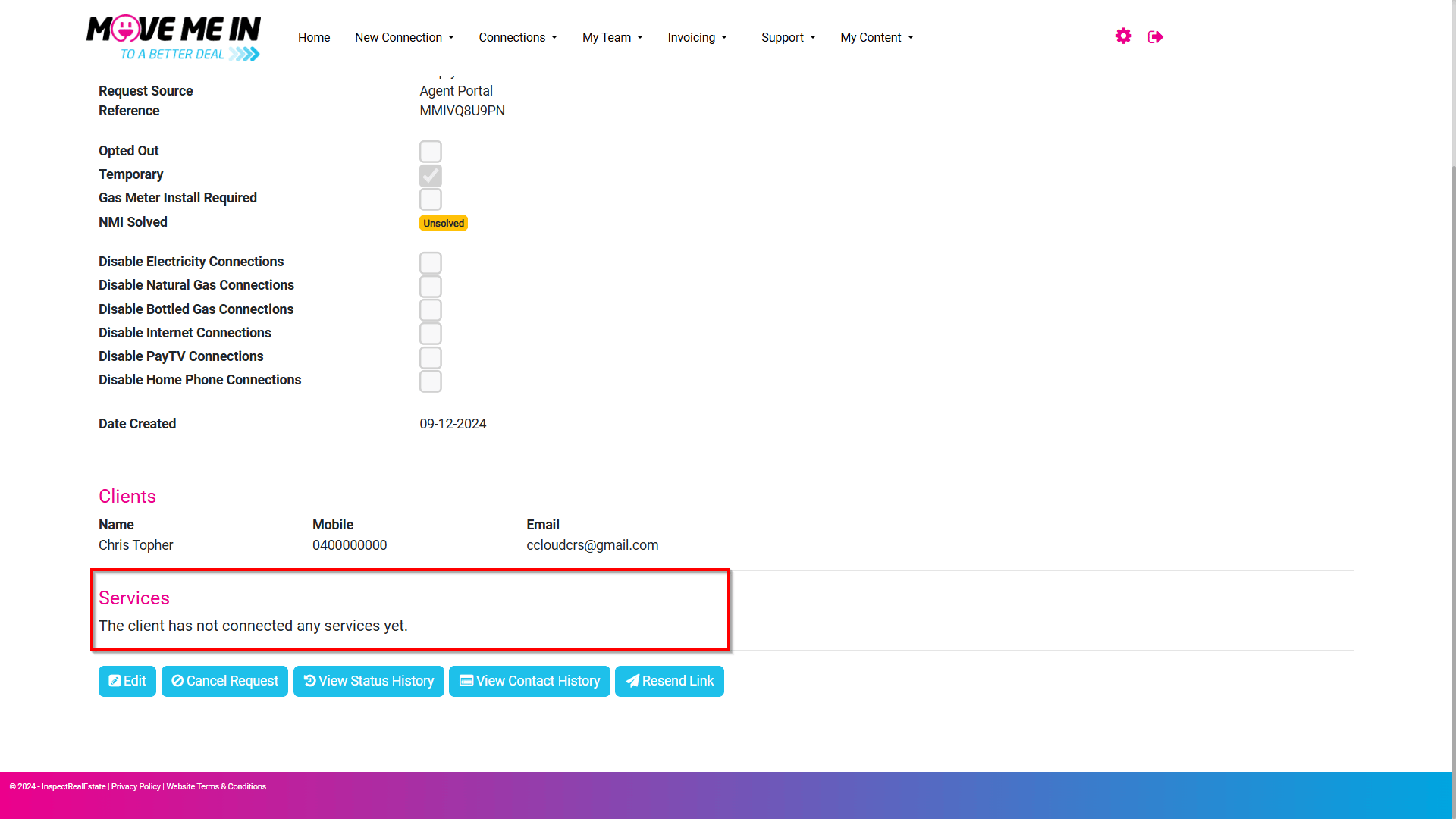
8. The created lead information will appear, display providing a summary of the provided details for the connection request.
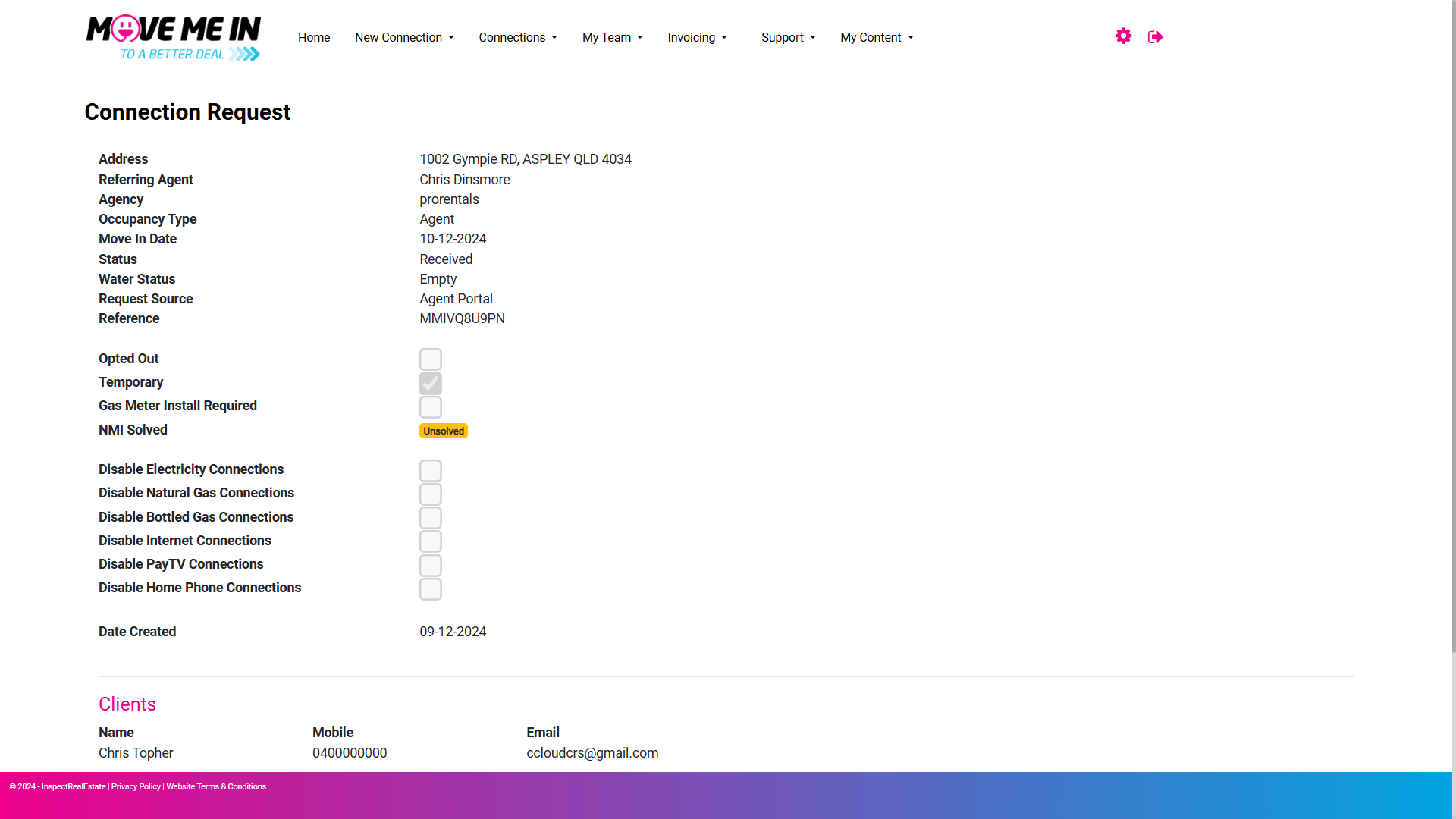
9. On the bottom half of the page, the lead details will display when any services have been connected.