Autoresponder Listing
This article will show you how to manage auto responder listing
The autoresponder allows you to edit the content of automated responses on a per listing basis. This will send automatic responses to anyone who enquires about a property through realestate.com.au, Domain, Allhomes or an Reapit Sales website.
The processes in this article include:
- Modifying the Autoresponder from Reapit Sales
- Modifying the Autoresponder from Content+
- Disabling the Listing Autoresponder
Modifying the Autoresponder from Reapit Sales
Follow these steps to modify the Autoresponder for a specific active listing within the Reapit Sales CRM.
- Select your listing and navigate to the general tab.
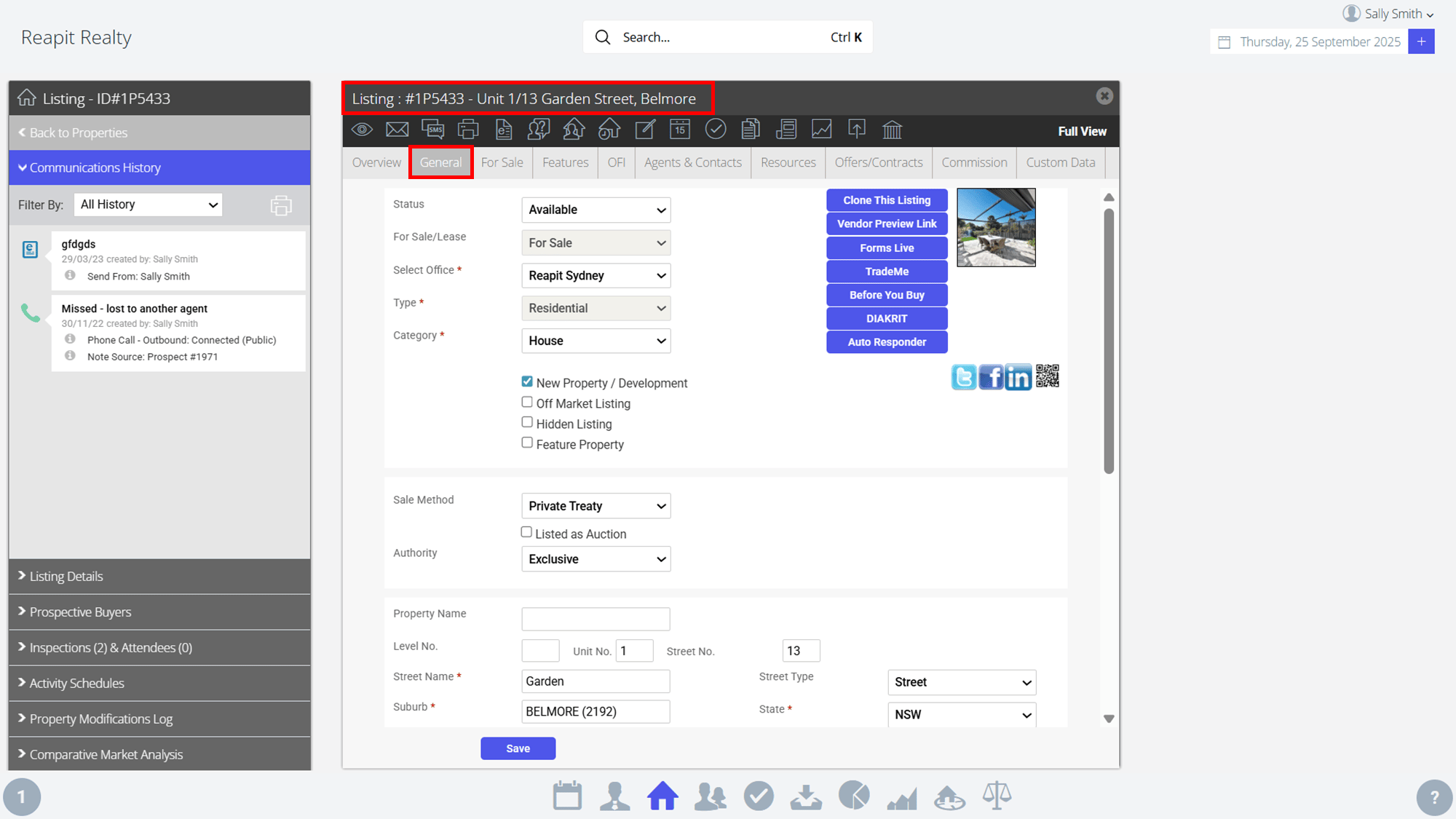
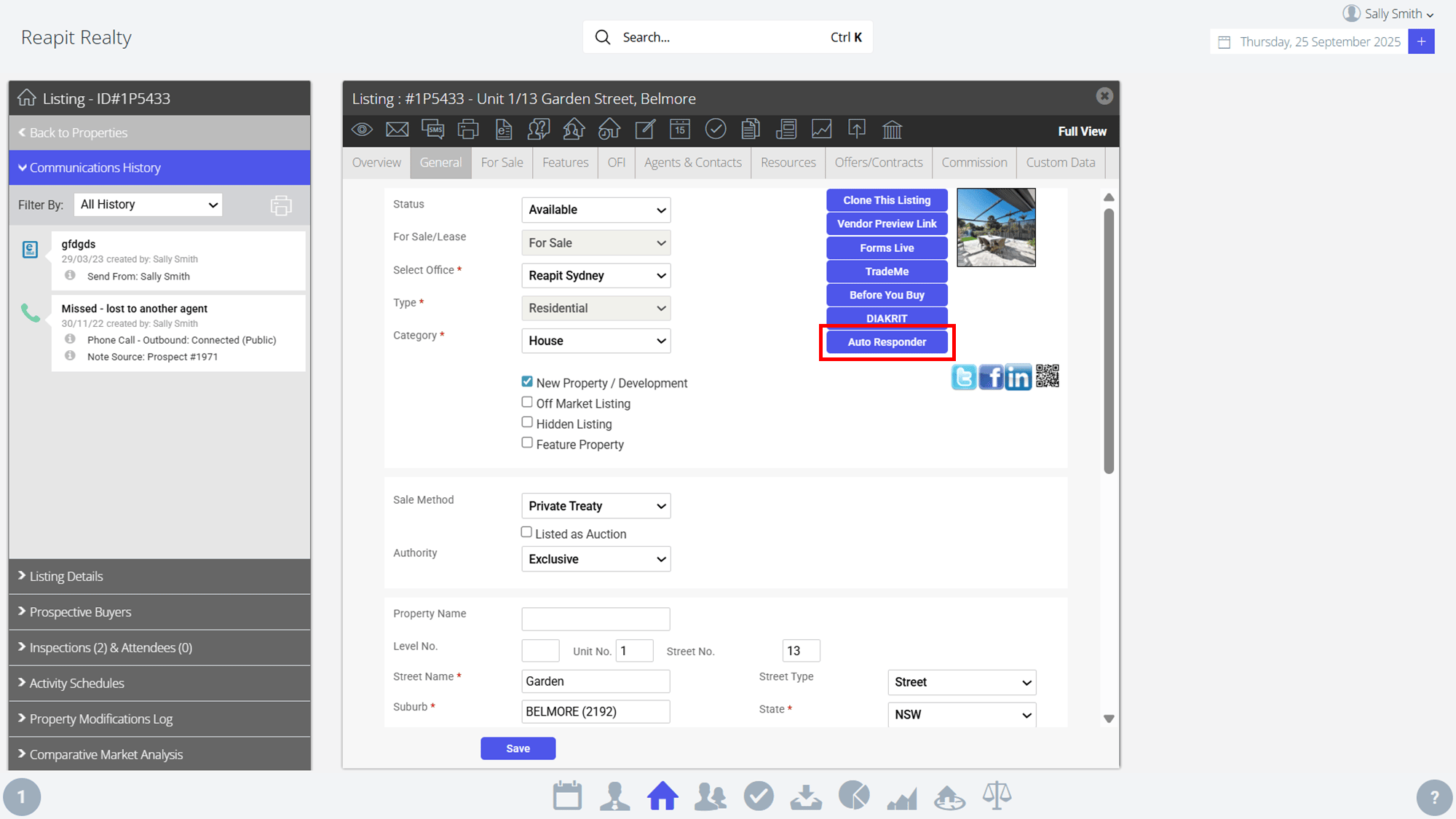
- Select the Auto Responder button.
- One clicked, you will be redirected to Content+.
Modifying the Autoresponder from Content+
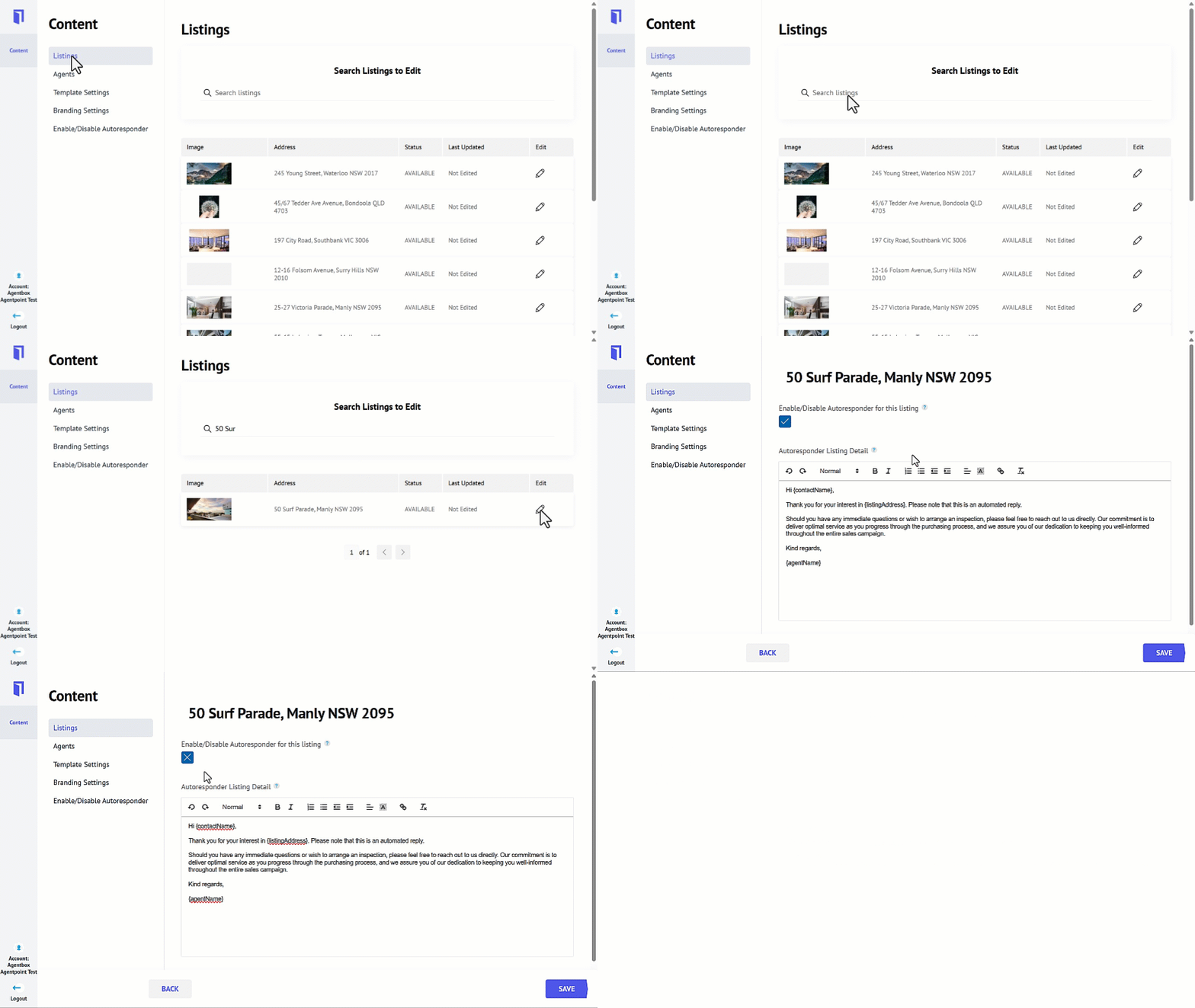
- Click on Content.
- Click on Listings.
- Search for your desired listing and click on the Pencil Icon.
- Tick the checkbox to enable the auto response for that listing.
- You will have the following available short merge codes available to use by placing the cursor were you want the field and selecting the merge field from the list.
- {listingAddress}
- {contactName}
- {agentName}
- {listingDescription}
- {listingPrice}
- {accountName}
- Edit the relevant information**.**
- Click on Save.
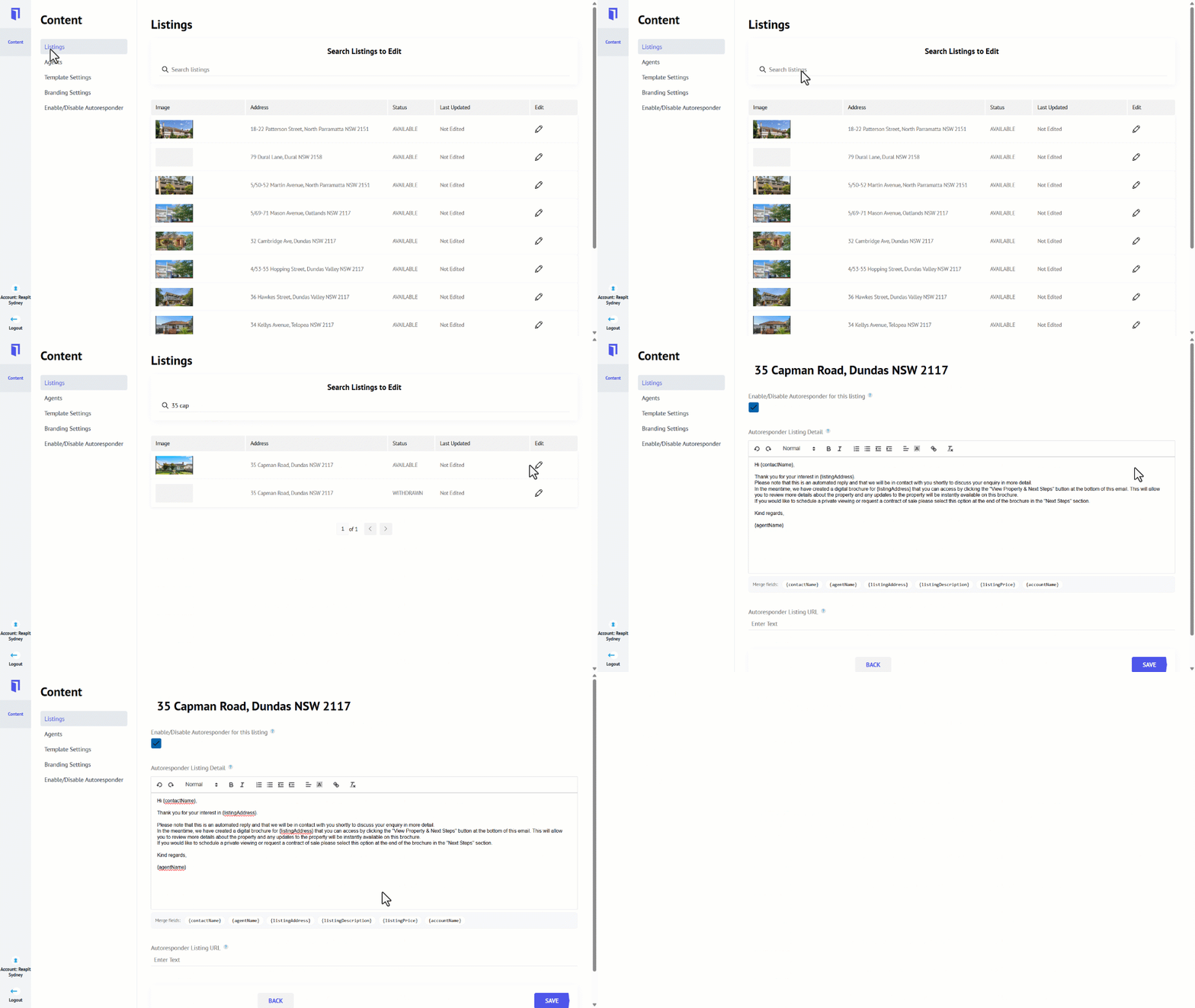
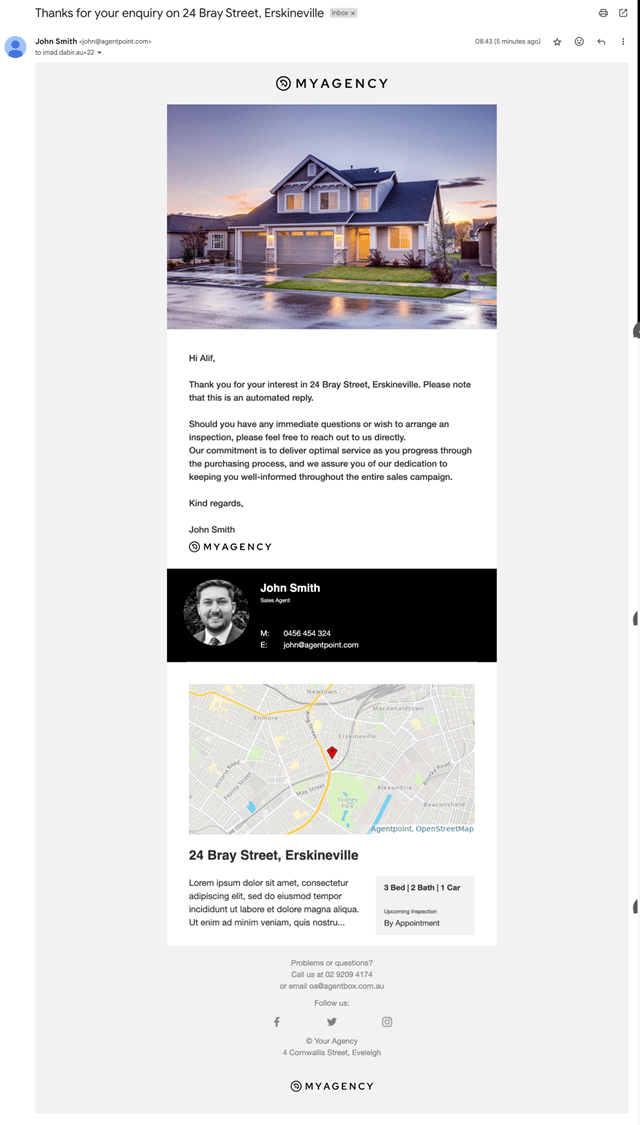
Below is an example of the auto response.
Disabling the Listing Autoresponder
- Click on Content.
- Click on Listings.
- Search for your desired listing and click on the Pencil Icon.
- Click the checkbox to disable the auto response for that listing.
- Click on Save.