Agent Profile Management in Content+
This article will show you the Agent Profile Management functionality
This Agent Profile Management functionality will allow users to view/edit agent profiles from within Content+.
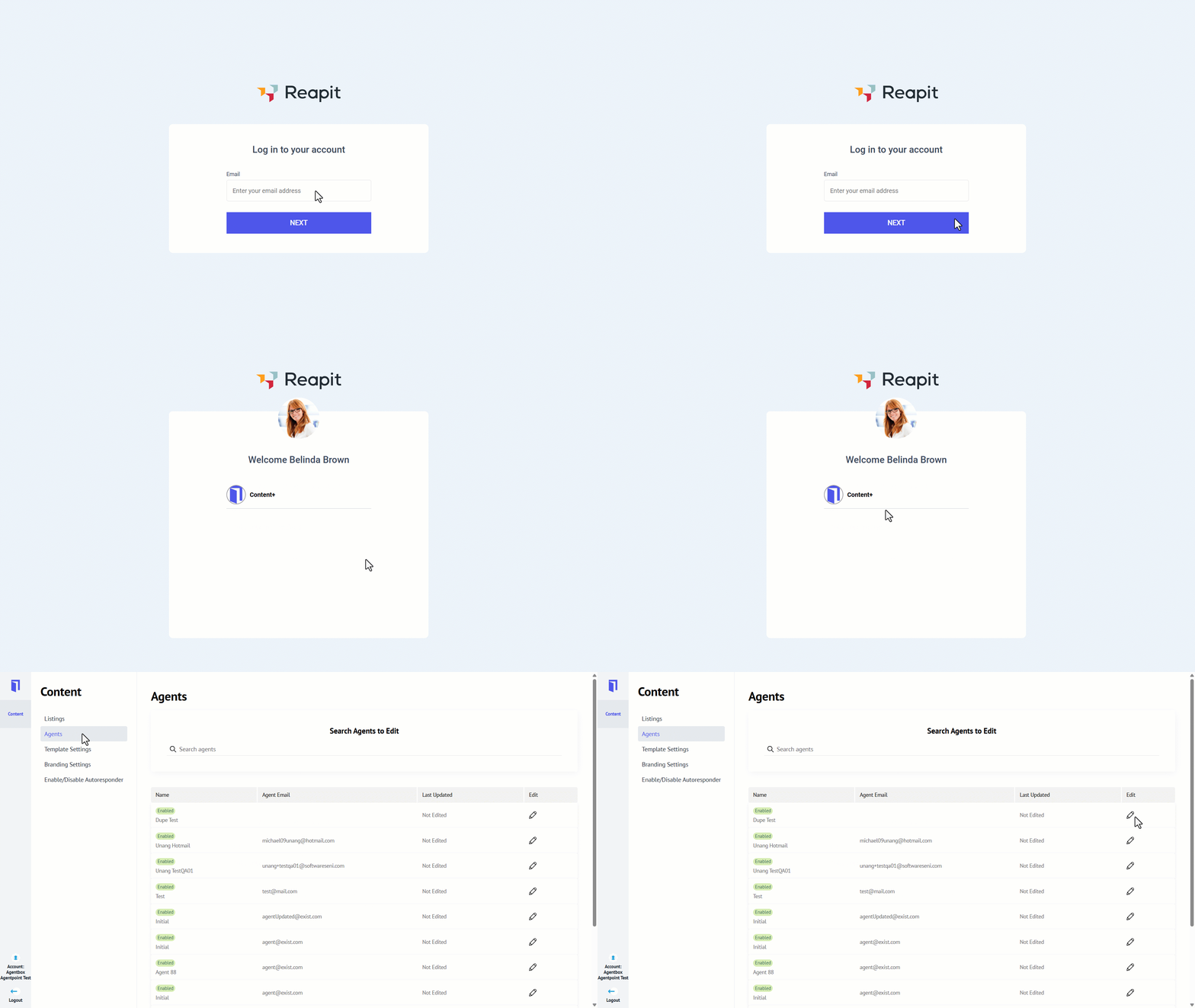
- Enter your email address into the Reapit Sales Digital login screen, accessed via https://accounts.leadplus.com.au/sso/email
- Enter your password.
- Click Content+.
- Click the Agents tab.
- Click on the pencil icon for the agent you want to edit.
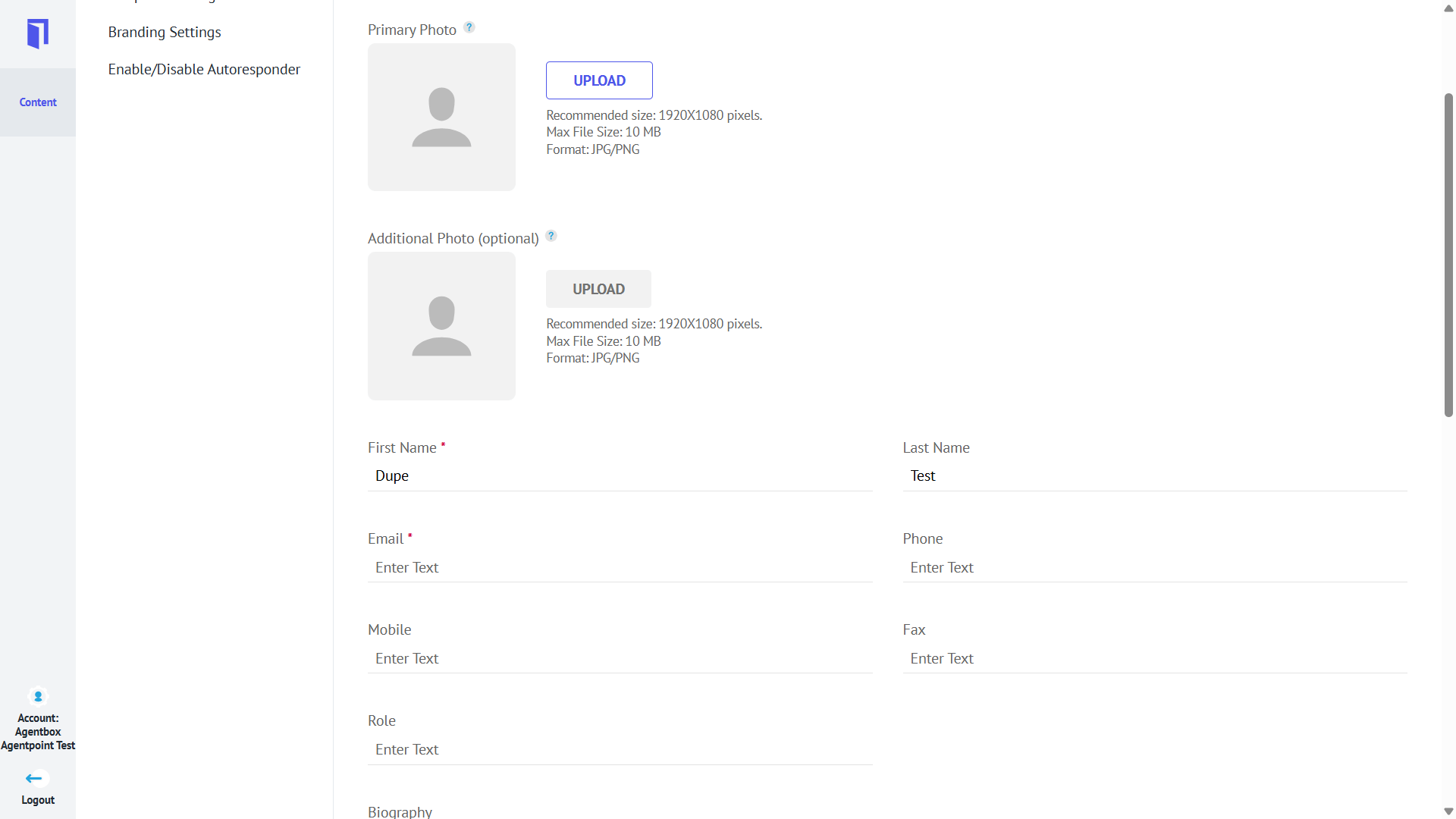
- The following fields are available on the agent profile page:
- Upload Photo(s)
- First Name
- Last Name
- Phone
- Mobile
- Fax
- Role
- Biography
- Website
- Video URL
- YouTube
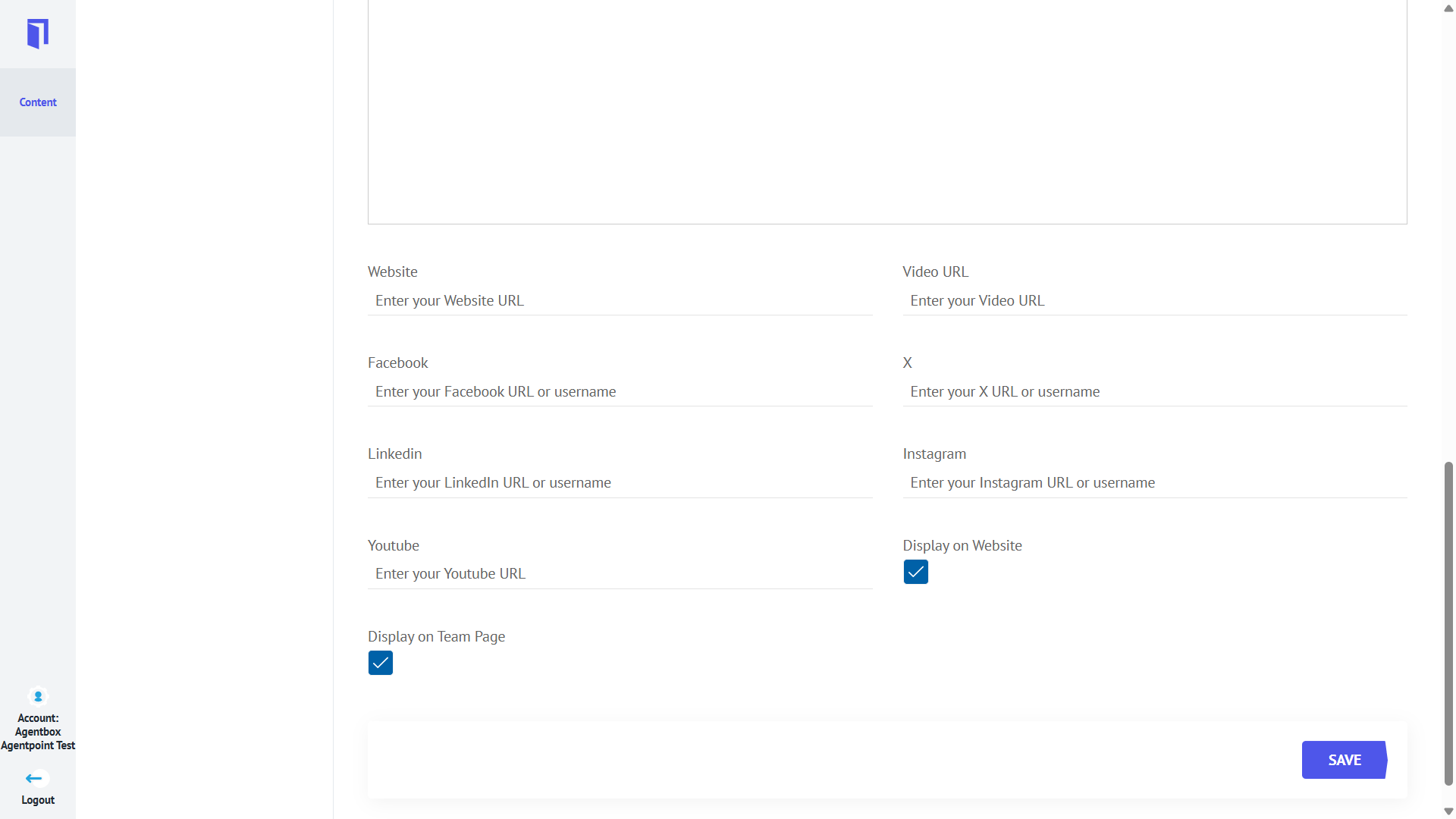
- Click Save.
Note:
- Display on website (Checkbox to enable/disable the display of agent profile across the website)
- Display on Team Page (Checkbox to enable/disable the display of agent profile on the team page of the website)